FAQ
What do freelancers ask about invoice templates?
Clear answers on invoice templates, pricing, and how solo service pros send professional PDFs from a phone.
What should a freelance invoice include?
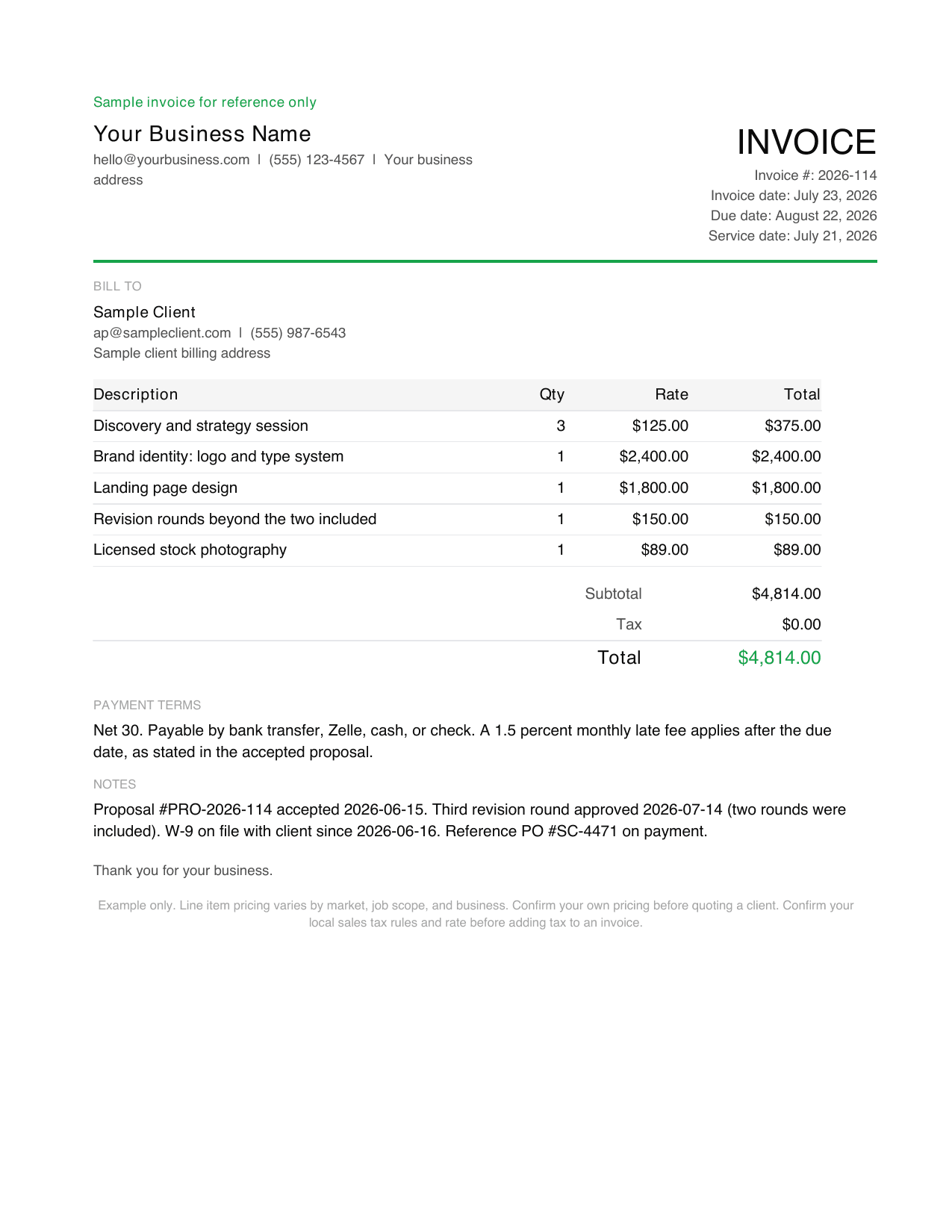
A freelance invoice needs your business name and contact details, the client's billing contact and address, a unique invoice number, the invoice date and due date, dated line items describing what you delivered, any reimbursed expenses at cost, any deposit already paid credited as its own line, the total due, and your payment terms. Add a purchase order number whenever the client issues one.
How do I invoice as a freelancer for the first time?
Start from the proposal the client accepted so the invoice matches what they agreed to buy. List the delivered work as dated line items, add expenses at cost, credit any deposit, then add an invoice number, a due date, and payment terms. Send it as a PDF to the billing contact, not to your day to day contact, and keep a copy of the file yourself. If you are searching for how to invoice as a freelancer because a client just asked you for one, the fastest route is to download the filled sample above and replace the numbers. A self employed invoice template works the same way whether you file as a sole proprietor or through a single member LLC.
Do freelancers charge sales tax on invoices?
In most US states professional services are not subject to sales tax, which is why the sample invoice above shows $0.00. A minority of states do tax some services, and the rules differ by what you deliver. Confirm your own state rule before adding or omitting tax, and never assume a rule from another state applies to you.
What is a fair freelance hourly rate in 2026?
It depends on discipline and market. The table above shows illustrative 2026 US ranges, from roughly $25 to $70 an hour for virtual assistance up to $100 to $300 for photography and $100 to $275 for marketing consulting. Remember these are contractor bid rates, not wages, so they have to cover self employment tax, admin time, software, and unbilled gaps between projects.
Can I charge a late fee on a freelance invoice?
You can if the client accepted the late fee before the work started, normally in the proposal or contract. One and a half percent per month is the common rate, which works out to 18 percent annualised, and it is normally applied to the unpaid balance each month rather than compounded. On a $3,314.00 invoice that is about $49.71 for the first late month. Restate the term on the invoice so it is visible. Adding a late fee that was never agreed usually just delays payment further while the client disputes it, and some states cap what you can charge, so check yours before you set the rate.
How do I bill for extra revision rounds?
State the number of included rounds in the proposal, then invoice each additional round as its own line item that references the date the client approved it. The sample invoice above shows exactly this: two rounds were included, and the third appears as a separate $150.00 line with its approval date.
Will I still get a 1099 from every client in 2026?
No. The reporting threshold for Form 1099-NEC rose from $600 to $2,000 for payments made on or after January 1, 2026. Clients who pay you less than $2,000 in the year issue no form at all. Your tax obligation is unchanged, so the income is still fully reportable, which makes your own invoice records the primary evidence of what you earned. This is general information, not tax advice.
Does Billgami process freelance payments?
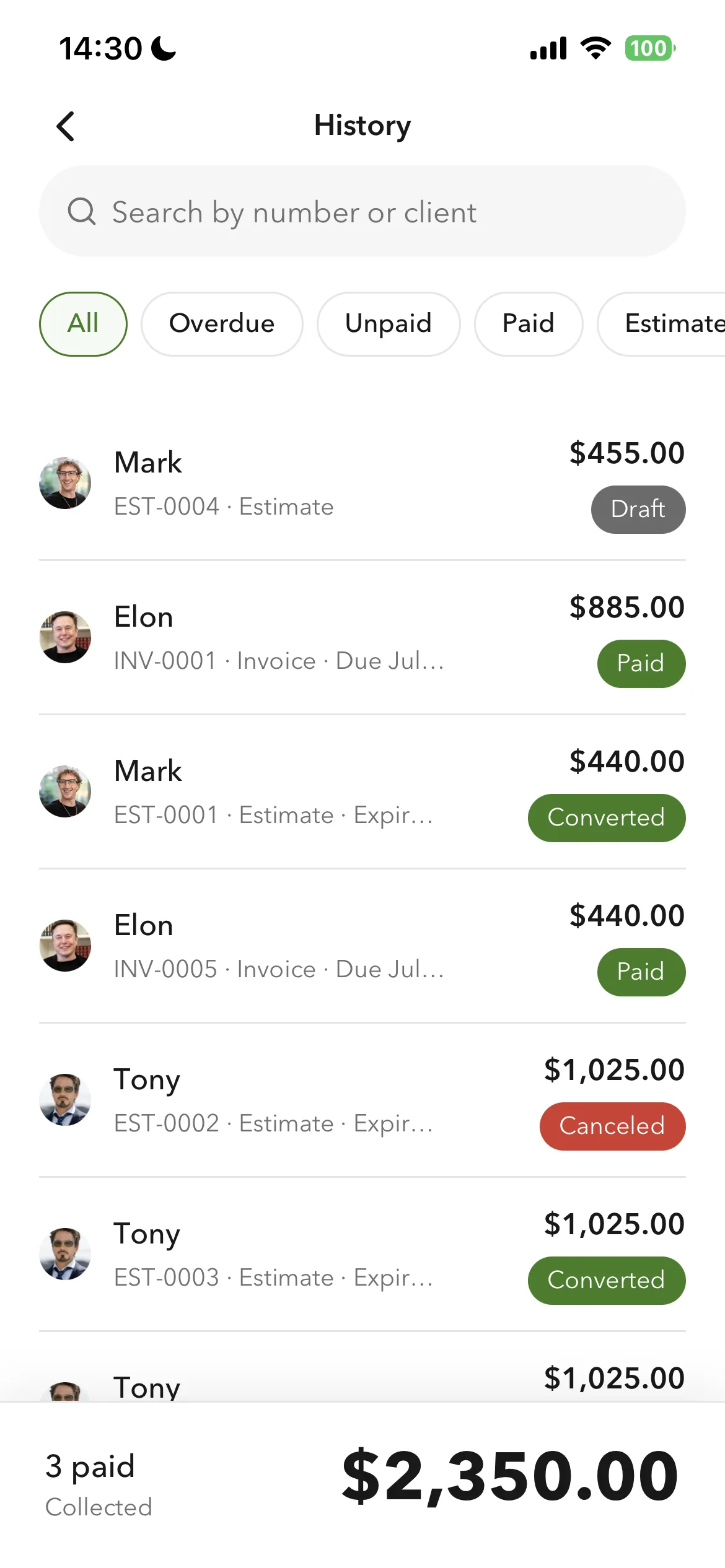
No. Billgami does not hold money, process payments, or collect on the invoice. The client pays you directly through the method you list, such as bank transfer, Zelle, cash, or check, and you mark the invoice paid, unpaid, or partial as the money arrives.
Is Billgami full accounting software?
No. Billgami is for invoices, estimates, quotes, receipts, PDF records, and manual status tracking. It is not tax, payroll, bookkeeping, or payment processing software.
Can I send PDFs from my iPhone?
Yes. Billgami is built around creating professional PDFs and sharing them through the iPhone share sheet or email workflows you already use.