Billgami
Bookipi alternative

11 Bookipi alternatives, judged on 1,870 real reviews

First, fairness: Bookipi is a good invoice app, rated 4.89 from 16,493 App Store ratings. People leave for two documented reasons: the free plan's 3-invoice monthly meter, and an app that keeps growing past simple invoicing. If the meter is your problem, Zoho Invoice, Square, and PayPal remove it free. If the growth is, Billgami, Tofu, and Invoice Simple have stayed plain invoice makers. If neither bothers you, staying is a fine answer. Every number below traces to a maintained dataset and saved review pulls.

  • Every alternative's true free-invoice limit, verified on vendor pages
  • 1,870 App Store reviews pulled across the apps on this page
  • Bookipi's own written reviews, tagged and counted, not paraphrased

Last updated · July 27, 2026

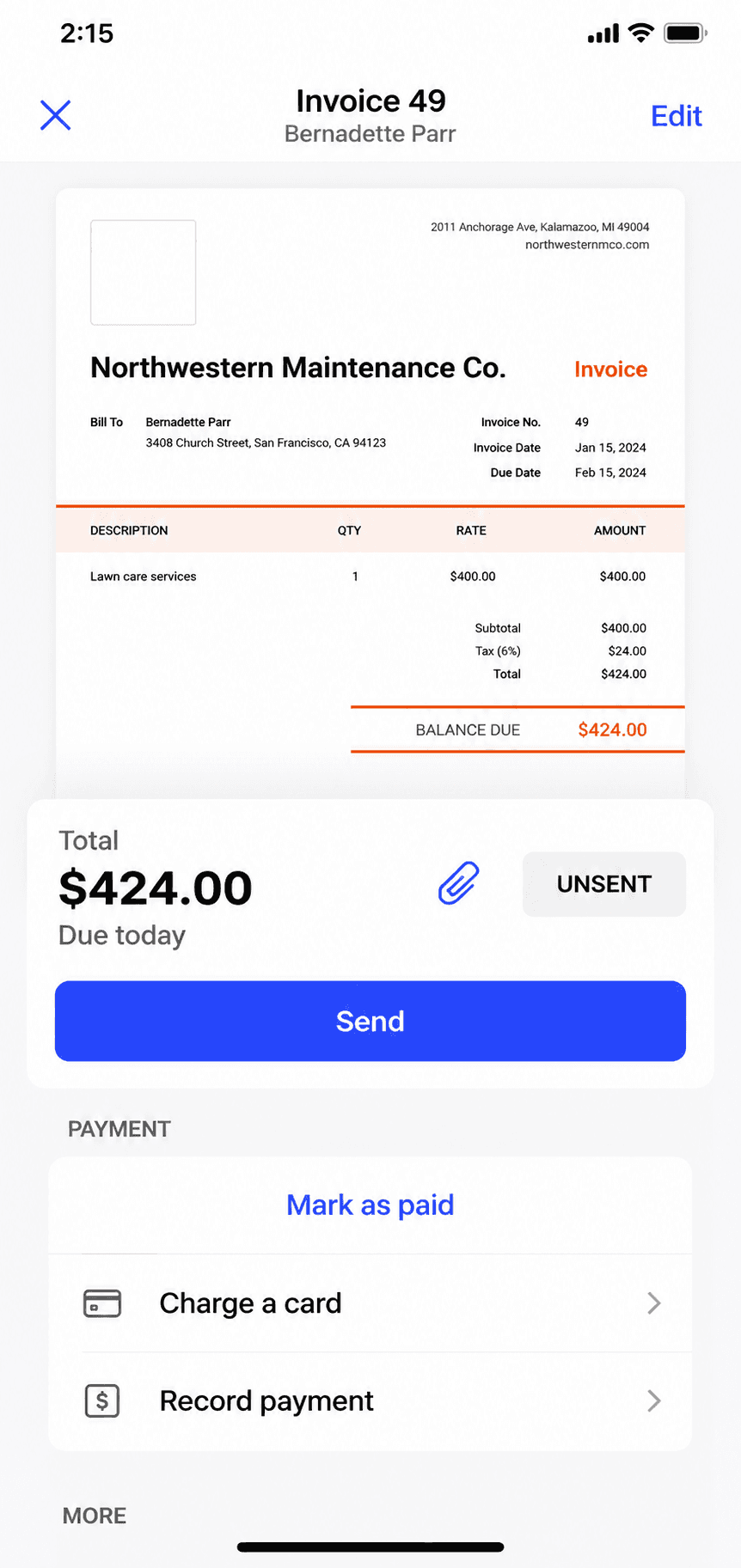
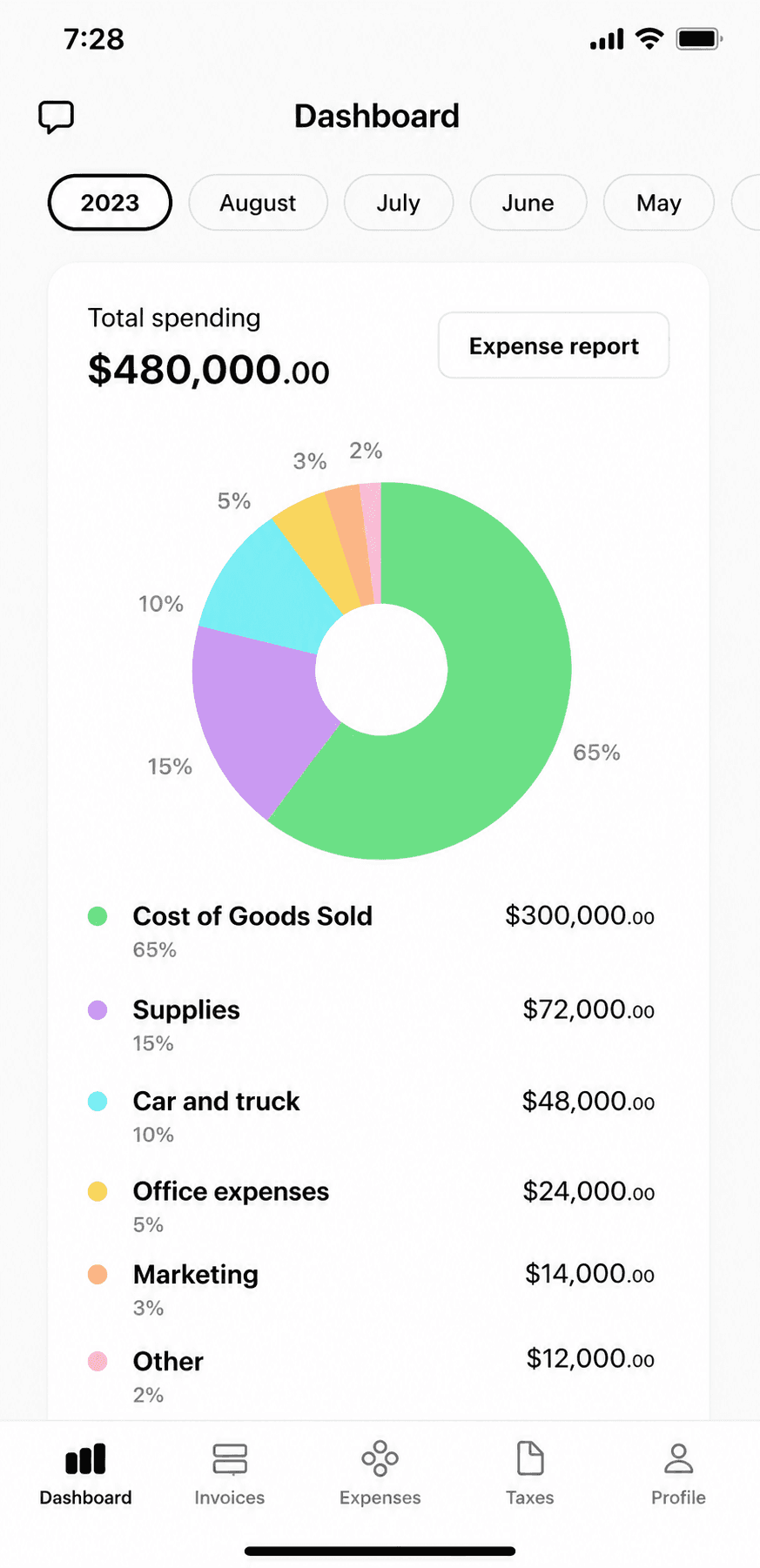
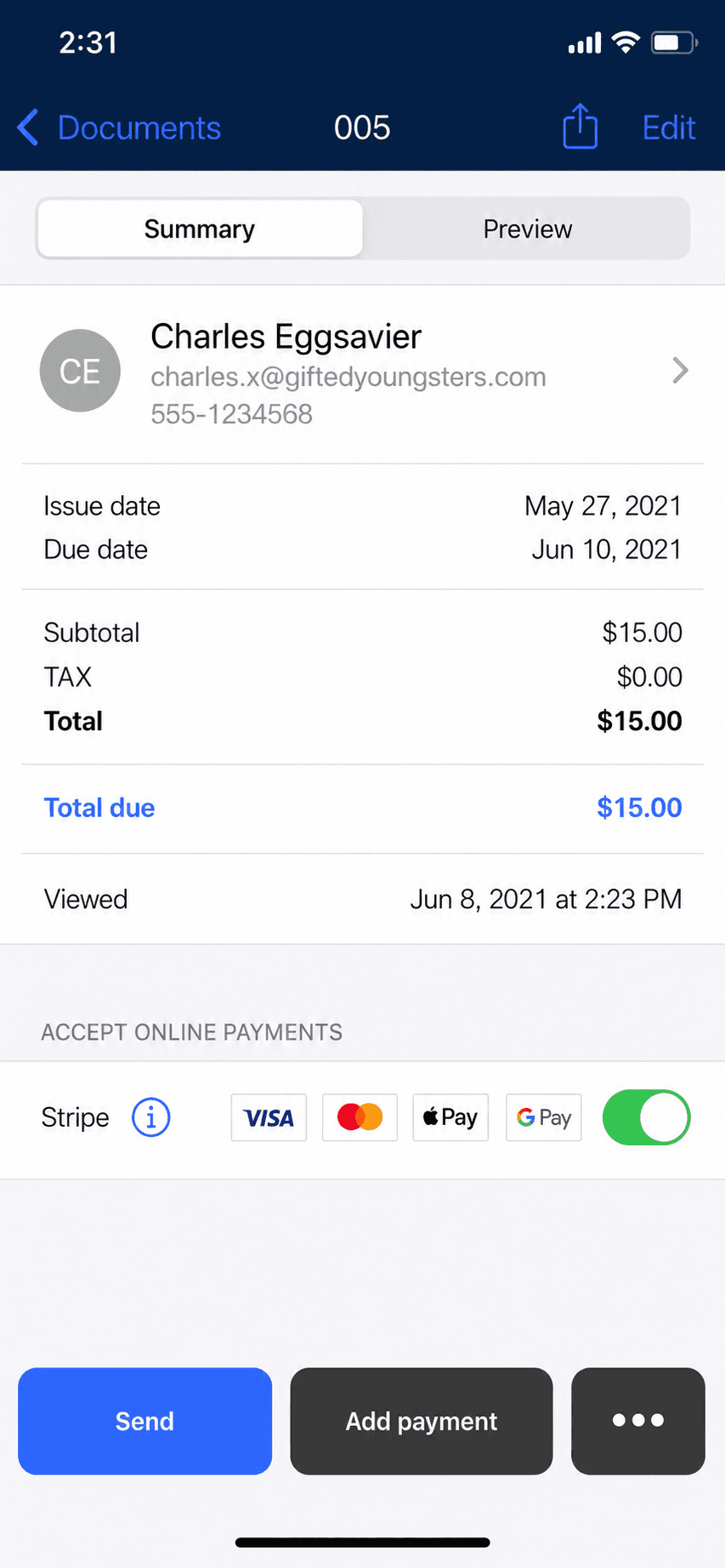
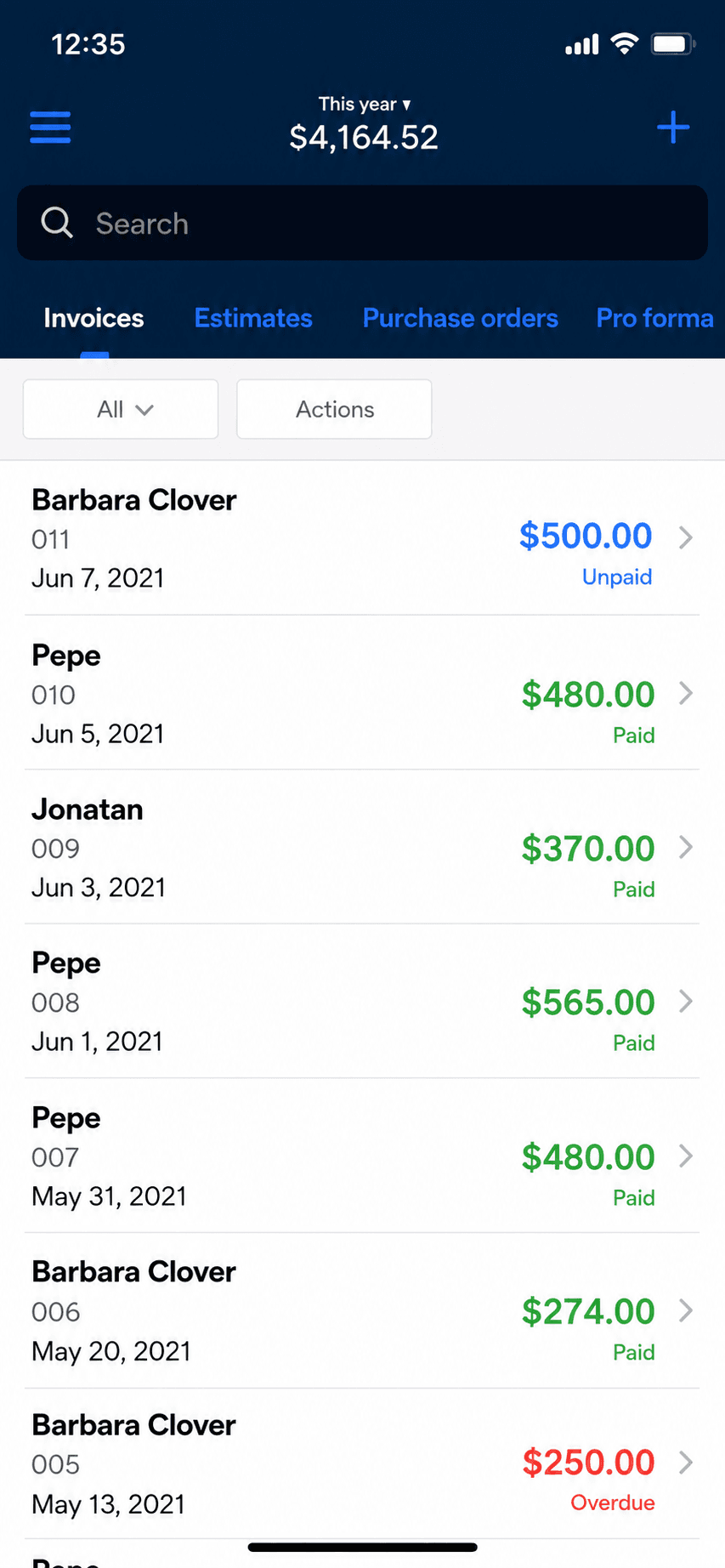
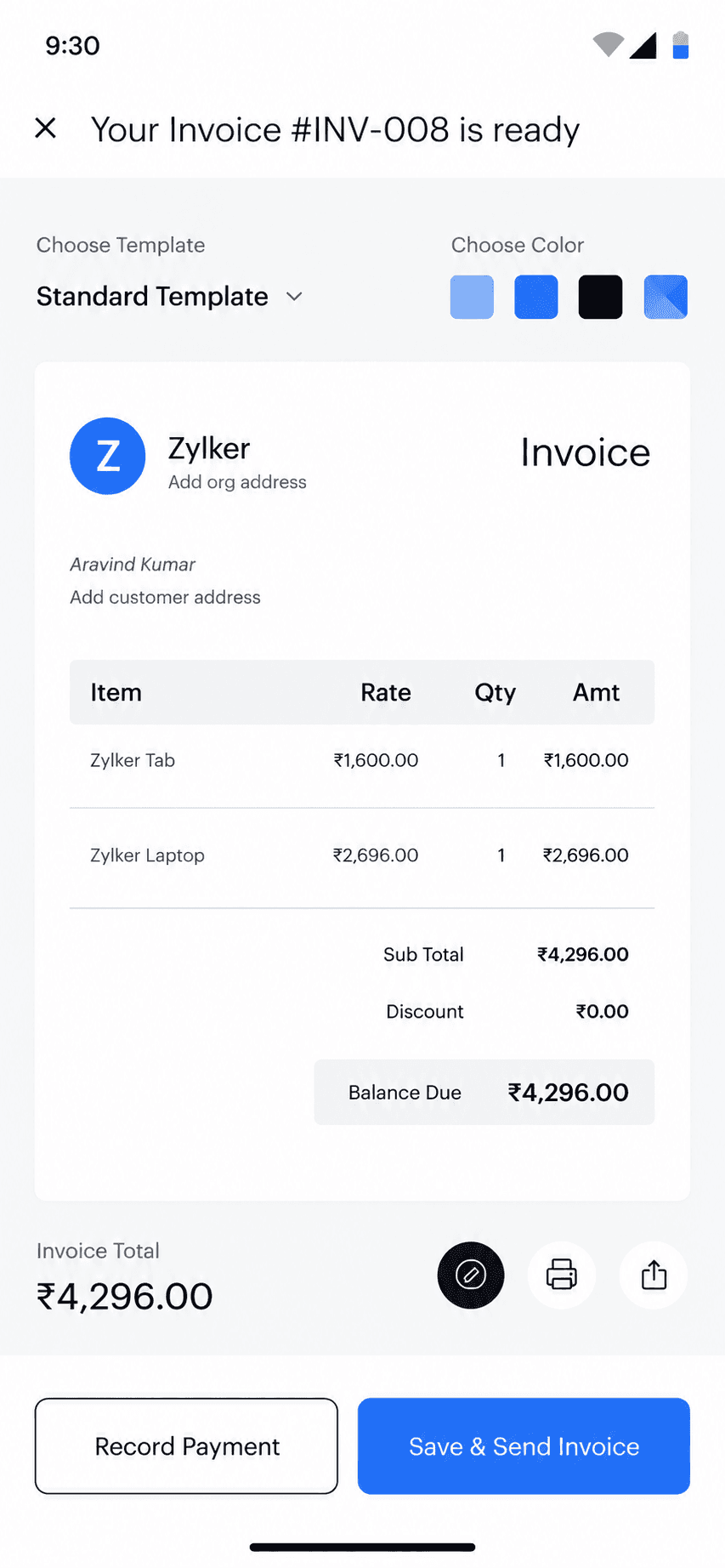
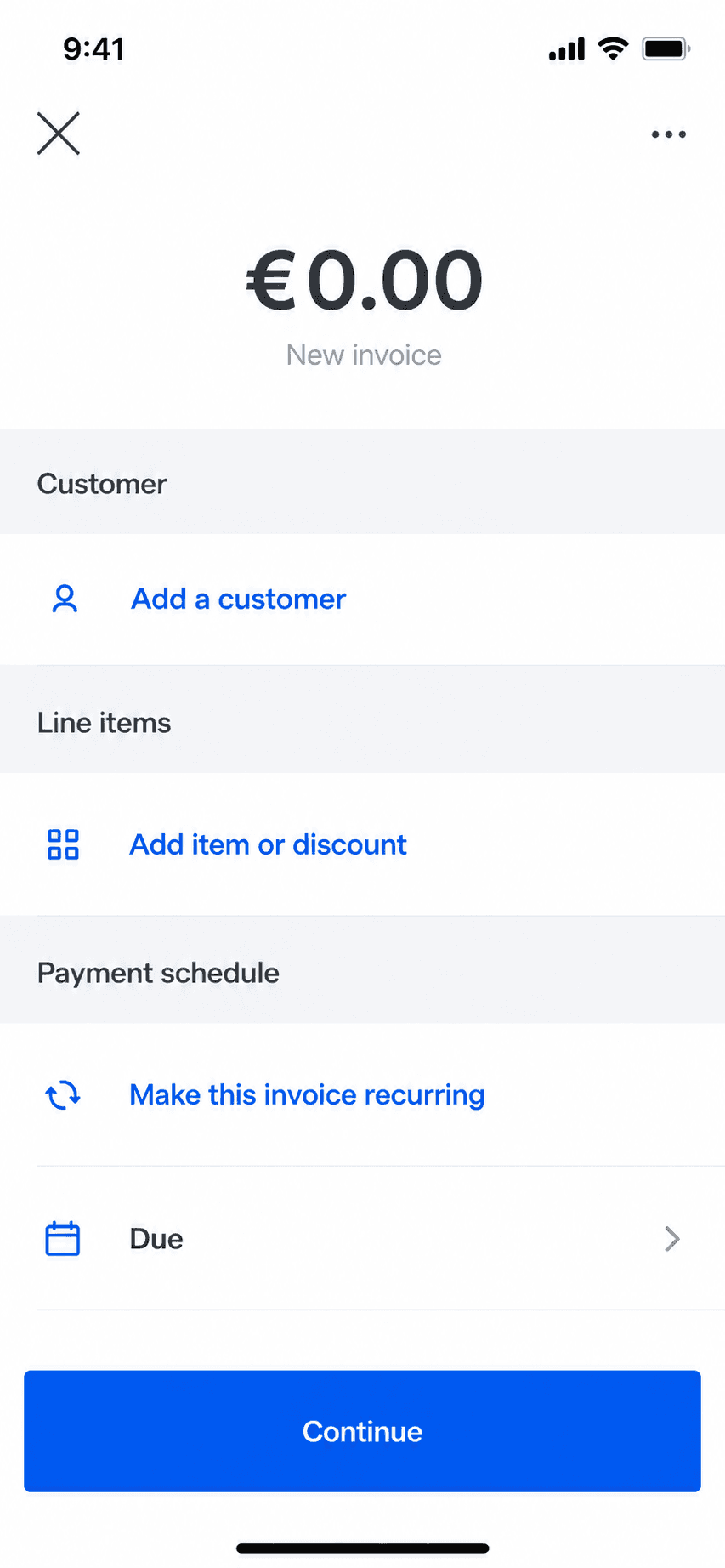
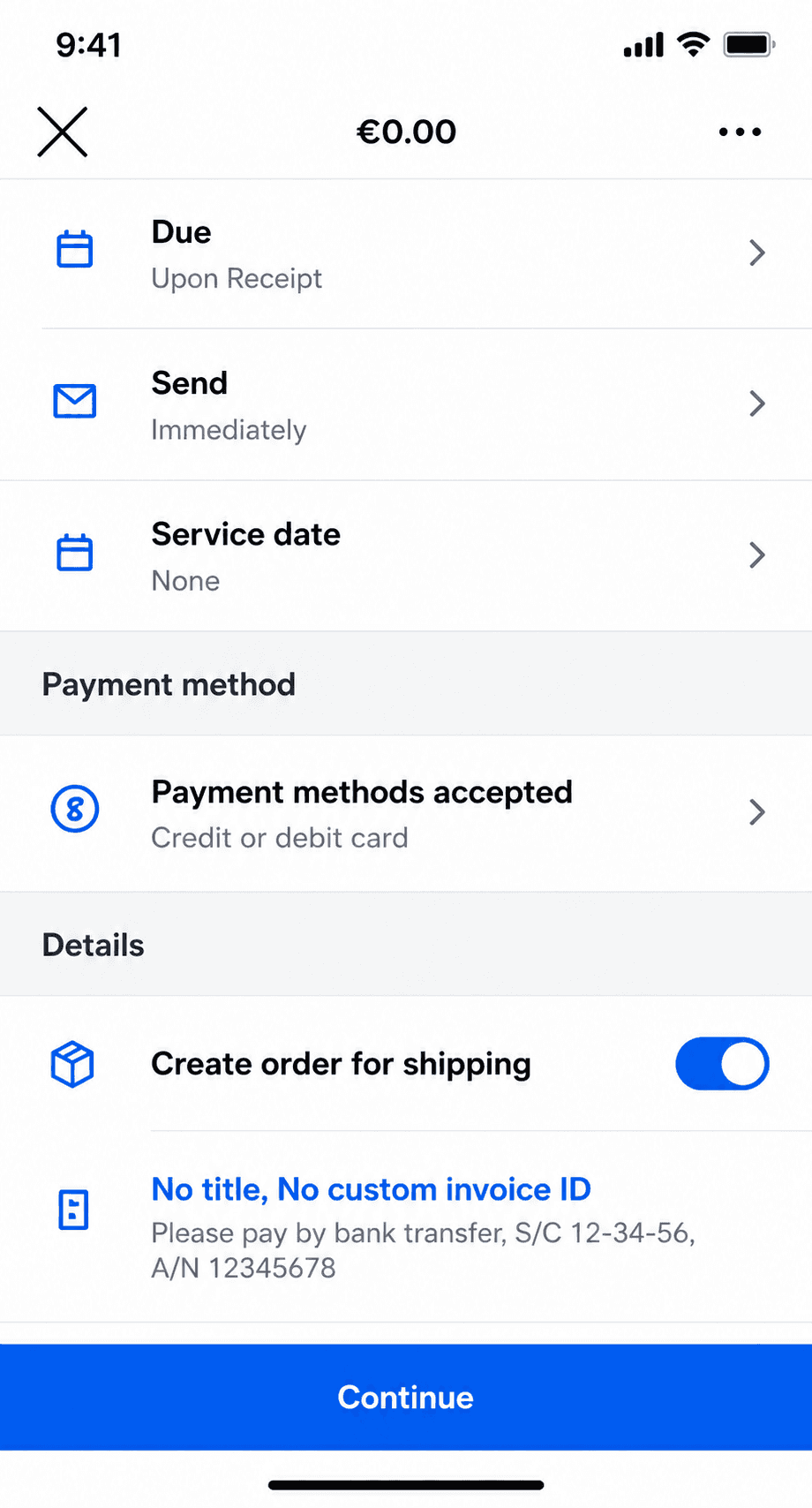
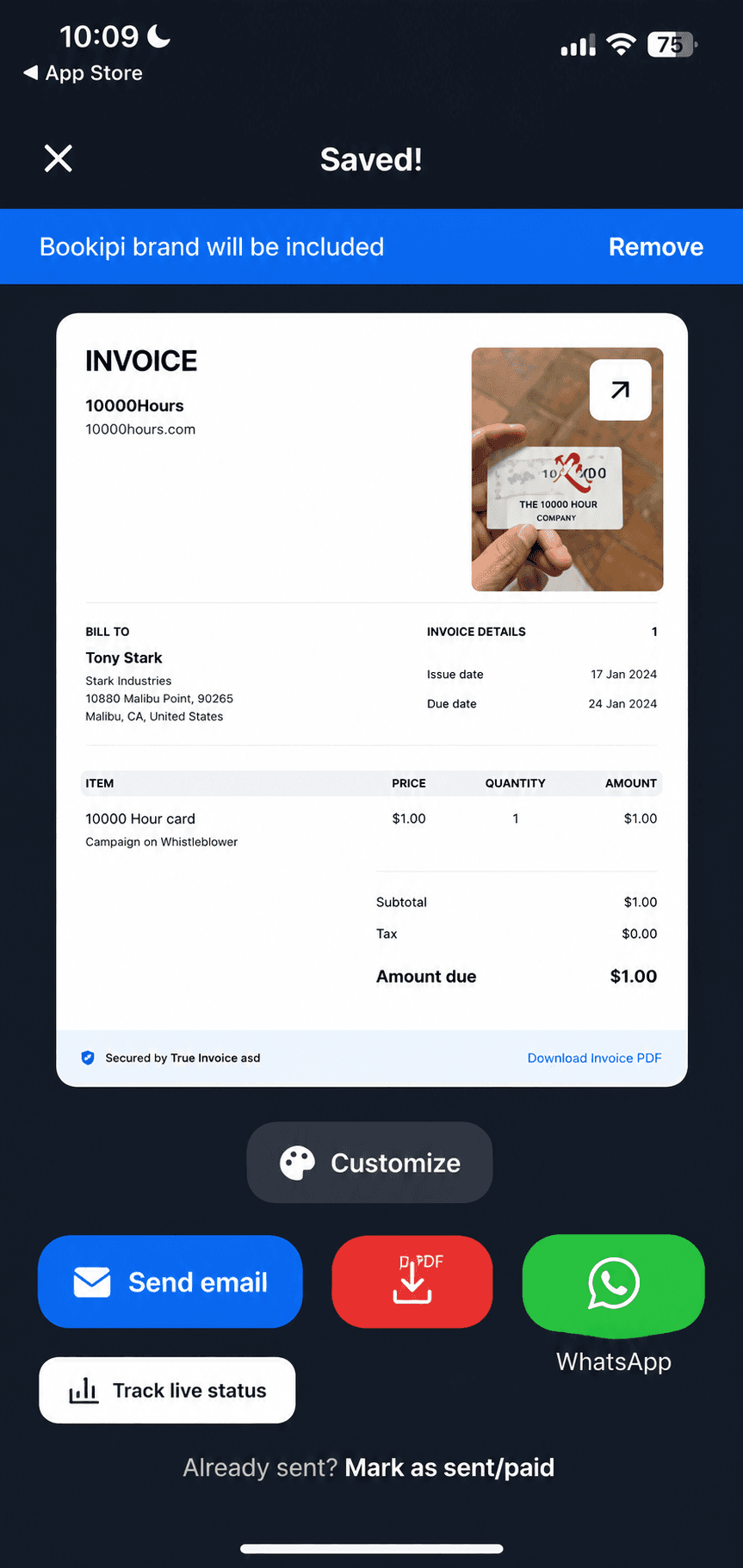
Bookipi invoice creation screen on iPhone, the app this guide helps you evaluate leaving
Quick takeaways

The best Bookipi alternative, by which limit pushed you here

  • Biggest genuinely free plan

    • Zoho Invoice
  • Free if clients pay by card

    • Square Invoices
    • PayPal Invoicing
  • Pay once, own it

    • Billgami
  • Most proven simple flow

    • Invoice Simple
  • Stays simple, like early Bookipi

    • Billgami
    • Tofu
    • InvoiceFly
  • Self-host and skip fees

    • Invoice Ninja
  • When to stay put

    • Stay on Bookipi
How we chose

How we evaluated these Bookipi alternatives

Every app below is an invoicing tool, judged on the same rubric, so the Bookipi competitors here are comparable rather than a directory dump. The pages currently ranking for bookipi alternative recommend ERPs, desktop accounting suites, and even personal-budgeting software; none of that belongs anywhere near this comparison, so none of it is here.

  • The real free limit, verified on the vendor's page, not the word 'free'.
  • Does it stay an invoice maker, or keep growing into a toolkit?
  • How well the actual mobile app works, rated by its own users.
  • How fast a first invoice goes out the door.
  • What it honestly gives up versus Bookipi.
  • What real users say in public, dated App Store reviews.
The honest picks

The best apps like Bookipi, in their own screenshots

No affiliate ranking. Billgami leads because it is ours, disclosed up front; after it, the apps run in order of proven use, and the last card is the honest one no directory writes: when staying on Bookipi is the right call. Every card carries the app's real prices, its App Store rating with the size of its rating base, and a verbatim review.

ToolLaneBest forFromApp Store rating
BillgamiInvoicingThe simplest, fastest way to send a professional invoice: pick a client, add services, preview, and send in about a minute.$0To be updated
Invoice SimpleInvoicingPeople who want the most popular, simplest invoice app and send few invoices.$6.99/mo4.87(122,610)
InvoiceFlyInvoicingMobile-first invoicers happy to pay a yearly subscription for a slick, fast app.$8.99/week4.76(94,699)
Invoice2goInvoicingEstablished mobile invoicers who send few invoices and want a polished, payments-connected app.$7.99/mo (iOS)4.85(55,391)
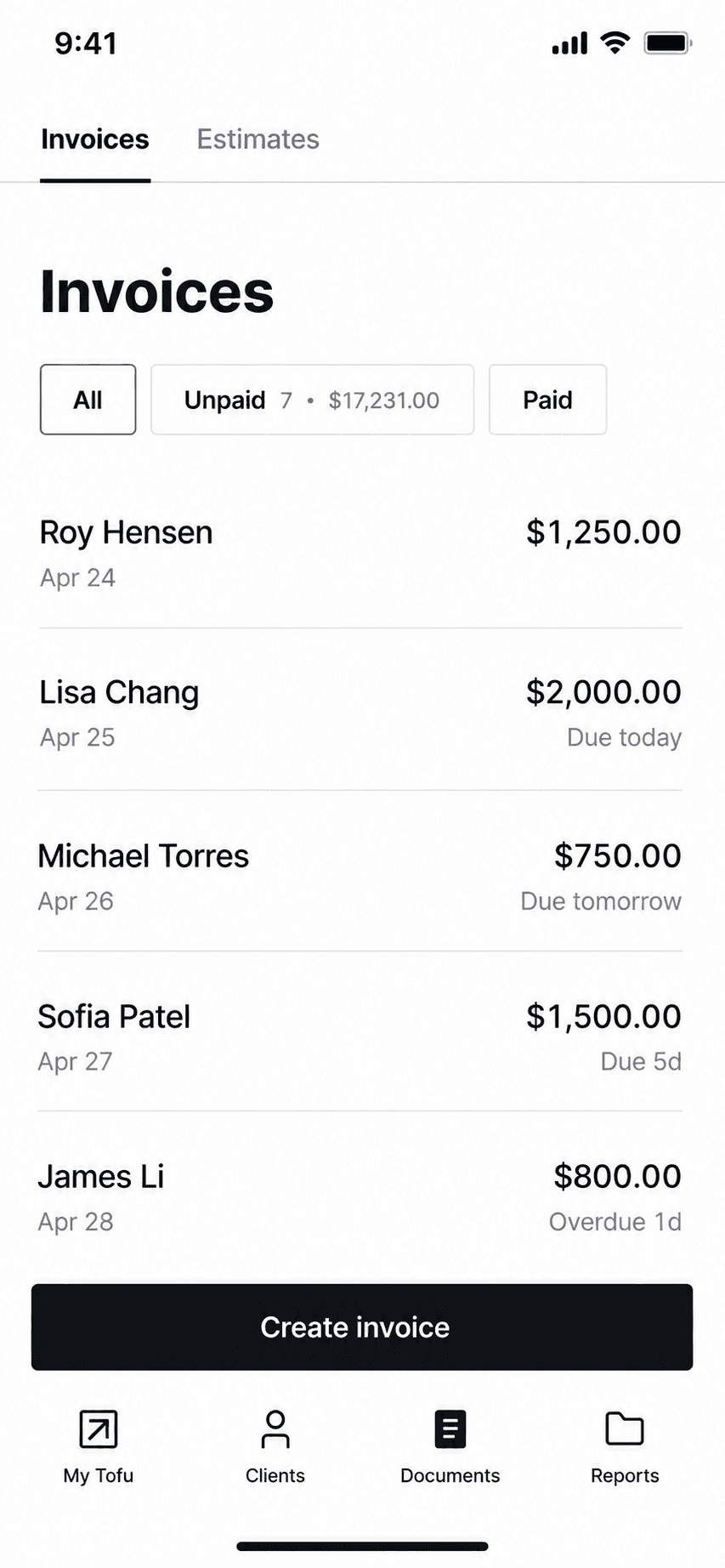
TofuInvoicingPhone-first invoicers who want offline invoicing and may grow into crew scheduling.$29/mo4.83(35,309)
BillduInvoicingSolo pros and tiny teams who want polished invoicing plus expenses on a modest subscription.$7.99/mo4.82(25,672)
Zoho InvoiceInvoicingInvoicing-only users who want a free, full-featured web and mobile invoicing tool.$04.86(13,770)
Square InvoicesInvoicingSolo pros who want free invoicing and also take card or in-person payments.$0/mo4.83(92,439)
PayPal InvoicingInvoicingSolo pros whose clients already pay by PayPal, Venmo, or card.$0/mo4.19(29,377)
Invoice NinjaInvoicingFreelancers who want free, customizable, or self-hosted invoicing.$0/mo4.59(173)
Stay on BookipiInvoicingOccasional invoicers who fit inside 3 free invoices a month, or light users at $9.99.$04.89(16,493)

App Store ratings from Apple, pulled July 2026 (saved for audit). Prices as of July 2026; confirm current with each vendor.

1. Billgami

App Store rating: to be updated.

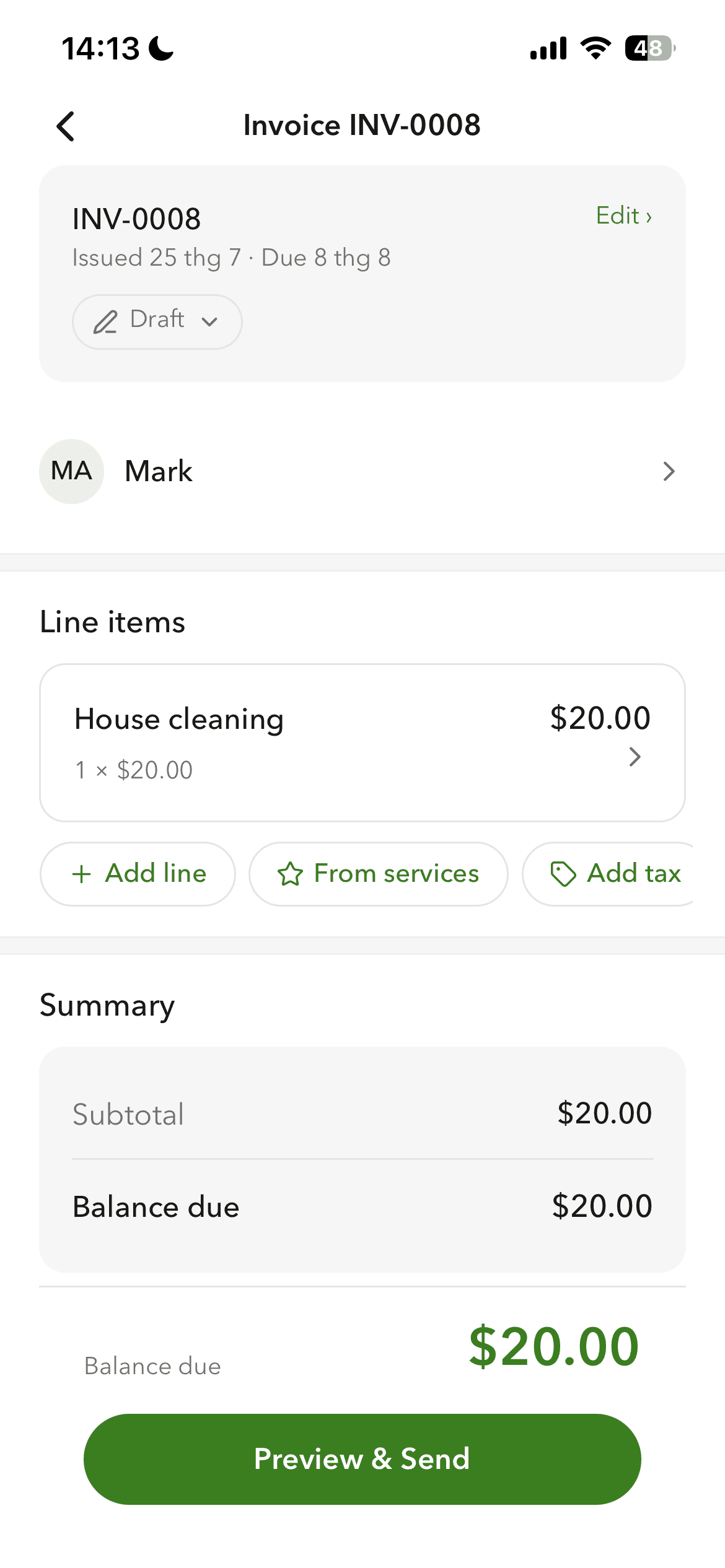
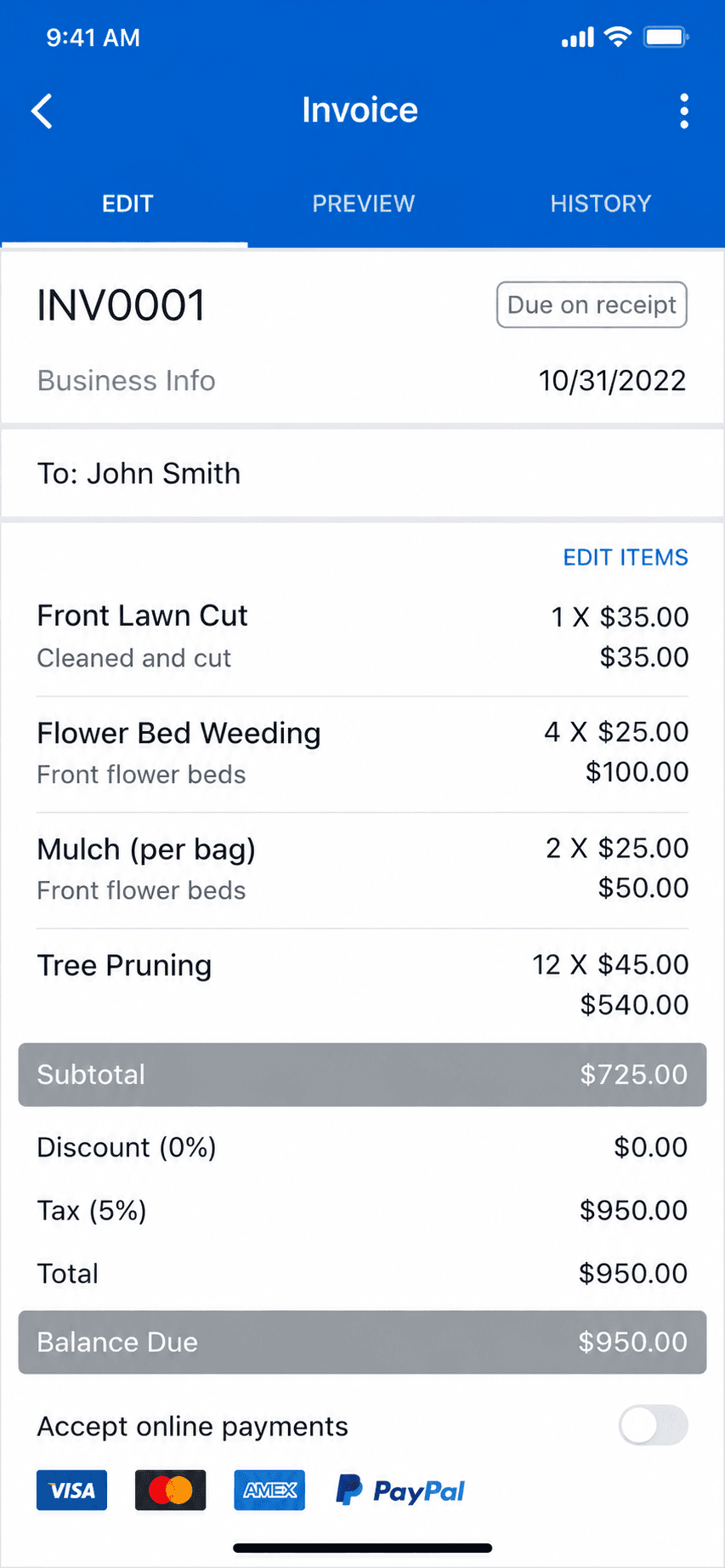
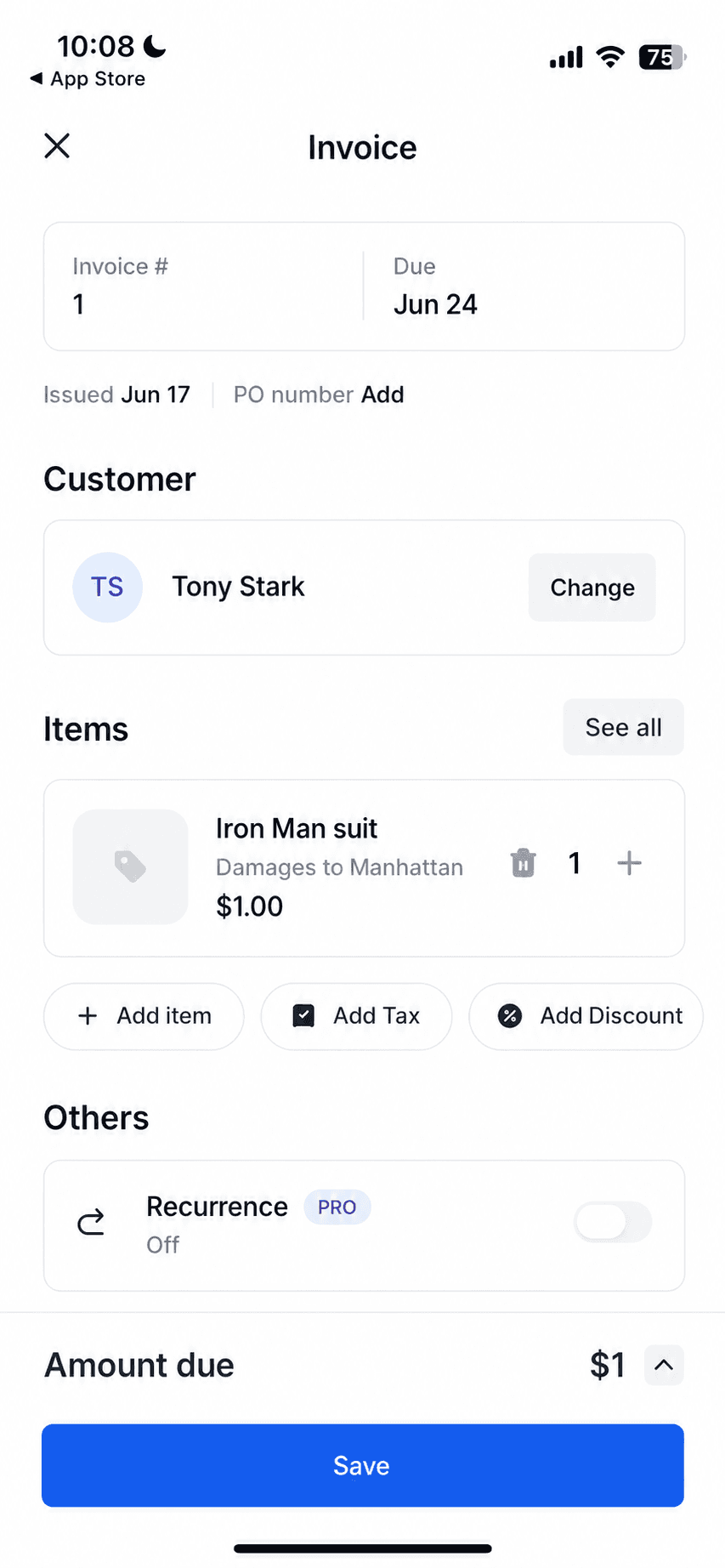
Billgami invoice creation screen on iPhone
Create an invoice in a minute
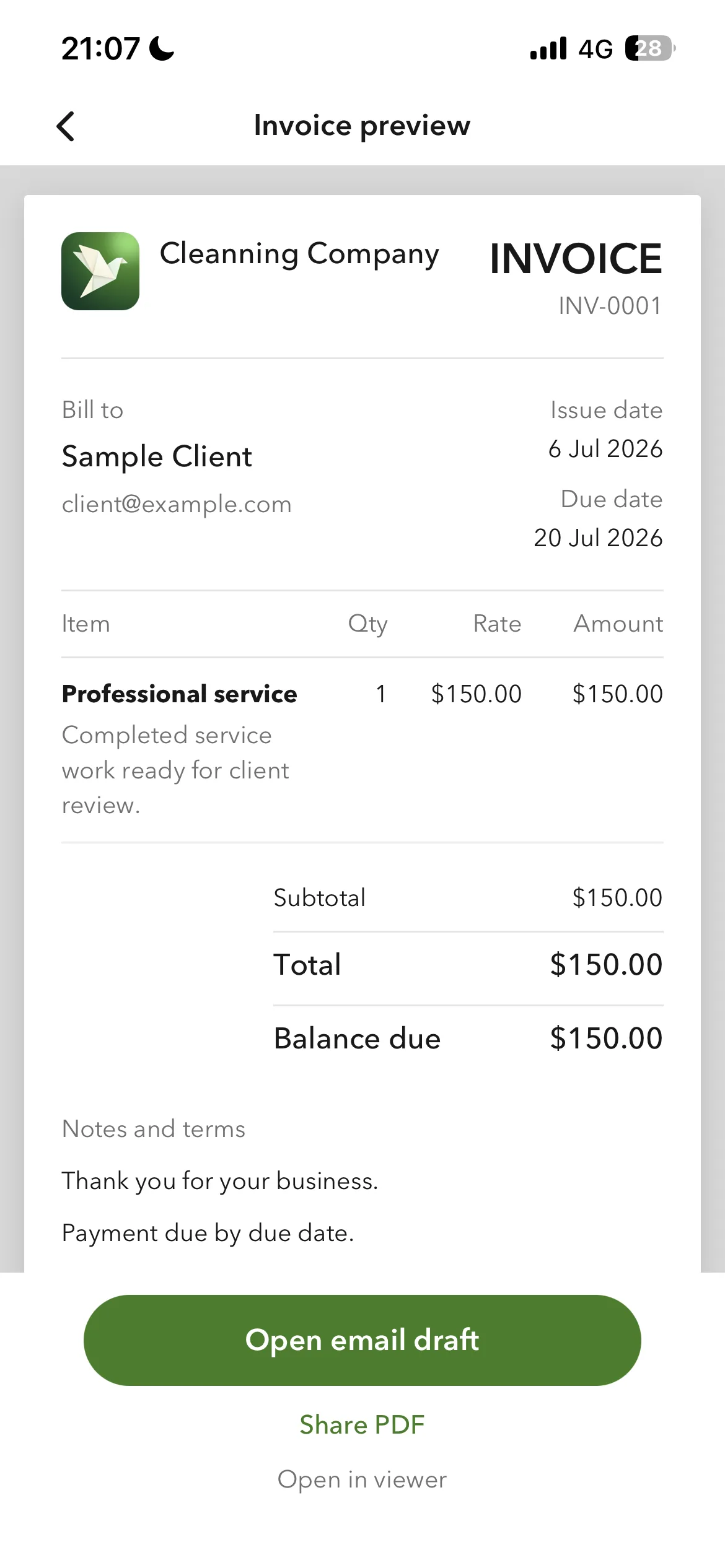
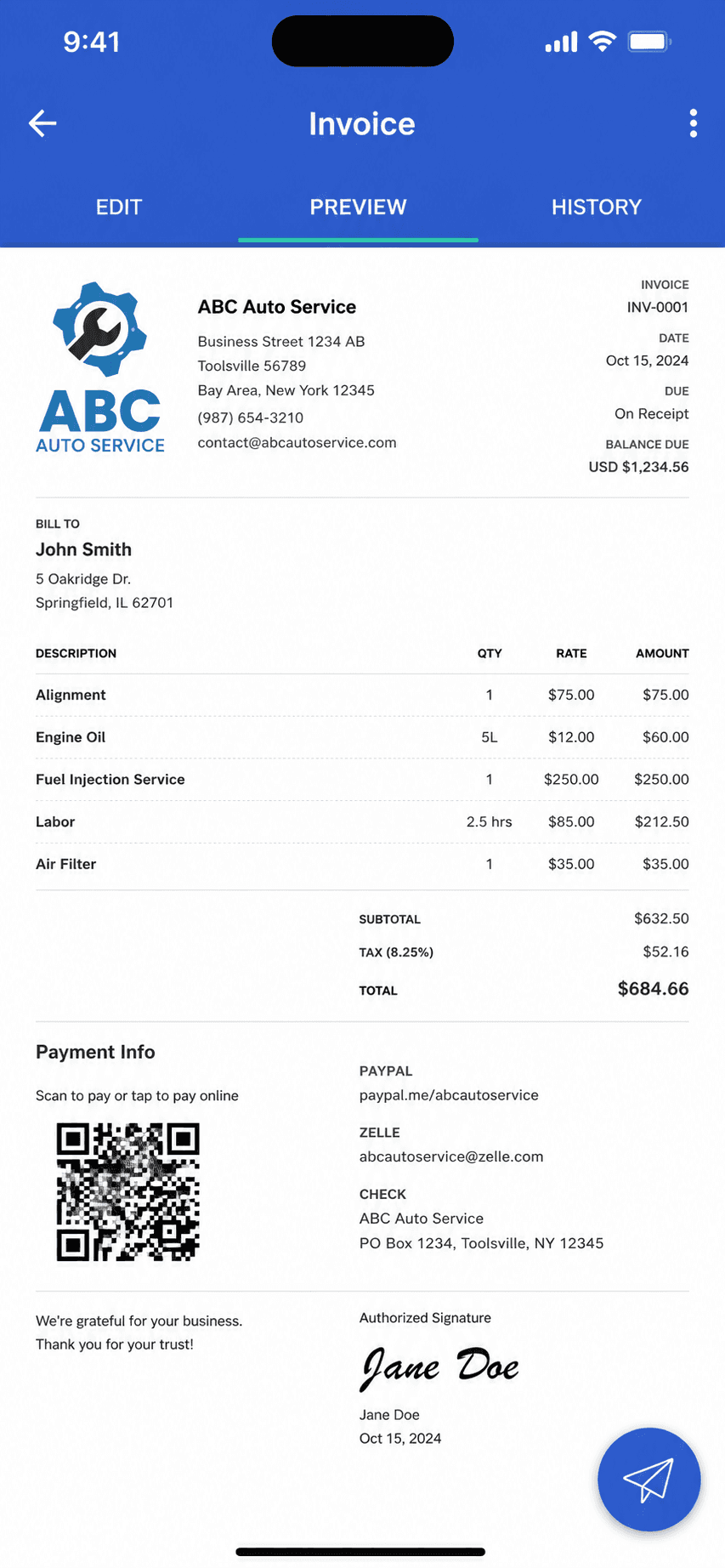
Billgami finished invoice preview
Preview and send as a PDF
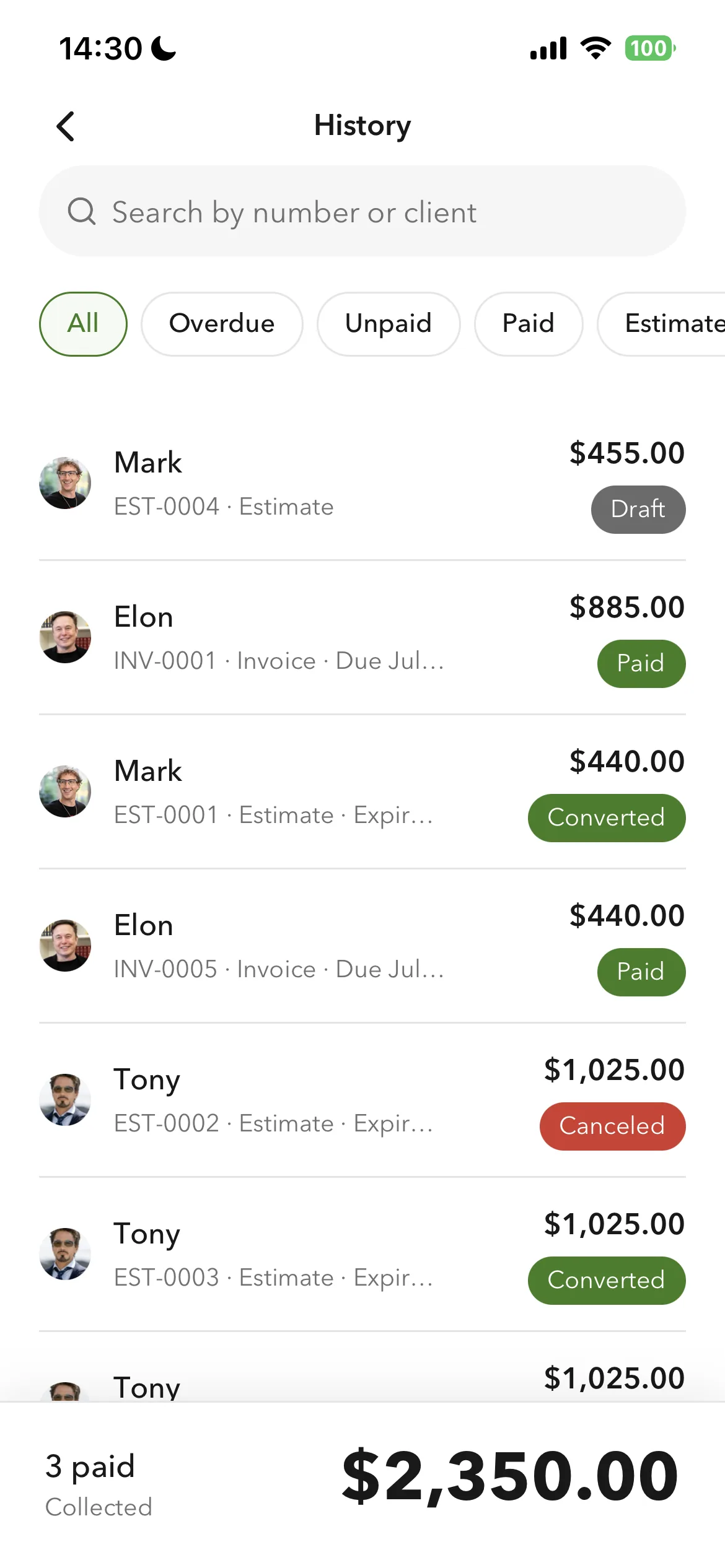
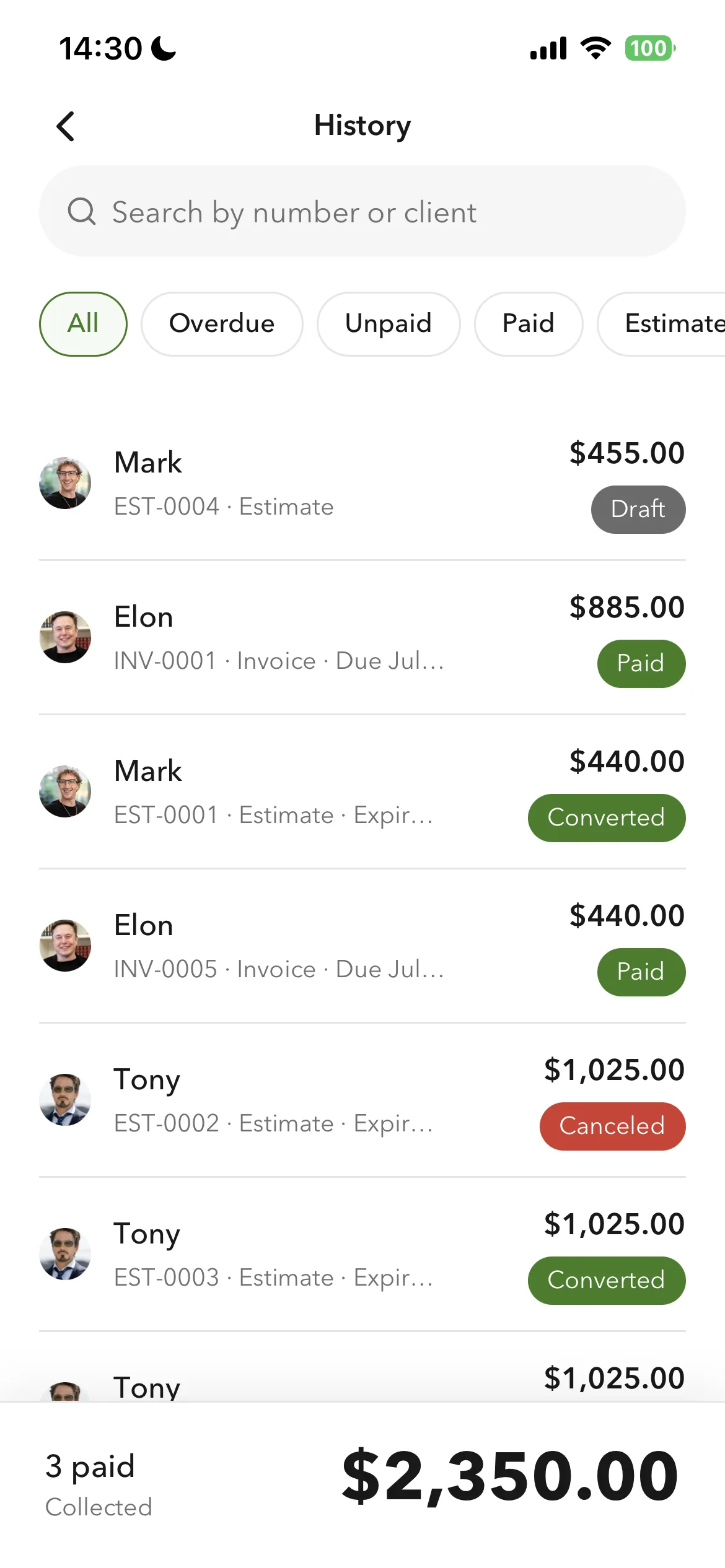
Billgami invoice history and payment tracking
Track paid, unpaid, and partial

Create a professional invoice from your phone in about a minute, with line-item totals computed automatically. Preview the finished document, send it as a PDF, and the history screen tracks paid, unpaid, and partial payments at a glance.

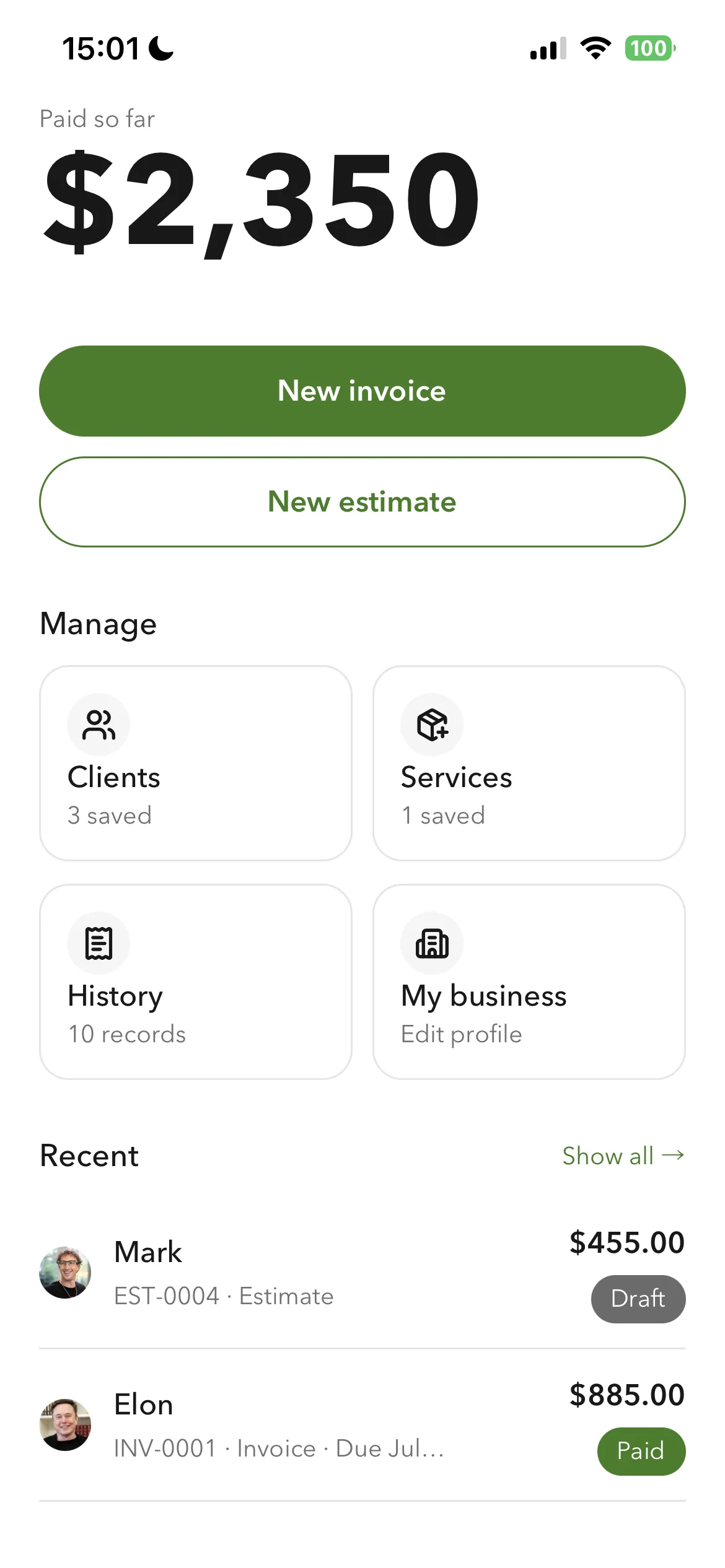
Billgami home screen
Everything from one home screen
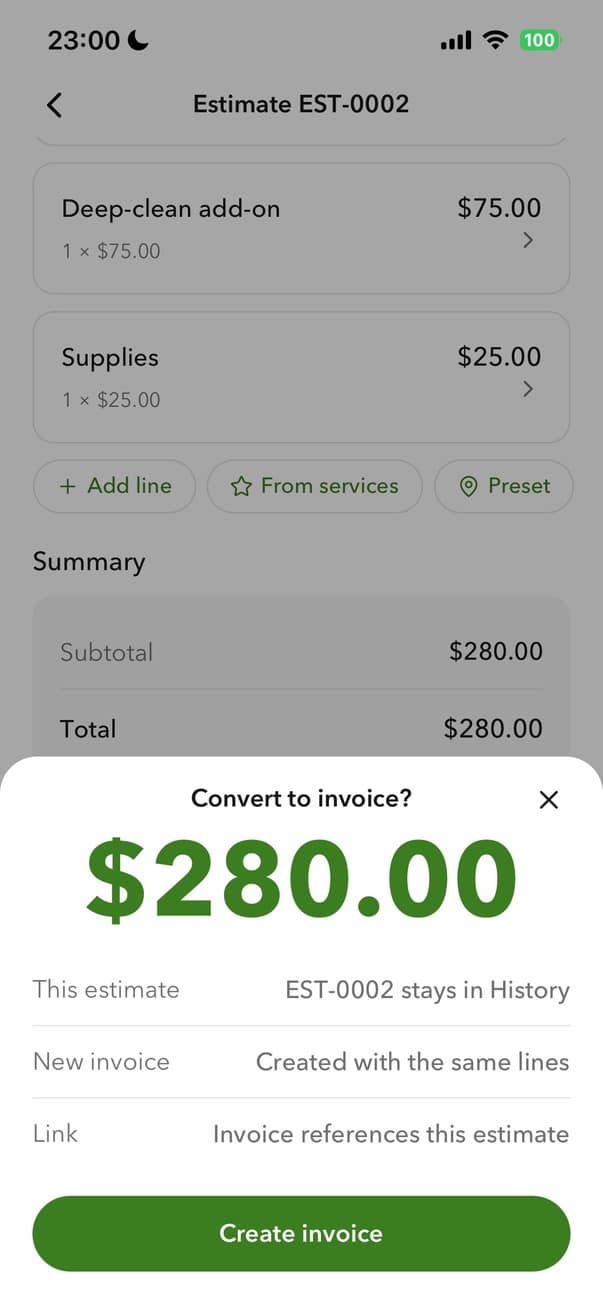
Billgami converting an estimate to an invoice
Turn an estimate into an invoice

Clients and services come from saved lists, and each client carries a billing address and a separate job address. Accepted estimates convert straight into invoices without re-entering the line items, it works without a signal, and every record exports on any plan. Not a toolkit, on purpose: no payments, no add-on ladder.

A phone-first invoice app that does one job: send invoices and estimates, track who paid, keep PDF records. Not accounting software, on purpose.

Standout: Documents that carry your own logo, currency, and tax label, built from a saved client book and service catalogue.

Versus Bookipi: The invoice maker built to stay one: pick a client, add services, preview, send. Free to create and track without limits, first PDF send free, then plans start, with a $249.99 lifetime option if you want to skip subscriptions. No payment processing, no expanding toolkit, on purpose.

Best for: The simplest, fastest way to send a professional invoice: pick a client, add services, preview, and send in about a minute.

Not for: Anyone who needs books, payroll, inventory, or bank reconciliation.

Key features

  • Professional invoices and estimates from your phone
  • Accepted estimates convert to invoices without re-entering line items
  • Client book with a billing address and a separate job address
  • Full export on any plan: invoice PDFs, records CSV, payments CSV
  • One business profile on every document: logo, currency, tax label, payment instructions
  • Paid, unpaid, and partial payment tracking
  • Works without a signal

Pros

  • One design system across the app, with purpose-built controls for money, dates, and discounts
  • Saved clients and services, so a repeat invoice is selection rather than retyping
  • Separate billing and job addresses, which generic invoice apps do not have
  • Full export of PDFs, records, and payments on any plan
  • Free tier, or a one-time $249.99 lifetime option instead of a subscription

Cons

  • No accounting, payroll, inventory, or bank reconciliation
  • Invoicing only, by design, so it cannot keep your books
  • New app, so no App Store rating history yet

Pricing

Free3 invoices in total (not per month); no time limit$0
Monthly$14.99/mo
Yearly$111.99/yr
LifetimePay once, then own it$249.99 one-time

Free: Free tier capped at 3 invoices in total, not per month, with no time limit; paid tiers from $14.99/mo, plus a $249.99 lifetime option if you want to skip subscriptions.

Platforms: iOS

Migrating from QuickBooks: Almost none: if invoicing was all you used your old app for, export your client list and start invoicing in an afternoon.

Bottom line: Pick Billgami if all you need is to send invoices and estimates and track who has paid. If you need books, use accounting software instead.

The alternatives

Every app here is an invoicing tool. Ratings are shown with their base size, because 4.6 from 173 ratings and 4.87 from 122,610 are not the same kind of evidence.

2. Invoice Simple

App Store rating: 4.87 out of 5 (122,610 ratings)

Invoice Simple invoice creation and editing screen
Create invoice
Invoice Simple finished invoice preview
Invoice preview

The biggest name in mobile invoice makers, now EverCommerce-owned: slick and simple, but every tier below $21.99/month meters your invoices.

Invoice Simple is the category's household name, with a 4.87 App Store rating across 122,000+ ratings. The product is genuinely easy: invoices, estimates, and payments in minutes. The business model is metering: $6.99/month buys just 3 invoices a month, 10 on the middle tier, and unlimited only at $21.99/month, with a documented history of price rises.

Standout: The largest brand and ratings base in mobile invoicing (122k+ iOS ratings).

Versus Bookipi: The category incumbent: 122,000+ App Store ratings and the most-proven simple invoice flow. But there is no free tier, and its $6.99 Essentials plan carries the same 3-invoice monthly meter Bookipi gives away free; unlimited starts at $21.99 a month.

Best for: People who want the most popular, simplest invoice app and send few invoices.

Not for: Regular invoicers on a budget; the per-month caps make the cheap tiers illusory.

Key features

  • Fast invoice and estimate creation
  • Card and PayPal payments
  • Receipt capture
  • Web and mobile apps

Pros

  • Category-leading ratings at scale
  • Very easy to learn
  • Mature payments integration

Cons

  • 3-invoice monthly cap at $6.99
  • Unlimited costs $21.99/month
  • Documented price-hike history

Integrations

  • Stripe
  • PayPal
  • Receipt capture

Pricing

EssentialsCapped at 3 invoices per MONTH; official pricing page blocks crawlers, price cross-verified via Apple IAP$6.99/mo
PlusCapped at 10 invoices/month$14.99/mo
PremiumUnlimited invoices$21.99/mo

Free: No permanent free tier verified; 14-day Premium trial.

Platforms: Web, iOS, Android

Migrating from QuickBooks: Export clients and start sending; nothing else to move.

Very simple to use. Saves you time and money.
Invoice Simple user, App Store review (2026), App Store

Bottom line: Pick Invoice Simple if you want the most popular invoice app and your volume fits its meters.

3. InvoiceFly

App Store rating: 4.76 out of 5 (94,699 ratings)

InvoiceFly finished invoice preview
Invoice preview
InvoiceFly invoice management list
Invoice management

A fast-growing mobile invoice maker with a huge ratings base, sold on a weekly-anchored subscription with no free tier.

InvoiceFly (by Barcelona studio Labhouse) is one of the most-downloaded invoice makers on the App Store, with 94,000+ ratings. It is quick and modern: invoices, estimates, expenses, and payments through your own Stripe or PayPal. The catch is the pricing: no free tier, a card-required trial, and an $8.99-per-week anchor that steers everyone to the $98.99 yearly plan.

Standout: One of the largest ratings bases of any mobile invoice app (94,699 on iOS).

Versus Bookipi: The fast riser: polished templates and a huge recent install base, at $8.99 a week or $98.99 a year with no free lane. You escape Bookipi's meter by paying from day one.

Best for: Mobile-first invoicers happy to pay a yearly subscription for a slick, fast app.

Not for: Anyone who wants a free tier, a lifetime option, or any bookkeeping.

Key features

  • Fast invoice and estimate creation
  • Expense tracker and receipt scanner
  • Payments via your own Stripe or PayPal
  • Client time tracking

Pros

  • Big, fresh ratings base on both stores
  • Payments settle to your own accounts
  • Modern, fast interface

Cons

  • No free tier and a card-required trial
  • Weekly-anchored pricing nudges the yearly plan
  • Single-user only

Integrations

  • Stripe
  • PayPal
  • Receipt scanner
  • Expense tracker

Pricing

WeeklyFull access; auto-renews$8.99/week
YearlyMarketed as 78% off versus weekly$98.99/yr
Monthly (iOS)Apple in-app purchase tier$17.99/mo

Free: No perpetual free tier; free trial only, card required.

Platforms: iOS, Android, Web

Migrating from QuickBooks: Export clients and start sending; nothing else to move.

Really helps everything look professional for $5 a week it's paid for itself in 70k of quotes
InvoiceFly user, App Store review (2026), App Store

Bottom line: Pick InvoiceFly if you want a slick, popular mobile invoice app and are comfortable with a yearly subscription.

4. Invoice2go

App Store rating: 4.85 out of 5 (55,391 ratings)

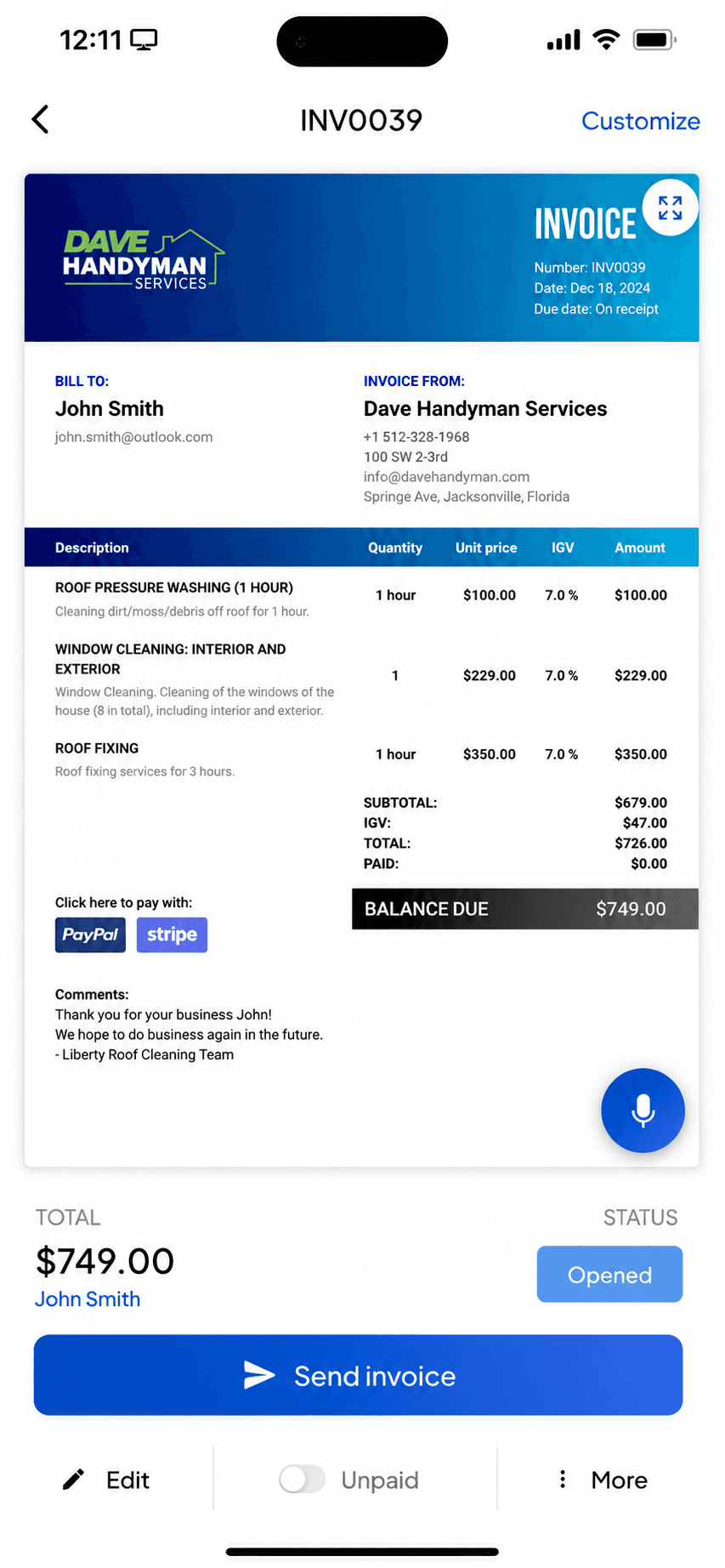
Invoice2go invoice preview before sending
Invoice preview
Invoice2go invoice management list
Invoice management

One of the oldest mobile invoicing apps, now owned by BILL: polished invoices and payments on a subscription with yearly invoice caps on the cheaper tiers.

Invoice2go pioneered phone-first invoicing and still does it well: invoices, estimates, payments, and light extras like time tracking and appointments. Since the BILL acquisition it is a subscription product whose entry tier caps you at 30 invoices a year, with card fees that only drop as you pay for higher tiers.

Standout: A veteran mobile invoicing brand with integrated payments and banking.

Versus Bookipi: The legacy brand under BILL: a mature, stable invoice flow with 55,000+ ratings, subscription-only after a 30-day trial. A calm landing spot if Bookipi's pace of change is what pushed you out.

Best for: Established mobile invoicers who send few invoices and want a polished, payments-connected app.

Not for: Anyone sending more than a couple of invoices a month on a budget; the caps push you up-tier fast.

Key features

  • Invoices and estimates from your phone
  • Integrated card, PayPal, and ACH payments
  • Time tracking and appointments
  • Expense capture

Pros

  • Mature, polished mobile invoicing
  • Strong 4.85 App Store rating at scale
  • Free ACH payments on all tiers

Cons

  • Entry tier caps invoices at 30 per year
  • Card fees drop only on pricier tiers
  • No free plan, and trial requires a card

Integrations

  • Invoice2go payments (tiered fees)
  • PayPal
  • Invoice2go Money banking (TransPecos Banks)
  • QuickBooks/Xero export

Pricing

StarterCapped at 30 invoices per YEAR; web price unconfirmed (JS-rendered)$7.99/mo (iOS)
ProfessionalCapped at 100 invoices per year$11.95/mo (iOS)
PremiumUnlimited invoices; tier structure per invoice.2go.com/pricing$44.95/mo (iOS)

Free: No free plan; 30-day free trial (card required, refundable within 30 days).

Platforms: Web, iOS, Android

Migrating from QuickBooks: Export clients and start sending; nothing to migrate if you kept no books.

I'm not great with tech and this app is very easy to use, I can create an estimate in 5 minutes that looks professional, definitely recommend
Invoice2go user, App Store review (2026), App Store

Bottom line: Pick Invoice2go if you send a handful of invoices, want integrated payments, and prefer a long-established brand.

5. Tofu

App Store rating: 4.83 out of 5 (35,309 ratings)

Tofu invoice management list
Invoice management
Tofu home dashboard
Dashboard

GetPaid's invoice maker (long known as 'Invoice Maker Tofu'): offline-capable mobile invoicing now repositioning into field-service plans, with a 1% platform fee on payments.

Tofu built a large iOS following (4.83 across 35,000 ratings) as a fast phone-first invoice and estimate maker with genuine offline support. It is now repositioning toward field-service management with Solo, Team, and Business web plans from $29 a month. Watch the payments math: Tofu adds its own 1% fee on top of Stripe's processing on every transaction.

Standout: True offline invoicing on a large, proven iOS app.

Versus Bookipi: Single-purpose and iPhone-native: invoices and estimates without an expanding toolkit, the closest thing to Bookipi-when-it-was-simple. No perpetual free tier; $29 a month on the web or $99.99 a year in-app.

Best for: Phone-first invoicers who want offline invoicing and may grow into crew scheduling.

Not for: Anyone avoiding platform fees on payments, or needing any bookkeeping.

Key features

  • Invoices and estimates offline from your phone
  • Card, Apple Pay, Google Pay, Tap to Pay via Stripe
  • Price book for saved items
  • Crew and job plans as you grow

Pros

  • Strong iOS rating at scale (4.83, 35k ratings)
  • Real offline mode
  • Grows into field-service features

Cons

  • Adds a 1% platform fee on every payment on top of Stripe
  • Weekly-anchored iOS pricing with rotating promos
  • Marketing claims outrun verifiable reviews (Trustpilot shows 2 reviews)

Integrations

  • Stripe (card, Apple Pay, Google Pay, Tap to Pay)
  • Price book
  • Crew scheduling on FSM plans

Pricing

Solo (web)Single user; jobs, scheduling, invoicing, payments$29/mo
Team (web)Up to 5 workers$79/mo
Plus (iOS)In-app subscription differs from web pricing$9.99/week or $99.99/yr

Free: Free download; 7-day free trial on web plans, no payment upfront. No verified perpetual free tier.

Platforms: iOS, Android, Web

Migrating from QuickBooks: Export clients and start sending; nothing else to move.

Great reliable app that's easy to use and affordable. looks professional to customers as well. Been using this app for about 3 years now and no complaints.
Tofu user, App Store review (2026), App Store

Bottom line: Pick Tofu if you want offline mobile invoicing and might need crew scheduling later, and accept the 1% payment fee.

6. Billdu

App Store rating: 4.82 out of 5 (25,672 ratings)

Billdu finished invoice preview
Invoice preview
Billdu invoice management list
Invoice management

A polished mobile-and-web invoicing suite with offline mode and team seats, on a subscription with client-count caps and no free tier.

Billdu does invoicing well: invoices, estimates, expenses with receipt scanning, offline mode, and even small-team seats on higher tiers. There is no free plan; the entry tier caps you at 10 clients, and card fees fall only as your subscription rises. It is a strong subscription pick for a solo operator who wants a bit more than bare invoicing.

Standout: True offline mode with auto-sync, rare in this category.

Versus Bookipi: A broader small-business kit than most invoice makers, with no free plan and a 10-client cap on its $7.99 Lite tier. You trade Bookipi's invoice meter for a client cap; know which limit bites your business less.

Best for: Solo pros and tiny teams who want polished invoicing plus expenses on a modest subscription.

Not for: Anyone who wants a free tier, or needs books and reconciliation.

Key features

  • Invoices and estimates on phone and web
  • Offline mode with auto-sync
  • Receipt scanner and expense dashboard
  • Team seats on higher tiers

Pros

  • Polished apps with offline support
  • Expense tracking included
  • Small-team support without suite pricing

Cons

  • No free tier, trial only
  • Client caps on lower tiers
  • Card fees drop only on pricier plans

Integrations

  • Stripe
  • Apple Pay and Google Pay
  • Online store module
  • Inventory companion app

Pricing

Lite$4.99/mo billed annually; max 10 clients, 1 user$7.99/mo
Standard$9.99/mo annually; 50 clients, 2 team members$14.99/mo
Premium$19.99/mo annually; unlimited clients, 10 team members, API$27.99/mo

Free: No free plan; 7-day free trial with all features, no card required.

Platforms: Web, iOS, Android

Migrating from QuickBooks: Export clients and start sending; the 10-client Lite cap matters if you bring a big client list.

Works well, very user friendly. Made the switch because Quick Books was to expensive
Billdu user, App Store review (2026), App Store

Bottom line: Pick Billdu if you want invoicing plus expenses with offline mode and are happy paying a modest subscription.

7. Zoho Invoice

App Store rating: 4.86 out of 5 (13,770 ratings)

Zoho Invoice mobile app invoice detail view
Invoice detail
Zoho Invoice mobile app home dashboard
Dashboard

Zoho's completely free invoicing app: invoices, estimates, and a client portal at no cost, as the front door to the wider Zoho ecosystem.

Zoho Invoice went completely free in 2021 and has stayed that way: unlimited-enough invoicing, estimates, time tracking, and a client portal with no paid tiers at all. The honest catch is strategic rather than hidden fees: it exists to bring small businesses into the paid Zoho ecosystem as they grow. It is a genuinely strong free pick if all you need is to send invoices.

Standout: Genuinely 100% free invoicing with no paid tiers at all.

Versus Bookipi: Completely free: 500 invoices a year, two users, 'Powered by Zoho' branding. The catch is the ecosystem, not the price; Zoho Invoice exists to introduce the wider Zoho suite.

Best for: Invoicing-only users who want a free, full-featured web and mobile invoicing tool.

Not for: Anyone who needs books, or who wants to stay out of vendor ecosystems.

Key features

  • Free invoices, estimates, and client portal
  • Time tracking built in
  • Part of the Zoho ecosystem
  • Web, iOS, and Android apps

Pros

  • Completely free, no tiers or caps to hit
  • Full-featured for pure invoicing
  • Grows into Zoho Books if you ever need books

Cons

  • Caps: 500 invoices/year, 2 users, 3 projects
  • Exists to funnel you into paid Zoho products
  • More setup than a phone-first invoice app

Integrations

  • Zoho ecosystem (Books, CRM)
  • Stripe and PayPal
  • Zoho Payments

Pricing

Free (only plan)500 invoices/yr, 2 users, 3 projects; no ads, no data selling$0

Free: Entire product free: no ads, no card. Free-plan limits: 500 invoices/year, 2 users, 3 projects, 'Powered by Zoho' branding.

Platforms: Web, iOS, Android

Migrating from QuickBooks: Export clients and start invoicing; nothing to migrate if you kept no books.

Run my business with this app for past 4 years and never had a problem and works perfect.
Zoho Invoice user, App Store review (2026), App Store

Bottom line: Pick Zoho Invoice if you want the most complete free invoicing tool and do not mind joining the Zoho ecosystem.

8. Square Invoices

App Store rating: 4.83 out of 5 (92,439 ratings)

Square Invoices invoice creation screen
Create invoice
Square Invoices invoice creation, line items step
Create invoice (2)

Free invoicing and estimates that plug straight into Square's card payments, ideal if you also take payments in person.

Square Invoices lets you send unlimited invoices and estimates for free, and get paid by card through Square. Because it shares one account with Square Point of Sale, it is a natural fit for service pros who also sell or take payment in person. It is invoicing and payments, not accounting: there is no general ledger, reconciliation, or tax reporting.

Standout: Free unlimited invoicing tied to Square's payments and point-of-sale.

Versus Bookipi: Free unlimited invoice sending, paid per payment: 3.3% plus 30 cents on the free plan. If your clients pay by card anyway, Bookipi's meter problem dissolves into processing fees.

Best for: Solo pros who want free invoicing and also take card or in-person payments.

Not for: Anyone who needs bookkeeping, expenses, or tax-ready reports.

Key features

  • Unlimited invoices and estimates
  • Card payments through Square
  • Recurring invoices and reminders
  • Shared account with Square Point of Sale

Pros

  • Free to send unlimited invoices
  • Fast card payments, online and in person
  • Very high App Store rating at scale

Cons

  • No accounting or bookkeeping
  • Free-plan card rate is 3.3% + $0.30; the lower rate needs a $49/month plan
  • Best value only inside the Square ecosystem

Integrations

  • Square Point of Sale
  • Square Payments
  • Square Payroll
  • Some accounting sync (Xero, QuickBooks) via connectors

Pricing

Square FreeUnlimited invoices and estimates; invoice/online card rate 3.3% + $0.30$0/mo
Square PlusReplaced the old $20 Invoices Plus; card rate drops to 2.9% + $0.30$49/mo per location
Square PremiumLowest processing rates; 24/7 support$149/mo per location

Free: Free forever to create and send invoices; you only pay when a client pays by card.

Platforms: Web, iOS, Android

Migrating from QuickBooks: Trivial if invoicing was all you did: export your client list and start sending. Nothing to migrate if there were no books.

Square is by far the best. I love everything about it and it truly helps small businesses grow. We have grown!
Square user, App Store review (2026), App Store

Bottom line: Pick Square Invoices if you want free invoicing and already take card or in-person payments.

9. PayPal Invoicing

App Store rating: 4.19 out of 5 (29,377 ratings)

PayPal Business app invoice creation screen
Create invoice
PayPal Business app invoice history
Invoice history

Free invoicing built into the PayPal Business app, where clients can pay with a method they already have.

PayPal Invoicing lets you create and send professional invoices for free from the PayPal Business app, and clients can pay by PayPal, card, or Venmo without an account. It is the path of least resistance for getting paid because so many customers already use PayPal. Like the other pure invoicing tools here, it does invoicing and payments only, with no accounting behind it.

Standout: The invoicing tool your clients already recognize and trust to pay.

Versus Bookipi: Free unlimited sending where your clients already live, at 2.99% plus 49 cents per card payment. The invoice tool is basic; the PayPal network is the feature.

Best for: Solo pros whose clients already pay by PayPal, Venmo, or card.

Not for: Anyone who needs bookkeeping, or who wants the lowest processing fees.

Key features

  • Free professional invoices
  • Clients pay by PayPal, card, or Venmo
  • Recurring invoices and reminders
  • Built into the PayPal Business app

Pros

  • Free to create and send invoices
  • Clients already trust and use PayPal
  • Fast setup with an existing PayPal account

Cons

  • No accounting or bookkeeping
  • Wallet/Venmo payments cost 3.49% + $0.49, the way most clients pay
  • The business app rates lower than the invoicing peers here

Integrations

  • PayPal and Venmo
  • Card payments
  • Accounting sync via connectors
  • E-commerce platforms

Pricing

Send invoicesNo fee to create or send$0/mo
Card / Apple Pay payment2.99% + $0.49 per transaction
PayPal / Venmo payment3.49% + $0.49 per transaction
ACH / pay by bank1%, capped at $10

Free: Free to create and send invoices; you only pay when a client pays.

Platforms: Web, iOS, Android

Migrating from QuickBooks: Nothing to migrate: if invoicing was all you did, start sending from PayPal in minutes.

I've used PayPal for many years and I love it and I shall continue using PayPal.
PayPal user, App Store review (2026), App Store

Bottom line: Pick PayPal Invoicing if your clients already pay by PayPal and you want the least-friction way to get paid.

10. Invoice Ninja

App Store rating: 4.59 out of 5 (173 ratings)

Invoice Ninja invoice list and history
Invoice history
Invoice Ninja home dashboard
Dashboard

An open-source invoicing platform with a genuinely free hosted tier and a self-host option for people who want control.

Invoice Ninja is open-source-rooted invoicing built for freelancers and small businesses. Its hosted Forever Free plan covers real invoicing for up to 5 clients, and technical users can self-host the whole thing for free and own their data. It is invoicing, quotes, and payments, not accounting, with more customization than most invoicing apps.

Standout: Open-source invoicing you can self-host and own outright.

Versus Bookipi: The tinkerer's option: free hosted for up to 5 clients, or self-host it for nearly nothing. The invoice meter disappears entirely, in exchange for doing more of the setup yourself.

Best for: Freelancers who want free, customizable, or self-hosted invoicing.

Not for: Non-technical users wanting the simplest possible phone-first app, or anyone needing books.

Key features

  • Invoices, quotes, and recurring billing
  • Open-source and self-hostable
  • Many payment-gateway options
  • Deep customization and automation

Pros

  • Genuinely free hosted tier (up to 5 clients)
  • Self-host to own your data outright
  • Highly customizable for invoicing

Cons

  • No accounting or bookkeeping
  • Self-hosting is technical to set up and maintain
  • Smaller, more niche user base

Integrations

  • Stripe, PayPal, and 40+ gateways
  • Zapier
  • Self-hosted API

Pricing

Free (hosted)Up to 5 clients, unlimited invoicing (the old ~20-client limit is gone)$0/mo
Self-hostedFree to self-host; source-available (Elastic License v2)$0
Ninja Pro$140/yr (2 months free); unlimited clients$14/mo
Enterprise1-2 users; scales by user countfrom $18/mo

Free: Hosted Forever Free for up to 5 clients, or self-host the source-available app at no license cost.

Platforms: Web, iOS, Android, Self-hosted

Migrating from QuickBooks: Import a client list and start invoicing; self-hosting adds setup time but nothing to port if there were no books.

Can't beat the price. Self-hosting on a VPS is insanely cheap.
Invoice Ninja user, App Store review (2026), App Store

Bottom line: Pick Invoice Ninja if you want free, customizable, or self-hosted invoicing and are comfortable with setup.

11. Stay on Bookipi

App Store rating: 4.89 out of 5 (16,493 ratings)

Bookipi invoice creation screen
Create invoice
Bookipi finished invoice preview
Invoice preview

Sometimes the answer is the $9.99 upgrade, not a migration. No directory will tell you this, because directories are paid to move you.

If the only thing pushing you out is the 3-invoice meter, weigh the boring option first: Bookipi Starter is $9.99 a month, $91.20 a year billed annually, and removes the cap on an app you already know, rated 4.89 by 16,493 people. Migration has a real cost in re-entered clients and relearned habits. Leave for a documented reason, the meter economics, the pace of change, or a platform need, not because a listicle told you to.

Standout: One of the highest App Store ratings of any invoice app (4.89).

Versus Bookipi: A capped-free mobile invoice maker with no books; a fraction of QuickBooks' price for a fraction of its scope.

Best for: Occasional invoicers who fit inside 3 free invoices a month, or light users at $9.99.

Not for: Anyone needing books, teams, or heavy monthly volume on the free tier.

Key features

  • Invoices and estimates from your phone
  • Card payments and Tap to Pay
  • Recurring invoices and reminders
  • eSignatures (capped on free)

Pros

  • Real free plan, no card required
  • Top-tier App Store rating (4.89 across 16k ratings)
  • Simple to learn

Cons

  • Free plan caps at 3 invoices a month
  • Trustpilot service score is a middling 3.2
  • No accounting, teams, or time tracking

Integrations

  • Stripe
  • BookiPay (ProPay)
  • Tap to Pay
  • AI add-ons (receptionist, website builder)

Pricing

FreeUp to 3 invoices/month and 3 eSignatures/month$0
StarterUnlimited invoices; $91.20/yr billed annually$9.99/mo
Professional$468/yr billed annually$52/mo

Free: Free plan forever: up to 3 invoices and 3 eSignatures per month, card required for none of it.

Platforms: Web, iOS, Android

Migrating from QuickBooks: Export clients and start sending; nothing else to move.

One of the best invoice apps to use, simple and easy to use.
Bookipi user, App Store review (2026), App Store

Bottom line: Pick Bookipi if you send a few invoices a month and want a well-rated free mobile app.

Head-to-head

Bookipi and the closest alternatives, at a glance

FeatureBillgamiBookipiInvoice SimpleSquare InvoicesZoho Invoice
PlatformsiPhoneiOS, Android, webiOS, Android, webiOS, Android, webiOS, Android, web
Estimates that convert to invoicesYesYesYesYesYes
Card payments built inNoYesYesYesPartial
Free planCreate and track free; first PDF send free3 invoices/monthNone; 14-day trialUnlimited sending; card fees500 invoices/year
One-time / lifetime option$249.99 lifetimeNoNoNoNo
Starting paid price$14.99/mo$9.99/mo$6.99/moFree planFree

Every value here renders from the maintained dataset. Billgami wins the lifetime row and loses the platform and payments rows; that is the honest shape of the choice.

05The free-invoice meter

What 'free' actually means in every invoice app here

This is the table the directories never build. Bookipi's free plan is real but metered: 3 invoices and 3 eSignatures a month, verified on its pricing page the day this was written. Every row below states the free truth for one alternative, from the same maintained dataset, so you can see exactly which meter, cap, or fee you are trading it for.

AppWhat the free plan really includesWhen you outgrow it
BillgamiCreate and track invoices and estimates without limits; first PDF send freeFurther sending needs a plan: $14.99/mo, $111.99/yr, or $249.99 lifetime
Bookipi3 invoices and 3 eSignatures per month, forever, no cardStarter $9.99/mo (or $91.20/yr) for unlimited
Zoho Invoice500 invoices a year, 2 users, 'Powered by Zoho' brandingIt stays free; the upsell is the wider Zoho suite
Square InvoicesUnlimited invoice sending3.3% + $0.30 per card payment on the free plan
PayPal InvoicingUnlimited invoice sending2.99% + $0.49 per card payment
Invoice NinjaFree hosted for up to 5 clients, or self-host freeNinja Pro $14/mo past 5 clients
Invoice SimpleNo free tier; 14-day trial$6.99/mo Essentials still meters you at 3 invoices/month; unlimited is $21.99/mo
InvoiceFlyNo free lane; trial only$8.99/week or $98.99/year
Invoice2go30-day trial onlySubscription plans after the trial
BillduNo free plan; 7-day trialLite $7.99/mo, capped at 10 clients
TofuNo perpetual free tier; 7-day web trial$29/mo on the web or $99.99/yr in-app
How we sourced these prices · How this guide was built

Every price, rating, free-tier limit, and review quote on this page renders from a maintained competitor dataset rather than page copy, and each record carries its source and date. Bookipi's free-plan meter (3 invoices and 3 eSignatures a month) was re-verified on bookipi.com/pricing the day this page was written. In total, 1,870 written App Store reviews were pulled and saved across the apps here: Invoice Simple 500, Bookipi 371, Billdu 273, PayPal 196, Square 149, Invoice2go 145, Zoho Invoice 91, Tofu 50, InvoiceFly 49, Invoice Ninja 46. The complaint shares use the earlier 100-review tagged Bookipi set (64 negative): the 100 are the hand-tagged subset and the 371 is the full deep pull, with per-review tags saved for audit and the small sample stated rather than hidden. Combined, the apps on this page hold roughly 485,000 App Store ratings; ratings and written reviews are different things, and this page never conflates them. Billgami's own free-tier behavior is stated from its app source: creation and tracking are unlimited, and the first PDF send is free before plans apply. Billgami has no App Store rating history yet, and that is stated on its card rather than dressed up.

  • Bookipi pricing page, read 2026-07-27: free plan 'Invoice: Up to 3 per month'
  • All other limits from vendor pricing pages via the competitor dataset, verified 2026-07-27
  • Billgami free-tier behavior read from app source, 2026-07-27
  • Bookipi pricing: https://bookipi.com/pricing/
  • Bookipi App Store reviews (Apple): https://apps.apple.com/us/app/invoice-maker-estimate-app/id1419627421?see-all=reviews
  • Bookipi on Trustpilot: https://www.trustpilot.com/review/bookipi.com
The real cost

What these apps cost over 3 years

The numbers here are small compared to accounting or field software, and this table says so plainly: the real decision on this page is which limit you can live with, not the money. Still, three years is the honest horizon, because meters have a way of turning free plans into subscriptions.

PlanPer month1 year3 years
Billgami FreeCreate and track without limits; first PDF send free$0$0$0
Billgami LifetimeOne-time $249.99; no renewalone-time$249.99$249.99
Zoho InvoiceFree; 500 invoices/yr, Zoho branding$0$0$0
Square Invoices (free plan)3.3% + $0.30 per card payment$0$0$0
Bookipi Starter (monthly)$9.99$119.88$359.64
Bookipi Starter (annual)$91.20 billed yearly$7.60$91.20$273.60
Invoice Simple EssentialsStill metered: 3 invoices/month$6.99$83.88$251.64
Invoice Simple Premium (unlimited)$21.99$263.88$791.64
Billdu Lite10-client cap$7.99$95.88$287.64
InvoiceFly YearlyBilled $98.99/yr; $8.99/week if paid weeklyone-time$98.99$296.97
Invoice Ninja Pro$14$168$504

Prices as of July 2026. Prices verified on vendor pages July 2026; Bookipi's were re-checked the day this page was written. Confirm current rates before committing. Source: Vendor pricing pages via the competitor dataset (https://bookipi.com/pricing/)

Why people leave

Why people actually leave Bookipi

First, fairness: Bookipi holds a 4.89 out of 5 App Store average across 16,493 ratings, one of the highest of any invoice app, so most users are happy. This breakdown is its negative written reviews specifically: of the 100 written reviews the public feed returned when we pulled and tagged them, 64 were negative, and three themes dominate. The striking one is the third: Bookipi's most loyal, longest-tenured reviewers are the ones pushing back on the app growing past simple invoicing.

ComplaintShareWhat reviewers say
Update regressions: each release makes the flow slower14%"App updates are making it more tedious to generate an invoice."
A free workflow becoming paid13%"Started charging with no opt out."
The app growing beyond invoicing14%"They have consistently worsened the app with each addition"

Shares are the percentage of Bookipi's 64 negative written reviews mentioning each theme; a review can raise more than one, and the sample is small, which is stated here rather than hidden. Quotes are verbatim, spelling preserved. Apple App Store written customer reviews, US feed, tagged set fetched 2026-07-25; a fresh 371-review pull (2026-07-27) is saved alongside it for audit.

The escape-the-bloat problem, in Bookipi's own reviews

The most interesting complaint in Bookipi's written reviews does not come from unhappy new users; it comes from its longest-tenured fans. The pattern in the tagged set is people who chose a simple invoice maker years ago describing an app that now carries payments, payroll-adjacent tools, an AI ladder, and a redesign cadence that keeps moving their buttons. One long-time reviewer put it flatly: additions have made the app worse for the one job they bought it for. This is not a Bookipi failure so much as a category pattern: invoice apps that succeed almost always expand, because expansion is how subscription products grow revenue. Which means the real question when picking an alternative to Bookipi is not which app is best today, but which app will still be a plain invoice maker in five years. The cards above tell you each app's trajectory honestly: Square and PayPal are platforms already, Zoho is a suite's front door, and the focused invoice makers are the ones whose whole product is the paperwork.

  • Bookipi's churn complaints concentrate among loyal, long-tenured reviewers, not new ones.
  • Category pattern: successful invoice apps expand; pick for trajectory, not just today's feature list.
  • The focused options here: Billgami, Tofu, InvoiceFly, Invoice Simple.

How to switch from Bookipi without losing your records

Leaving an invoice app is mostly a records problem. Before you cancel anything, export what Bookipi holds: your invoice history and client list, while your account is still active. Then set up the new app in an afternoon: create your business profile first (logo, tax label, payment instructions), add your regular clients and services, and send yourself a test invoice before the first real one. Two honest cautions. First, no invoice app imports another app's history cleanly, so keep your exported records as the archive and let the new app start at invoice one, with a numbering prefix if continuity matters to you. Second, check the receiving app's own limits before you commit; this page's free-limit table exists precisely so you do not trade a 3-invoice meter for a 10-client cap you did not read about.

  • Export invoices and clients from Bookipi while the account is active.
  • Set up profile, clients, and services in the new app before the first real send.
  • Check the new app's own meter in the table above before committing.

The 4.89 App Store rating and the 3.2 Trustpilot score, read together

Bookipi's App Store average is 4.89 from 16,493 ratings, among the best in the category. Its Trustpilot score sits at 3.2, rated Average. Both are real, and the gap has a plain reading: the app itself is genuinely liked, while the complaints that reach Trustpilot cluster around billing and service interactions rather than the product. The written App Store reviews tell the same story from the inside: praise for ease of use, friction where a free workflow became paid. The honest takeaway for a switcher: do not leave Bookipi expecting to escape a bad app, because it is not one. Leave, if you leave, for a specific documented reason: the meter economics past 3 invoices a month, the expanding toolkit, or a billing experience you did not like. And apply the same two-source reading to whatever you switch to.

  • 4.89 on the App Store and 3.2 on Trustpilot are both real; they measure different surfaces.
  • Product complaints are rare; billing and service friction drives the low-score tail.
  • Switch for a documented reason, not a vibe.
06Alternatives

Which one should you actually pick?

Four honest matchups, both sides stated.

Billgami vs Zoho Invoice

If the 3-invoice meter is your whole problem, Zoho Invoice removes it without charging you: 500 invoices a year free, real features, no card. The trade is that you are stepping into Zoho's world, with its branding on your documents and its wider suite one tap away. Billgami trades that breadth away on purpose: no ecosystem and no 'Powered by' branding, just an iPhone-native invoice maker with a saved client book, per-service tax, and a one-time lifetime option instead of a suite you graduate into. The honest limit is the free tier: Zoho's sends far more than Billgami's, which is free to create and track but meters sending after the first PDF.

When to pick Billgami: Pick Billgami when you want a focused iPhone maker and a pay-once price, not a big free cap inside someone else's suite.
When to pick Zoho Invoice: Pick Zoho Invoice when volume is the problem and you do not mind the ecosystem.

Billgami vs Square Invoices

If your clients pay by card anyway, Square makes the meter question disappear: unlimited free sending, and Square earns its keep on 3.3% + 30 cents per payment. The trade is that the invoice tool is one corner of a payments platform, not a crafted invoicing app. Billgami is that crafted alternative: it never processes payments or takes a cut, so your client pays you the way they already do with no per-transaction fee to any app, and the invoice itself carries your logo, currency, and tax label. The flip side is real: if you want card collection built in, Square does it and Billgami does not.

When to pick Billgami: Pick Billgami when you already get paid your own way and want a dedicated invoice maker, not a payments platform's invoice tab.
When to pick Square Invoices: Pick Square when card payment collection matters more than the invoicing experience.

Billgami vs Invoice Simple

The most-proven simple invoice flow on the App Store, with 122,000+ ratings. But go in with open eyes on the meter: there is no free tier, and the $6.99 plan carries the same 3-invoice monthly cap you are leaving Bookipi over; unlimited costs $21.99 a month. Billgami answers the meter differently: a free tier to create and track, and a $249.99 lifetime option so you can stop renting invoicing altogether rather than paying every month forever. The honest gap is proof: Billgami is new and iPhone-only, with none of Invoice Simple's rating history yet.

When to pick Billgami: Pick Billgami when you want to stop renting invoicing and do not need Invoice Simple's years of proof.
When to pick Invoice Simple: Pick Invoice Simple for maturity and polish, priced accordingly.

Billgami vs Tofu

The closest thing on this page to Bookipi-when-it-was-simple: an iPhone-native invoice and estimate maker that has stayed exactly that. The trade is no free tier at all, and web access costs real money at $29 a month. Billgami is the same stayed-simple, iPhone-native idea, but with a free tier to create and track, a pay-once lifetime option Tofu has no equivalent for, and a client book that keeps a billing address and a separate job address. Both are iPhone-first, so if you need Android or the web, neither is your answer.

When to pick Billgami: Pick Billgami when you want the stayed-simple iPhone maker plus a free tier or a one-time price.
When to pick Tofu: Pick Tofu when staying simple matters more than a free lane.

When Billgami is the wrong answer

Being honest about this is the point of the page.

  • You are on Android or need the web: Billgami is iPhone-only. Bookipi, Zoho, and Square all run everywhere.
  • You want card payments inside the invoice: Billgami does not process payments. Use Square, PayPal, or Bookipi itself.
  • You want the longest track record: Billgami is new, and its App Store rating is still to be updated. Invoice Simple and Bookipi have years of proof.

If any of these is you, pick from the cards above. Come back to Billgami if what you want is a crafted, iPhone-native invoice maker that will still be just an invoice maker in five years.

If you want an invoice maker that stays one, try Billgami

Pick a client, add services, preview, and send in about a minute. Free to create and track without limits, first PDF send free, and a $249.99 lifetime option if you want to skip subscriptions. No payment processing, no add-on ladder, and it will still be an invoice maker in five years. If a card above fits you better, use it; that is what this page is for.

Last updated: July 27, 2026 | Written by Phuc Doan

Billgami invoice history with paid, unpaid, and partial status on iPhone

FAQ

Common questions

What is the best Bookipi alternative?

It depends on which limit pushed you here. For the 3-invoice free meter: Zoho Invoice is free for 500 invoices a year, and Square or PayPal send unlimited invoices free with per-payment card fees. For the app growing past simple invoicing: Billgami, Tofu, and Invoice Simple are the focused invoice makers. If neither genuinely bothers you, Bookipi Starter at $9.99 a month is honest value and staying is a fine answer.

Is Bookipi actually free?

Yes, with a meter: the Bookipi free plan includes up to 3 invoices and 3 eSignatures per month, forever, with no card required. We re-verified that limit on Bookipi's pricing page the day this guide was written. Past 3 invoices a month you need Starter at $9.99 monthly or $91.20 a year. Directories that call Bookipi simply 'free' are leaving out the number that decides whether it is free for you.

Why do people leave Bookipi?

Three documented themes lead its negative written reviews: update regressions that make invoicing slower (14%), free workflows becoming paid (13%), and the app growing beyond invoicing (14%), a complaint that comes mostly from its longest-tenured users. The sample is small, 64 negative written reviews of the 100 the public feed returned, and Bookipi's overall 4.89 average across 16,493 ratings means most users are satisfied.

What are good apps like Bookipi that stay simple?

The focused invoice makers on this page are Billgami, Tofu, InvoiceFly, and Invoice Simple: apps whose whole product is invoices and estimates. Square, PayPal, and Zoho are excellent tools but they are platforms first, and Billdu is a broader small-business kit. If Bookipi's expanding toolkit is why you are leaving, pick from the first group.

Is there a completely free Bookipi alternative?

Zoho Invoice is the biggest genuinely free plan: 500 invoices a year and 2 users, with 'Powered by Zoho' branding and the wider Zoho suite as the upsell. Square Invoices and PayPal Invoicing send unlimited invoices free and charge per card payment (3.3% + $0.30 and 2.99% + $0.49 respectively). Invoice Ninja is free hosted up to 5 clients, or free self-hosted if you run your own server. Billgami is free to create and track without limits, with the first PDF send free before plans apply.

Is Billgami's free plan better than Bookipi's?

They meter different things, and this page says so plainly. Bookipi's free plan caps sending at 3 invoices a month. Billgami's free tier has no cap on creating and tracking invoices and estimates, and includes your first PDF send free; sending more PDFs needs a plan, from $14.99 a month or $249.99 once for lifetime. If you send 3 or fewer invoices a month, Bookipi's free plan sends more than Billgami's. Billgami's case is the craft and the lifetime option, not free generosity.

Bookipi vs Invoice Simple: which is better?

They are the two most direct rivals in simple mobile invoicing, and the honest comparison deserves its own page rather than a paragraph: we wrote one, built on 600 written reviews, linked below this guide. The short version: Invoice Simple is the more proven flow with 122,000+ ratings but no free tier and a metered $6.99 plan; Bookipi has the real free plan and the faster pace of change.

How much does Bookipi cost after the free plan?

Starter is $9.99 a month, or $91.20 a year billed annually (about $7.60 a month), and removes the invoice meter. Professional is $52 a month, or $468 a year, adding the fuller feature set. Over three years that is $359.64 on monthly Starter or $273.60 on annual. Prices verified on Bookipi's pricing page in July 2026; confirm current rates before deciding.

Can Billgami replace Bookipi?

For invoices and estimates on an iPhone, yes: Billgami covers creating, sending, converting estimates to invoices, and tracking paid, unpaid, and partial, with a client book that keeps a billing address and a separate job address. It does not process payments, run on Android or the web, or carry Bookipi's years of rating history, and this page says so in its own cards. If those three things do not matter to you, it replaces the invoicing job with less app around it.

Does Bookipi charge payment processing fees?

Bookipi offers card payments through its payments feature, with rates shown in-app by region. The apps on this page that make payments the whole business model are Square (3.3% + $0.30 per card payment on the free plan) and PayPal (2.99% + $0.49). If you do not need card collection inside the invoice at all, the focused invoice makers skip that layer entirely.

What happened to Bookipi? Why does the app keep changing?

Nothing happened; it grew. Bookipi has been adding features steadily, payments, eSignatures, AI tools, and its own long-time reviewers are the ones who notice the pace most: update regressions and the app growing beyond invoicing are two of the three leading themes in its negative written reviews. Growth is how subscription apps work; whether you like it is a preference, and the cards above sort the alternatives by exactly that trajectory.

Is Bookipi legit and safe to use?

Yes. It holds a 4.89 App Store average across 16,493 ratings, among the category's best. Its Trustpilot score is lower at 3.2, and the gap reads as billing-and-service friction rather than product problems. We treat both numbers as real and show every app on this page with the size of its rating base, so no score gets read out of context.

Do any invoice apps have a lifetime price instead of a subscription?

On this page, one: Billgami offers a $249.99 one-time lifetime option alongside its monthly and yearly plans, for people who want to pay once and be done. Every other app here is subscription-only or free-with-fees. Over three years, lifetime costs less than Bookipi's monthly Starter path ($359.64) and slightly less than Invoice Simple Premium's first four months.

What is the best Bookipi alternative for Android or the web?

Bookipi itself runs on iOS, Android, and the web, so platform reach is one of its genuine strengths. Among alternatives: Zoho Invoice, Square, PayPal, Invoice2go, Billdu, and Invoice Ninja all run cross-platform. Billgami and Tofu are iPhone-first, which this page states plainly; if Android or a browser is a hard requirement, pick from the first group.

How this guide was built

Every price, rating, free-tier limit, and review quote on this page renders from a maintained competitor dataset rather than page copy, and each record carries its source and date. Bookipi's free-plan meter (3 invoices and 3 eSignatures a month) was re-verified on bookipi.com/pricing the day this page was written. In total, 1,870 written App Store reviews were pulled and saved across the apps here: Invoice Simple 500, Bookipi 371, Billdu 273, PayPal 196, Square 149, Invoice2go 145, Zoho Invoice 91, Tofu 50, InvoiceFly 49, Invoice Ninja 46. The complaint shares use the earlier 100-review tagged Bookipi set (64 negative): the 100 are the hand-tagged subset and the 371 is the full deep pull, with per-review tags saved for audit and the small sample stated rather than hidden. Combined, the apps on this page hold roughly 485,000 App Store ratings; ratings and written reviews are different things, and this page never conflates them. Billgami's own free-tier behavior is stated from its app source: creation and tracking are unlimited, and the first PDF send is free before plans apply. Billgami has no App Store rating history yet, and that is stated on its card rather than dressed up.

  • Bookipi pricing Source
  • Bookipi App Store reviews (Apple) Source
  • Bookipi on Trustpilot Source
Phuc Doan

Phuc Doan

Founder of Billgami·Last updated July 27, 2026

MethodologyPrices and free-tier limits are each vendor's published terms as of July 2026, held in a maintained dataset with sources and dates; Bookipi's were re-verified the day of writing. The 3-year totals are simple arithmetic locked in code. Review quotes are verbatim from saved App Store pulls. Billgami is scoped to its confirmed features, its free-tier behavior is stated from app source, and its missing rating history is disclosed.

This guide is general information, not accounting, tax, or legal advice. Software prices and limits change; confirm current details with each vendor before deciding.