Billgami
HoneyBook alternative

10 HoneyBook alternatives, judged on fit, lock-in, and real reviews

The best HoneyBook alternative depends on one question: do you use the whole client suite, or mostly invoice and keep client records? If you run contracts, scheduling, and proposals, a cheaper suite like Dubsado or Plutio fits. If you mostly send invoices and estimates, keep a searchable client book and service catalogue, and get paid, Billgami covers that everyday layer without the contracts, scheduling, or lock-in, and it exports everything on any plan. This guide starts with that question.

  • A decision test we did not find on the ranking alternative pages we reviewed
  • The Unbundle Ledger: what each HoneyBook module costs alone
  • 143 real HoneyBook App Store reviews, tagged and counted

Last updated · July 27, 2026

HoneyBook project view with client workflow, the all-in-one suite this guide helps you evaluate leaving
Quick takeaways

The best HoneyBook alternative, by what you actually need

  • Lane B: mostly invoicing

    • Billgami
    • FreshBooks
    • Wave
    • Square Invoices
    • Zoho Invoice
  • Lane A: full client-flow suite

    • Dubsado
    • Bonsai
    • 17hats
    • Plutio
  • Cheapest full suite

    • Plutio
  • Free suite entry

    • 17hats
  • Most automation

    • Dubsado
  • No cut taken on payments

    • Billgami
    • Plutio
    • 17hats
  • Full export + a separate job address

    • Billgami
  • When to stay put

    • Keep HoneyBook
How we chose

How we evaluated these HoneyBook alternatives

Every HoneyBook alternative below was judged on the same rubric, so the picks are comparable rather than an affiliate ranking.

  • Lane fit: do you need the whole client-flow suite, or mostly just invoicing?
  • Real 3-year cost, not this month's promo price.
  • Payment lock-in: does the tool process and hold your money?
  • How well it works on a phone, where solo operators actually work.
  • Setup and migration effort for a solo freelancer.
  • What real users say in public, dated App Store reviews.
Start here

Which HoneyBook are you actually using?

Most HoneyBook alternative pages we reviewed skip this question, because they all sell another suite. Check what you genuinely use; your lane picks your tool.

Lane A

You use the whole suite

If you need to…

  • Send contracts and collect e-signatures
  • Schedule client sessions and meetings
  • Run a CRM with lead forms and pipelines
  • Send proposals that bundle quote, contract, and payment
  • Give clients a portal to log into

If you genuinely run contracts, scheduling, and a CRM, you need a client-flow suite; the honest move is a cheaper one than HoneyBook, not a spreadsheet.

DubsadoBonsai17hatsPlutioKeep HoneyBook
See the suite picks

Lane B

You mostly invoice

If you need to…

  • Create and send professional invoices
  • Send estimates or quotes
  • Track who has paid, who hasn't, and partials
  • Get paid directly, without the app holding funds

If this list is most of what you do, you have been paying suite prices for a paperwork job; a simple invoice app covers it for a fraction of the cost, and pays you directly.

BillgamiFreshBooksWaveSquare Invoices
See the invoicing picks

Billgami keeps a searchable client book and a service catalogue, but it is not a contracts, scheduling, or proposals tool. If you need those, this guide sends you to a suite that costs less than HoneyBook.

The honest picks

The 10 best HoneyBook alternatives, grouped by what you need

No affiliate ranking. Billgami leads because it is ours, disclosed up front; after it, the tools split into two lanes: full client-flow suites (Lane A) and invoicing-first tools (Lane B). Each card is who the tool is for, what it gives up, its real prices and rating, and a verbatim review where one exists. Take the decision test above, then read your lane.

ToolLaneBest forFromApp Store rating
BillgamiLane B: mostly invoicingThe simplest, fastest way to send a professional invoice: pick a client, add services, preview, and send in about a minute.$0To be updated
DubsadoLane A: full client-flow suitesFreelancers and studios who want deep, customizable client-workflow automation and prefer to bring their own payment gateway.$335/yrTo be updated
BonsaiLane A: full client-flow suitesFreelancers who want CRM, contracts, and invoicing in one per-user suite.$15/user/moTo be updated
17hatsLane A: full client-flow suitesSolo operators who want one system for CRM, contracts, and invoicing and can start on the free tier.$0To be updated
PlutioLane A: full client-flow suitesBudget-conscious freelancers who want the whole suite cheaply and stay under ~9 active clients a month.$19/moTo be updated
Stay on HoneyBookLane A: full client-flow suitesCreative and service freelancers who want proposals, contracts, scheduling, and invoicing in one place.$36/mo4.77(16,189)
FreshBooksLane B: mostly invoicingPeople who want modern invoicing plus some expense tracking and reports.$23/mo4.70(10,969)
WaveLane B: mostly invoicingBusinesses that want real books at zero base cost.$0/mo4.38(6,601)
Square InvoicesLane B: mostly invoicingSolo pros who want free invoicing and also take card or in-person payments.$0/mo4.83(92,439)
Zoho InvoiceLane B: mostly invoicingInvoicing-only users who want a free, full-featured web and mobile invoicing tool.$04.86(13,770)

App Store ratings from Apple, pulled July 2026 (saved for audit). Prices as of July 2026; confirm current with each vendor.

1. Billgami

App Store rating: to be updated.

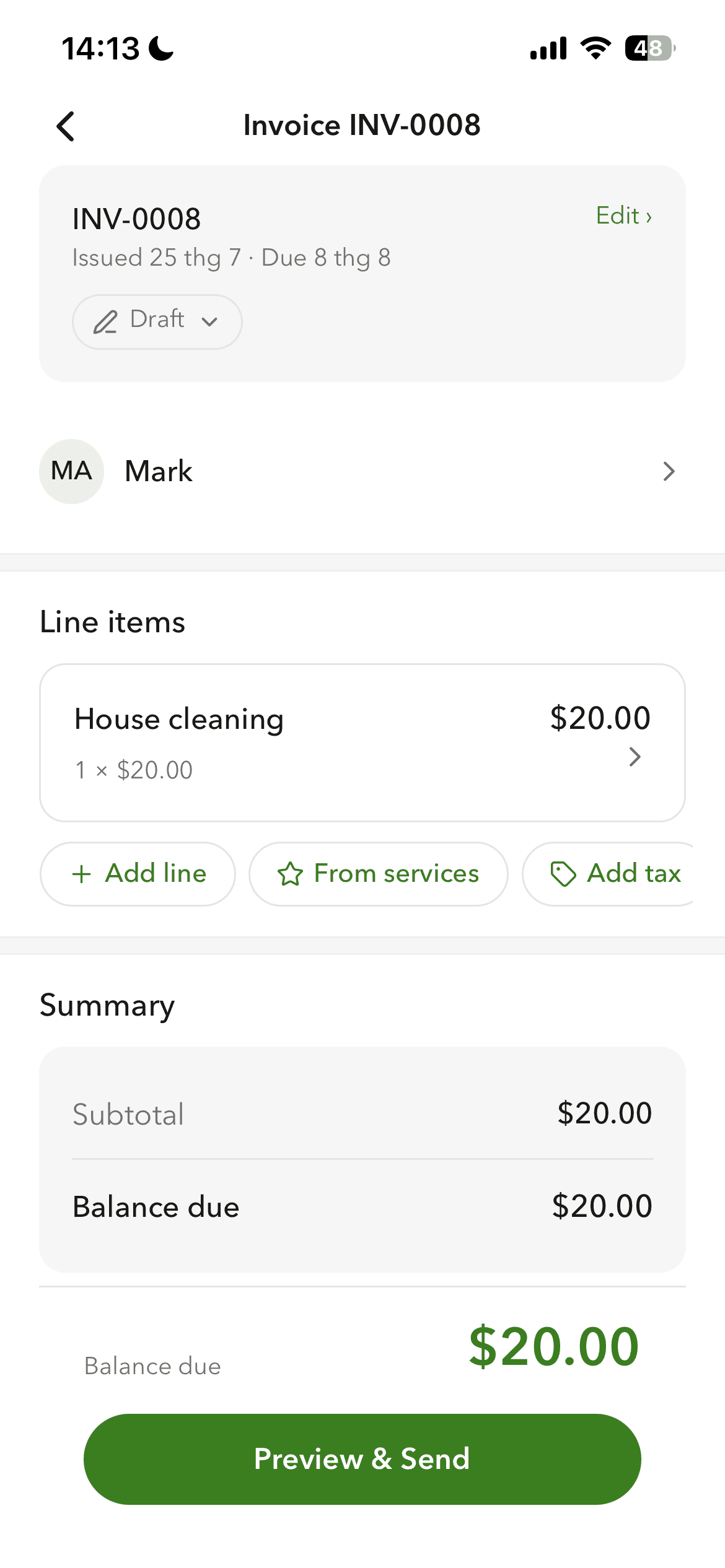
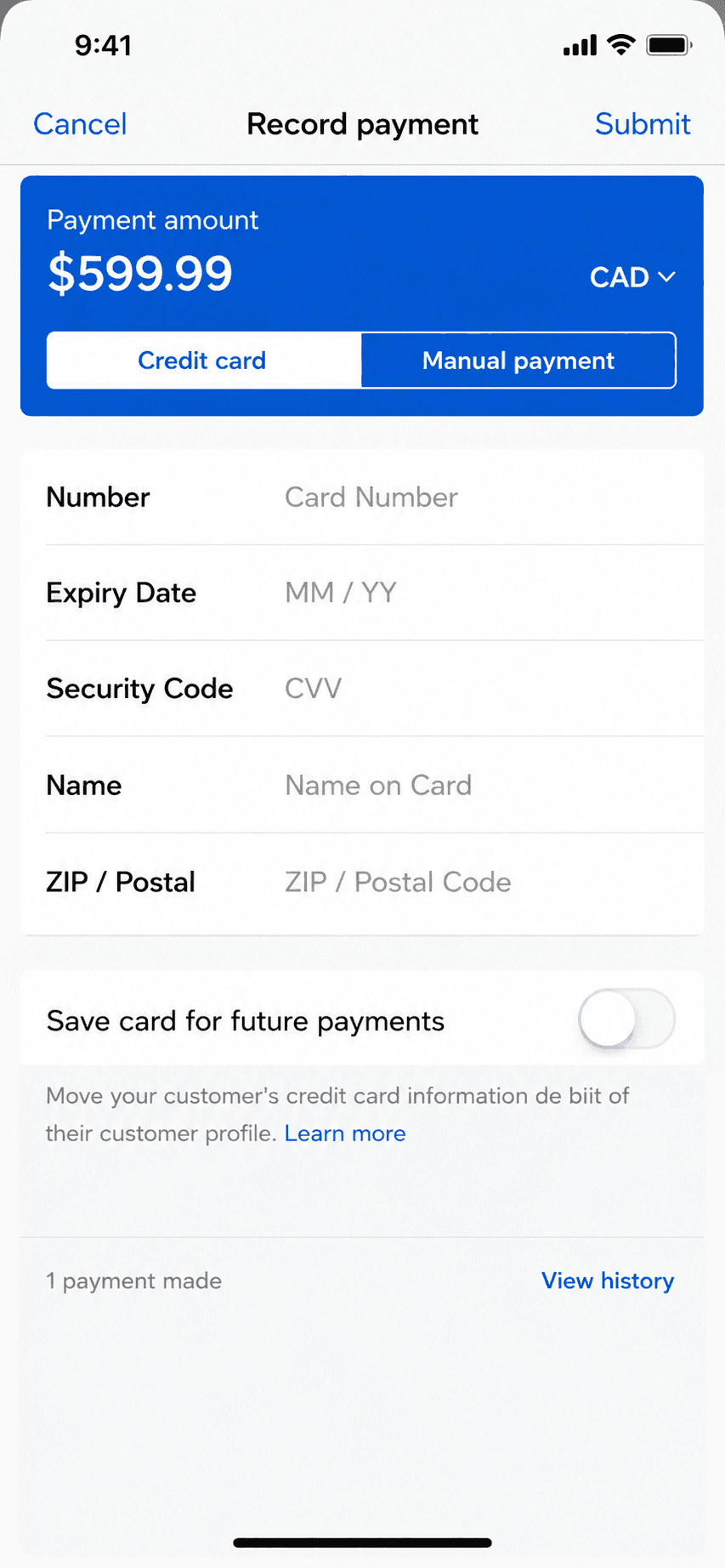
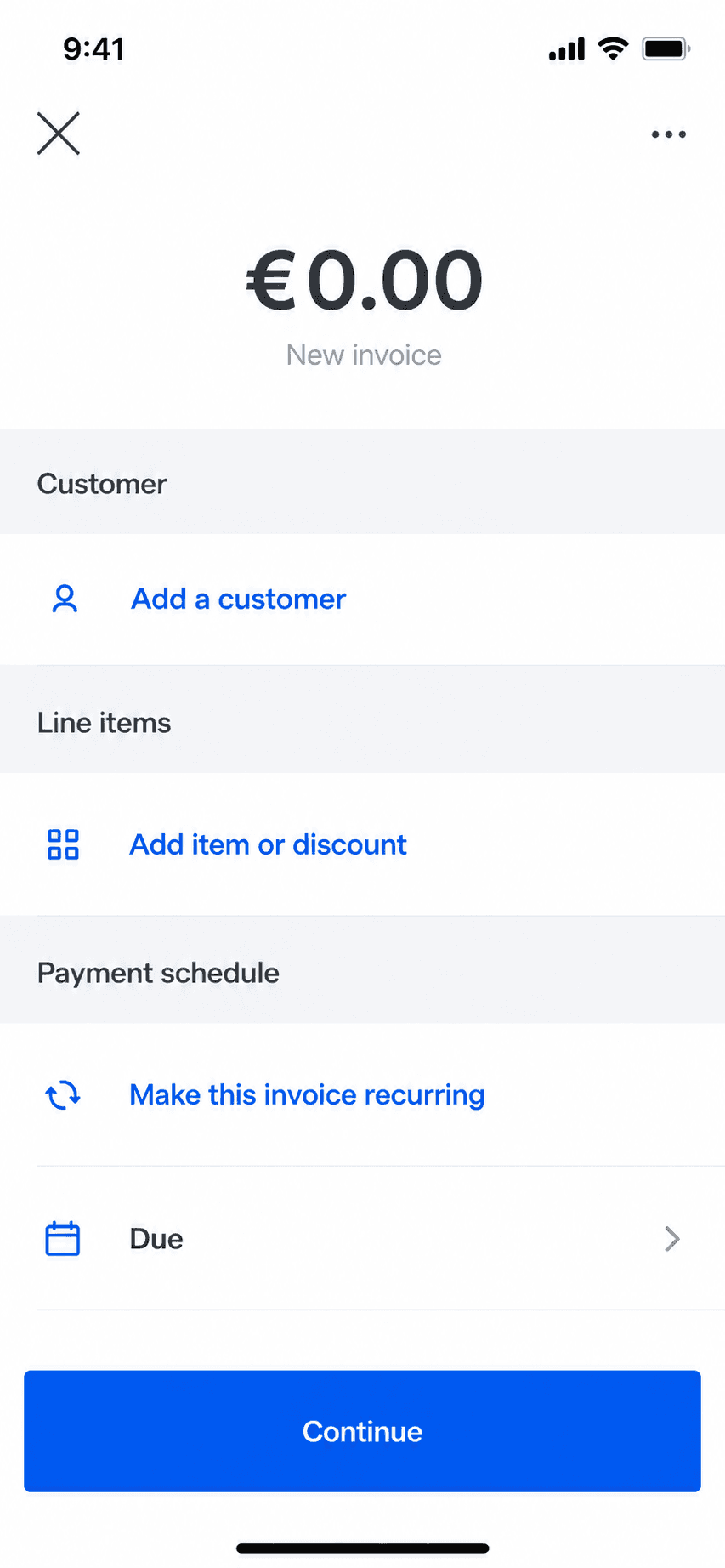
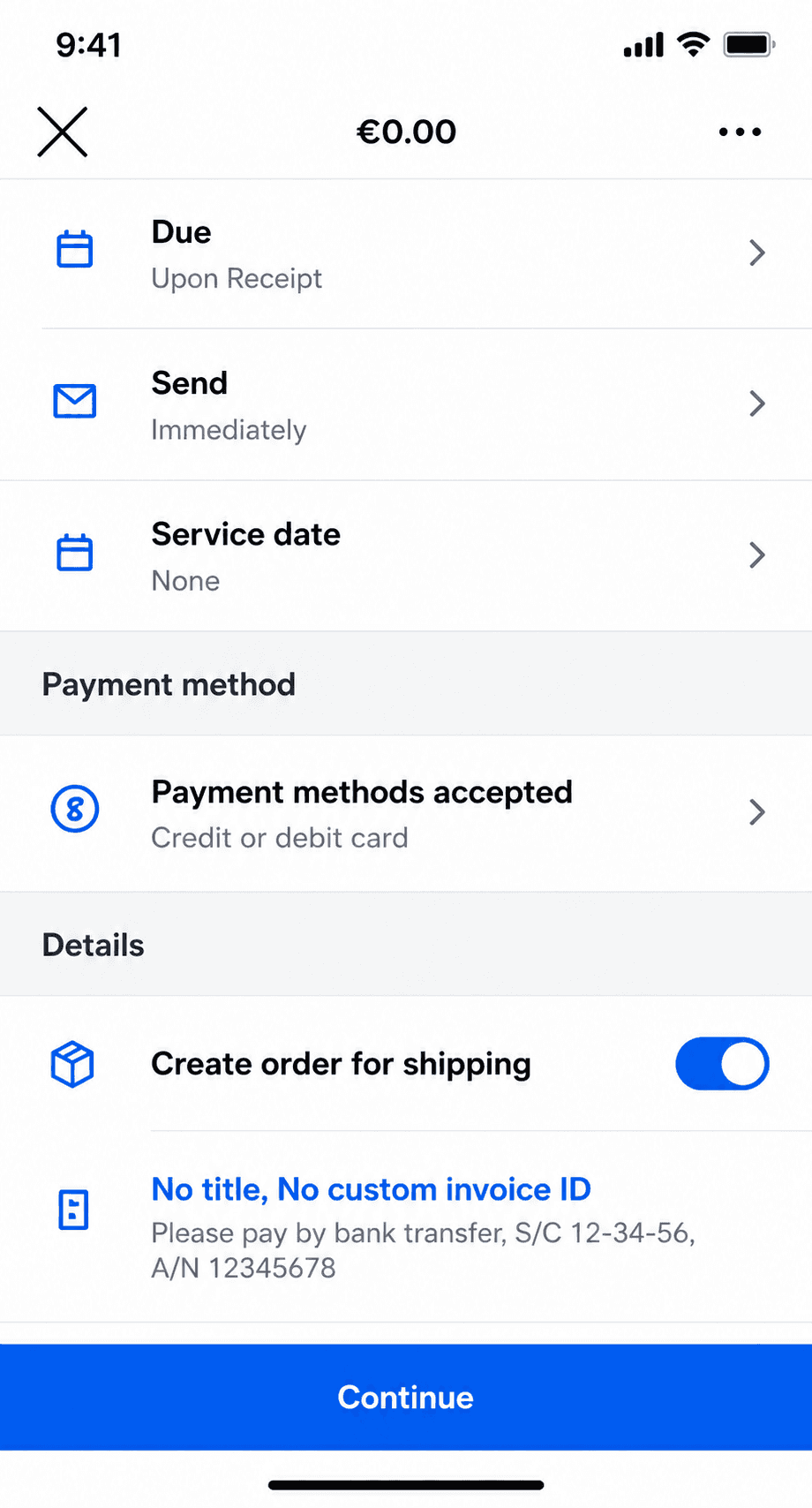
Billgami invoice creation screen on iPhone
Create an invoice in a minute
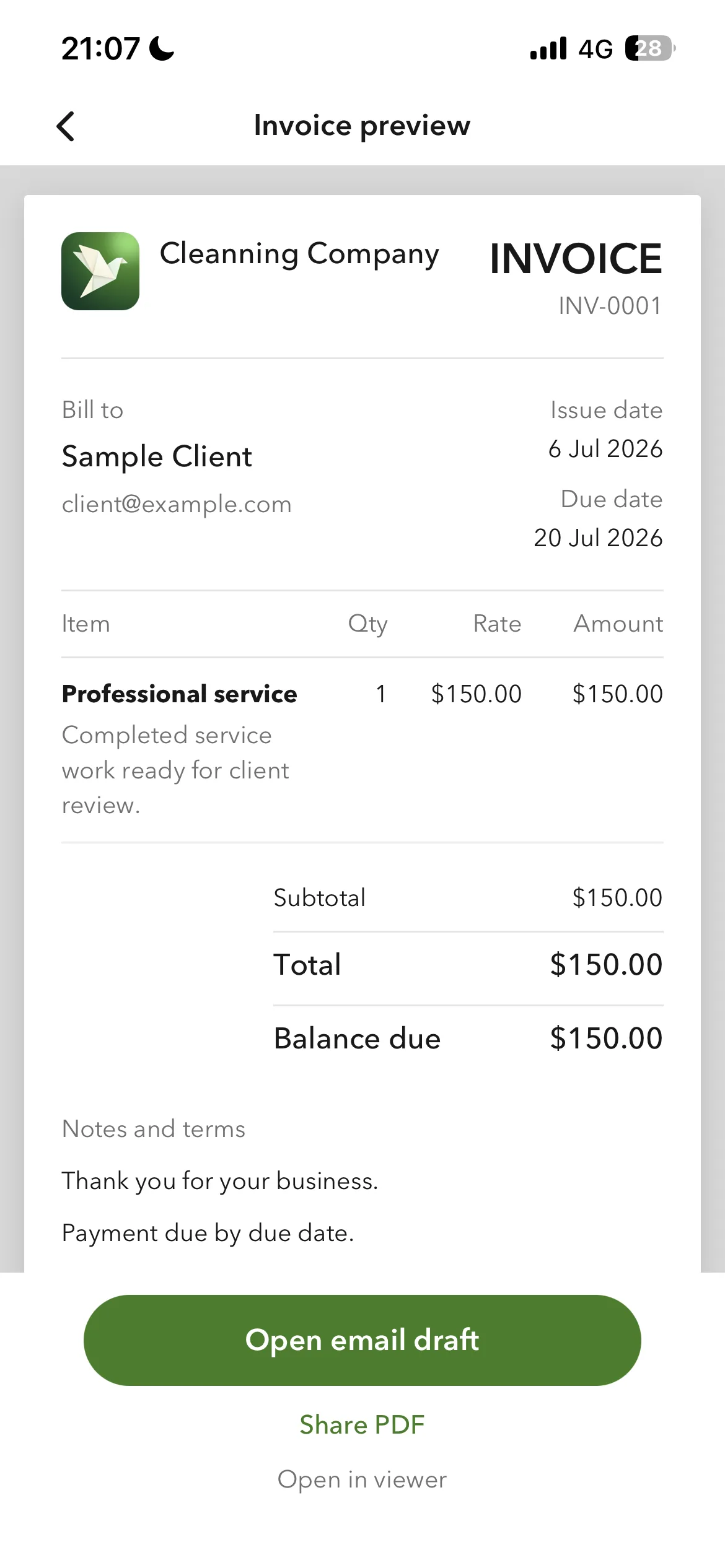
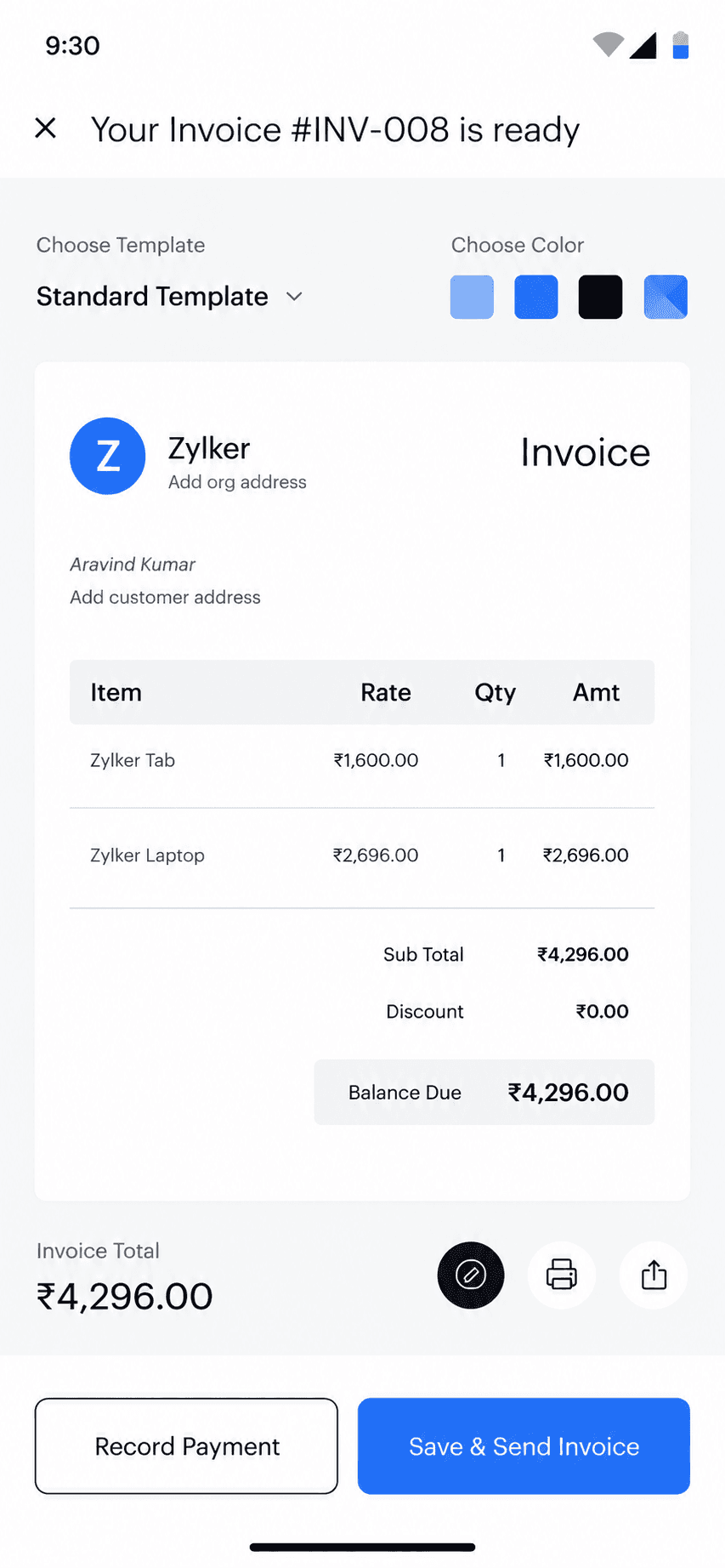
Billgami finished invoice preview
Send it as a PDF
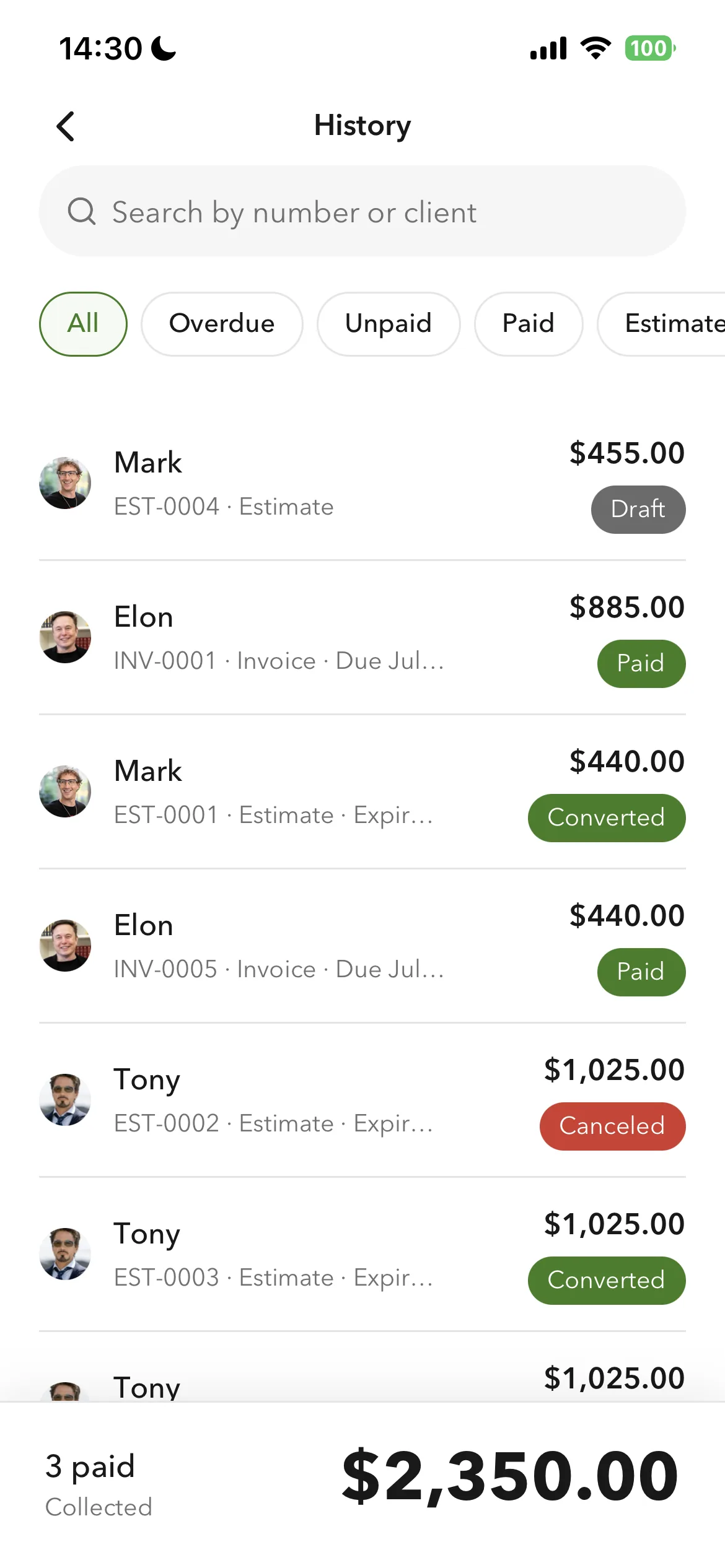
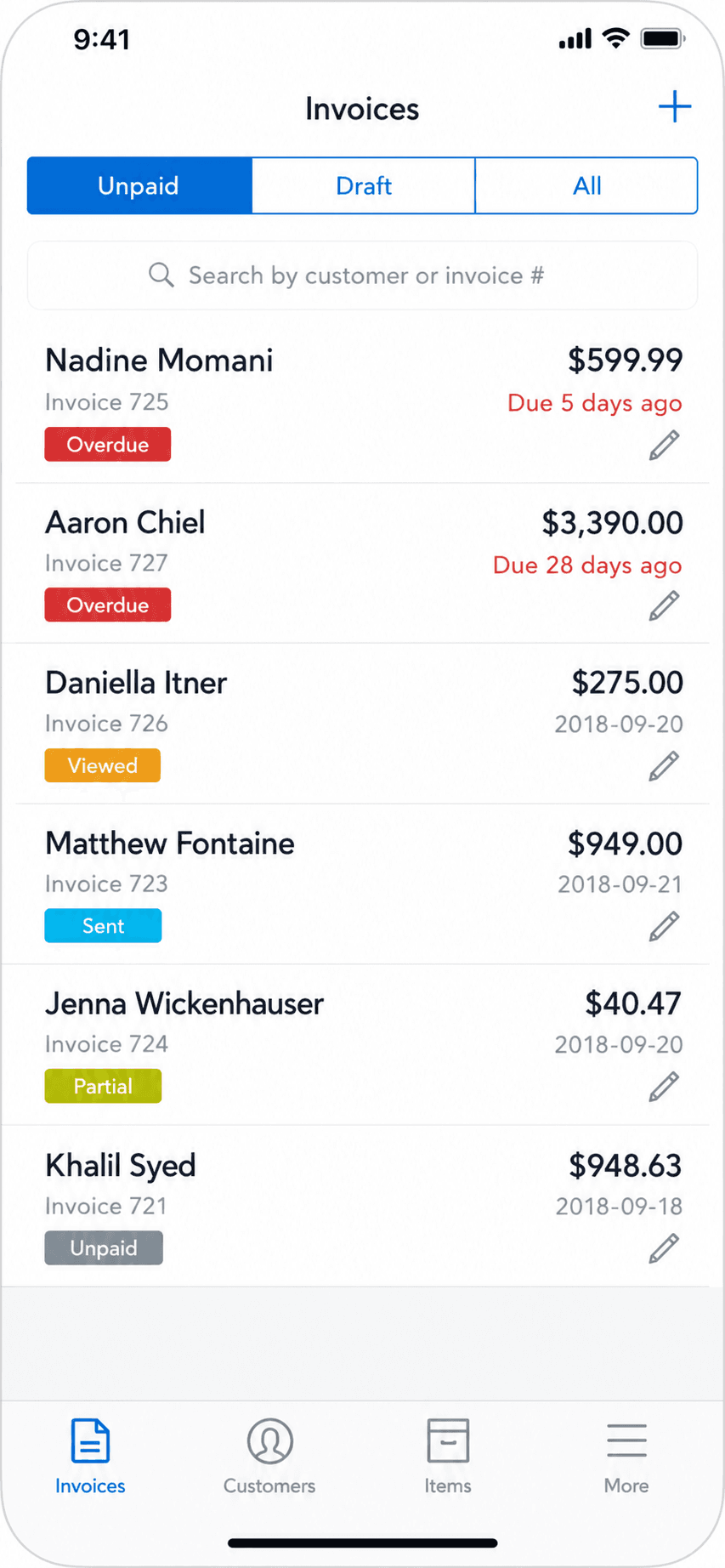
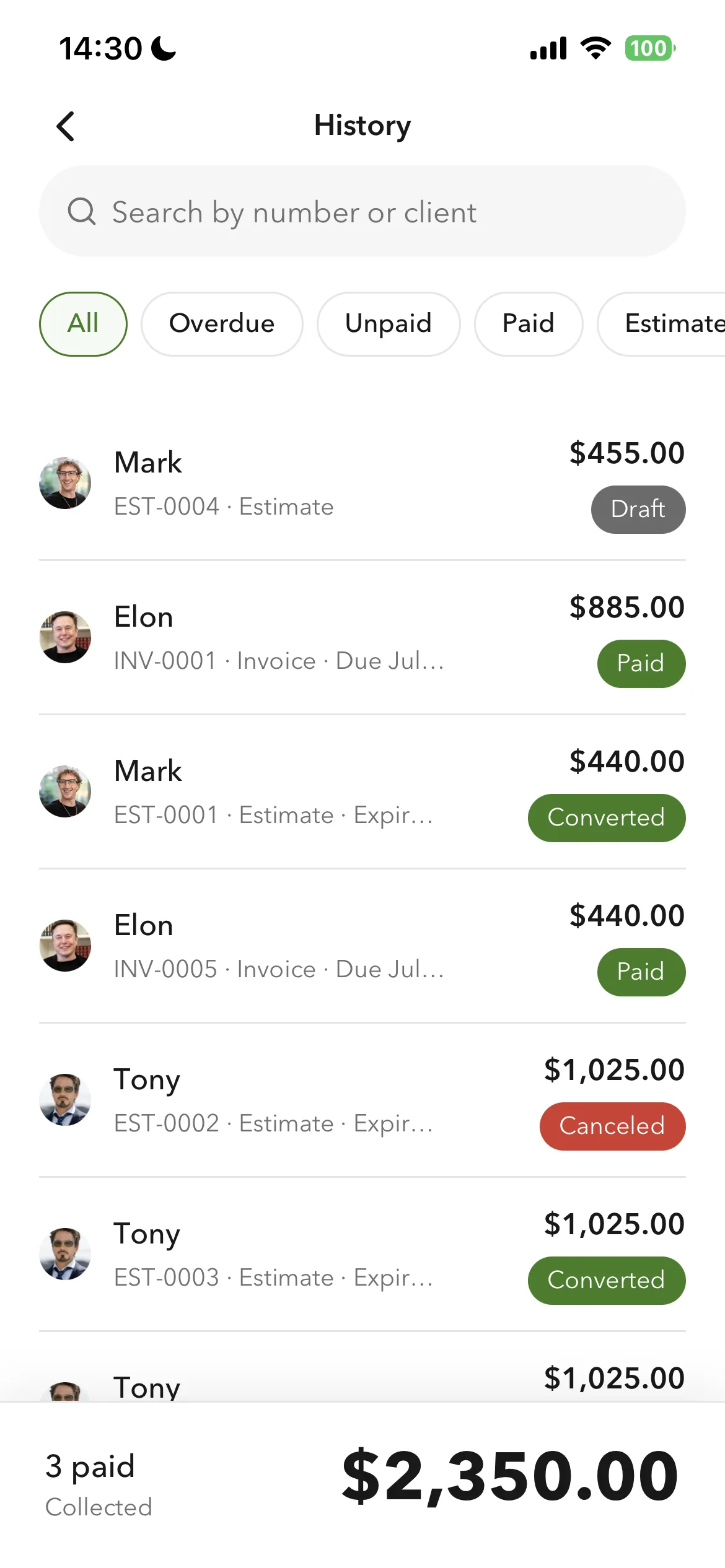
Billgami invoice history and payment tracking
Track paid and unpaid

Create a professional invoice from your phone in about a minute, pulling clients and services from a searchable book, and send it as a PDF. Track paid, unpaid, and partial payments; clients pay you directly, so Billgami never holds your money or takes a cut.

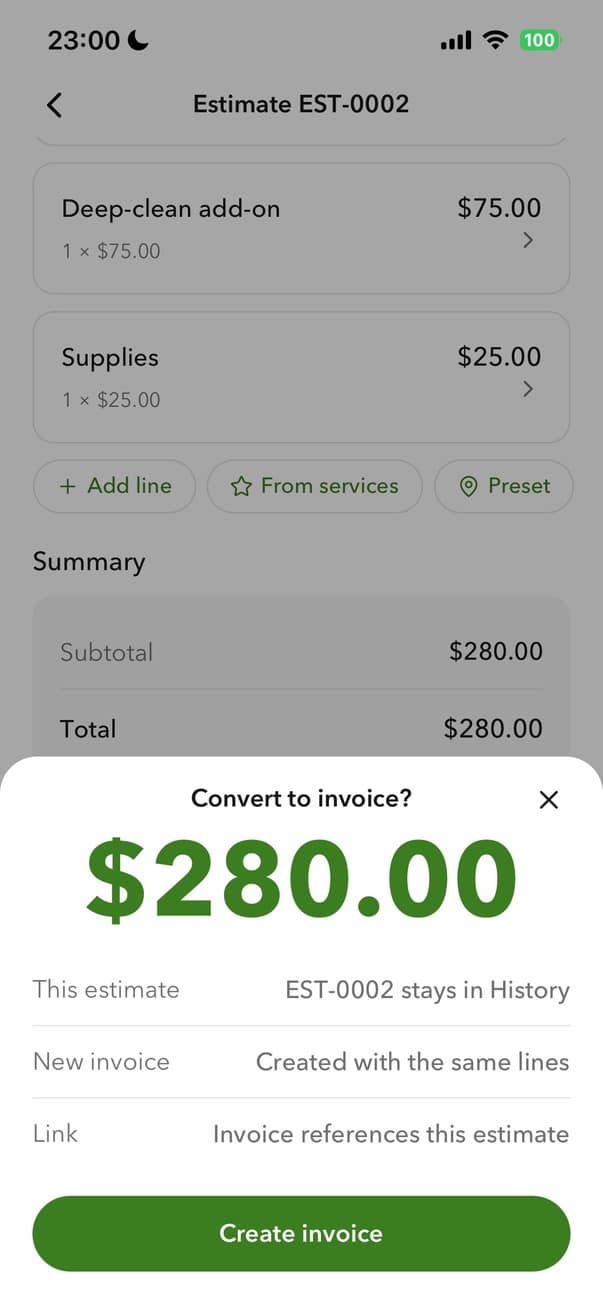
Billgami converting an estimate to an invoice
Turn an estimate into an invoice
Billgami prebuilt invoice templates
Prebuilt templates
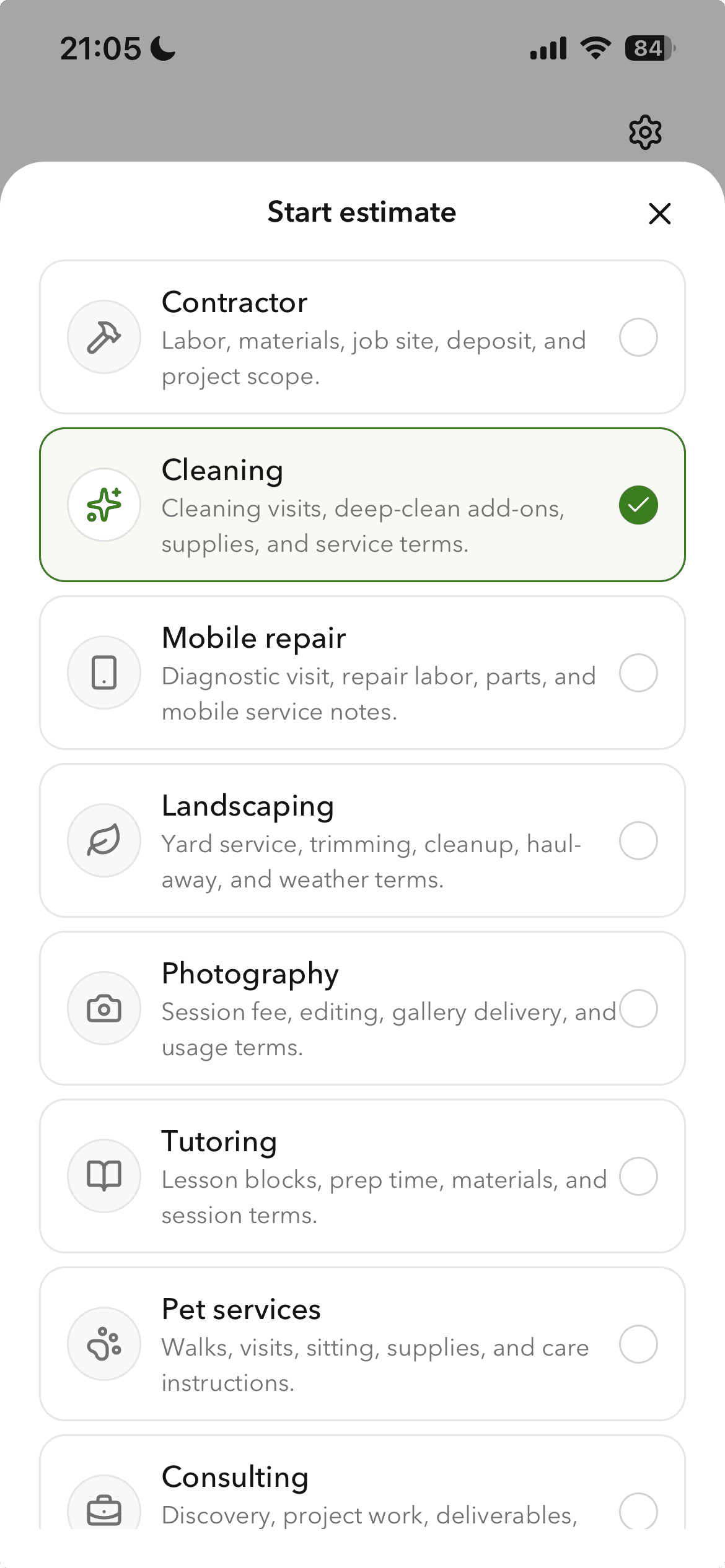
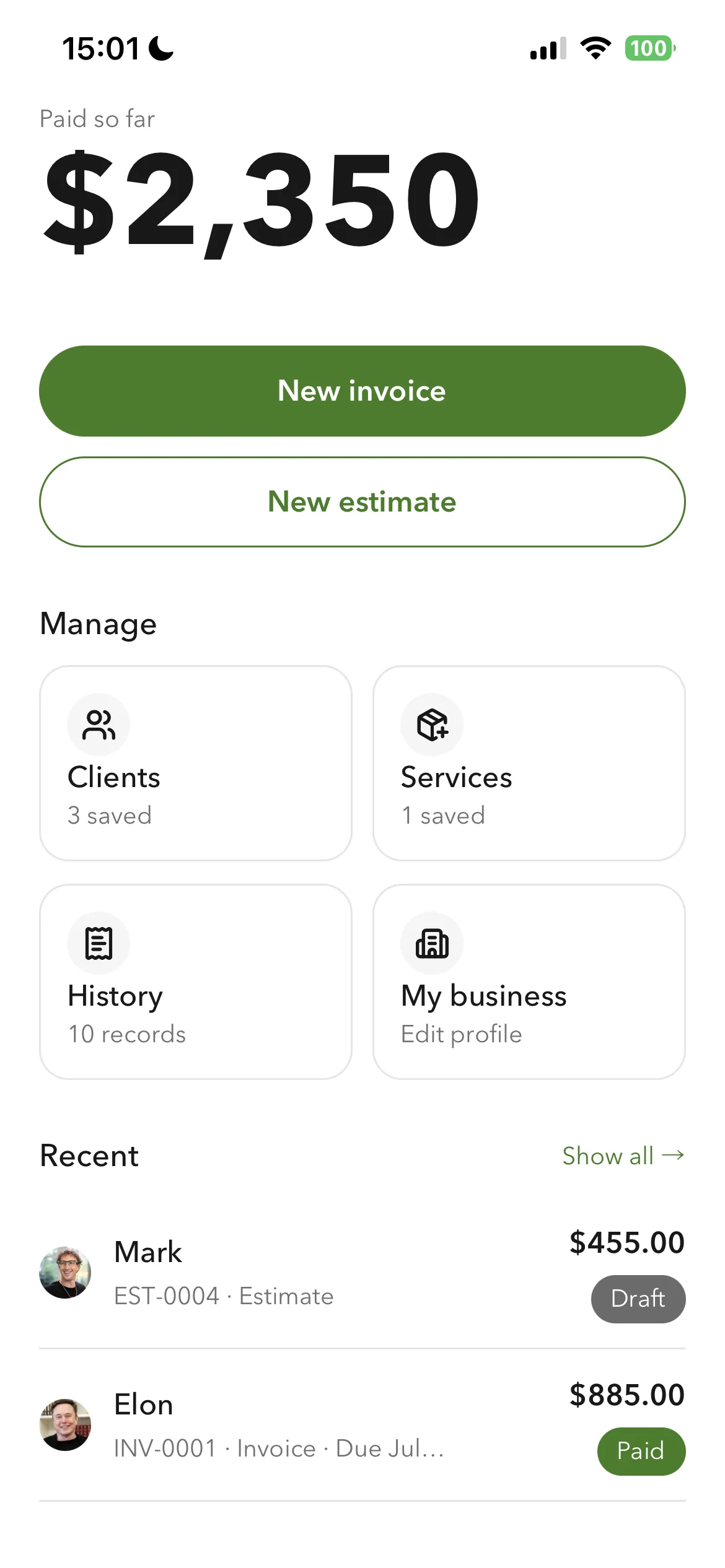
Billgami home screen
One home screen

Estimates convert to invoices in one tap, and every document carries your business profile: logo, currency, tax label, and payment instructions. It all works offline, and you can export everything, all PDFs plus a records CSV and a payments CSV, on any plan. What it does not do is contracts, scheduling, or proposals; for those, use a suite.

The lean client-and-money toolkit: invoices and estimates, a searchable client book and service catalogue, and full export on any plan, without the contracts, scheduling, or lock-in of a suite.

Standout: Documents that carry your own logo, currency, and tax label, built from a saved client book and service catalogue.

Best for: The simplest, fastest way to send a professional invoice: pick a client, add services, preview, and send in about a minute.

Not for: Anyone who needs contracts, e-signatures, scheduling, proposals, or a sales-pipeline CRM.

Key features

  • Invoices and estimates from your phone; an estimate converts in one tap
  • Searchable client book with a billing address and a separate job address
  • Service catalogue with a per-service tax flag
  • Business profile on every document: logo, currency, tax label, payment instructions
  • Full export on any plan: all invoice PDFs, a records CSV, and a payments CSV
  • Works offline; clients pay you directly, so it never holds your money

Pros

  • One design system across the app, with purpose-built controls for money, dates, and discounts
  • Saved clients and services, so a repeat invoice is selection rather than retyping
  • Separate billing and job addresses, which generic invoice apps do not have
  • Full export of PDFs, records, and payments on any plan
  • Free tier, or a one-time $249.99 lifetime option instead of a subscription

Cons

  • No accounting, payroll, inventory, or bank reconciliation
  • Invoicing only, by design, so it cannot keep your books
  • New app, so no App Store rating history yet

Pricing

Free3 invoices in total (not per month); no time limit$0
Monthly$14.99/mo
Yearly$111.99/yr
LifetimePay once, then own it$249.99 one-time

Free: Free tier capped at 3 invoices in total, not per month, with no time limit; paid tiers from $14.99/mo, plus a $249.99 lifetime option if you want to skip subscriptions.

Platforms: iOS

Migrating from HoneyBook: Almost none: if invoicing was all you used your old app for, export your client list and start invoicing in an afternoon.

Bottom line: Pick Billgami if all you need is to send invoices and estimates and track who has paid. If you need books, use accounting software instead.

Lane A: full client-flow suites

For businesses that run the whole client lifecycle: contracts, scheduling, CRM, proposals, and payments in one place.

2. Dubsado

The automation-heavy client-flow suite: forms, proposals, contracts, scheduling, and invoicing, billed annually, with deep node-based workflow automation.

Dubsado is the power-user's HoneyBook: the same proposal-contract-invoice-scheduling bundle, but with a node-based Flow builder that automates the whole client journey. It bills annually ($335-$525/yr), includes 3 users, and connects your own payment gateway rather than processing funds itself. The tradeoff is setup depth: the automation that makes it powerful is also a project to configure and to leave.

Standout: Node-based Flow automation, the deepest workflow builder in this set.

Versus HoneyBook: The more automation-heavy HoneyBook alternative; annual billing and bring-your-own gateway instead of HoneyBook's built-in processing.

Best for: Freelancers and studios who want deep, customizable client-workflow automation and prefer to bring their own payment gateway.

Not for: Anyone who only needs to send an invoice, or who wants to pay month-to-month rather than a year up front.

Key features

  • Node-based workflow automation (Flows)
  • Proposals combining form, contract, and payment
  • Scheduling and client portals
  • Bring-your-own payment gateway

Pros

  • Deepest automation in the suite category
  • Connects your own gateway, no platform payment fee
  • 3 users included on every plan

Cons

  • Annual billing only, paid up front
  • Setup and migration are real projects
  • No free plan

Integrations

  • Stripe
  • Square
  • PayPal
  • QuickBooks
  • Zapier
  • Google Calendar

Pricing

Starter~$28/mo equivalent; invoicing, forms, portals, 1 lead-capture form, 3 users included$335/yr
Premier~$44/mo equivalent; adds scheduling, automated workflows, public proposals, Zapier, unlimited lead forms$525/yr

Free: No free plan; 21-day free trial of Premier, no card required.

Platforms: Web, iOS, Android

Migrating from HoneyBook: Moving in means rebuilding forms, contracts, and Flows; budget real setup time.

Bottom line: Pick Dubsado if you want a fully automated client workflow and are willing to invest setup time and an annual commitment.

3. Bonsai

A per-user freelancer suite (CRM, projects, invoicing, contracts, banking) where invoicing unlocks on the $25/user Essentials tier.

Bonsai bundles CRM, time tracking, projects, invoicing, proposals, contracts, and scheduling. Invoicing is not on the cheapest tier: you need Essentials ($25/user/mo, $19 annually) to send invoices and take payments, and Bonsai charges processing fees on top. Strong for freelancers who want one system; overkill if you just need to invoice.

Standout: Polished all-in-one freelancer workflow with banking and CRM built in.

Versus HoneyBook: A per-user HoneyBook alternative that also bundles CRM and banking; invoicing requires the Essentials tier.

Best for: Freelancers who want CRM, contracts, and invoicing in one per-user suite.

Not for: Anyone who only needs to invoice, where paying $25/user/mo plus processing fees for a full suite is overkill.

Key features

  • CRM, projects, and time tracking
  • Invoices, proposals, and contracts (Essentials+)
  • Scheduling and client portal
  • QuickBooks/Xero/Zapier integrations

Pros

  • Genuinely all-in-one for freelancers
  • Clean, well-reviewed interface
  • Banking and CRM included

Cons

  • Invoicing gated to $25/user Essentials
  • Per-user pricing scales with the team
  • Processing fees on top of subscription

Integrations

  • QuickBooks
  • Zapier
  • Calendly
  • Google
  • Xero

Pricing

Basic$9/user/mo annually; CRM, time tracking, tasks, projects (no invoicing/contracts)$15/user/mo
Essentials$19/user/mo annually; adds invoices & payments, proposals & contracts, scheduling, client portal$25/user/mo
Premium$29/user/mo annually; adds reports, pipeline, integrations, removes branding$39/user/mo

Free: No free plan; 7-day free trial, full access.

Platforms: Web, iOS, Android

Bottom line: Pick Bonsai if you want a polished all-in-one freelancer suite and will use the CRM and contracts, not just invoicing.

4. 17hats

An all-in-one client-management suite for solopreneurs, with a genuinely free CRM tier capped at 4 invoices a quarter.

17hats bundles contacts, quotes, contracts, invoicing, scheduling, and bookkeeping for solo business owners. Its free tier is unusually real (4 invoices/quarter, unlimited contacts), which makes it a soft on-ramp, but the paid plans run $50-60/mo once you invoice regularly. Payments route through your own Stripe or Square, so 17hats does not hold your funds.

Standout: A real free CRM tier, rare among client-flow suites.

Versus HoneyBook: A cheaper-entry HoneyBook alternative thanks to its free CRM tier, aimed at solo operators rather than teams.

Best for: Solo operators who want one system for CRM, contracts, and invoicing and can start on the free tier.

Not for: Anyone invoicing more than a few times a quarter who only needs invoicing, where the $50-60/mo suite price is hard to justify.

Key features

  • Free CRM tier (4 invoices/quarter)
  • Contracts, quotes, and invoicing
  • Scheduling and bookkeeping
  • Bring-your-own Stripe/Square

Pros

  • Genuinely free entry tier
  • Solo-operator focused
  • No platform payment fee

Cons

  • Paid plans are $50-60/mo
  • Single-user oriented
  • Free tier caps invoices at 4/quarter

Integrations

  • Stripe
  • Square
  • QuickBooks Online
  • Bank Connection ($5/mo add-on)

Pricing

Free CRM4 invoices/quarter, unlimited contacts and projects$0
Annual$50/mo equivalent (promo pricing runs lower); all features$600/yr
MonthlyAll features in one plan$60/mo

Free: Free CRM plan: 4 invoices per quarter, unlimited contacts and projects, sales-tax report and email templates.

Platforms: Web, iOS, Android

Bottom line: Pick 17hats if you want an all-in-one solo suite and can live within (or grow out of) the free 4-invoice tier.

5. Plutio

The cheapest full client-flow suite in this set: projects, invoices, contracts, and scheduling from $19/month, with no cut taken on payments.

Plutio is positioned as the budget HoneyBook alternative, an all-in-one for freelancers at $19/mo (vs HoneyBook's $36+). The catch on the entry tier is a 9-active-clients-per-month cap; heavier use pushes you to $49. Plutio does not take a cut of invoice payments, which sets it apart from HoneyBook's built-in processing.

Standout: Cheapest suite entry ($19) and takes no cut of your payments.

Versus HoneyBook: The budget HoneyBook alternative at roughly half the entry price, with no cut taken on payments.

Best for: Budget-conscious freelancers who want the whole suite cheaply and stay under ~9 active clients a month.

Not for: Anyone who only needs invoicing, or a busy shop that will blow past the entry-tier client cap.

Key features

  • Projects, invoices, contracts, scheduling from $19/mo
  • No cut on invoice payments
  • Forms and client portal
  • AI credits and workflow automations

Pros

  • Cheapest suite entry point
  • No platform payment cut
  • Month-to-month billing available

Cons

  • Entry tier caps at 9 active clients/mo
  • Smaller brand than Dubsado/HoneyBook
  • No free plan

Integrations

  • Stripe
  • PayPal
  • Zapier

Pricing

Core$15/mo billed annually; projects, invoices, contracts, scheduling, forms; 9 active clients/mo$19/mo
Pro$39/mo annually; unlimited clients, 30 contributors$49/mo
Max$159/mo annually; unlimited contributors, white-label + SSO$199/mo

Free: No free plan; 7-day free trial, full access, no card required.

Platforms: Web, iOS, Android

Bottom line: Pick Plutio if you want a full suite at the lowest price and stay within the entry-tier client cap.

6. Stay on HoneyBook

App Store rating: 4.77 out of 5 (16,189 ratings)

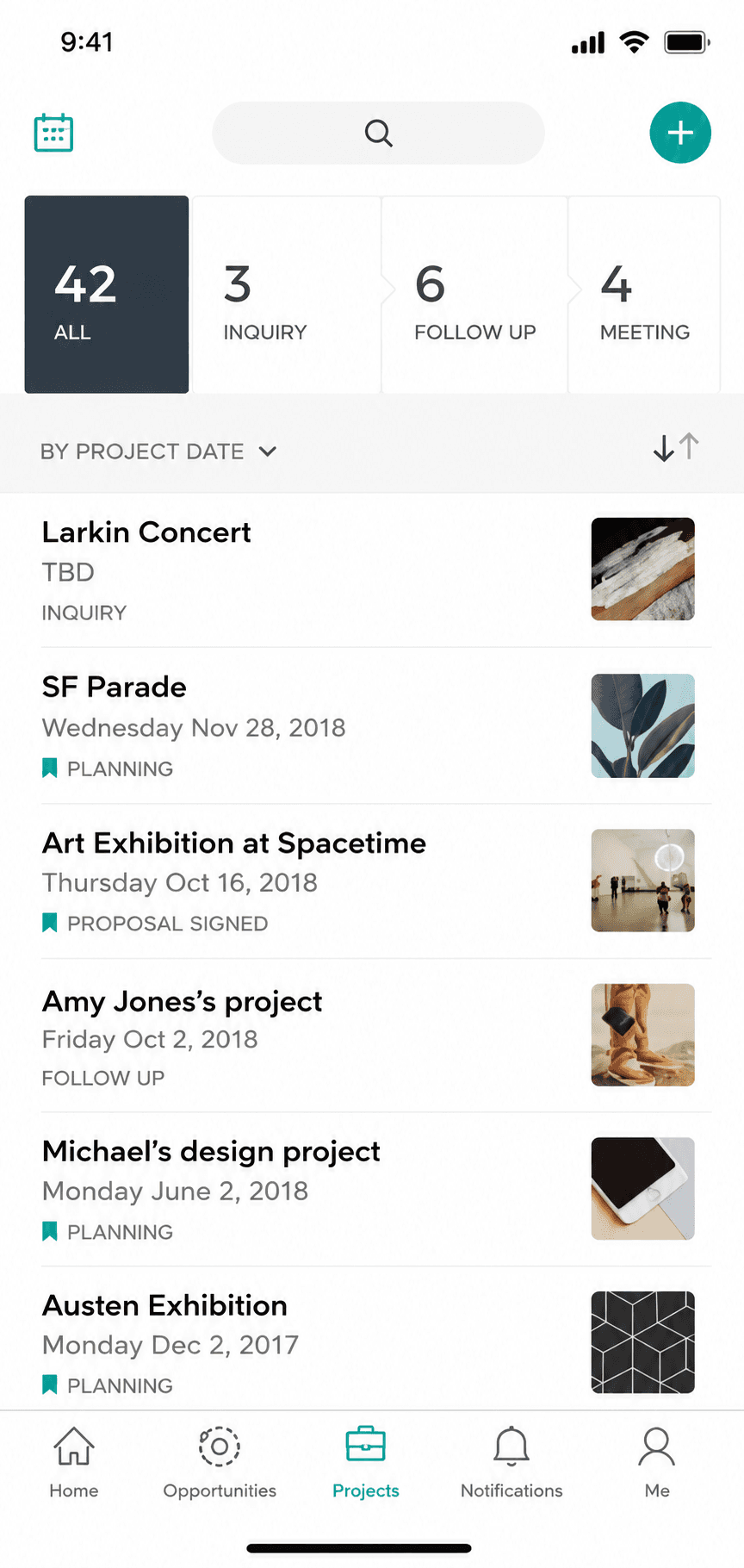
HoneyBook project view with client workflow
Project

Sometimes leaving is not worth it. No other alternative page will tell you this, because they are selling the switch.

If you genuinely run your whole business through HoneyBook, contracts, scheduling, CRM, proposals, and payments, and it works, the cost and effort of migrating your entire client workflow can outweigh the monthly savings. It is the most expensive option here and it holds your funds in disputes, but for a working all-in-one setup those can be prices worth paying. Just make sure you actually use the suite, not only the invoice.

Standout: The most complete client-flow bundle in this set: proposal to payment in one file.

Best for: Creative and service freelancers who want proposals, contracts, scheduling, and invoicing in one place.

Not for: Anyone who only needs invoicing, or who wants payments settled outside the platform.

Key features

  • Proposals combining quote, contract, and payment
  • Scheduling and automations
  • Invoicing and payment plans
  • Client CRM and lead forms

Pros

  • Genuinely all-in-one for client work
  • Strong automations from Essentials up
  • Well-rated apps on both stores

Cons

  • Suite lock-in: leaving means moving your whole workflow
  • HoneyBook processes and can hold funds during disputes
  • Widely discussed 2025-era price restructure

Integrations

  • QuickBooks Online (Essentials+)
  • Calendly-style scheduler
  • Zapier
  • Gmail/Google Calendar

Pricing

Starter$29/mo billed annually$36/mo
Essentials$49/mo annually; adds scheduler, automations, QuickBooks, 2 seats$59/mo
Premium$109/mo annually; unlimited seats$129/mo

Free: No free plan; 30-day free trial, no card required.

Platforms: Web, iOS, Android

Migrating from HoneyBook: Moving IN is a project (proposals, contracts, automations); moving OUT is too. Budget setup time either way.

This software keeps my business running! The smart files are incredible and the reminders are are absolute must have!
HoneyBook user, App Store review (2026), App Store

Bottom line: Pick HoneyBook if you want the whole client workflow managed in one subscription and accept platform payment processing.

Lane B: mostly invoicing

For solo pros who mostly send invoices and get paid. No suite to migrate into, and no cut taken from your payments.

7. FreshBooks

App Store rating: 4.70 out of 5 (10,969 ratings)

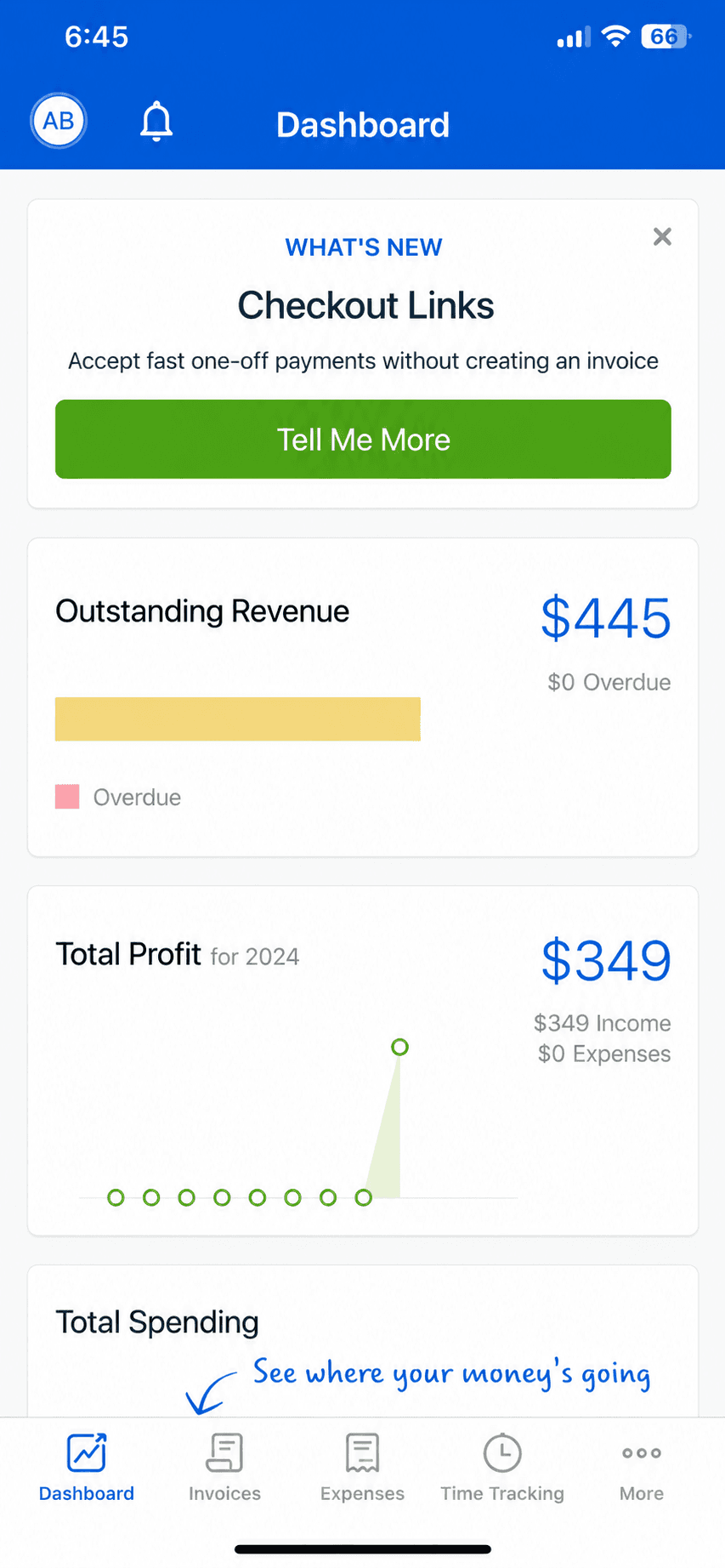
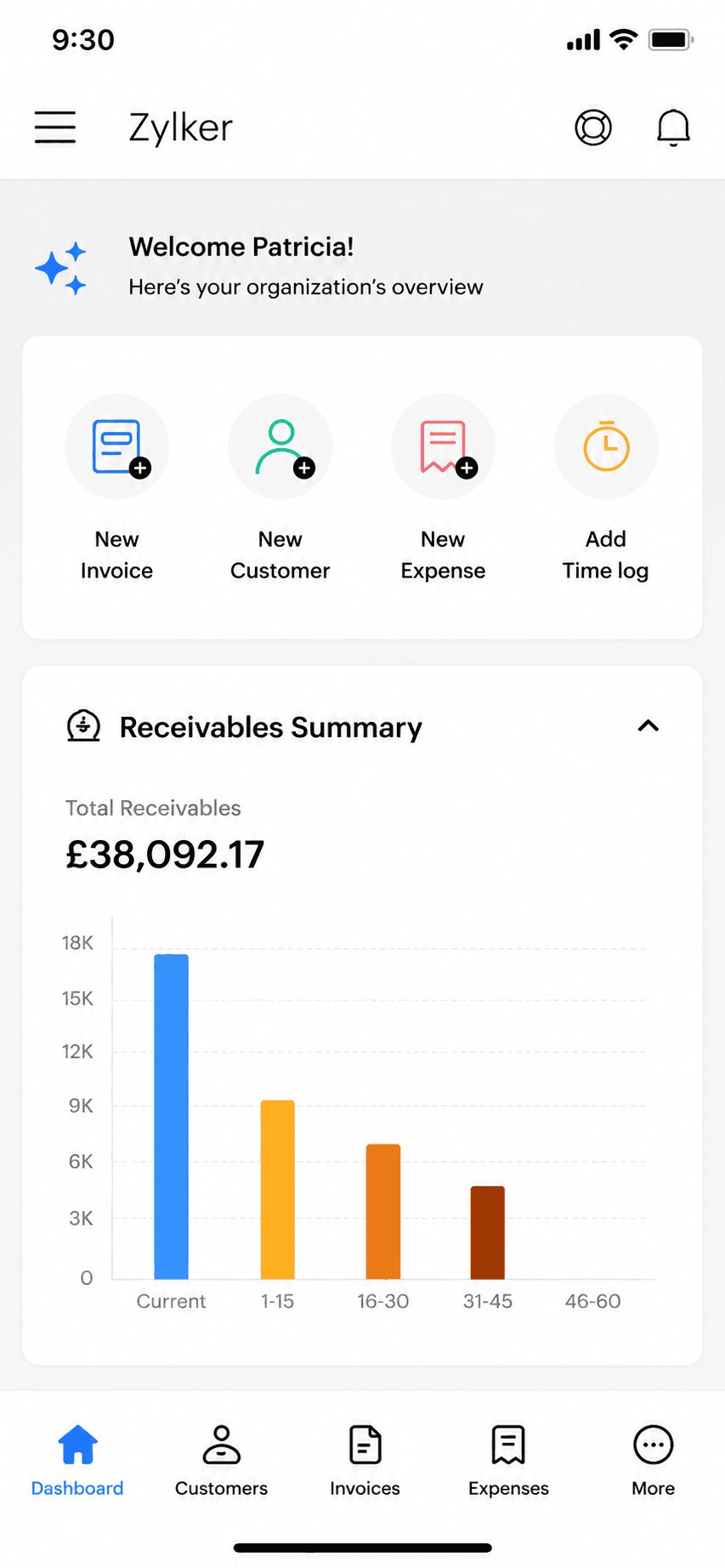
FreshBooks mobile app dashboard
Dashboard

The friendliest of the accounting tools, built around invoicing with light books bolted on.

FreshBooks is the friendliest tool in this group, built invoicing-first with light bookkeeping added on rather than the other way around. If you want modern, painless invoicing but still need some expense tracking, time tracking, and simple reports, it sits neatly between a pure invoice app and full accounting. It is still a monthly subscription, and its books are lighter than Xero's or QuickBooks'.

Standout: The most pleasant invoicing experience of any accounting tool here.

Best for: People who want modern invoicing plus some expense tracking and reports.

Not for: Businesses that need deep accounting, inventory, or heavy reporting.

Key features

  • Invoicing-first workflow
  • Light expense tracking and reports
  • Time tracking and simple projects
  • Client portal for proposals and payments

Pros

  • Easiest of the accounting tools to learn
  • Great invoicing without full-accounting overhead
  • Strong time tracking for billable work

Cons

  • Still a monthly subscription
  • Books are lighter than Xero or QuickBooks
  • Billable-client limits on lower tiers

Integrations

  • Stripe and PayPal
  • Gusto payroll
  • Zapier
  • Google Workspace
  • Bank feeds

Pricing

LiteUp to 5 billable clients; $248.40/yr (about $20.70/mo) billed yearly$23/mo
PlusUp to 50 billable clients; about $38.70/mo billed yearly$43/mo
PremiumUnlimited billable clients; about $63/mo billed yearly$70/mo

Free: No free plan; 30-day free trial.

Platforms: Web, iOS, Android

Migrating from HoneyBook: Easy for invoicing and clients; its lighter books mean less to migrate, but also less to migrate into.

I love FreshBooks. User friendly and not as complicated as Quickbooks.
FreshBooks user, App Store review (2026), App Store

Bottom line: Pick FreshBooks if you want great invoicing plus light accounting and do not mind a monthly subscription.

8. Wave

App Store rating: 4.38 out of 5 (6,601 ratings)

Wave mobile app invoice list and history
Invoice history
Wave mobile app payment recording screen
Payment record

Free accounting that covers invoicing, expenses, and basic books, funded by payment and payroll fees rather than a subscription.

Wave is the rare accounting tool with a genuinely free core: invoicing, income and expense tracking, and basic financial reports at no monthly cost. It funds itself through payment processing when clients pay by card and through a paid payroll add-on, so the 'free' holds as long as your card volume stays low. The mobile app is lighter than the web version, so heavy bookkeeping still happens at a desk.

Standout: A genuinely free accounting core, not a limited trial.

Best for: Businesses that want real books at zero base cost.

Not for: Anyone with heavy card volume, where per-transaction fees add up fast.

Key features

  • Invoicing, expense tracking, and basic reports
  • Double-entry accounting under the hood
  • Add payments and payroll when you need them
  • Receipt scanning on mobile

Pros

  • Genuinely free base plan, not a trial
  • Real double-entry books, not just invoicing
  • Simple enough for a non-accountant to start

Cons

  • Revenue comes from per-transaction payment fees
  • Mobile app is thinner than the desktop version
  • Support and integrations are limited versus paid tools

Integrations

  • Bank and credit-card feeds
  • Wave Payments
  • Wave Payroll
  • Receipt scanning

Pricing

StarterInvoicing, accounting, receipts$0/mo
Pro$190/yr (about $15.83/mo) billed annually; adds auto-import and unlimited receipts$19/mo
PaymentsAmex 3.4% + $0.60about 2.9% + $0.60 per card transaction

Free: Free forever for invoicing and accounting; you only pay to take card payments or run payroll.

Platforms: Web, iOS, Android

Migrating from HoneyBook: Easy for invoicing; light lift for books since Wave imports bank feeds and a customer list, though deep prior-system history does not transfer cleanly.

I am satisfied with what this service provides for how much it costs.
Wave user, App Store review (2026), App Store

Bottom line: Pick Wave if you need real books at zero base cost and are fine paying per-transaction payment fees.

9. Square Invoices

App Store rating: 4.83 out of 5 (92,439 ratings)

Square Invoices invoice creation screen
Create invoice
Square Invoices invoice creation, line items step
Create invoice (2)

Free invoicing and estimates that plug straight into Square's card payments, ideal if you also take payments in person.

Square Invoices lets you send unlimited invoices and estimates for free, and get paid by card through Square. Because it shares one account with Square Point of Sale, it is a natural fit for service pros who also sell or take payment in person. It is invoicing and payments, not accounting: there is no general ledger, reconciliation, or tax reporting.

Standout: Free unlimited invoicing tied to Square's payments and point-of-sale.

Best for: Solo pros who want free invoicing and also take card or in-person payments.

Not for: Anyone who needs bookkeeping, expenses, or tax-ready reports.

Key features

  • Unlimited invoices and estimates
  • Card payments through Square
  • Recurring invoices and reminders
  • Shared account with Square Point of Sale

Pros

  • Free to send unlimited invoices
  • Fast card payments, online and in person
  • Very high App Store rating at scale

Cons

  • No accounting or bookkeeping
  • Free-plan card rate is 3.3% + $0.30; the lower rate needs a $49/month plan
  • Best value only inside the Square ecosystem

Integrations

  • Square Point of Sale
  • Square Payments
  • Square Payroll
  • Some accounting sync (Xero, QuickBooks) via connectors

Pricing

Square FreeUnlimited invoices and estimates; invoice/online card rate 3.3% + $0.30$0/mo
Square PlusReplaced the old $20 Invoices Plus; card rate drops to 2.9% + $0.30$49/mo per location
Square PremiumLowest processing rates; 24/7 support$149/mo per location

Free: Free forever to create and send invoices; you only pay when a client pays by card.

Platforms: Web, iOS, Android

Migrating from HoneyBook: Trivial if invoicing was all you did: export your client list and start sending. Nothing to migrate if there were no books.

Square is by far the best. I love everything about it and it truly helps small businesses grow. We have grown!
Square user, App Store review (2026), App Store

Bottom line: Pick Square Invoices if you want free invoicing and already take card or in-person payments.

10. Zoho Invoice

App Store rating: 4.86 out of 5 (13,770 ratings)

Zoho Invoice mobile app invoice detail view
Invoice detail
Zoho Invoice mobile app home dashboard
Dashboard

Zoho's completely free invoicing app: invoices, estimates, and a client portal at no cost, as the front door to the wider Zoho ecosystem.

Zoho Invoice went completely free in 2021 and has stayed that way: unlimited-enough invoicing, estimates, time tracking, and a client portal with no paid tiers at all. The honest catch is strategic rather than hidden fees: it exists to bring small businesses into the paid Zoho ecosystem as they grow. It is a genuinely strong free pick if all you need is to send invoices.

Standout: Genuinely 100% free invoicing with no paid tiers at all.

Best for: Invoicing-only users who want a free, full-featured web and mobile invoicing tool.

Not for: Anyone who needs books, or who wants to stay out of vendor ecosystems.

Key features

  • Free invoices, estimates, and client portal
  • Time tracking built in
  • Part of the Zoho ecosystem
  • Web, iOS, and Android apps

Pros

  • Completely free, no tiers or caps to hit
  • Full-featured for pure invoicing
  • Grows into Zoho Books if you ever need books

Cons

  • Caps: 500 invoices/year, 2 users, 3 projects
  • Exists to funnel you into paid Zoho products
  • More setup than a phone-first invoice app

Integrations

  • Zoho ecosystem (Books, CRM)
  • Stripe and PayPal
  • Zoho Payments

Pricing

Free (only plan)500 invoices/yr, 2 users, 3 projects; no ads, no data selling$0

Free: Entire product free: no ads, no card. Free-plan limits: 500 invoices/year, 2 users, 3 projects, 'Powered by Zoho' branding.

Platforms: Web, iOS, Android

Migrating from HoneyBook: Export clients and start invoicing; nothing to migrate if you kept no books.

Run my business with this app for past 4 years and never had a problem and works perfect.
Zoho Invoice user, App Store review (2026), App Store

Bottom line: Pick Zoho Invoice if you want the most complete free invoicing tool and do not mind joining the Zoho ecosystem.

Head-to-head

HoneyBook vs the honest alternatives

FeatureBillgamiHoneyBookDubsadoPlutioWave
Contracts & e-signaturesNoYesYesYesNo
Scheduling, proposals & sales CRMNoYesYesYesNo
Send invoices & estimatesYesYesYesYesYes
Client book & service catalogueYesYesYesYesPartial
Separate billing & job addressYesNoNoNoNo
Processes / holds your moneyNoYesNoNoFees only
Works offline on phoneYesNoPartialPartialNo
Starting priceFree tier$36/mo$335/yr$19/moFree base
One-time / lifetime option$249.99 lifetimeNoNoNoNo
Best forInvoicing + client recordsFull suite + paymentsAutomation-heavy suiteCheapest suiteFree light books

Billgami wins the everyday client-and-money layer, records, offline, a separate job address, export on any plan, and a lifetime option, while the suites win on contracts, scheduling, and proposals. Pick by which set you actually use.

05The Unbundle Ledger

What you pay HoneyBook for, module by module

HoneyBook bundles five jobs into one $36 to $129 a month bill. Here is what each piece costs as a standalone tool, so you can see what you are really paying for, and what you would pay if you only kept the parts you use. The punchline is the last column: if you mostly invoice, you are paying a suite price for a job that is free.

What HoneyBook bundlesStandalone toolStandalone cost/moIf you only invoice
Invoicing & payment trackingBillgami / Wave$0 (free tier)This is all you need
Contracts & e-signaturesAn e-sign/contract tool~$10 to $15Skip
SchedulingA Calendly-style scheduler$0 to $12Skip
CRM & lead formsA light CRM$0 to $15Skip
ProposalsIncluded with invoicing$0Skip
Payment processingStripe / Square direct2.9% + $0.30Pay your processor, not a suite markup
How we sourced these prices · How the Unbundle Ledger was built

Each standalone cost is the entry price a solo operator would actually pay for that one job as of July 2026, taken from the vendor's own pricing page: invoicing has a genuine $0 tier (Billgami, Wave); scheduling and light CRM have free or near-free tiers; e-signature and contract tools start around $10 to $15. Payment processing is a percentage you pay whether you bundle it or not, so bundling it into a suite does not make it cheaper. The comparison is deliberately conservative: it uses entry prices, not enterprise tiers.

  • Standalone prices from each vendor's pricing page, July 2026; invoicing baseline from the Billgami and Wave free tiers.
  • Vendor pricing pages, July 2026
  • Billgami and Wave free tiers for the invoicing baseline
The real cost

What HoneyBook actually costs over 3 years

Alternative guides show this month's price and move on. Here is the 3-year total, because that is what you actually commit to, and HoneyBook also takes 2.9% + $0.25 of every card payment on top of these figures.

PlanPer month1 year3 years
Billgami FreeReal free tier, full app with export$0$0$0
Billgami LifetimeOne-time $249.99; less than a year of HoneyBook Starterone-time$249.99$249.99
HoneyBook Starter$29/mo billed annually; plus 2.9% + $0.25 per card payment$36$432$1,296
HoneyBook Essentials$49/mo annually; adds scheduler, automations, 2 seats$59$708$2,124
HoneyBook Premium$109/mo annually; unlimited seats$129$1,548$4,644
Dubsado Starter$335/yr billed annually; bring your own gateway$27.92$335.04$1,005.12
Bonsai Essentials$25/user/mo; invoicing unlocks here; plus processing fees$25$300$900
17hats Free CRM4 invoices/quarter, unlimited contacts$0$0$0
17hats paid$50/mo billed annually; $60 monthly$50$600$1,800
Plutio Core$19/mo; 9 active clients/mo cap; no cut on payments$19$228$684
FreshBooks LiteInvoicing plus light books$23$276$828
WaveFree to send; payment fees separate$0$0$0
Square InvoicesFree to send; 3.3% + $0.30 per card payment$0$0$0
Zoho InvoiceFree invoicing; part of the Zoho suite$0$0$0

Prices as of July 2026. HoneyBook restructured its plans in the 2025 era; third-party analyses characterize it as roughly an 89% increase. Verify current pricing on honeybook.com. Source: Vendor pricing pages, July 2026 (https://www.honeybook.com/pricing)

Why people leave

Why people really leave HoneyBook

First, fairness: HoneyBook holds a 4.77 out of 5 App Store average across 16,000+ ratings, so most users are happy. This breakdown is its one- and two-star reviews specifically. Of the 143 HoneyBook reviews we pulled, 49 were rated one or two stars; we tagged them by theme and counted. Two things stand out: the app's reliability, and the money, a monthly fee plus a cut of every payment.

ComplaintShareWhat reviewers say
Bugs, crashes, and device breakage35%"We had a lot of communication problems, system crashing, and not everything work properly in their system."
Support relies on AI, not people33%"Support staff very kind but not helpful at all, as they rely on AI to handle most problems."
Price increases and plan changes27%"HoneyBook claims to be for small businesses but charges a monthly fee or a yearly subscription for their platform, in addition to taking money from every invoice/transaction made."
Fees stacked on the subscription24%"Overall very useful, but transaction fees on top of the monthly fee adds up."
You outgrow it / built for passive freelancers18%"They're built for smaller, more passive freelance businesses."

Share is the percent of the 49 one- and two-star reviews mentioning each theme; a review can mention more than one, so shares do not sum to 100. Quotes are verbatim; original spelling is preserved. HoneyBook App Store reviews (Apple, 143 pulled, 49 rated one or two stars), July 2026; per-review theme tags saved for audit.

Free options

Is there a free HoneyBook alternative?

A common search, because HoneyBook itself has no free plan, only a 30-day trial. There are genuinely free tools, and the honest answer depends on your lane. Every option here names its catch.

ToolWhat's actually freeThe catch
BillgamiInvoices, estimates, client book, service catalogue, and full exportNot a suite; no contracts, scheduling, or proposals
17hatsFree CRM tier: contacts, projects, 4 invoices per quarterCapped at 4 invoices a quarter; paid plans are $50-60/mo
WaveInvoicing and light accountingFunded by payment-processing and payroll fees
Zoho InvoiceFull invoicing, freeNudges you toward the paid Zoho suite

Free tiers as described by each vendor as of July 2026; confirm current limits before relying on them.

The real cost of leaving HoneyBook

The monthly price is only half the decision. The other half is what it takes to leave, and few HoneyBook alternative guides we reviewed talk about it, because they are all trying to sell you the next suite. If you run your whole business through HoneyBook, moving means rebuilding your contracts, proposal templates, scheduling, and automations somewhere else, and migrating client history. That is a real project. It is also why HoneyBook can raise prices: the switching cost is the lock-in. Here is the honest part: if your HoneyBook use was really invoicing, client records, and taking payment, there is almost no switching cost. You export your client list, start sending invoices from a leaner tool, and you are done in an afternoon, with your money landing directly in your account instead of being held during disputes. That is the tell that you were paying for a suite you never needed.

  • Whole-suite user: real migration effort, rebuild templates and automations, budget days.
  • Invoicing plus client records: export clients, start invoicing elsewhere, done in an afternoon.
  • HoneyBook processes your payments and can hold funds 60 to 90 days in a dispute; getting paid directly removes that risk.

When Billgami is the wrong answer

Being honest about this is the point of the page.

  • You run your business on contracts, e-signatures, and scheduling. Billgami does invoicing and client records, not those.
  • You want proposals that bundle a quote, contract, and payment in one document.
  • You want one tool for the whole client lifecycle, from lead form to signed contract to booking. Billgami covers the invoicing and client-record layer, not the full lifecycle.

If any of these is you, pick a cheaper suite: Dubsado, Plutio, or 17hats. Come back to Billgami if your real need is invoicing, client and service records, and getting paid, without the suite.

If your answer was invoicing and client records, try Billgami

Send invoices and estimates, keep a searchable client book and service catalogue, get paid directly, and export everything on any plan, all from your phone. A lifetime option is there if you want to skip subscriptions. If the test put you in the suite lane, take the honest advice above and pick a cheaper suite.

Last updated: July 27, 2026 | Written by Phuc Doan

Billgami invoice history with paid, unpaid, and partial status on iPhone

FAQ

Common questions

What is the best HoneyBook alternative?

It depends on whether you use the whole client suite or mostly just invoice. If you genuinely use contracts, scheduling, and a CRM, the strongest cheaper suites are Dubsado (deepest automation), Plutio (cheapest at $19/mo), and 17hats (has a free tier). If you mostly send invoices and get paid, you do not need a suite at all, and a simple invoice app like Billgami is cheaper, pays you directly, and holds nothing in disputes. Take the decision test above to see which lane you are in.

Is there a free HoneyBook alternative?

HoneyBook itself has no free plan, only a 30-day trial. For a free suite-style tier, 17hats offers a free CRM plan capped at four invoices per quarter. For free invoicing, Wave (free accounting funded by payment fees), Zoho Invoice, and Billgami all have genuine free tiers. If you only need to send invoices and track who paid, a free invoice app is the cheapest honest answer.

What is a cheaper alternative to HoneyBook?

Among full client-flow suites, Plutio is the cheapest at $19/month versus HoneyBook's $36, and it takes no cut of your payments. Dubsado runs about $28/month billed annually. If you do not need the whole suite, the cheapest path is a simple invoice app: Billgami has a free tier and a one-time $249.99 lifetime option, so over three years it costs a fraction of any HoneyBook plan.

Why did HoneyBook get more expensive?

HoneyBook restructured its plans in the 2025 era, moving to Starter, Essentials, and Premium tiers. Third-party pricing analyses characterize the change as roughly an 89% increase for some users, and price is a recurring theme in its recent one- and two-star reviews. On top of the subscription, HoneyBook processes your payments and charges 2.9% + $0.25 per card transaction, so the true cost is the plan plus a cut of everything you invoice. Confirm current HoneyBook pricing on their site, since it changes.

Does HoneyBook hold your money?

HoneyBook is the payment processor of record, and its help documentation describes holding funds, or future client payments, during chargeback disputes, which can run 60 to 90 days. That is different from a tool like Billgami, where clients pay you directly through your own method, so there is nothing for the app to hold. If control over your cash flow matters, that distinction is worth weighing.

HoneyBook vs Dubsado: which is better?

Both are full client-flow suites with contracts, invoicing, scheduling, and automations. Dubsado is the more automation-heavy of the two, with a node-based workflow builder, and it bills annually (about $335 to $525 a year) while connecting your own payment gateway rather than processing funds itself. HoneyBook is more polished out of the box and processes payments in-house, but that also means it can hold your funds in disputes. Pick Dubsado if you want deeper automation and to control your own gateway; pick HoneyBook if you want the smoother all-in-one and accept platform processing.

Can Billgami replace HoneyBook?

For the invoicing and client-record layer, yes, if that was most of what you used HoneyBook for. Billgami sends professional invoices and estimates, keeps a searchable client book and service catalogue, tracks paid, unpaid, and partial status, and exports everything on any plan, and clients pay you directly. It does not do contracts, e-signatures, scheduling, proposals, or a sales-pipeline CRM, and it is not trying to. If your HoneyBook use was really the whole client workflow, Billgami cannot replace it and this guide will not pretend it can; pick a cheaper suite like Dubsado, Plutio, or 17hats instead. If you mostly invoiced and managed clients, Billgami covers that layer at a fraction of $36 to $129 a month.

What is the best HoneyBook alternative for photographers?

Photographers were HoneyBook's original core audience, so the client-flow suites fit that workflow well. Dubsado and 17hats are long-standing favorites among photographers for contracts, questionnaires, and scheduling; Plutio is the budget option. If a photographer mostly needs to send a quote, get it approved, and invoice, without heavy contract automation, a simple invoice app like Billgami covers that lane for far less. Match the tool to whether your bottleneck is the whole client workflow or just the paperwork.

Is HoneyBook worth it?

For a freelancer who genuinely uses proposals, contracts, scheduling, a CRM, and payments in one place and values having it unified, HoneyBook can be worth its price. It is well-rated (4.77 on the App Store across 16,000+ ratings) and genuinely all-in-one. It is not worth it if you mostly send invoices: then you are paying $36 to $129 a month, plus a cut of every payment, for a suite you barely touch. The Unbundle Ledger above shows what each piece actually costs on its own.

What are the main HoneyBook competitors?

The main alternatives to HoneyBook, its direct client-flow-suite competitors, are Dubsado, 17hats, Bonsai, and Plutio, all of which bundle contracts, invoicing, scheduling, and CRM for freelancers. Indirectly, HoneyBook also competes with simpler tools that do only part of the job, invoice apps like Billgami, Wave, Square Invoices, and Zoho Invoice, for the large group of users who mostly need to invoice and get paid rather than run a whole suite.

Do I need a full client-flow suite, or just invoicing?

If you regularly send contracts, schedule client sessions, run lead forms and a CRM, or send proposals that bundle a quote and contract, you need a suite. If you mostly create invoices and estimates and track who paid, you need an invoice app, not a suite. Many HoneyBook users only ever used it for the second list, which means they were paying suite prices for a paperwork job. The decision test above sorts you in about thirty seconds.

How hard is it to leave HoneyBook, and will I lose data?

It depends on how much of the suite you used. If you ran your whole business through it, leaving means rebuilding contracts, proposal templates, scheduling, and automations in the new tool and migrating client history; budget real time and verify everything transferred. If your HoneyBook use was mostly invoicing, there is almost no switching cost: export your client list, start invoicing from a simple tool, and you are done in an afternoon, with payments landing directly in your account instead of being held during disputes.

Is Bonsai or Plutio a good HoneyBook alternative?

Both are freelancer suites in HoneyBook's lane. Bonsai is polished and bundles CRM, projects, contracts, and invoicing, but invoicing only unlocks on its $25/user Essentials tier and it charges processing fees on top. Plutio is the cheapest full suite at $19/month and, notably, takes no cut of your invoice payments, though its entry tier caps you at nine active clients a month. Bonsai suits those who want a refined all-in-one; Plutio suits the budget-conscious who stay under the client cap.

What is the best free HoneyBook alternative for invoicing only?

If you only need to send invoices and track who paid, the best free options are Wave, Zoho Invoice, and Square Invoices, all of which send invoices for free and charge only when a client pays by card. Billgami also has a free tier plus a one-time $249.99 lifetime option and, unlike the payment-processor tools, never holds your money because clients pay you directly. None of these is a HoneyBook suite replacement; they replace the invoicing job specifically, which for many HoneyBook users is all they actually did.

How the Unbundle Ledger was built

Each standalone cost is the entry price a solo operator would actually pay for that one job as of July 2026, taken from the vendor's own pricing page: invoicing has a genuine $0 tier (Billgami, Wave); scheduling and light CRM have free or near-free tiers; e-signature and contract tools start around $10 to $15. Payment processing is a percentage you pay whether you bundle it or not, so bundling it into a suite does not make it cheaper. The comparison is deliberately conservative: it uses entry prices, not enterprise tiers.

  • Vendor pricing pages, July 2026
  • Billgami and Wave free tiers for the invoicing baseline
Phuc Doan

Phuc Doan

Founder of Billgami·Last updated July 27, 2026

MethodologyPricing is each vendor's published rate as of July 2026, taken from their own pricing pages and dated here. The 3-year totals are simple arithmetic locked in code so they cannot drift. The complaint shares come from a real pull of 143 HoneyBook App Store reviews (49 rated one or two stars), tagged by theme and counted, with the tags saved for audit, and are shown against HoneyBook's 4.77 App Store average so the negative slice is not read as the whole picture. New competitor records (Dubsado, Bonsai, 17hats, Plutio) ship quote-less until a verifiable review pull lands. Billgami is scoped to its confirmed features and recommended only in the invoicing-only lane.

This guide is general information, not business or legal advice. Software prices and features change; confirm current details with each vendor before deciding.