Billgami
QuickBooks alternative

11 QuickBooks alternatives, judged on 1,884 real reviews

The best QuickBooks alternative depends on one question: do you keep real books, or only send invoices? If you keep books, switch to Wave (free) or Xero rather than paying for QuickBooks. If you only invoice, you do not need accounting software at all. A simple invoice app like Billgami covers it for far less. This guide starts with that question.

  • A decision test no other alternative page has
  • Real 3-year cost math, not vague pricing
  • 1,884 App Store reviews pulled across the 11 tools

Last updated · July 25, 2026

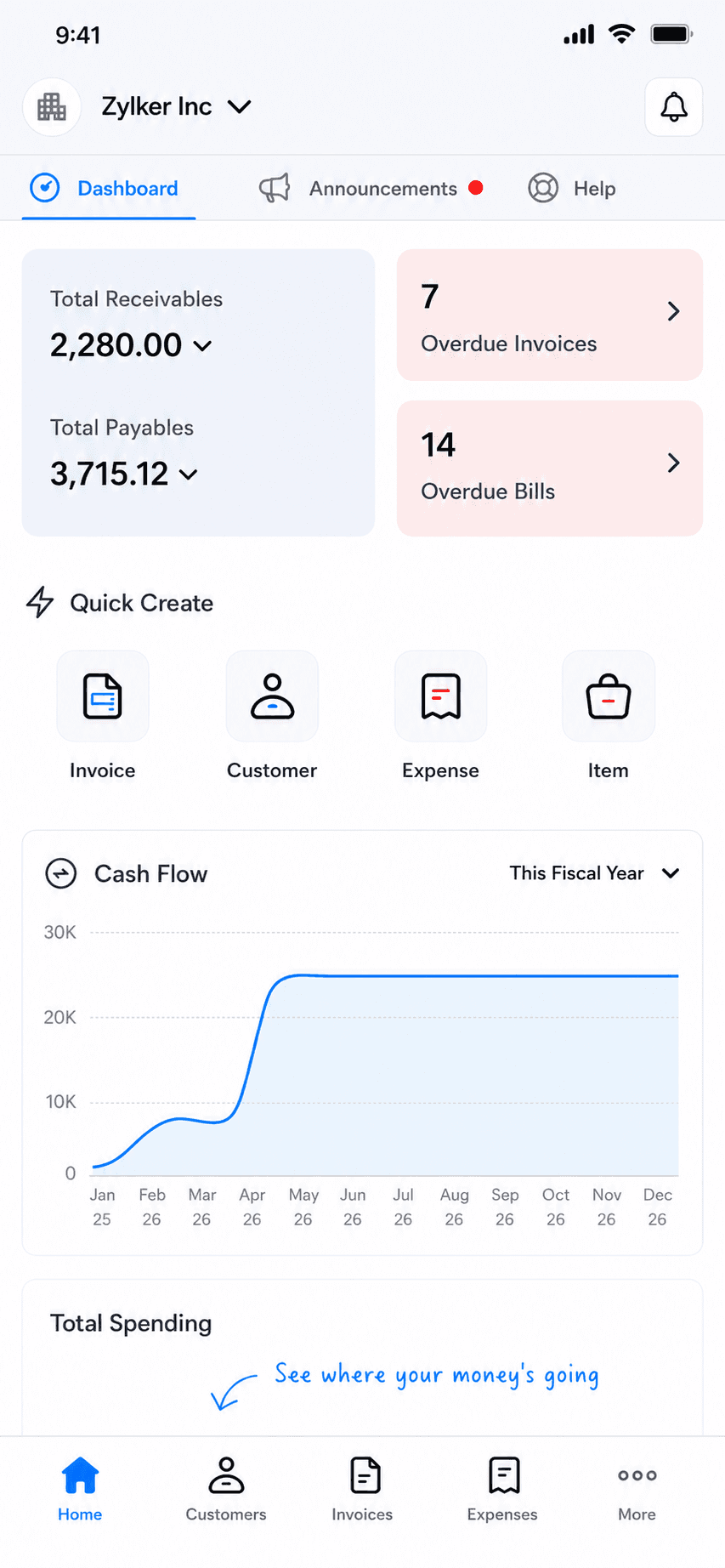
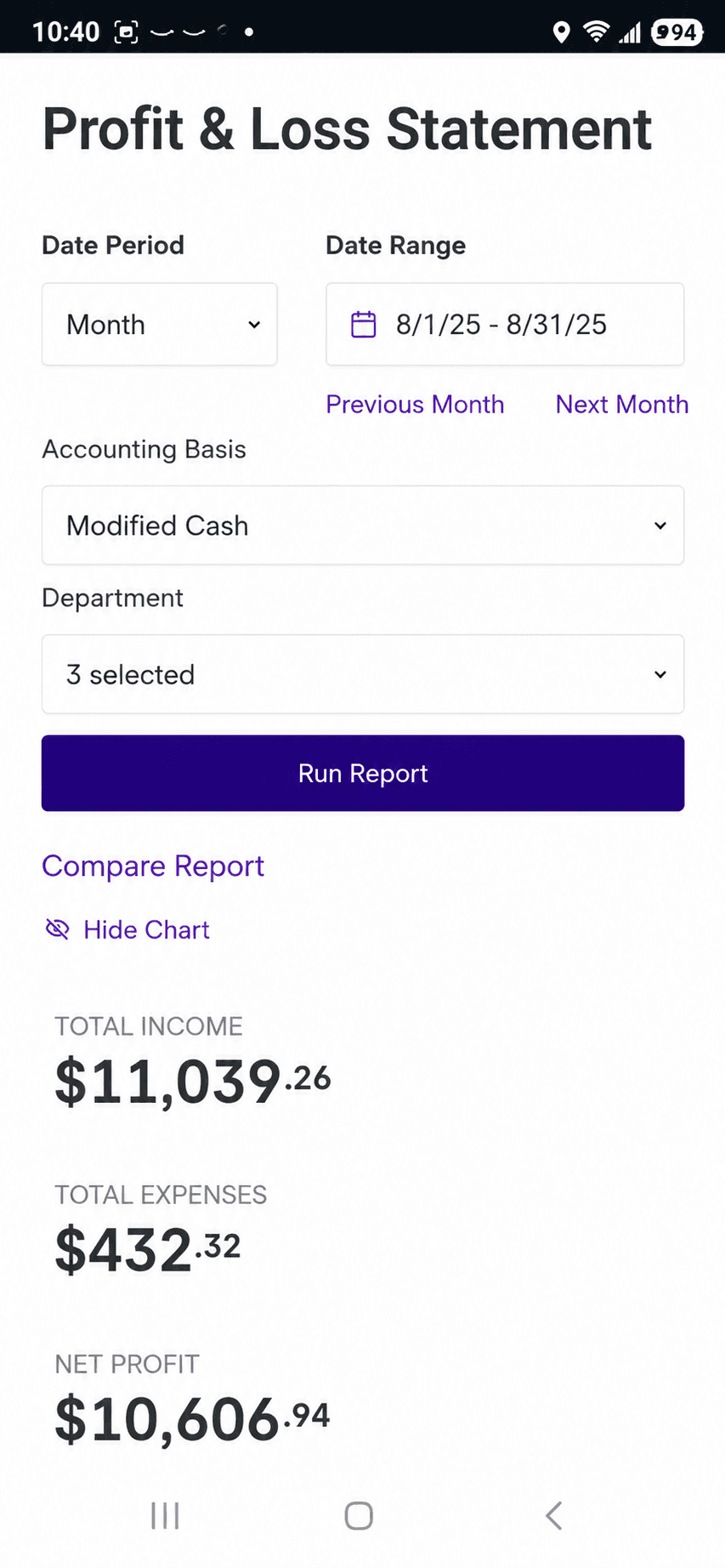
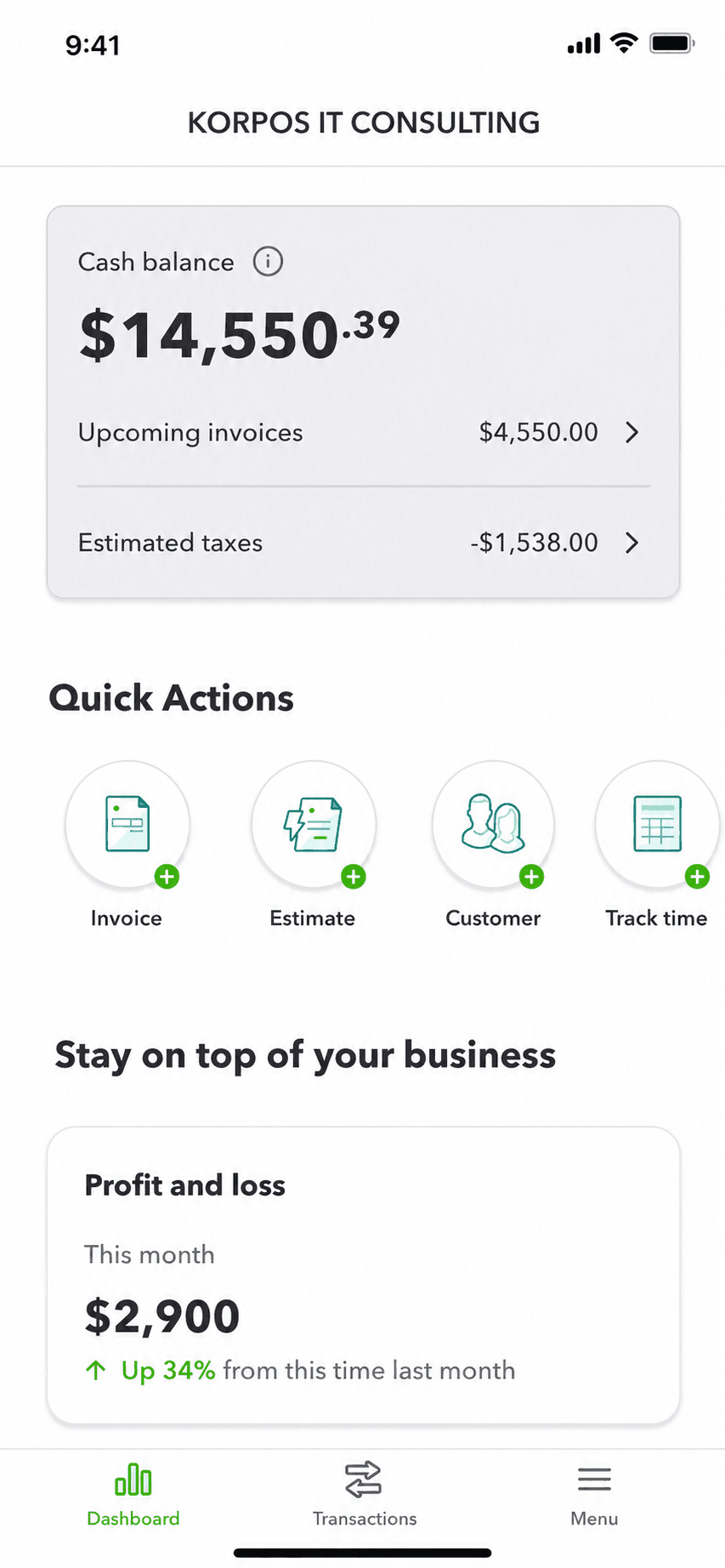
QuickBooks mobile app cash balance dashboard on iPhone, the tool this guide helps you evaluate leaving
Quick takeaways

The best QuickBooks alternative, by what you actually need

  • Lane B: invoicing only

    • Billgami
    • Square Invoices
    • PayPal Invoicing
    • Invoice Ninja
  • Lane A: real accounting

    • Wave
    • Xero
    • FreshBooks
    • Zoho Books
    • Sage
    • Patriot
  • Best lifetime invoicing

    • Billgami
  • Best free real accounting

    • Wave
  • Closest full QuickBooks swap

    • Xero
  • Cheapest accounting plus payroll

    • Patriot
  • Best free invoicing

    • Billgami
    • Square Invoices
    • PayPal Invoicing
    • Invoice Ninja
  • When to stay put

    • Keep QuickBooks
How we chose

How we evaluated these QuickBooks alternatives

Every serious quickbooks software alternative below was judged on the same rubric, so the picks are comparable rather than an affiliate ranking.

  • Lane fit: does it serve real accounting, invoicing only, or both?
  • Real 3-year cost, not this month's promo price.
  • Learning curve for a solo operator or small service business.
  • How well it works on a phone, where most invoicing-only users live.
  • What it honestly gives up versus QuickBooks.
  • What real users say in public, dated App Store reviews.
Start here

Do you actually need accounting software, or just invoicing?

Every other QuickBooks alternative page skips this question, because they all sell accounting software. Check what you genuinely need; your lane picks your tool.

Lane A

You need real accounting

If you need to…

  • Run payroll for employees
  • Track inventory or cost of goods
  • Keep accrual books or a general ledger
  • Reconcile bank and credit-card feeds
  • Hand clean books to an accountant at tax time

Any box checked here means you need real accounting software; anyone saying a simple invoice app replaces it is selling you something.

WaveXeroFreshBooksZoho BooksKeep QuickBooks
See the Lane A picks

Lane B

You only need invoicing

If you need to…

  • Create and send professional invoices
  • Send estimates or quotes and convert them
  • Track who has paid, who hasn't, and partials
  • Keep PDF records of your invoices

If this list is all you need, you have been paying for accounting software to do a paperwork job; a simple invoice app covers it for a fraction of the cost.

Square InvoicesPayPal InvoicingInvoice NinjaBillgami
See the Lane B picks

Billgami is not accounting software: no payroll, inventory, bank reconciliation, or tax filing, on purpose. If you need those, this guide sends you to a tool that does them.

The honest picks

The 11 best QuickBooks alternatives, grouped by what you need

No affiliate ranking. Billgami leads because it is ours, disclosed up front; after it, the tools are grouped into two lanes: real accounting (Lane A) and invoicing only (Lane B). Each card is who the tool is genuinely for, what it gives up, its real prices and App Store rating, and a verbatim review where one exists. Take the decision test above, then read your lane.

ToolLaneBest forFromApp Store rating
BillgamiInvoicingSolo operators and service pros who only ever used QuickBooks to invoice.$0To be updated
WaveAccountingBusinesses that want real books at zero base cost.$0/mo4.38(6,601)
XeroAccountingBusinesses that keep real accrual books and want the closest QuickBooks swap.$25/mo4.64(1,626)
FreshBooksAccountingPeople who want modern invoicing plus some expense tracking and reports.$23/mo4.70(10,969)
Zoho BooksAccountingSmall businesses that want affordable full accounting inside an ecosystem.$0/mo4.81(4,983)
Sage 50AccountingEstablished businesses that want deep, desktop-rooted books with serialized inventory and job costing.$124.42/moWeb-based
Patriot AccountingAccountingUS small businesses that want cheap accounting plus affordable payroll.$20/moWeb-based
Stay on QuickBooksAccountingEstablished books, an accountant who requires QuickBooks, or deep ecosystem reliance.$38/mo4.73(253,073)
Square InvoicesInvoicingSolo pros who want free invoicing and also take card or in-person payments.$0/mo4.83(92,439)
PayPal InvoicingInvoicingSolo pros whose clients already pay by PayPal, Venmo, or card.$0/mo4.19(29,377)
Invoice NinjaInvoicingFreelancers who want free, customizable, or self-hosted invoicing.$0/mo4.59(173)

App Store ratings from Apple, pulled July 2026 (saved for audit). Prices as of July 2026; confirm current with each vendor.

1. Billgami

App Store rating: to be updated.

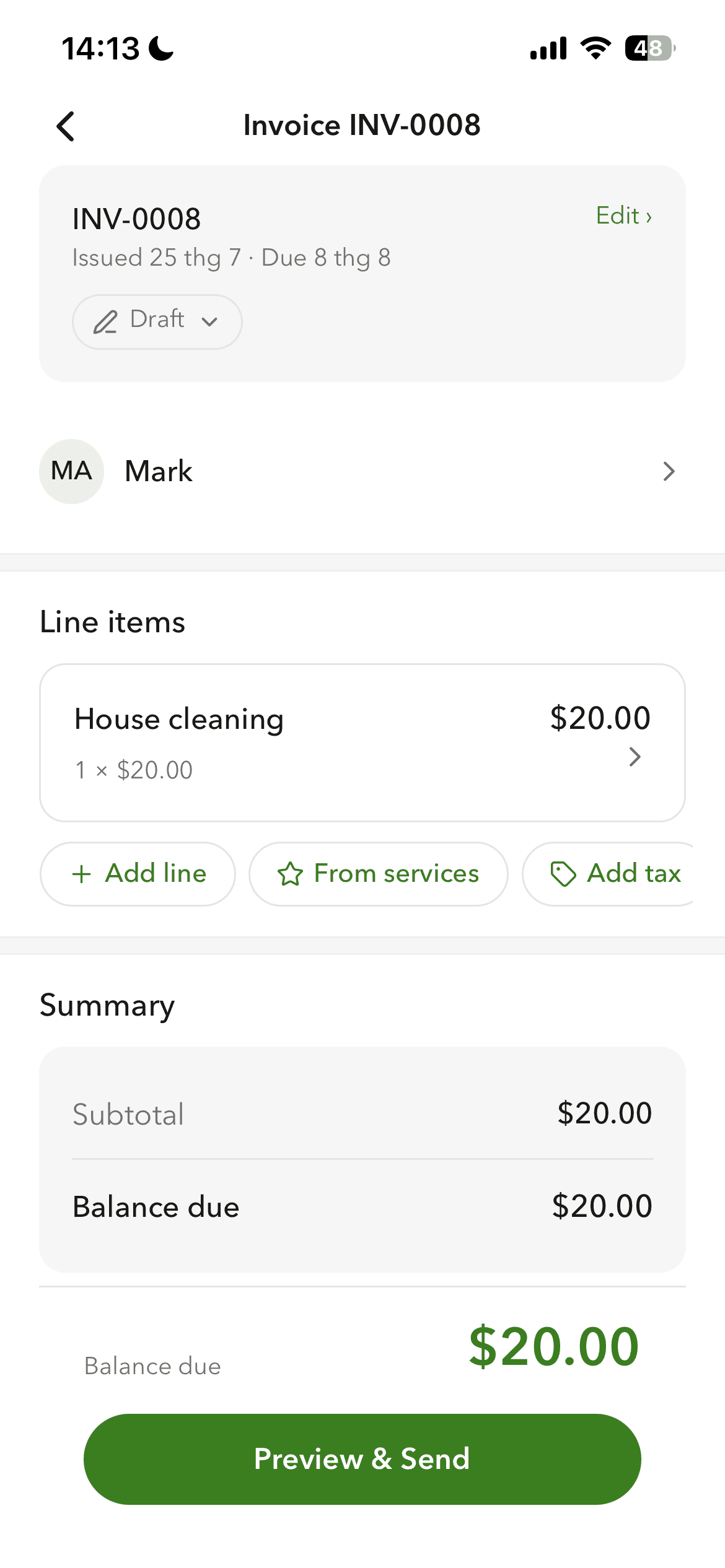
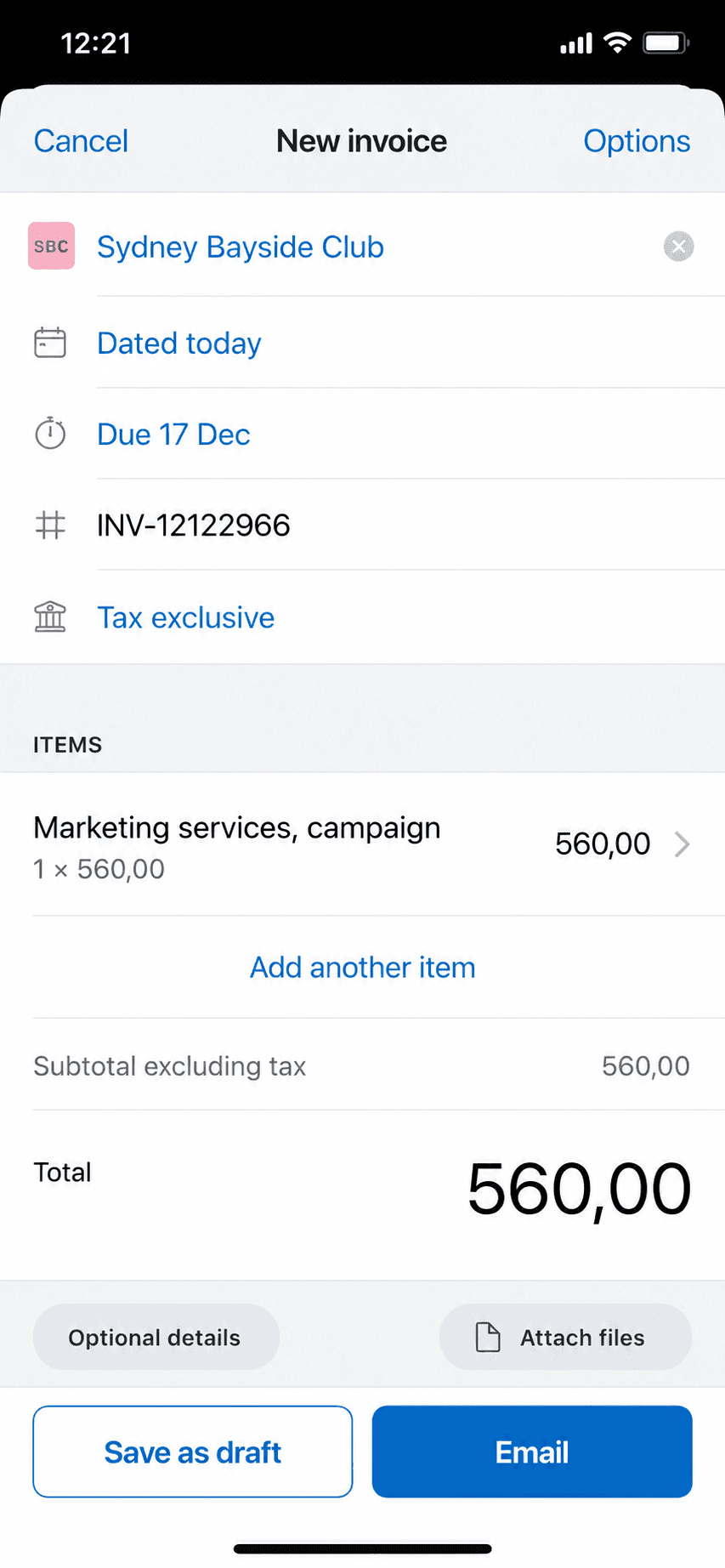
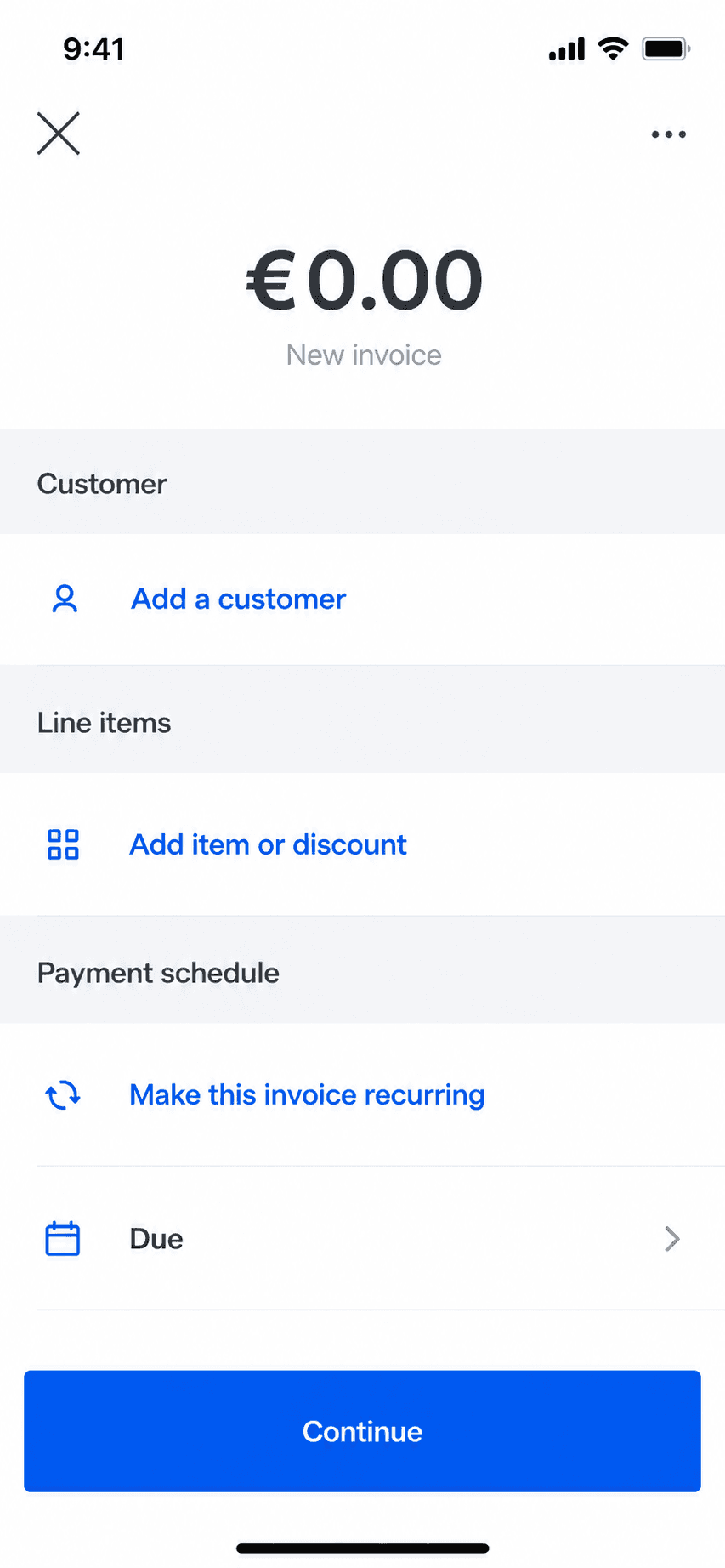
Billgami invoice creation screen on iPhone
Create an invoice in a minute
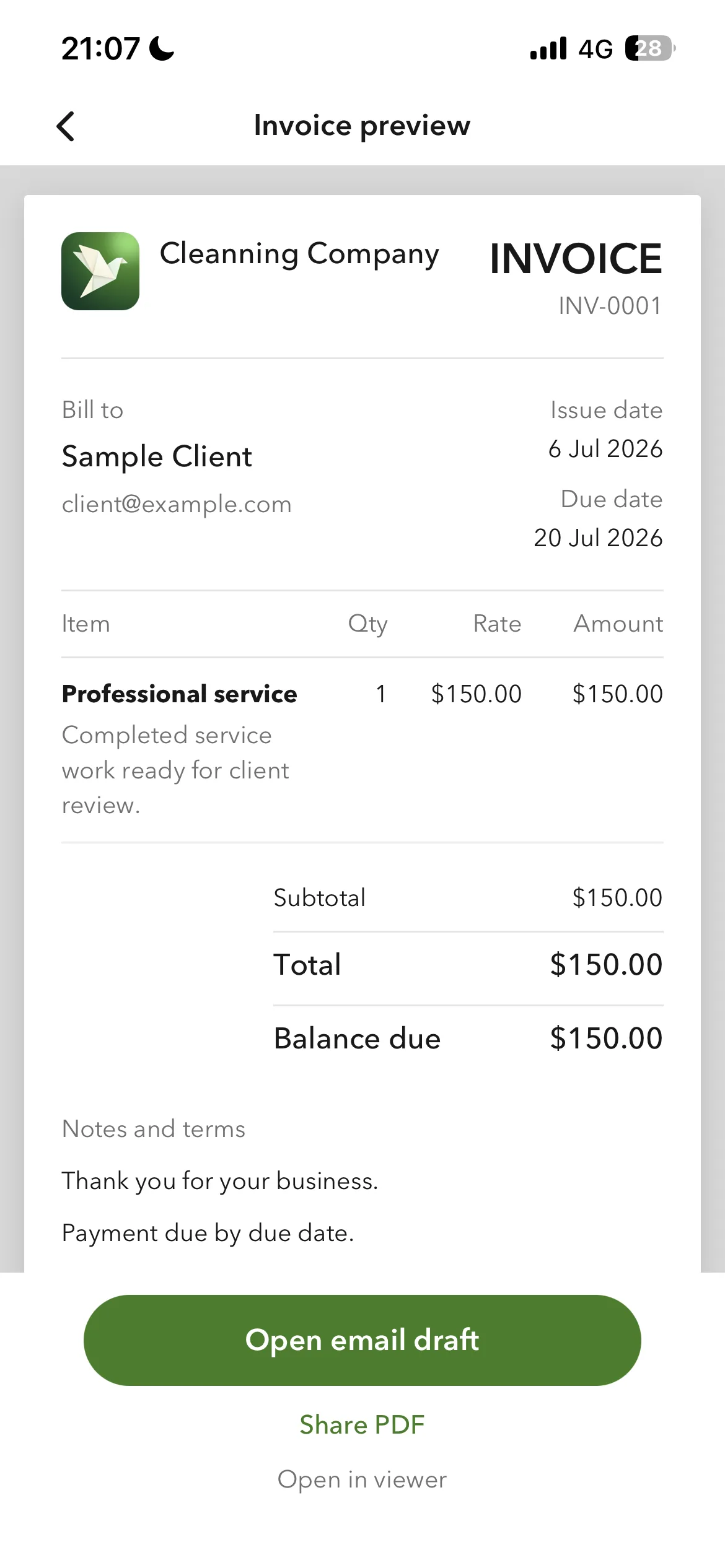
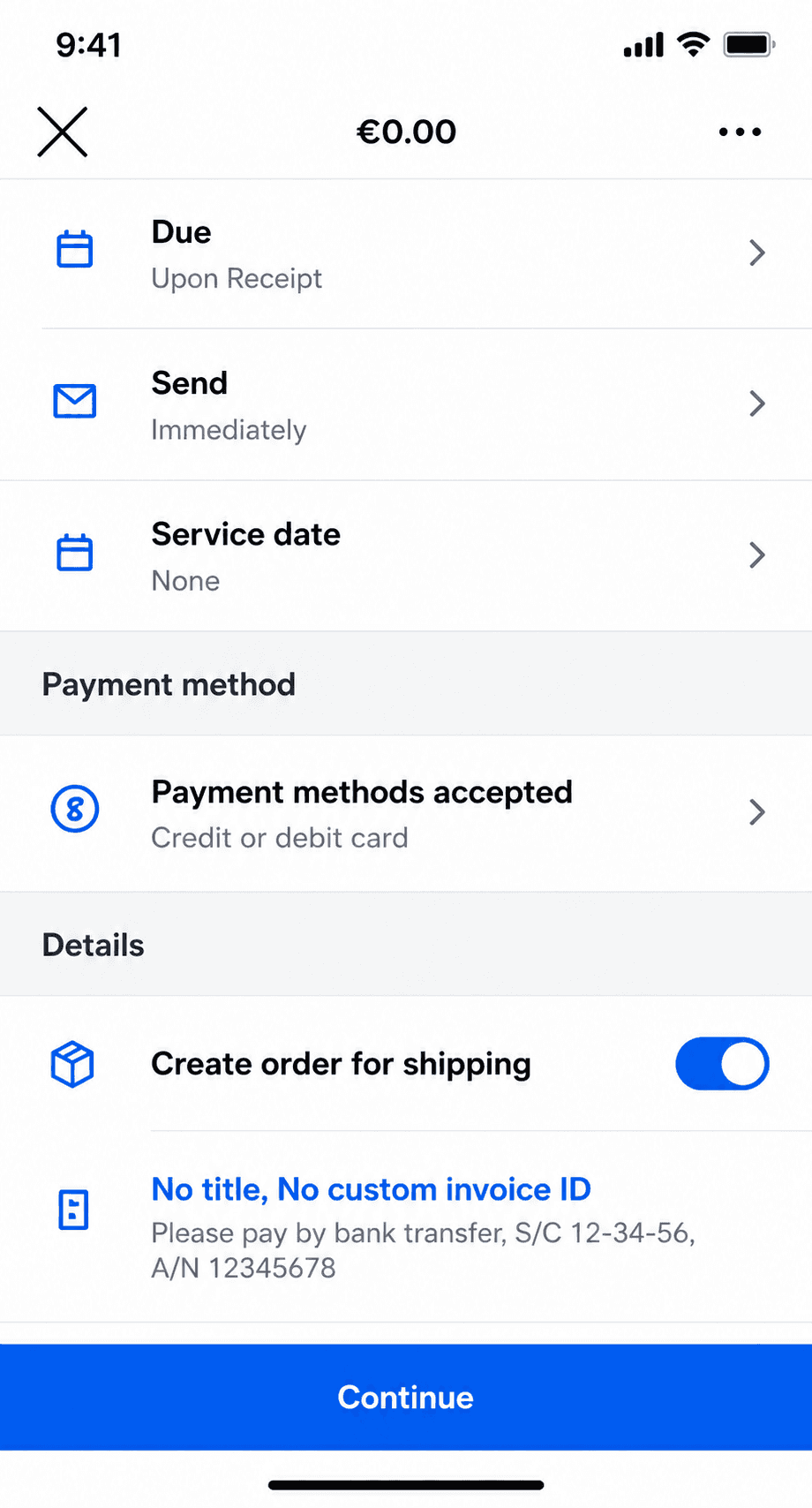
Billgami finished invoice preview
Preview and send as a PDF
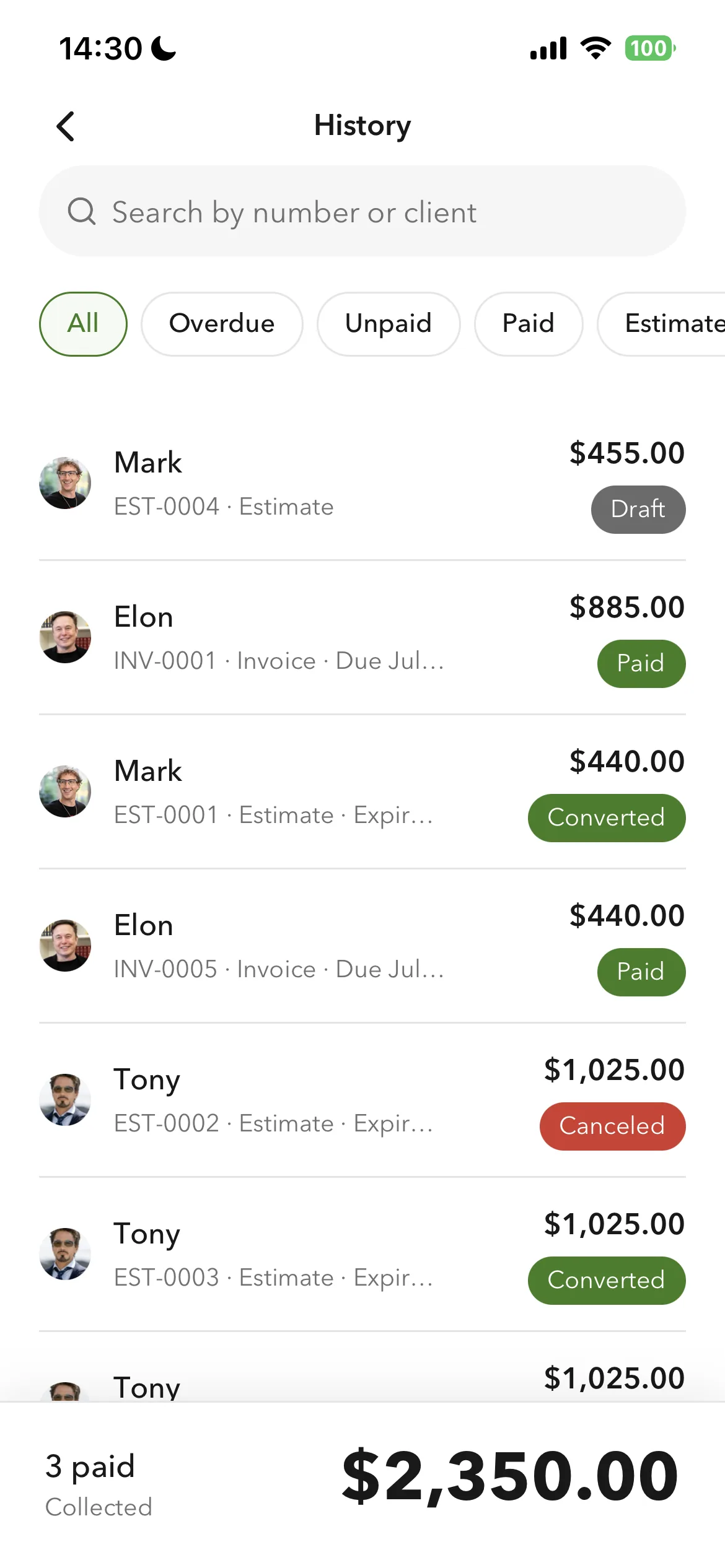
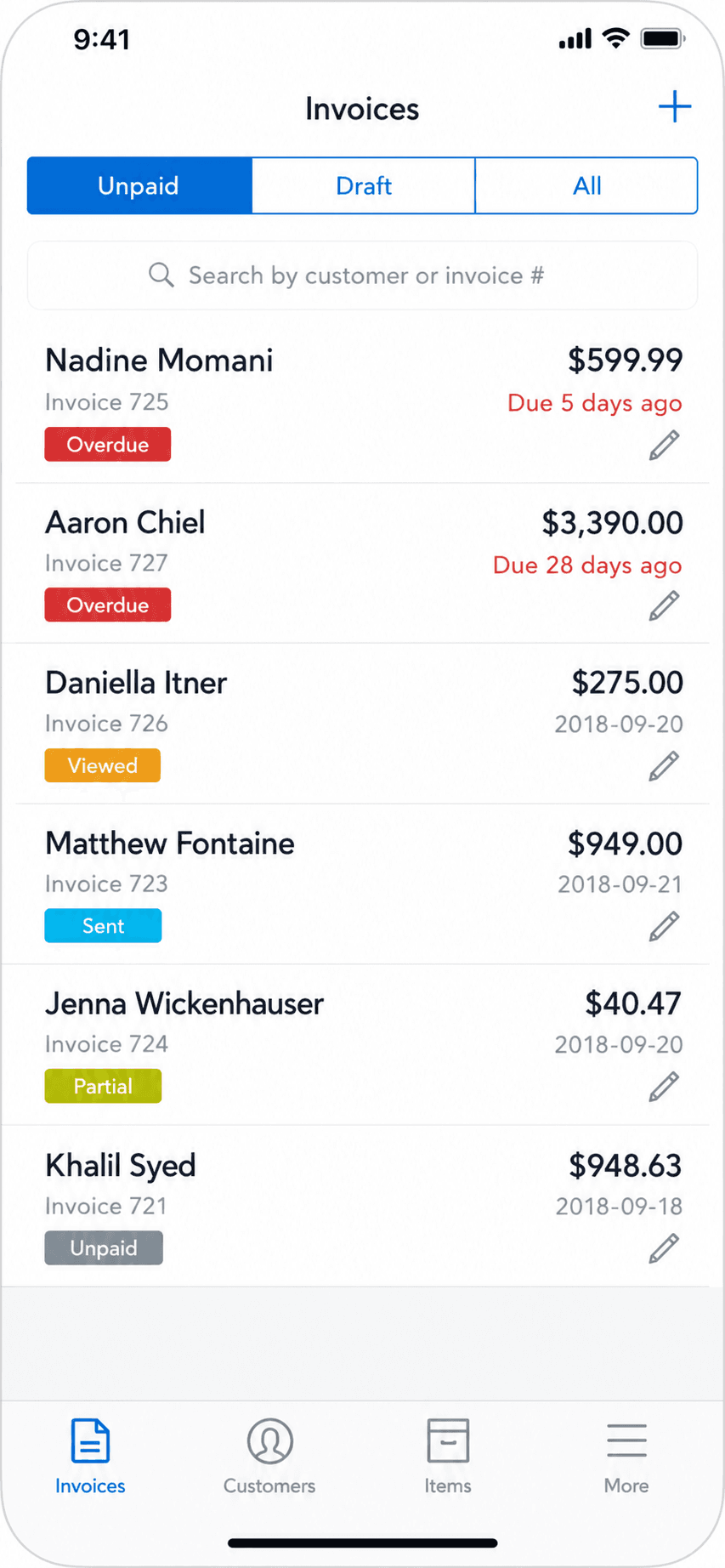
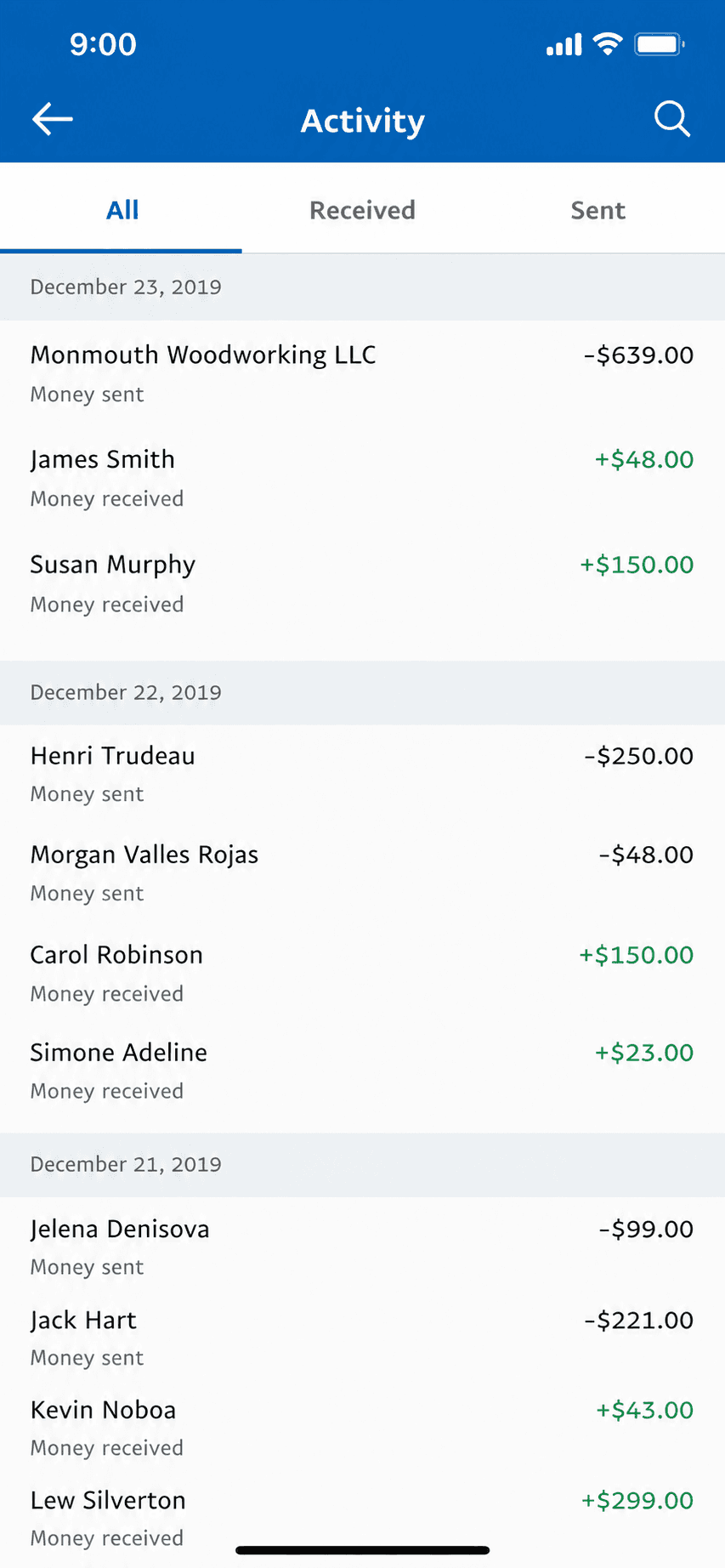
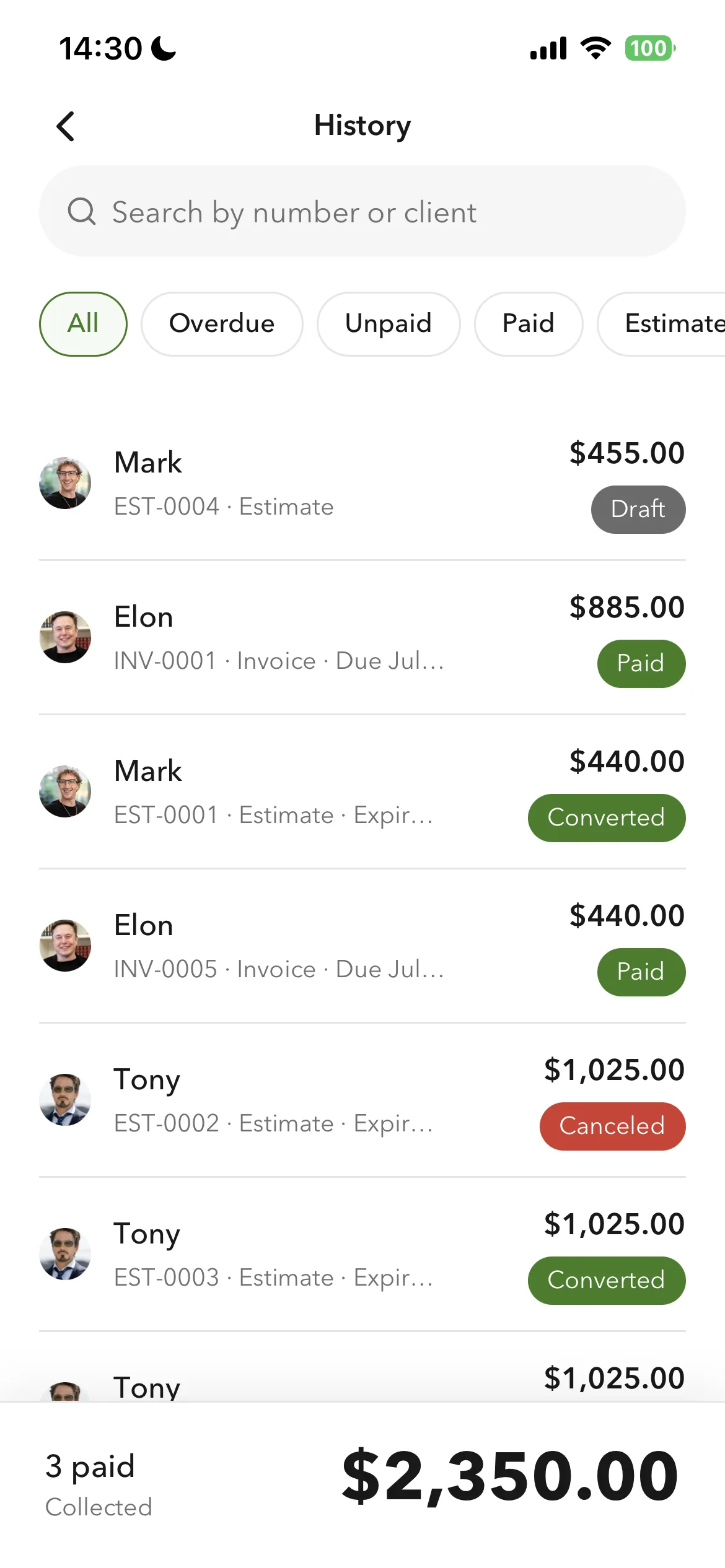
Billgami invoice history and payment tracking
Track paid, unpaid, and partial

Create a professional invoice from your phone in about a minute, with line-item totals computed automatically. Preview the finished document, send it as a PDF, and the history screen tracks paid, unpaid, and partial payments at a glance.

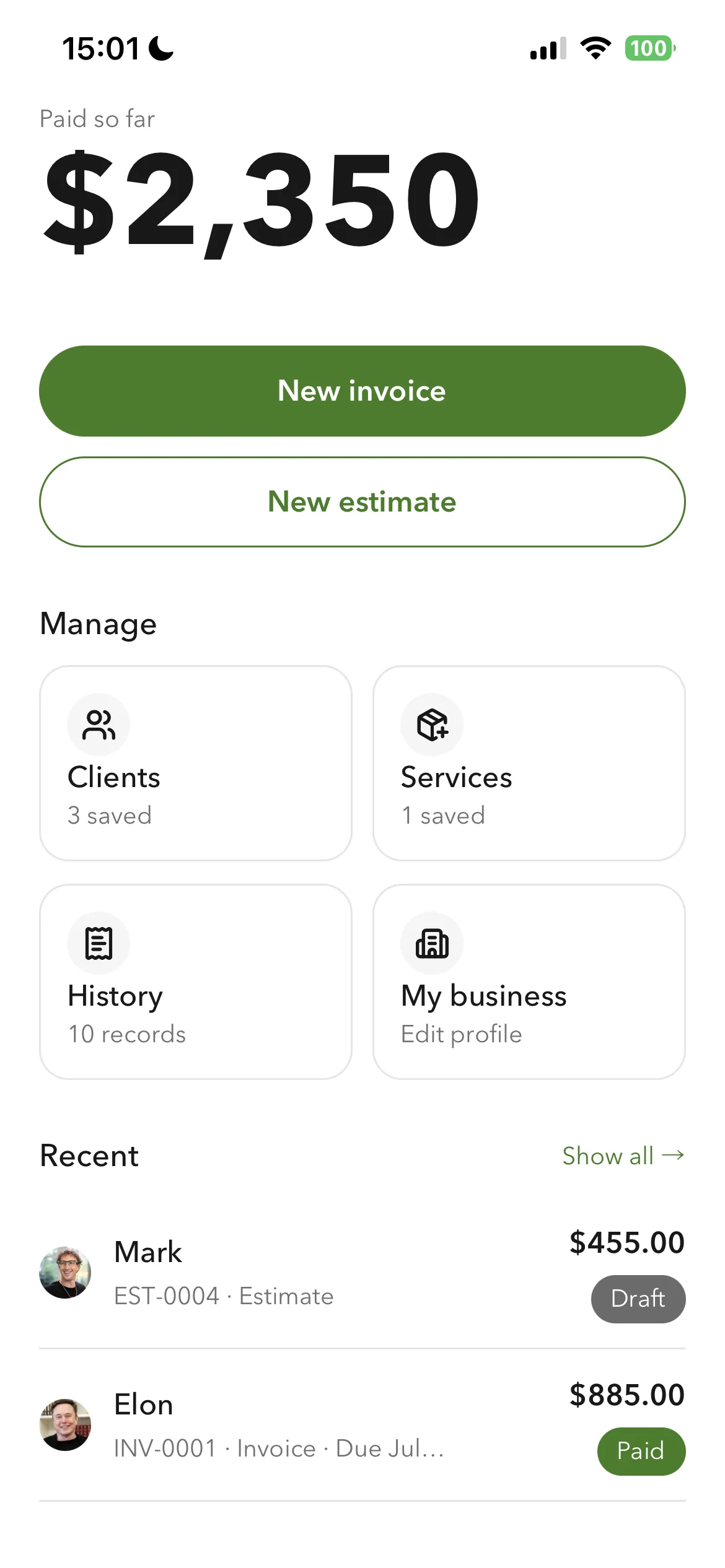
Billgami home screen
Everything from one home screen
Billgami prebuilt invoice templates
Prebuilt invoice templates
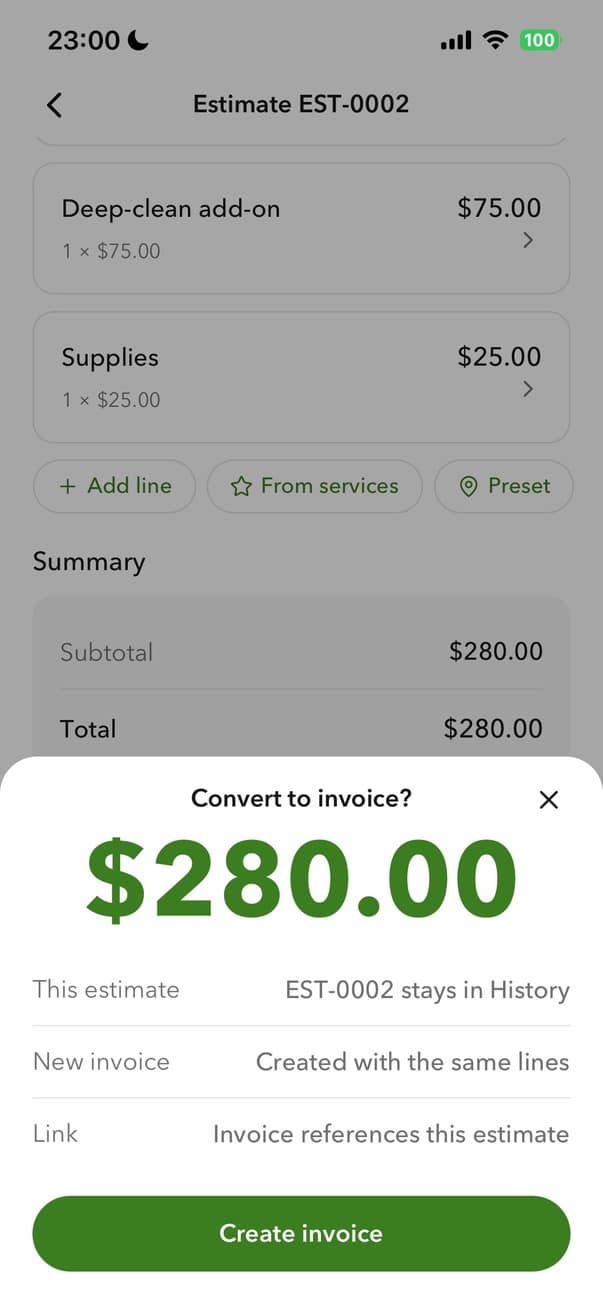
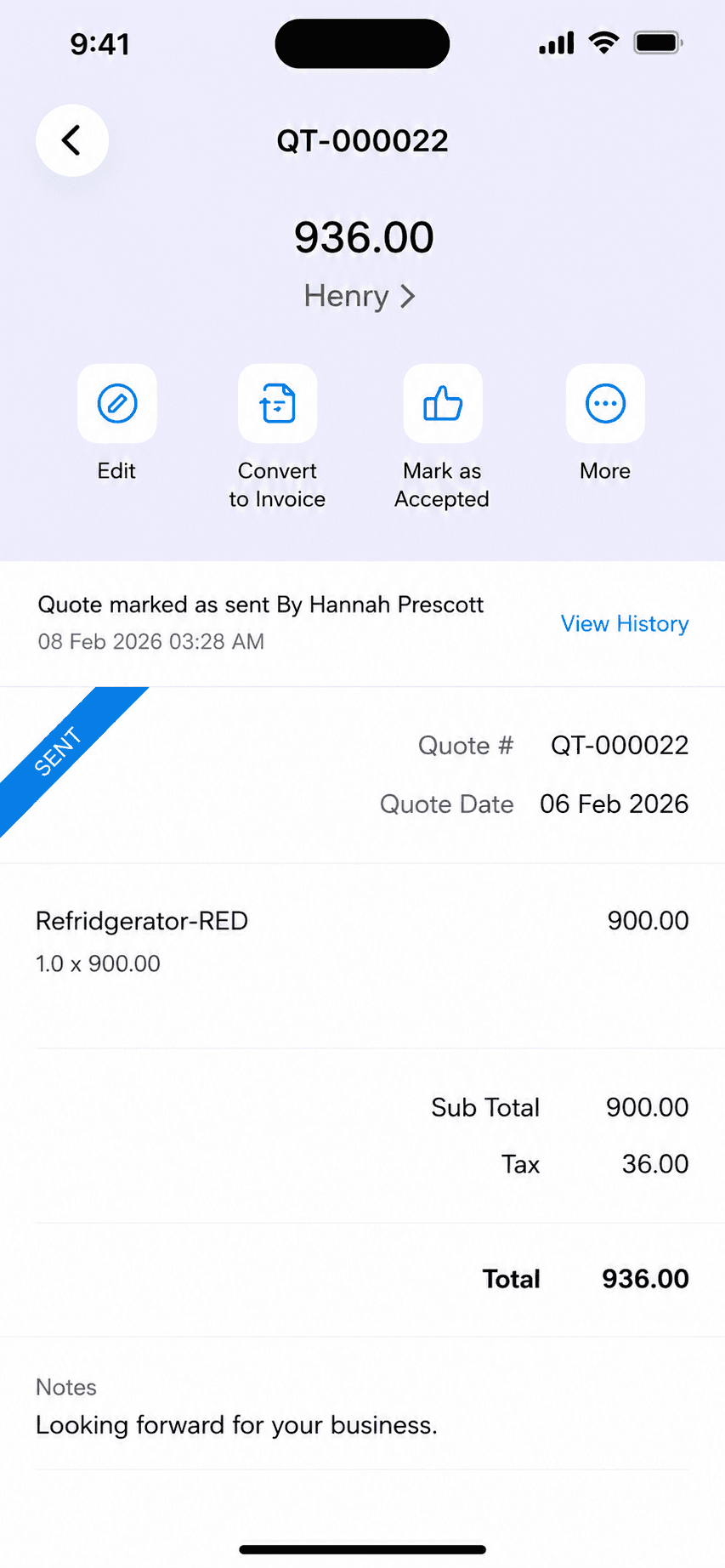
Billgami converting an estimate to an invoice
Turn an estimate into an invoice

Prebuilt templates get a new invoice started fast, and accepted estimates convert straight into invoices in one tap. It all works fully offline, and customers pay you directly through the method you already use, so Billgami never holds your money. Not accounting software, on purpose: no books, payroll, or reconciliation.

A phone-first invoice app for the invoicing-only lane: send invoices and estimates, track who paid, keep PDF records. Not accounting software, on purpose.

Standout: A one-time $249.99 lifetime option instead of paying every month forever.

Versus QuickBooks: Replaces only the invoicing job, for a free tier or one lifetime payment instead of a monthly accounting subscription.

Best for: Solo operators and service pros who only ever used QuickBooks to invoice.

Not for: Anyone who needs books, payroll, inventory, or bank reconciliation.

Key features

  • Professional invoices and estimates from your phone
  • Turn accepted estimates into invoices
  • Paid, unpaid, and partial payment tracking
  • PDF records of every document
  • Works fully offline
  • Automatic line-item totals
  • Prebuilt invoice templates

Pros

  • Free tier, or a one-time $249.99 lifetime option instead of a subscription
  • Almost no learning curve or switching cost
  • Phone-first, and you get paid through the method you already use

Cons

  • No accounting, payroll, inventory, or bank reconciliation
  • Invoicing only, by design, so it cannot keep your books
  • New app, so no App Store rating history yet

Pricing

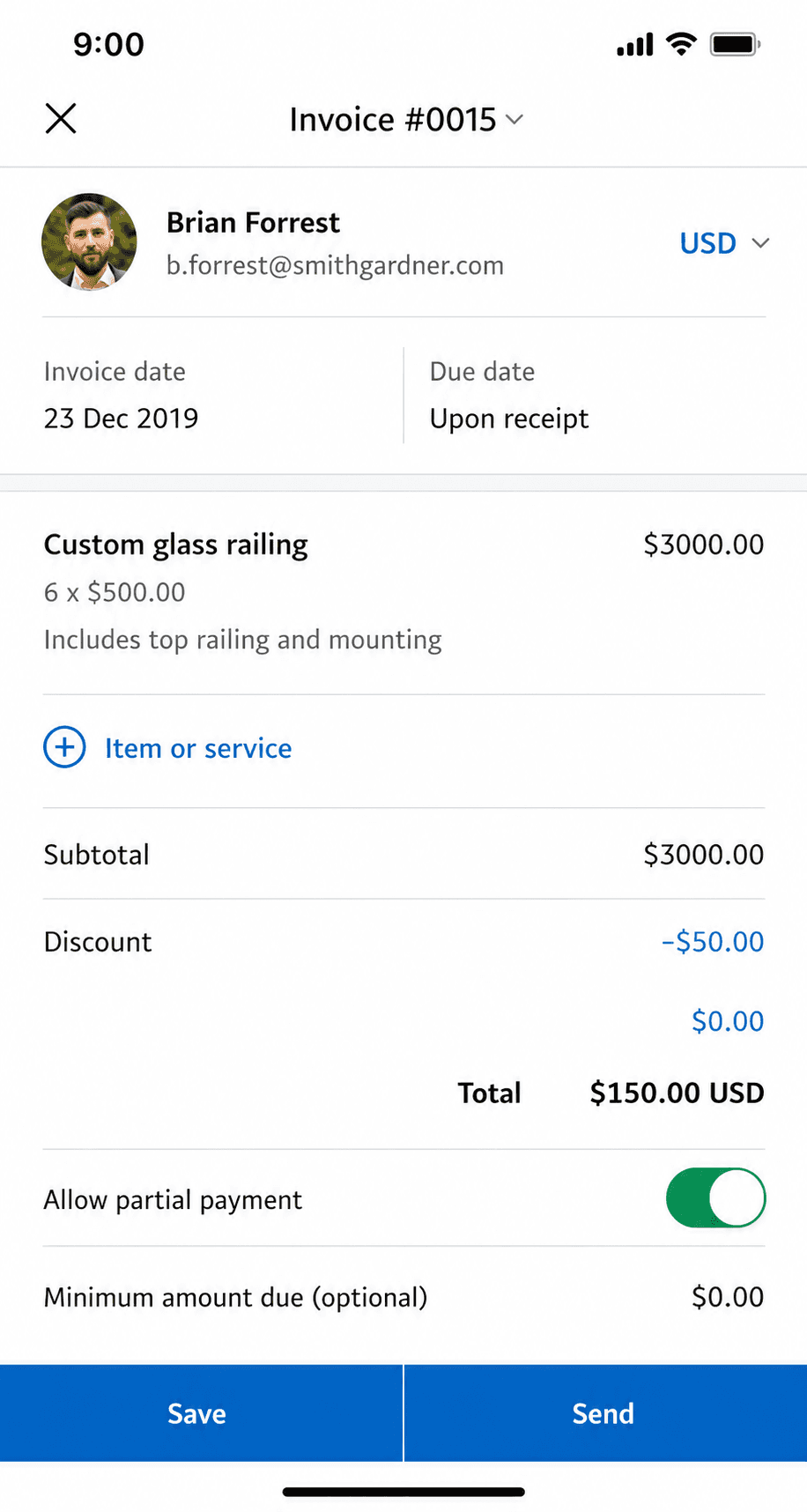
FreeSend invoices and estimates, track payments$0
Monthly$14.99/mo
Yearly$111.99/yr
LifetimeOwn it, no subscription$249.99 one-time

Free: Free tier to start; optional one-time $249.99 lifetime purchase, no subscription.

Platforms: iOS

Migrating from QuickBooks: Almost none: if invoicing was all you used QuickBooks for, export your client list and start invoicing in an afternoon.

Bottom line: Pick Billgami only if the decision test put you in the invoicing-only lane. If you need books, one of the accounting tools above is the right answer.

Lane A: real accounting

For businesses that keep books: reconciliation, expenses, payroll, reports, tax-ready records.

2. Wave

App Store rating: 4.38 out of 5 (6,601 ratings)

Wave mobile app invoice list and history
Invoice history
Wave mobile app payment recording screen
Payment record

Free accounting that covers invoicing, expenses, and basic books, funded by payment and payroll fees rather than a subscription.

Wave is the rare accounting tool with a genuinely free core: invoicing, income and expense tracking, and basic financial reports at no monthly cost. It funds itself through payment processing when clients pay by card and through a paid payroll add-on, so the 'free' holds as long as your card volume stays low. The mobile app is lighter than the web version, so heavy bookkeeping still happens at a desk.

Standout: A genuinely free accounting core, not a limited trial.

Versus QuickBooks: Free where QuickBooks charges monthly, with real double-entry books, but lighter reporting and a thinner mobile app.

Best for: Businesses that want real books at zero base cost.

Not for: Anyone with heavy card volume, where per-transaction fees add up fast.

Key features

  • Invoicing, expense tracking, and basic reports
  • Double-entry accounting under the hood
  • Add payments and payroll when you need them
  • Receipt scanning on mobile

Pros

  • Genuinely free base plan, not a trial
  • Real double-entry books, not just invoicing
  • Simple enough for a non-accountant to start

Cons

  • Revenue comes from per-transaction payment fees
  • Mobile app is thinner than the desktop version
  • Support and integrations are limited versus paid tools

Integrations

  • Bank and credit-card feeds
  • Wave Payments
  • Wave Payroll
  • Receipt scanning

Pricing

StarterInvoicing, accounting, receipts$0/mo
Pro$190/yr (about $15.83/mo) billed annually; adds auto-import and unlimited receipts$19/mo
PaymentsAmex 3.4% + $0.60about 2.9% + $0.60 per card transaction

Free: Free forever for invoicing and accounting; you only pay to take card payments or run payroll.

Platforms: Web, iOS, Android

Migrating from QuickBooks: Easy for invoicing; light lift for books since Wave imports bank feeds and a customer list, though deep QuickBooks history does not transfer cleanly.

I am satisfied with what this service provides for how much it costs.
Wave user, App Store review (2026), App Store

Bottom line: Pick Wave if you need real books at zero base cost and are fine paying per-transaction payment fees.

3. Xero

App Store rating: 4.64 out of 5 (1,626 ratings)

Xero mobile app invoice creation screen
Create invoice
Xero mobile app sales history list
Sales history

The strongest full-featured QuickBooks replacement for growing businesses: clean reconciliation, unlimited users, accountant-friendly.

Xero is the cleanest full-accounting replacement for QuickBooks once a business is genuinely keeping books: bank reconciliation, accrual accounting, and unlimited users on every plan, backed by a large app marketplace and strong accountant support. It is less quirky than QuickBooks and scales further than any solo tool. The trade-off is that it is more software than a one-person invoicer needs, and the mobile app is a companion to the web app rather than a full replacement.

Standout: Unlimited users on every plan, which QuickBooks caps and charges for.

Versus QuickBooks: The closest like-for-like swap: similar depth, unlimited users, often cheaper, but a smaller US accountant network.

Best for: Businesses that keep real accrual books and want the closest QuickBooks swap.

Not for: A solo operator who only sends invoices and never touches reconciliation.

Key features

  • Bank reconciliation and accrual books
  • Unlimited users on every plan
  • Deep accountant and app ecosystem
  • Fixed-asset and inventory tracking

Pros

  • Cleanest full-accounting replacement for QuickBooks
  • Unlimited users on every plan
  • Less quirky and more scalable than QuickBooks

Cons

  • More than a solo invoicer needs
  • Mobile app is a lighter companion to the web app
  • Fewer US accountants than QuickBooks

Integrations

  • 1,000+ app marketplace
  • Stripe and GoCardless
  • Shopify and HubSpot
  • Gusto payroll
  • Bank feeds

Pricing

EarlyLimited invoices and bills; standard price after intro promo (raised from $20 in March 2026)$25/mo
GrowingUnlimited invoices and bills$55/mo
EstablishedAdds multi-currency and projects$90/mo

Free: No free plan; intro offers (e.g. 80% off first 3 months) instead of a standing free trial.

Platforms: Web, iOS, Android

Migrating from QuickBooks: Well-trodden path: Xero and many accountants offer QuickBooks conversion tools, though verifying migrated balances still takes time.

This is one of the easiest pieces of accounting software to use and the functionality of the app is superior to rivals
Xero user, App Store review (2026), App Store

Bottom line: Pick Xero if you keep real accrual books and want the closest full-featured QuickBooks replacement.

4. FreshBooks

App Store rating: 4.70 out of 5 (10,969 ratings)

FreshBooks mobile app dashboard
Dashboard

The friendliest of the accounting tools, built around invoicing with light books bolted on.

FreshBooks is the friendliest tool in this group, built invoicing-first with light bookkeeping added on rather than the other way around. If you want modern, painless invoicing but still need some expense tracking, time tracking, and simple reports, it sits neatly between a pure invoice app and full accounting. It is still a monthly subscription, and its books are lighter than Xero's or QuickBooks'.

Standout: The most pleasant invoicing experience of any accounting tool here.

Versus QuickBooks: Far easier to learn and nicer to invoice with, but its books and reporting are lighter than QuickBooks.

Best for: People who want modern invoicing plus some expense tracking and reports.

Not for: Businesses that need deep accounting, inventory, or heavy reporting.

Key features

  • Invoicing-first workflow
  • Light expense tracking and reports
  • Time tracking and simple projects
  • Client portal for proposals and payments

Pros

  • Easiest of the accounting tools to learn
  • Great invoicing without full-accounting overhead
  • Strong time tracking for billable work

Cons

  • Still a monthly subscription
  • Books are lighter than Xero or QuickBooks
  • Billable-client limits on lower tiers

Integrations

  • Stripe and PayPal
  • Gusto payroll
  • Zapier
  • Google Workspace
  • Bank feeds

Pricing

LiteUp to 5 billable clients; $248.40/yr (about $20.70/mo) billed yearly$23/mo
PlusUp to 50 billable clients; about $38.70/mo billed yearly$43/mo
PremiumUnlimited billable clients; about $63/mo billed yearly$70/mo

Free: No free plan; 30-day free trial.

Platforms: Web, iOS, Android

Migrating from QuickBooks: Easy for invoicing and clients; its lighter books mean less to migrate, but also less to migrate into.

I love FreshBooks. User friendly and not as complicated as Quickbooks.
FreshBooks user, App Store review (2026), App Store

Bottom line: Pick FreshBooks if you want great invoicing plus light accounting and do not mind a monthly subscription.

5. Zoho Books

App Store rating: 4.81 out of 5 (4,983 ratings)

Zoho Books mobile app invoice detail view
Invoice detail
Zoho Books mobile app home dashboard
Dashboard

A capable, low-cost accounting suite, strongest if you already use other Zoho apps. A genuine alternative to QuickBooks for small business owners who want an ecosystem.

Zoho Books is a capable, low-cost accounting suite that shines when you already use other Zoho apps like CRM or Inventory, because everything shares one login and data model. On its own it is still affordable full accounting with solid automation and workflow rules. It is more than a solo invoicer needs, and its best value shows up only once you are inside the Zoho ecosystem.

Standout: A free plan for small revenue, plus the deepest app ecosystem at this price.

Versus QuickBooks: Cheaper with strong automation and a free tier, but the US accountant network is smaller than QuickBooks.

Best for: Small businesses that want affordable full accounting inside an ecosystem.

Not for: Anyone who wants a standalone tool and will never touch the rest of Zoho.

Key features

  • Full accounting at a low price point
  • Tight integration with the Zoho suite
  • Automation and workflow rules
  • Client portal and time tracking

Pros

  • Free tier for small revenue
  • Affordable full accounting with strong automation
  • Excellent value inside the Zoho ecosystem

Cons

  • More than a solo invoicer needs
  • Best value only inside the Zoho ecosystem
  • Fewer US accountants than QuickBooks

Integrations

  • Zoho suite (CRM, Inventory, Projects)
  • Stripe and PayPal
  • Bank feeds
  • Zapier

Pricing

FreeWhile revenue under $50k/yr; 1 user + 1 accountant, 1,000 invoices/yr$0/mo
Standard3 users$20/mo ($15/mo billed annually)
Professional5 users; adds projects and more automation$50/mo ($40/mo billed annually)

Free: Free plan for businesses under $50k annual revenue; 14-day trial on paid plans.

Platforms: Web, iOS, Android

Migrating from QuickBooks: Zoho provides QuickBooks import tools; the move is smoother if you also adopt other Zoho apps.

Absolutely love Zoho Books and so much cheaper then the competitors
Zoho Books user, App Store review (2026), App Store

Bottom line: Pick Zoho Books if you want affordable full accounting and already live in the Zoho ecosystem.

6. Sage 50

Web-based tool (no App Store rating)

Sage mobile app home dashboard
Dashboard
Sage mobile app expense report
Expense report

Sage 50 is Sage's US small-business accounting product: deep, desktop-rooted books at enterprise-ish prices, after Sage retired its cheaper cloud product in 2024.

Sage's story in the US changed in 2024: its affordable cloud product (Sage Business Cloud Accounting) was retired, leaving Sage 50, the desktop-rooted heavyweight formerly known as Peachtree, as the US small-business option. It is genuinely deep accounting with strong inventory and job costing, but it starts at $124.42 a month with a minimum one-year commitment, which prices it above QuickBooks, not below it.

Standout: Deeper inventory and job costing than QuickBooks Online at the same or higher price.

Versus QuickBooks: Deeper inventory and job costing than QuickBooks Online, but priced above it with a one-year minimum commitment; the budget Sage option no longer exists in the US.

Best for: Established businesses that want deep, desktop-rooted books with serialized inventory and job costing.

Not for: Solo operators or anyone looking for a cheaper QuickBooks; Sage 50 costs more, not less.

Key features

  • Full desktop-rooted accounting with hosted cloud access
  • Serialized inventory and advanced job costing
  • Advanced budgeting, reporting, and audit trails
  • Accountant-recognized for decades

Pros

  • Deep accounting, inventory, and job costing
  • Decades of accountant familiarity
  • Hosted cloud edition adds browser access

Cons

  • Starts at $124.42/month with a one-year minimum commitment
  • Its cheaper US cloud product was retired in 2024
  • Payroll and payments cost extra; mobile apps are companions only

Integrations

  • Microsoft 365
  • Sage payroll add-on
  • Bank feeds

Pricing

Pro AccountingVerified via 2026-04 archive of the official page (live page blocks bots)$124.42/mo
Premium Accounting$169.33/user/mo
Quantum Accounting$253.42/user/mo

Free: None; no free tier and no self-serve trial (guided demo only).

Platforms: Windows desktop, Web (hosted Sage 50 Cloud), companion mobile apps

Migrating from QuickBooks: A real accounting migration with accountant involvement; plan it like a QuickBooks-to-Sage 50 project, not an app switch.

Bottom line: Pick Sage 50 if you need deeper inventory and job costing than QuickBooks Online and accept a bigger, longer commitment.

7. Patriot Accounting

Web-based tool (no App Store rating)

Patriot Software dashboard
Dashboard
Patriot Software profit and loss view
Profit loss

Patriot is an affordable, US-focused web accounting tool that pairs simple books with some of the cheapest payroll in the market.

Patriot Software is built for US small businesses that want straightforward accounting without the price or complexity of QuickBooks. It handles invoicing, expenses, and reconciliation, and its real draw is a low-cost payroll add-on and highly rated US-based support. It is web-first with no consumer mobile app, so it suits an owner who does the books at a computer.

Standout: US-focused accounting with famously cheap payroll and strong support.

Versus QuickBooks: Much cheaper, especially once payroll is included, with simpler books and top-rated support, but fewer advanced features.

Best for: US small businesses that want cheap accounting plus affordable payroll.

Not for: Businesses needing inventory, deep reporting, or a polished mobile app.

Key features

  • Invoicing, expenses, and reconciliation
  • Very low-cost payroll add-on
  • US-based customer support
  • Simple, no-frills interface

Pros

  • Among the cheapest accounting plus payroll
  • Highly rated US-based support
  • Simple and quick to learn

Cons

  • Web-first; no owner-facing mobile app
  • Estimates and recurring invoices gated to Premium
  • Add-ons stack: payroll, time, and HR are each separate

Integrations

  • Bank feeds
  • Patriot Payroll
  • Credit-card payment processing

Pricing

Accounting BasicStandard price (50%-off promos are common)$20/mo
Accounting PremiumAdds estimates, recurring invoices, payment reminders$30/mo
Basic Payroll add-onYou file taxes yourself$17/mo + $4 per worker
Full Service Payroll add-onPatriot files payroll taxes; +$12/mo per extra state$37/mo + $5 per worker

Free: No free plan; free trial available.

Platforms: Web

Migrating from QuickBooks: Straightforward for simple books; import your customer and vendor lists and start fresh rather than porting years of history.

Bottom line: Pick Patriot if you want the cheapest honest accounting-plus-payroll combo and do the books at a desk.

8. Stay on QuickBooks

App Store rating: 4.73 out of 5 (253,073 ratings)

QuickBooks mobile app cash balance dashboard
Money dashboard
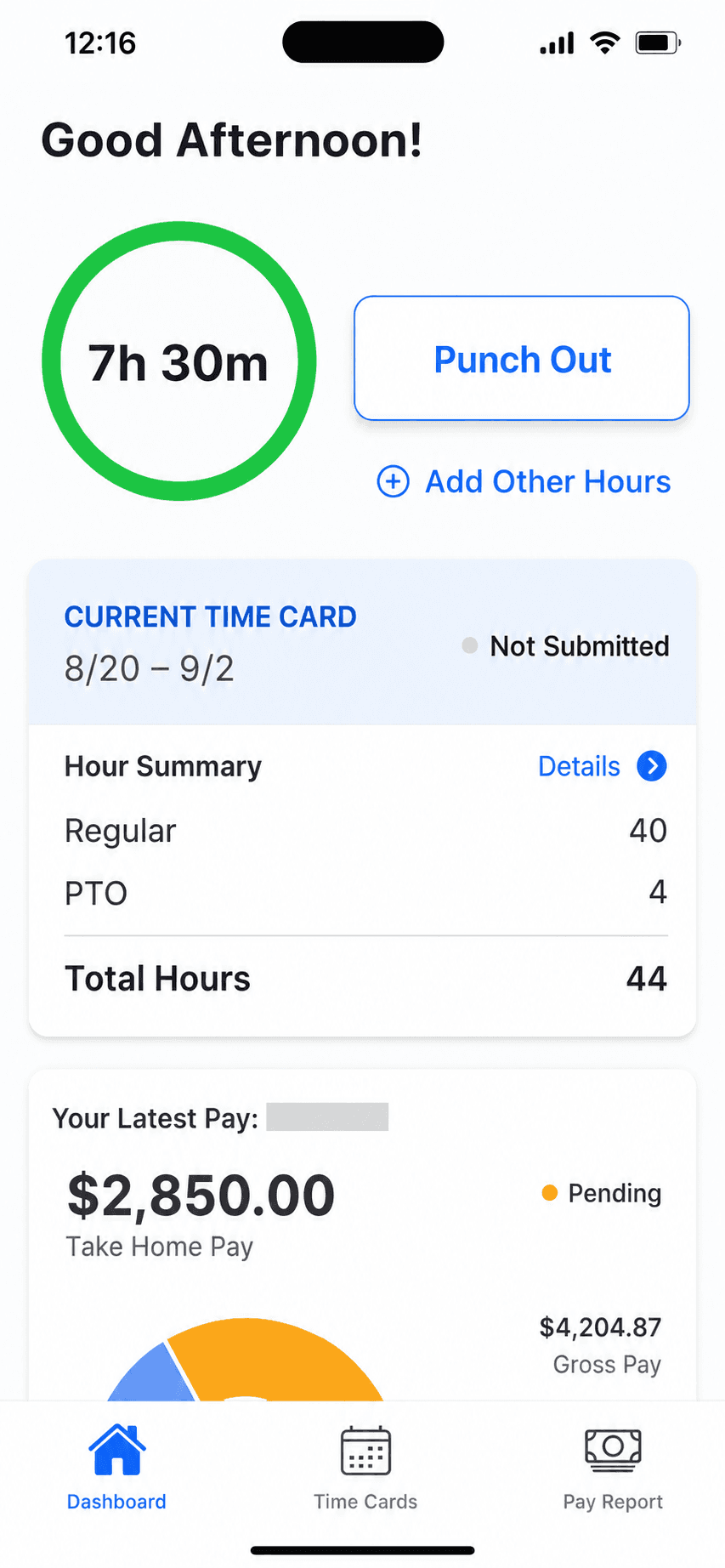
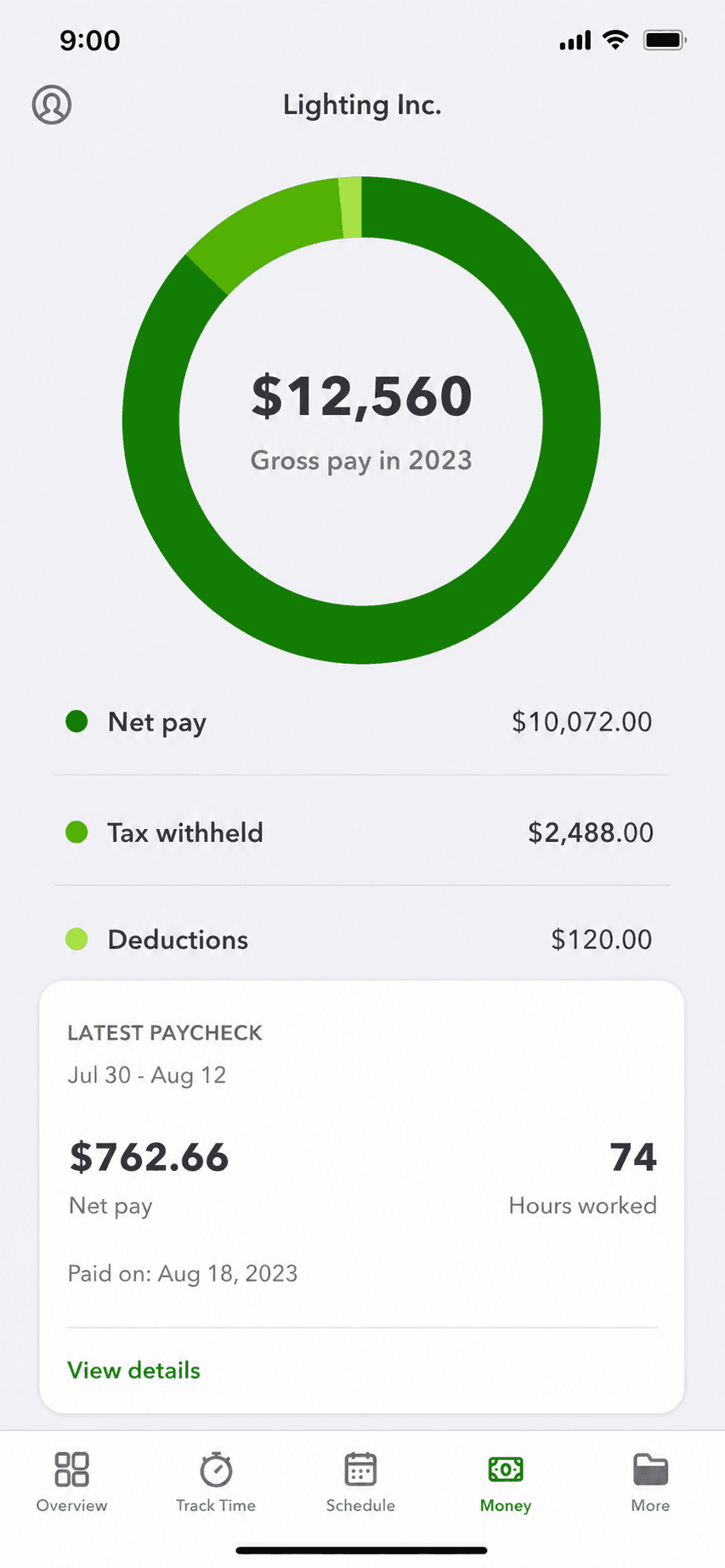
QuickBooks mobile app payroll overview with gross pay breakdown
Payroll overview

Sometimes leaving is not worth it. No other alternative page will tell you this, because they are selling the switch.

Sometimes the honest answer is not to switch at all. If your accountant works in QuickBooks, your books are years deep, or you depend on its large app ecosystem, the cost and risk of migrating can outweigh the monthly savings. It remains the most expensive option over three years and the heaviest tool if all you do is invoice, but for an established set of books those are often prices worth paying.

Standout: The largest US accountant network and app ecosystem, already holding your history.

Versus QuickBooks: This is QuickBooks: the benchmark the others are measured against, with the deepest ecosystem and the highest price.

Best for: Established books, an accountant who requires QuickBooks, or deep ecosystem reliance.

Not for: A solo operator who only ever used it to send invoices.

Key features

  • Years of history and reconciliations already in place
  • Accountant workflows built around it
  • The largest third-party app ecosystem
  • Payroll, inventory, and reporting in one place

Pros

  • Zero migration risk or data loss
  • Keeps your accountant's workflow intact
  • Deepest ecosystem and reporting of any option here

Cons

  • The most expensive option over three years
  • Heaviest tool if you only invoice
  • Frequent price increases and update churn

Integrations

  • 750+ app marketplace
  • QuickBooks Payroll and Gusto
  • Stripe and PayPal via apps
  • Bank feeds
  • Most accountant tools

Pricing

Simple StartUnchanged in the announced Aug 2026 increase$38/mo
EssentialsRises to $85/mo at renewals on/after Aug 1, 2026; up ~88% from $40/mo in 2021$75/mo
PlusRises to $140/mo at renewals on/after Aug 1, 2026$115/mo
AdvancedRises to $340/mo at renewals on/after Aug 1, 2026$275/mo

Free: No free plan; 30-day free trial or an introductory discount.

Platforms: Web, iOS, Android, Desktop (limited)

Migrating from QuickBooks: No migration at all if you stay; that is the entire point of this option.

I love it because it keeps me organized in bookkeeping and it helps me really look at how much I'm bringing in.
QuickBooks user, App Store review (2026), App Store

Bottom line: Stay on QuickBooks if your accountant requires it, your books are established, or migration would cost more than you would save.

Lane B: invoicing only

For solo pros who only send invoices and track who paid. No accounting engine, by design.

9. Square Invoices

App Store rating: 4.83 out of 5 (92,439 ratings)

Square Invoices invoice creation screen
Create invoice
Square Invoices invoice creation, line items step
Create invoice (2)

Free invoicing and estimates that plug straight into Square's card payments, ideal if you also take payments in person.

Square Invoices lets you send unlimited invoices and estimates for free, and get paid by card through Square. Because it shares one account with Square Point of Sale, it is a natural fit for service pros who also sell or take payment in person. It is invoicing and payments, not accounting: there is no general ledger, reconciliation, or tax reporting.

Standout: Free unlimited invoicing tied to Square's payments and point-of-sale.

Versus QuickBooks: Free to send invoices where QuickBooks charges monthly, but it keeps no books, so it replaces only the invoicing job.

Best for: Solo pros who want free invoicing and also take card or in-person payments.

Not for: Anyone who needs bookkeeping, expenses, or tax-ready reports.

Key features

  • Unlimited invoices and estimates
  • Card payments through Square
  • Recurring invoices and reminders
  • Shared account with Square Point of Sale

Pros

  • Free to send unlimited invoices
  • Fast card payments, online and in person
  • Very high App Store rating at scale

Cons

  • No accounting or bookkeeping
  • Free-plan card rate is 3.3% + $0.30; the lower rate needs a $49/month plan
  • Best value only inside the Square ecosystem

Integrations

  • Square Point of Sale
  • Square Payments
  • Square Payroll
  • Some accounting sync (Xero, QuickBooks) via connectors

Pricing

Square FreeUnlimited invoices and estimates; invoice/online card rate 3.3% + $0.30$0/mo
Square PlusReplaced the old $20 Invoices Plus; card rate drops to 2.9% + $0.30$49/mo per location
Square PremiumLowest processing rates; 24/7 support$149/mo per location

Free: Free forever to create and send invoices; you only pay when a client pays by card.

Platforms: Web, iOS, Android

Migrating from QuickBooks: Trivial if you only invoiced in QuickBooks: export your client list and start sending. Nothing to migrate if there were no books.

Square is by far the best. I love everything about it and it truly helps small businesses grow. We have grown!
Square user, App Store review (2026), App Store

Bottom line: Pick Square Invoices if you want free invoicing and already take card or in-person payments.

10. PayPal Invoicing

App Store rating: 4.19 out of 5 (29,377 ratings)

PayPal Business app invoice creation screen
Create invoice
PayPal Business app invoice history
Invoice history

Free invoicing built into the PayPal Business app, where clients can pay with a method they already have.

PayPal Invoicing lets you create and send professional invoices for free from the PayPal Business app, and clients can pay by PayPal, card, or Venmo without an account. It is the path of least resistance for getting paid because so many customers already use PayPal. Like the other Lane B tools, it does invoicing and payments only, with no accounting behind it.

Standout: The invoicing tool your clients already recognize and trust to pay.

Versus QuickBooks: Free to send and instantly familiar to clients, but it keeps no books and its per-payment fees are higher than most.

Best for: Solo pros whose clients already pay by PayPal, Venmo, or card.

Not for: Anyone who needs bookkeeping, or who wants the lowest processing fees.

Key features

  • Free professional invoices
  • Clients pay by PayPal, card, or Venmo
  • Recurring invoices and reminders
  • Built into the PayPal Business app

Pros

  • Free to create and send invoices
  • Clients already trust and use PayPal
  • Fast setup with an existing PayPal account

Cons

  • No accounting or bookkeeping
  • Wallet/Venmo payments cost 3.49% + $0.49, the way most clients pay
  • The business app rates lower than the invoicing peers here

Integrations

  • PayPal and Venmo
  • Card payments
  • Accounting sync via connectors
  • E-commerce platforms

Pricing

Send invoicesNo fee to create or send$0/mo
Card / Apple Pay payment2.99% + $0.49 per transaction
PayPal / Venmo payment3.49% + $0.49 per transaction
ACH / pay by bank1%, capped at $10

Free: Free to create and send invoices; you only pay when a client pays.

Platforms: Web, iOS, Android

Migrating from QuickBooks: Nothing to migrate: if invoicing was all you did, start sending from PayPal in minutes.

I've used PayPal for many years and I love it and I shall continue using PayPal.
PayPal user, App Store review (2026), App Store

Bottom line: Pick PayPal Invoicing if your clients already pay by PayPal and you want the least-friction way to get paid.

11. Invoice Ninja

App Store rating: 4.59 out of 5 (173 ratings)

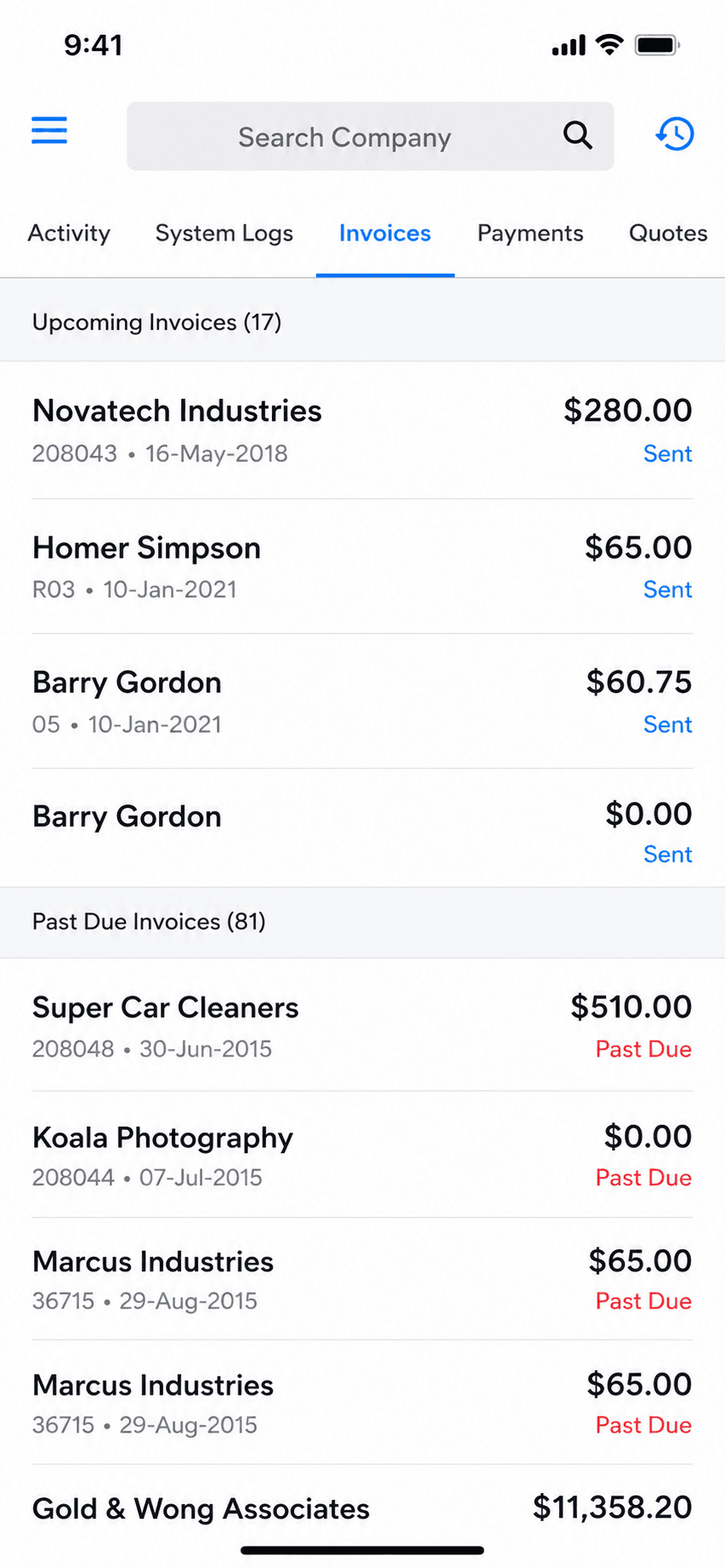
Invoice Ninja invoice list and history
Invoice history
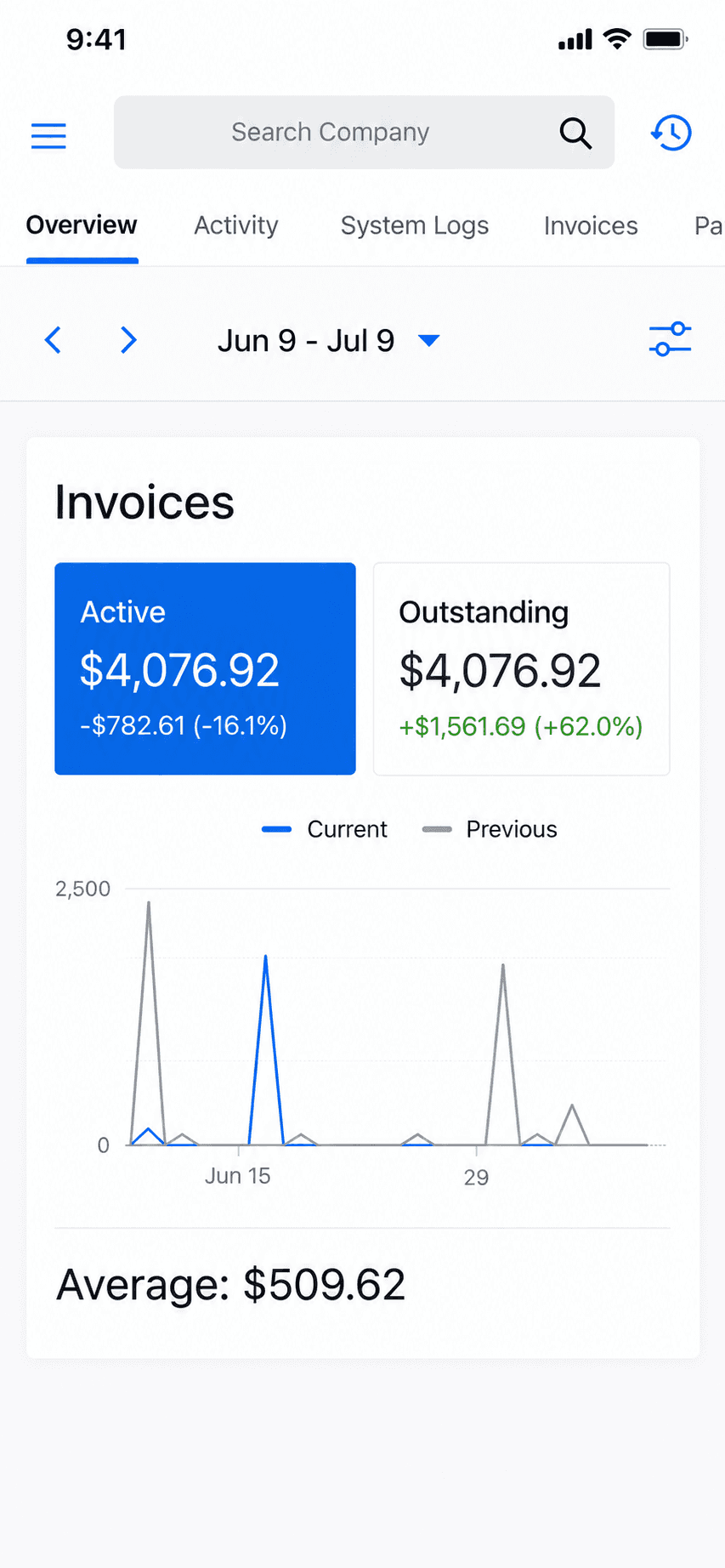
Invoice Ninja home dashboard
Dashboard

An open-source invoicing platform with a genuinely free hosted tier and a self-host option for people who want control.

Invoice Ninja is open-source-rooted invoicing built for freelancers and small businesses. Its hosted Forever Free plan covers real invoicing for up to 5 clients, and technical users can self-host the whole thing for free and own their data. It is invoicing, quotes, and payments, not accounting, with more customization than most invoicing apps.

Standout: Open-source invoicing you can self-host and own outright.

Versus QuickBooks: Free and self-hostable where QuickBooks is a paid cloud subscription, but it keeps no books and needs setup effort.

Best for: Freelancers who want free, customizable, or self-hosted invoicing.

Not for: Non-technical users wanting the simplest possible phone-first app, or anyone needing books.

Key features

  • Invoices, quotes, and recurring billing
  • Open-source and self-hostable
  • Many payment-gateway options
  • Deep customization and automation

Pros

  • Genuinely free hosted tier (up to 5 clients)
  • Self-host to own your data outright
  • Highly customizable for invoicing

Cons

  • No accounting or bookkeeping
  • Self-hosting is technical to set up and maintain
  • Smaller, more niche user base

Integrations

  • Stripe, PayPal, and 40+ gateways
  • Zapier
  • Self-hosted API

Pricing

Free (hosted)Up to 5 clients, unlimited invoicing (the old ~20-client limit is gone)$0/mo
Self-hostedFree to self-host; source-available (Elastic License v2)$0
Ninja Pro$140/yr (2 months free); unlimited clients$14/mo
Enterprise1-2 users; scales by user countfrom $18/mo

Free: Hosted Forever Free for up to 5 clients, or self-host the source-available app at no license cost.

Platforms: Web, iOS, Android, Self-hosted

Migrating from QuickBooks: Import a client list and start invoicing; self-hosting adds setup time but nothing to port if there were no books.

Can't beat the price. Self-hosting on a VPS is insanely cheap.
Invoice Ninja user, App Store review (2026), App Store

Bottom line: Pick Invoice Ninja if you want free, customizable, or self-hosted invoicing and are comfortable with setup.

Head-to-head

QuickBooks vs the honest alternatives

FeatureBillgamiQuickBooksWaveXeroFreshBooks
Full accounting & bookkeepingNoYesYesYesPartial
PayrollNoAdd-onAdd-onAdd-onAdd-on
Bank reconciliationNoYesYesYesYes
Send invoices & estimatesYesYesYesYesYes
Built for the phoneYesClunkyPartialPartialYes
Learning curveVery lowSteepMediumMediumLow
Starting priceFree tier$38/moFree base$25/mo$23/mo
One-time / lifetime option$249.99 lifetimeNoNoNoNo
Best forInvoicing onlyEstablished booksFree accountingGrowing booksInvoicing + light books

Billgami wins exactly one row honestly: you only need invoicing. For everything above it, one of the accounting tools is the right answer, and this guide says so plainly.

The real cost

What QuickBooks actually costs over 3 years

Alternative guides show this month's price and move on. Here is the 3-year total, because that is what you actually commit to. QuickBooks Online Essentials rose about 88% in five years, from $40 to $75 a month, so these totals are a conservative floor, not a ceiling.

PlanPer month1 year3 years
Billgami FreeReal free tier, invoicing only$0$0$0
Billgami subscriptionOr $111.99/yr billed annually: $335.97 over 3 years$14.99$179.88$539.64
Billgami LifetimeOne-time $249.99; cheaper than our own monthly plan from month 17one-time$249.99$249.99
QuickBooks Simple Start$38$456$1,368
QuickBooks EssentialsUp ~88% from $40/mo in 2021$75$900$2,700
QuickBooks Plus$115$1,380$4,140
QuickBooks Advanced$275$3,300$9,900
Sage 50 ProSage retired its cheaper US cloud product in 2024; one-year minimum$124.42$1,493.04$4,479.12
Patriot AccountingBasic tier; payroll add-on separate$20$240$720
WaveFree base; payment and payroll fees billed separately$0$0$0
Square InvoicesFree to send; 3.3% + $0.30 per card payment on the free plan$0$0$0
PayPal InvoicingFree to send; 2.99% to 3.49% + $0.49 per payment$0$0$0

Prices as of July 2026. QuickBooks changes prices often, so verify the current figure on their site. An announced increase raises Essentials to $85, Plus to $140, and Advanced to $340 at renewals on or after August 1, 2026. Source: NerdWallet QuickBooks pricing 2026 (https://www.nerdwallet.com/article/small-business/business-software/how-much-does-quickbooks-cost)

Why people leave

Why people actually leave QuickBooks

First, fairness: QuickBooks holds a 4.73 out of 5 App Store average across 250,000+ ratings, so most users are satisfied. This breakdown is its one- and two-star reviews specifically. Of the 1,884 reviews we pulled across these 11 tools, 200 were QuickBooks; we tagged the 148 of those rated one or two stars by theme and counted. The pattern worth noting: the top complaint is not price, it is a heavy product that keeps breaking with each update.

ComplaintShareWhat reviewers say
Updates break the app / bugs45%"The last few updates made the app unusable in a myriad of ways, with the latest one, it doesn't even want to open."
Price and subscription15%"If you subscribe, expect significant price increases every year."
Customer service14%"[The] costumer [sic] service is basically non existent."
Lost or removed features8%"The Estimate and invoice list used to be automatically sorted by date now it is by number."
Complexity / learning curve5%"[It] was too complicated to figure out again."

Share is the percent of the 148 one- and two-star reviews mentioning each theme; a review can mention more than one, so shares do not sum to 100. Quotes are verbatim from real reviews: spelling is preserved, [sic] flags an original error, and square brackets mark a capital letter changed where a quote starts mid-sentence. QuickBooks Accounting App Store reviews (Apple, 200 most-relevant, 148 rated one or two stars), pulled July 2026; per-review theme tags saved for audit.

Free options

Is there a free program like QuickBooks?

One of the most common QuickBooks alternative searches. There is no free QuickBooks itself, but there are genuinely free tools, and the honest answer depends on your lane. Every option here names its catch.

ToolWhat's actually freeThe catch
BillgamiInvoicing only: invoices, estimates, payment tracking, PDFsNot accounting; no books, payroll, or reconciliation
WaveFull accounting: invoicing, expenses, basic reportsFunded by payment-processing and payroll fees

Free tiers as described by each vendor as of July 2026; confirm current limits before relying on them. Google does not offer a QuickBooks-style accounting product.

What leaving QuickBooks actually costs

The monthly price is only half the decision. The other half is switching cost, and no alternative-to-QuickBooks guide talks about it, because they are all trying to sell you the switch. If you keep real books, migrating means exporting your chart of accounts, historical transactions, and reconciliations, then importing and re-verifying them in the new tool. Some data does not transfer cleanly. Intuit has spent years pushing users off QuickBooks Desktop toward QuickBooks Online, discontinuing add-on services for older Desktop versions and ending sales of new US Desktop subscriptions, so many people are being forced to migrate anyway. Check Intuit's current Desktop service-discontinuation notice for the dates that apply to your version before you plan anything. Here is the honest part: if your QuickBooks use was really just invoicing, there is almost no switching cost. You are not migrating years of books, because you never kept them in QuickBooks. You export your client list, start sending invoices from the new tool, and you are done in an afternoon. That is the tell that you were in the wrong product the whole time.

  • Heavy books: real migration effort, verify everything transferred, budget a few days.
  • Invoicing only: export clients, start invoicing elsewhere, done in an afternoon.
  • Forced migration off Desktop is a reason to reassess whether you needed accounting at all.

When Billgami is the wrong answer

Being honest about this is the point of the page.

  • You need payroll, inventory, or a general ledger. Billgami does none of these.
  • You need bank feeds reconciled or accrual books for an accountant.
  • You want one tool for accounting and invoicing. Billgami is invoicing only, on purpose.

If any of these is you, use Wave, Xero, or QuickBooks. Come back to Billgami only if your real need is just sending invoices.

If your answer was 'just invoicing', try Billgami

Send invoices and estimates, track paid and unpaid, and keep PDF records from your phone. Free to start, with a $249.99 lifetime option. Not accounting software, and proud of it. If the test put you in the accounting lane, take the honest advice above and come back if your needs ever narrow to just invoicing.

Last updated: July 25, 2026 | Written by Phuc Doan

Billgami invoice history with paid, unpaid, and partial status on iPhone

FAQ

Common questions

What is the best QuickBooks alternative?

It depends on whether you need accounting or just invoicing. If you keep real books, Wave (free) or Xero are the strongest replacements. If you only send invoices and track payments, you do not need accounting software at all, and a simple invoice app like Billgami is cheaper and faster. Take the decision test above to see which lane you are in.

Is there a free QuickBooks alternative?

Yes. Wave offers free accounting including invoicing and expense tracking, and makes its money on payment-processing and payroll fees. ZipBooks and Akaunting also have free tiers. If you only need to send invoices, Billgami has a real free tier too. Just confirm what 'free' includes, since some tools limit invoices or add per-transaction fees.

Is QuickBooks Desktop going away in 2026?

Intuit has been steadily moving users off QuickBooks Desktop toward QuickBooks Online for years. It has discontinued add-on services like payroll and online backup for older Desktop versions after their annual sunset date, and it has ended sales of new US Desktop Pro and Premier subscriptions, while Enterprise continues for now. In practice that means many Desktop users are being nudged or forced onto QuickBooks Online, which is a different product at a different price. Before you plan any migration, check Intuit's current Desktop service-discontinuation notice for the exact dates that apply to your specific version, because they vary year to year. If you are being forced to move anyway, it is the right moment to ask whether you needed the full accounting product at all.

Why are people leaving QuickBooks?

We tagged and counted 148 one- and two-star QuickBooks App Store reviews. The top reasons are updates breaking the app (45%), price and subscription frustration (15%), poor customer service (14%), removed or changed features (8%), and complexity (5%); a review can raise more than one. Price increases get the headlines, and they are real, roughly 88% on the Essentials plan over five years, but the single most common complaint in the reviews is that the software itself keeps getting harder to use with each update. On Reddit and in accounting communities, a different theme dominates: the product does far more than a small operator needs, so people pay for complexity they never asked for. Both point to the same conclusion. A lot of people leaving QuickBooks were never really accounting customers; they were invoicing customers stuck in an accounting tool.

How much does QuickBooks cost per year?

As of July 2026, QuickBooks Online runs about $38/month for Simple Start up to $275/month for Advanced, so roughly $456 to $3,300 per year, before add-ons like payroll. Essentials rose about 88% in five years. Over three years that is $1,368 to $9,900. Confirm current pricing on Intuit's site, since it changes often.

Do I need accounting software or just invoicing?

If you run payroll, track inventory, keep accrual books, reconcile bank feeds, or hand books to an accountant, you need accounting software. If you only create invoices, send estimates, and track who paid, you need an invoice app, not accounting software. Many QuickBooks users only ever used it for the second list, which means they were overpaying.

Can Billgami replace QuickBooks?

Only for invoicing, and only if invoicing was really all you used. Billgami sends professional invoices and estimates, tracks paid, unpaid, and partial status, and keeps PDF records, from your phone. It does not do accounting, payroll, inventory, bank reconciliation, or tax filing, and it is not trying to. If your use of QuickBooks was genuinely just creating invoices and seeing who paid, then Billgami replaces that part for a free tier or a $249.99 one-time payment instead of a monthly subscription. If you relied on QuickBooks for books, expenses, or your accountant's workflow, Billgami cannot replace it and this guide will not pretend it can. In that case keep QuickBooks, or switch to Wave for free accounting or Xero for a fuller replacement.

What is the cheapest way to replace QuickBooks?

If you need accounting, Wave is the cheapest real replacement because its base is free. If you only need invoicing, a free invoice app is cheapest, and a one-time lifetime purchase like Billgami's $249.99 beats years of monthly fees. The cheapest path is matching the tool to what you actually do, rather than paying for accounting features you never use.

What is the best QuickBooks alternative for small business?

For a small business that keeps real books, Xero is the strongest full replacement and Wave is the best free one; Zoho Books is a strong low-cost pick if you already use Zoho. For a small business or solo operator that only sends invoices and tracks payments, the best QuickBooks alternative is not accounting software at all but a simple invoice app like Billgami. Use the decision test above to see which describes you before you pick.

What about QuickBooks Solopreneur or Self-Employed?

QuickBooks Solopreneur replaced QuickBooks Self-Employed. It is cheaper than QuickBooks Online, but it is still a subscription built around Schedule C tax categorization and mileage, with accounting logic underneath. If your reason for QuickBooks was quarterly taxes, mileage, and separating business from personal spending, Solopreneur is a reasonable fit. If your reason was only sending invoices and seeing who paid, it is still more than you need, and a free invoice app plus a simple mileage log, or a one-time lifetime invoice tool, usually costs far less over three years.

Is Wave really free?

Wave's accounting and invoicing are genuinely free with no base subscription. It makes its money on payment processing (per-transaction fees when clients pay by card) and on optional payroll. So the books are free, but taking card payments and running payroll are not. For a business that invoices and keeps light books without heavy card volume, that can still net out to little or nothing.

Is Xero or QuickBooks better?

For most growing small businesses that keep real books, Xero is the closest full-featured replacement for QuickBooks: clean bank reconciliation, unlimited users on every plan, and an accountant-friendly ecosystem, usually at a lower price. QuickBooks still has the largest accountant and app ecosystem in the US, so if your accountant requires it or your books are years deep in it, staying can be the better call. Neither is 'better' in the abstract; the right one depends on your books and your accountant.

How hard is it to switch from QuickBooks, and will I lose data?

It depends on what you kept in QuickBooks. If you keep real books, migrating means exporting your chart of accounts, historical transactions, and reconciliations, then importing and re-verifying them in the new tool; some data does not transfer cleanly, so budget a few days and check everything. If your QuickBooks use was really just invoicing, there is almost no switching cost: export your client list, start invoicing from the new tool, and you are done in an afternoon, because there were never years of books to move.

Is Square or PayPal a good QuickBooks alternative for invoicing?

As a QuickBooks alternative, yes, but only if invoicing was all you used QuickBooks for. Both Square Invoices and PayPal Invoicing send unlimited invoices for free and get you paid by card, and they replace the invoicing job at zero monthly cost. Neither keeps books, reconciles bank feeds, or does taxes, so they replace QuickBooks only for someone in the invoicing-only lane. Square suits pros who also take in-person payments; PayPal suits those whose clients already pay by PayPal or Venmo.

Is Sage a cheaper QuickBooks alternative?

Sage Accounting is usually cheaper than comparable QuickBooks Online plans while offering similar full accounting: invoicing, reconciliation, cash-flow forecasting, and inventory. The trade-off as a QuickBooks alternative is that Sage is web-first with a weaker US mobile app and a smaller ecosystem. For the cheapest accounting-plus-payroll combination, Patriot Accounting typically undercuts both.

What is the best free QuickBooks alternative for invoicing only?

If you only need to send invoices and track who paid, the best free QuickBooks alternatives are Square Invoices, PayPal Invoicing, and Invoice Ninja, all of which send unlimited invoices for free and charge only when a client pays. Billgami also has a free tier plus a one-time lifetime option. If you actually need books, the best free QuickBooks alternative is Wave, which is free accounting funded by payment and payroll fees.

Phuc Doan

Phuc Doan

Founder of Billgami·Last updated July 25, 2026

MethodologyPricing is QuickBooks' and competitors' published rates as of July 2026, cited to NerdWallet and dated on the page. The 3-year totals are simple arithmetic locked in code so they cannot drift. The complaint shares come from a real pull of 200 QuickBooks App Store reviews (148 rated one or two stars), tagged by theme and counted, with the tags saved for audit. Billgami is scoped to its confirmed features and recommended only in the invoicing-only lane.
This guide is general information, not accounting, tax, or legal advice. Software prices and features change; confirm current details with each vendor before deciding.