Billgami
Estimate and quote workflow

The estimate app that turns an approved quote into an invoice in one tap.

Billgami is built for solo service pros who price a job first, send a professional PDF quote, and convert accepted estimates into invoices in one tap. Works offline. No accounting software required.

If estimates are only one part of a larger job workflow, compare Jobber alternatives, Joist alternatives, and HoneyBook alternatives before paying for scheduling or client-management features you may not use.

  • Job estimates and quotes from iPhone in under a minute
  • One tap converts an accepted estimate into an invoice
  • Estimate and invoice records stay linked in one workflow

Last updated · July 25, 2026

Billgami estimate screen on iPhone showing itemized labor, materials, and a trip fee for a job quote

Estimate, then invoice

Build the estimate on site, convert it when they say yes

Add line items with quantity and rate while you are still standing in front of the customer, and send the PDF quote before you leave. When the job is approved, that estimate becomes an invoice in one tap. You are not rebuilding anything, and the numbers cannot drift between the two documents because they are the same record.

Billgami estimate screen with itemized lines and a convert-to-invoice action

Status you control

Approved, paid, unpaid, and partial, tracked by hand

You mark what has been approved and what has been paid. Billgami does not process payments and never touches your money, so nothing is guessed from a payment feed. The customer pays you the way they already do, and the record reflects what you know actually happened.

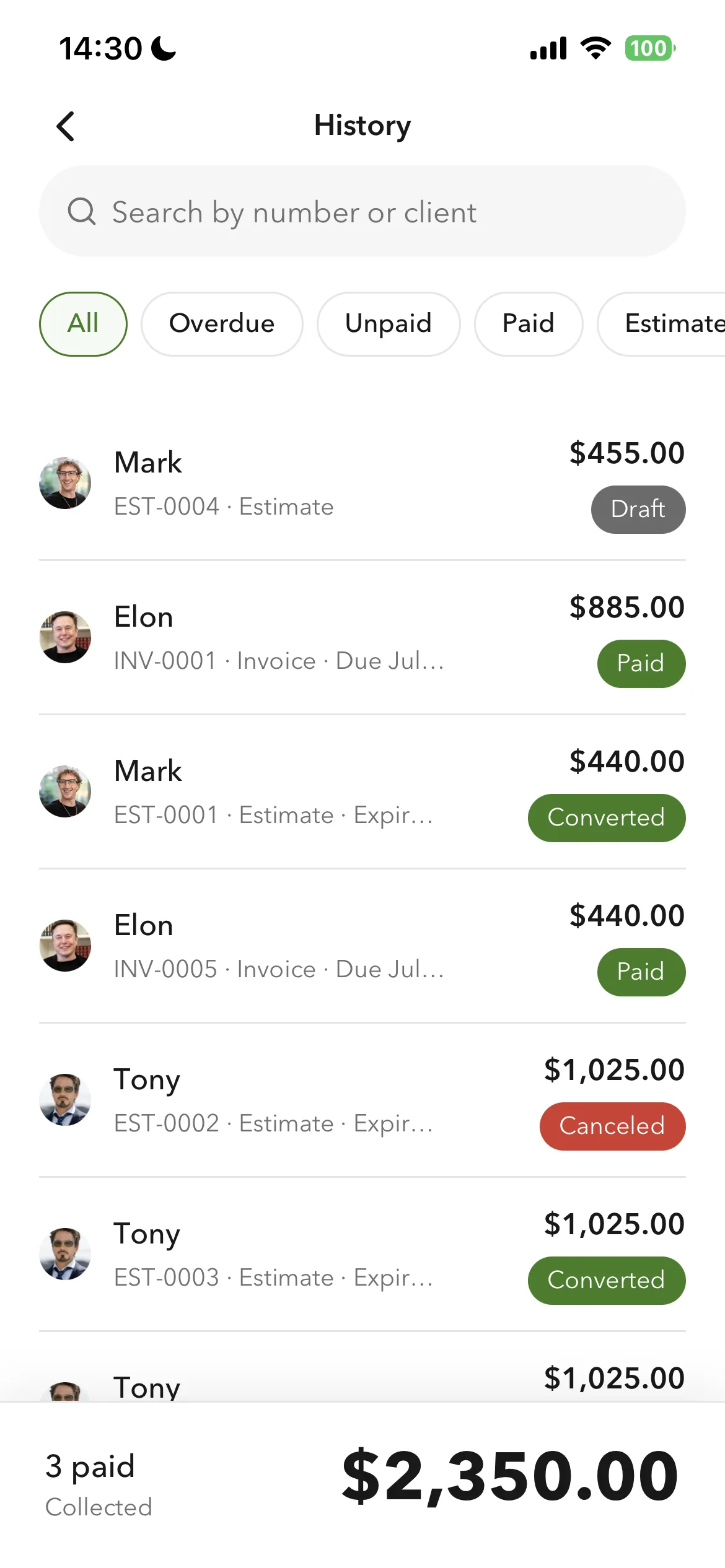
Billgami document history showing estimate, invoice, and paid, unpaid, and partial statuses

Reuse, do not retype

Saved clients and service lines make the next quote fast

The first estimate takes real effort because you are entering the client and every line item. The second quote for a similar job is fast: pull the saved client, drop in the reusable service lines, adjust the numbers, and send. The tool earns its keep on the jobs after the first.

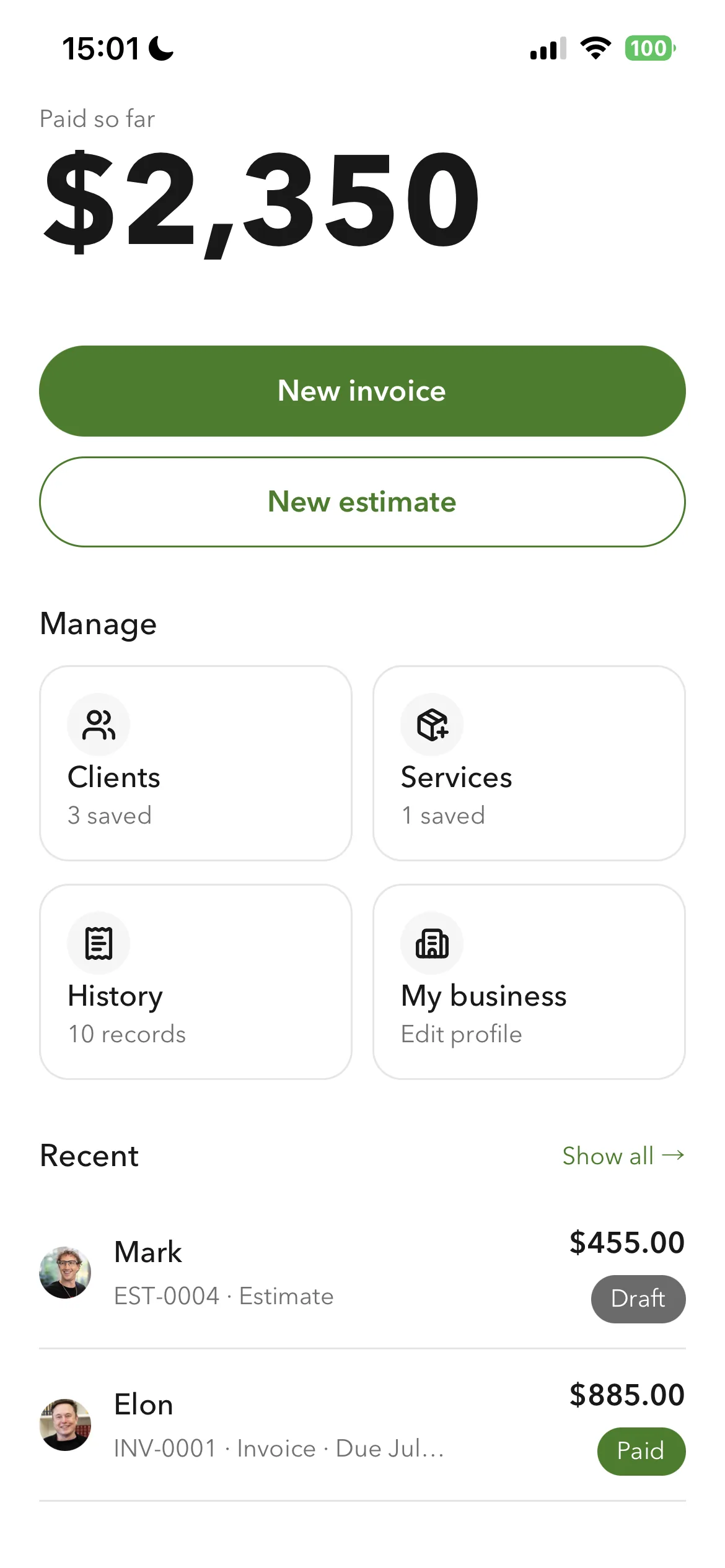
Billgami home screen with saved clients and reusable service line items
01Sample

Sample invoice with real numbers

A filled-in example that mirrors what you would send a client. Every price is pulled from the industry data table below.

Invoice

Invoice from an approved kitchen-repair estimate

Invoice #

INV-2026-0207

The client approved a $363.00 estimate for a small kitchen repair, so one tap turned it into this invoice: same client, same line items, nothing retyped. Two honest deltas are visible. Labor ran 3.5 hours instead of the estimated 3, and the $108.90 deposit taken at booking is already credited against the balance.

DescriptionQtyRateTotal

Labor

Cabinet hinge repair + shelf reinforcement, 3.5 hours actual (estimated 3)

3.5$85.00$297.50

Materials

Replacement hinges, brackets, wood screws (as quoted)

1$68.00$68.00

Trip and callout fee

Honored at the quoted rate

1$40.00$40.00
Subtotal$405.50
Total$405.50

Notes and terms

Deposit received on approval: $108.90 (30% of the estimate), credited against this invoice. Balance due: $296.60 within 14 days. Billgami does not process payments, so you are paid directly through your usual method. Thank you for your business.

Example only. Line item pricing varies by market, job scope, and business. Confirm your own pricing before quoting a client.

Who this is for

Any solo service business where the client asks 'how much?' before agreeing to the job.

  • Contractors and construction pros doing job estimates on-site
  • Handymen quoting repair or install work with parts and labor
  • Cleaners providing move-out or deep-clean estimates
  • Landscapers quoting seasonal service packages
  • Freelancers giving project or hourly-rate estimates before starting

Who this is not for

Billgami is a fast estimate maker for solo jobs, not enterprise estimate software. If your quoting requires any of the following, a heavier tool fits better.

  • Complex bid submissions with multiple document attachments and revisions
  • Automated cost-database lookups (ClearEstimates, Xactimate style)
  • Multi-user proposal collaboration or e-signature workflows
  • Integrated cost-plus contract tracking or change-order automation across large projects
02How it works

From first tap to paid record

Add a client, drop in your service line items, preview the estimate PDF, share it through email or iMessage, wait for approval, and convert the same document to an invoice with one tap.

  1. Billgami home screen with New estimate and New invoice buttons and saved clients and services
    1

    Build the estimate on site

    Save the client with contact info and job address, pull line items from your saved service library or add new ones with quantity and rate, and title the job so the estimate reads clearly on paper.

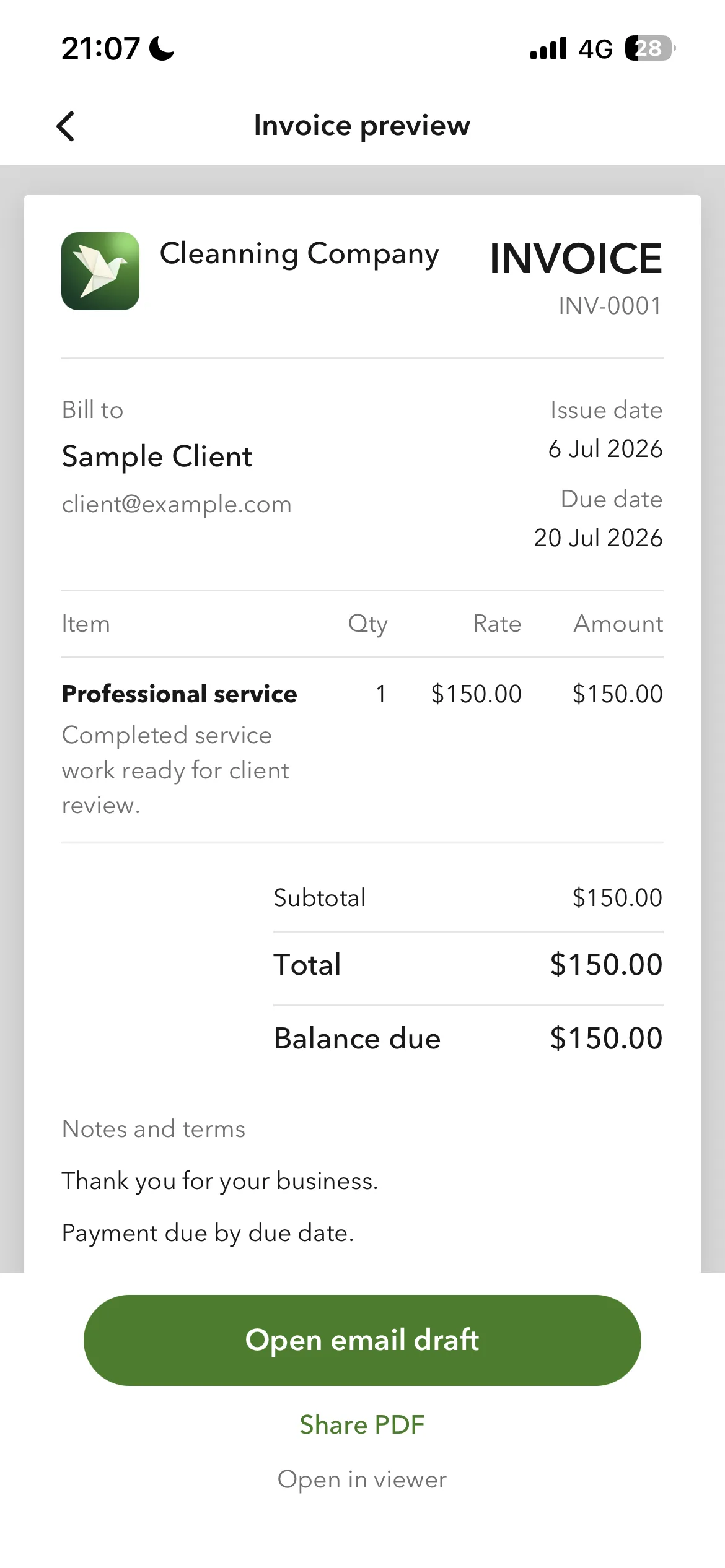
  2. Billgami document preview with Share PDF and open-email-draft options
    2

    Preview and send the PDF

    See exactly what the client sees before sending, then share the estimate PDF through the iPhone share sheet: email, iMessage, WhatsApp, or any other client channel.

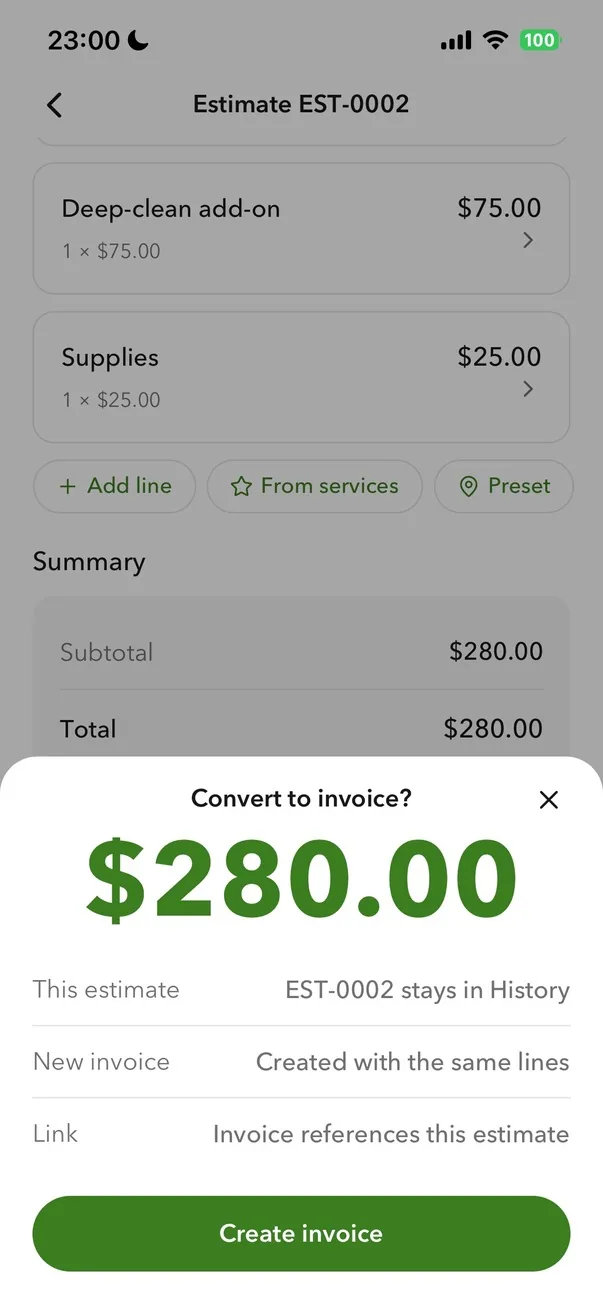
  3. Billgami estimate screen with a Convert to invoice action and Create invoice button
    3

    Convert to invoice, track the status

    When the client approves, one tap turns the estimate into an invoice with the line items, client, and totals carried forward. Every record shows its status: draft, sent, approved, invoiced, paid, or partial, tracked by hand.

The alternatives

The estimate apps solo pros compare Billgami against

Joist and Billdu are the two closest alternatives for building a job estimate on a phone. Each card carries that app's real prices, its App Store rating, a verbatim review, and what it is genuinely best and worst at.

ToolLaneBest forFromApp Store rating
JoistInvoicingContractors who estimate frequently and want trade-specific tools like change orders and financing.$10/mo4.74(13,524)
BillduInvoicingSolo pros and tiny teams who want polished invoicing plus expenses on a modest subscription.$7.99/mo4.82(25,672)

App Store ratings from Apple, pulled July 2026 (saved for audit). Prices as of July 2026; confirm current with each vendor.

Lane B: invoicing only

For solo pros who only send invoices and track who paid. No accounting engine, by design.

1. Joist

App Store rating: 4.74 out of 5 (13,524 ratings)

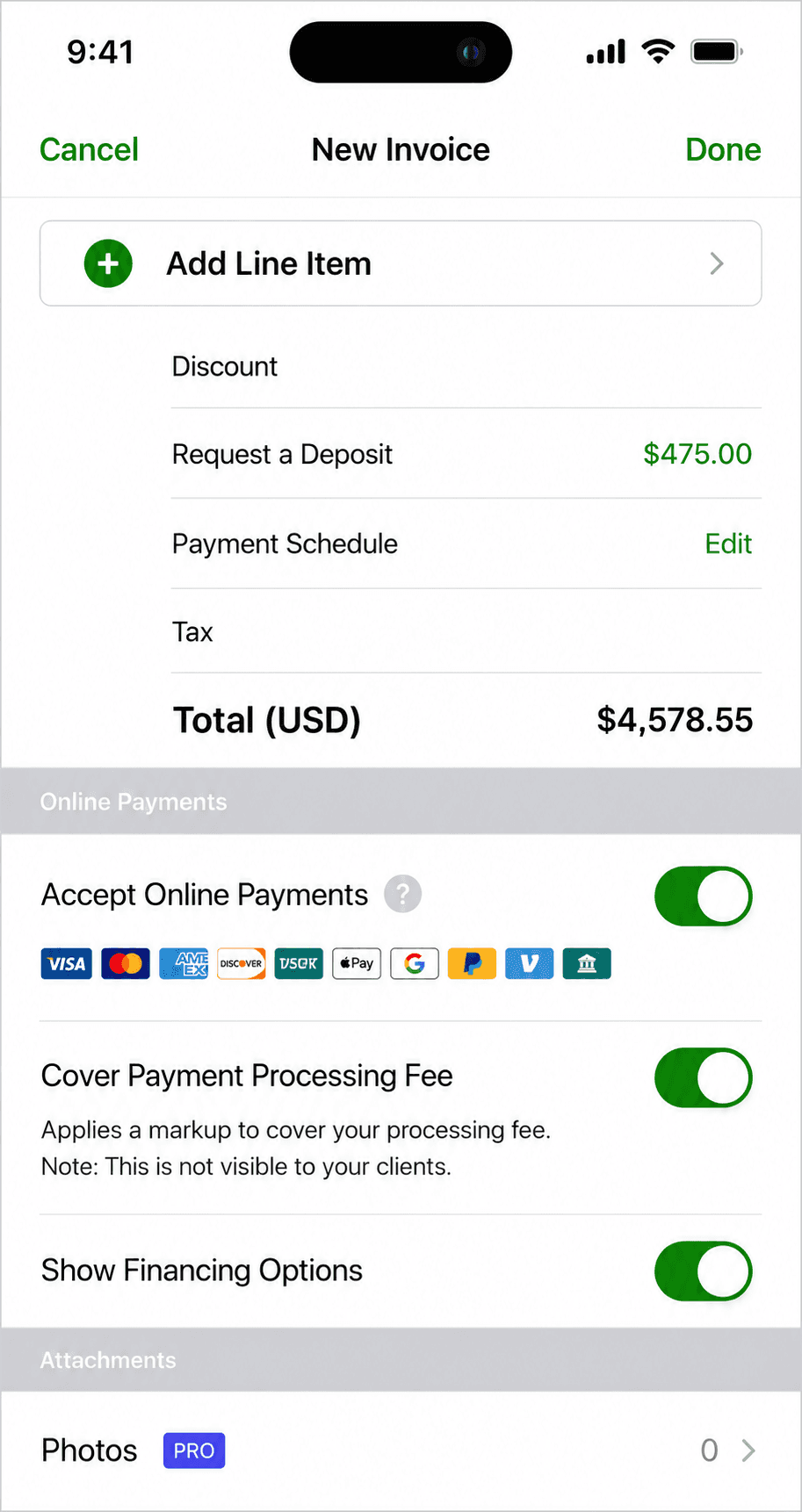
Joist invoice creation screen
Create invoice

Contractor-focused estimating and invoicing (EverCommerce-owned): strong trade features like change orders and financing, on metered subscription tiers.

Joist is built for contractors: estimates that win jobs, invoices, contracts with eSignatures, change orders, and homeowner financing offers. It has no free tier anymore; the $10 Basics plan caps you at 5 documents a month, and the trade features that matter live on Pro and Elite. QuickBooks sync stands in for native books.

Standout: Contractor-specific workflow: estimates, contracts, change orders, financing.

Best for: Contractors who estimate frequently and want trade-specific tools like change orders and financing.

Not for: Anyone wanting a free tier or native bookkeeping.

Key features

  • Estimates built for winning jobs
  • Contracts and eSignatures
  • Change orders and reports on Elite
  • QuickBooks Online sync

Pros

  • Deep contractor workflow
  • Established brand among trades
  • Financing offers can close bigger jobs

Cons

  • 5-document monthly cap on the cheap tier
  • Formerly free features now paywalled
  • Chat-only support with reported payment-issue delays

Integrations

  • QuickBooks Online sync (Pro+)
  • Stripe payments
  • Homeowner financing offers

Pricing

BasicsCapped at 5 documents/month; $100/yr annually$10/mo
ProUnlimited docs, contracts + eSignatures, QuickBooks sync; $170/yr$17/mo
EliteAdds reports, change orders, review automation; $320/yr$32/mo

Free: No free tier; 14-day Elite trial, no card required.

Platforms: Web, iOS, Android

Joist is a great app. It helps me with my estimates and payments. I recommend Joist to any Contractor. Great tool to have.
Joist user, App Store review (2026), App Store

Bottom line: Pick Joist if you are a contractor who lives on estimates and change orders and will use its trade features.

2. Billdu

App Store rating: 4.82 out of 5 (25,672 ratings)

Billdu finished invoice preview
Invoice preview
Billdu invoice management list
Invoice management

A polished mobile-and-web invoicing suite with offline mode and team seats, on a subscription with client-count caps and no free tier.

Billdu does invoicing well: invoices, estimates, expenses with receipt scanning, offline mode, and even small-team seats on higher tiers. There is no free plan; the entry tier caps you at 10 clients, and card fees fall only as your subscription rises. It is a strong subscription pick for a solo operator who wants a bit more than bare invoicing.

Standout: True offline mode with auto-sync, rare in this category.

Best for: Solo pros and tiny teams who want polished invoicing plus expenses on a modest subscription.

Not for: Anyone who wants a free tier, or needs books and reconciliation.

Key features

  • Invoices and estimates on phone and web
  • Offline mode with auto-sync
  • Receipt scanner and expense dashboard
  • Team seats on higher tiers

Pros

  • Polished apps with offline support
  • Expense tracking included
  • Small-team support without suite pricing

Cons

  • No free tier, trial only
  • Client caps on lower tiers
  • Card fees drop only on pricier plans

Integrations

  • Stripe
  • Apple Pay and Google Pay
  • Online store module
  • Inventory companion app

Pricing

Lite$4.99/mo billed annually; max 10 clients, 1 user$7.99/mo
Standard$9.99/mo annually; 50 clients, 2 team members$14.99/mo
Premium$19.99/mo annually; unlimited clients, 10 team members, API$27.99/mo

Free: No free plan; 7-day free trial with all features, no card required.

Platforms: Web, iOS, Android

Works well, very user friendly. Made the switch because Quick Books was to expensive
Billdu user, App Store review (2026), App Store

Bottom line: Pick Billdu if you want invoicing plus expenses with offline mode and are happy paying a modest subscription.

Head-to-head

Billgami vs Joist vs Billdu vs QuickBooks for job estimates and quotes

FeatureBillgamiJoistBillduQuickBooks
App Store ratingNew, few ratings4.74 from 13,5244.82 from 25,6724.73 from 253,073
Starting priceFree tier, then $14.99/mo$10/mo$7.99/mo$38/mo
Made for solo service prosYesContractor focusYesNo, full accounting
Job estimate + quote workflowYesYesYesYes
PDF estimate from iPhoneYesYesYesYes
Estimate to invoice in one tapYesYesYesMulti-step
Save clients and service items for reuseYesYesYesYes
Works offline at job siteYesNoYesNo
Lifetime option available ($249.99, no renewal)YesNoNoNo
No accounting bloatYesYesYesNo, full accounting

Ratings, prices and capability flags come from the competitor dataset, pulled 2026-07-26 from each vendor's own pricing page and Apple App Store listing.

04Anatomy

What Billgami does as an estimate app

Six things the estimate workflow actually ships. Honest scope: this is an estimate maker for solo jobs, not proposal-management or enterprise estimate software. It is a fast job-quoting workflow that hands off cleanly to an invoice.

  1. 1

    Save service line items and reuse them across every job

    Build a small library of the services you sell: labor hour, trip fee, standard cleaning, materials markup, room square footage rate. When you build an estimate, tap to add the line item and edit the numbers per job.

  2. 2

    Build estimates with itemized labor, materials, and fees

    Add labor lines, materials lines, service package lines, and separate trip or callout fees. Each line has quantity, rate, and total. The client sees exactly what they are paying for and what changes if the job scope shifts.

  3. 3

    Send a professional PDF quote from iPhone

    The estimate exports as a print-clean PDF. Share it through the iPhone share sheet: email, iMessage, WhatsApp, or your preferred channel. The document reads well on both phone and desktop.

  4. 4

    One tap converts an accepted estimate to an invoice

    When the client says yes, one tap turns the same estimate into an invoice. Line items, client, dates, and totals all travel. You can adjust numbers if the job actually cost more or less than quoted.

  5. 5

    Track quoted vs invoiced vs paid manually

    Every record shows its current status. See what you have quoted, what turned into invoices, and what is paid. All manual, because Billgami never processes card payments or holds funds.

  6. 6

    Works offline at the job site

    Estimates get built and PDFs get generated offline. Records queue locally and sync when you have signal. AirDrop and iMessage relay work for local sharing even without cellular.

05Terminology

Estimate vs quote vs bid vs proposal: which one are you sending?

The estimate vs quote difference in one line: an estimate is a good-faith approximation the final number can move away from, and a quote is a firm price for a defined scope that the client expects you to honor. Add a bid when you are competing against a written spec, and a proposal when you are selling an approach rather than a number. Solo pros use the words interchangeably; clients do not hear them the same way, and picking the wrong one sets the wrong expectation. This is the plain-English difference, whether each is typically binding, and where Billgami fits: it is built to send the first two, and no estimate template turns it into the last two.

DocumentWhat it means to the clientTypically binding?Billgami fit
EstimateAn informed approximation of cost before the work is fully scoped. The final number can move.No, a good-faith projectionBuilt for it. Itemize labor and materials, send the PDF, edit the numbers on conversion.
QuoteA firm price for a defined scope. The client expects to pay this if nothing changes.Usually, for the stated scopeBuilt for it. Same document type as an estimate in Billgami; you decide how firm the number is.
BidA formal competitive offer, often submitted against other contractors to a written spec.Yes, once acceptedPartial. Fine for a simple bid; not built for multi-document tenders or spec compliance.
ProposalA persuasive document selling an approach, scope, and price together, usually with narrative and options.Varies, often needs e-signatureNot the tool. Use a proposal app such as PandaDoc or Better Proposals for narrative and e-sign.
How we sourced these prices · How Billgami's estimate workflow was designed

The estimate workflow is built around one observation: most solo service jobs get priced verbally first, and a written quote only appears when the client asks for one. That makes the estimate a matter of proof and structure rather than calculation, so the app optimizes for fast entry, a clean PDF, and no wall between the estimate and the invoice it becomes. The comparisons above use each product's public product pages and App Store listings as of July 2026, and what we know about how solo operators price work comes from the Federal Reserve Small Business Credit Survey and Angi's contractor pricing research.

  • Plain-language definitions cross-checked against US small-business and trade usage, 2026
  • Federal Reserve Banks, Small Business Credit Survey, 2025 Report on Employer Firms Source
  • Angi (formerly Angie's List), Contractor Pricing and Estimating Report, 2024
  • App Store public review data for Joist, Billdu, Invoice Simple, and Invoice2go, sampled 2025-2026
06Alternatives

Why solo service pros pick Billgami over the alternatives

Every app here can get a quote out the door, and each one is the right answer for somebody. Billgami makes one bet instead of competing on features: the whole app is built for pricing a job and billing it, so the estimate you write standing in a driveway becomes an invoice in one tap and nothing else is in the way. This section is honest about when to pick something else.

Billgami vs Joist

Joist is built for contractors, and if that is exactly what you are, it fits well: cost templates, a purpose-built quote flow, and payment collection built in. Billgami covers the same ground from estimate to invoice, but it is not contractor-only, so a handyman, cleaner, landscaper, or freelancer gets the same fast flow without wording and fields aimed at construction. The other difference is what you pay: Joist is a subscription, and Billgami has a free tier plus a one-time lifetime option ($249.99) if you would rather not renew.

When to pick Joist: You are a construction contractor who wants cost templates and card payments collected inside the app.

Billgami vs Billdu

Billdu does estimates and invoices well and gives you a big template library to work from, which helps if you like starting from a prepared layout. Billgami works the other way around: instead of picking a template, you save your own service line items and reuse them, so the second quote for a similar job is mostly done before you start. Billdu is subscription-only; Billgami offers a lifetime tier alongside its free and subscription tiers.

When to pick Billdu: You want a large template library and are comfortable with a monthly subscription.

Billgami vs QuickBooks

QuickBooks is not really competing for the same job. It is a full accounting suite, and its estimates work fine, but you are setting up and paying for bookkeeping infrastructure to send a quote. If you genuinely need bookkeeping, tax filing, or payroll, use QuickBooks. Most solo service pros do not need any of that just to price a job and bill it, and Billgami sits at that layer instead, built for the job site rather than the back office.

When to pick QuickBooks: You have employees, real bookkeeping needs, or tax workflows that require accounting-grade software.

Try Billgami as your estimate app

Price a job, send a PDF quote, get approval, convert to an invoice in one tap. All from iPhone, all offline-capable, all in one workflow. Free tier plus a lifetime option ($249.99) if you want to skip renewals.

Last updated: July 25, 2026 | Written by Phuc Doan

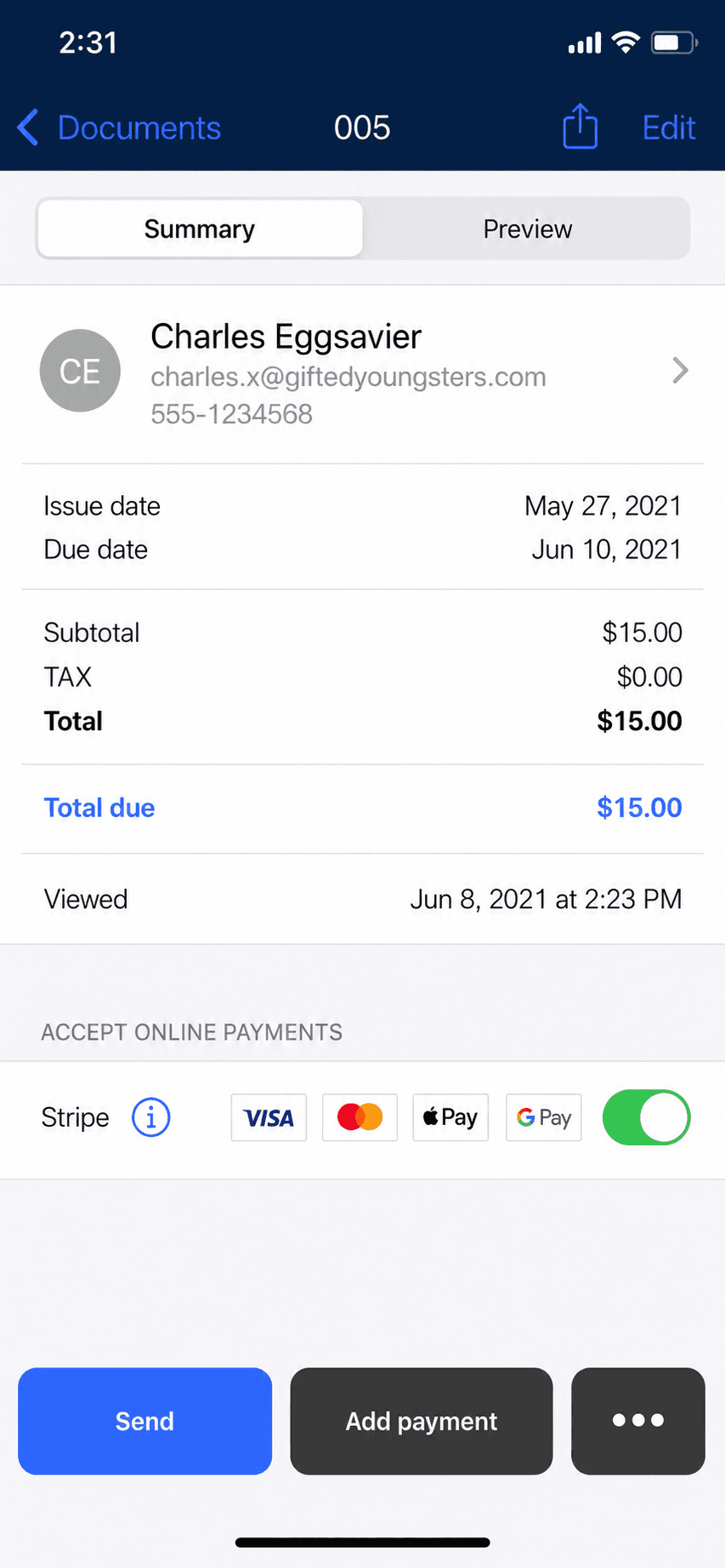
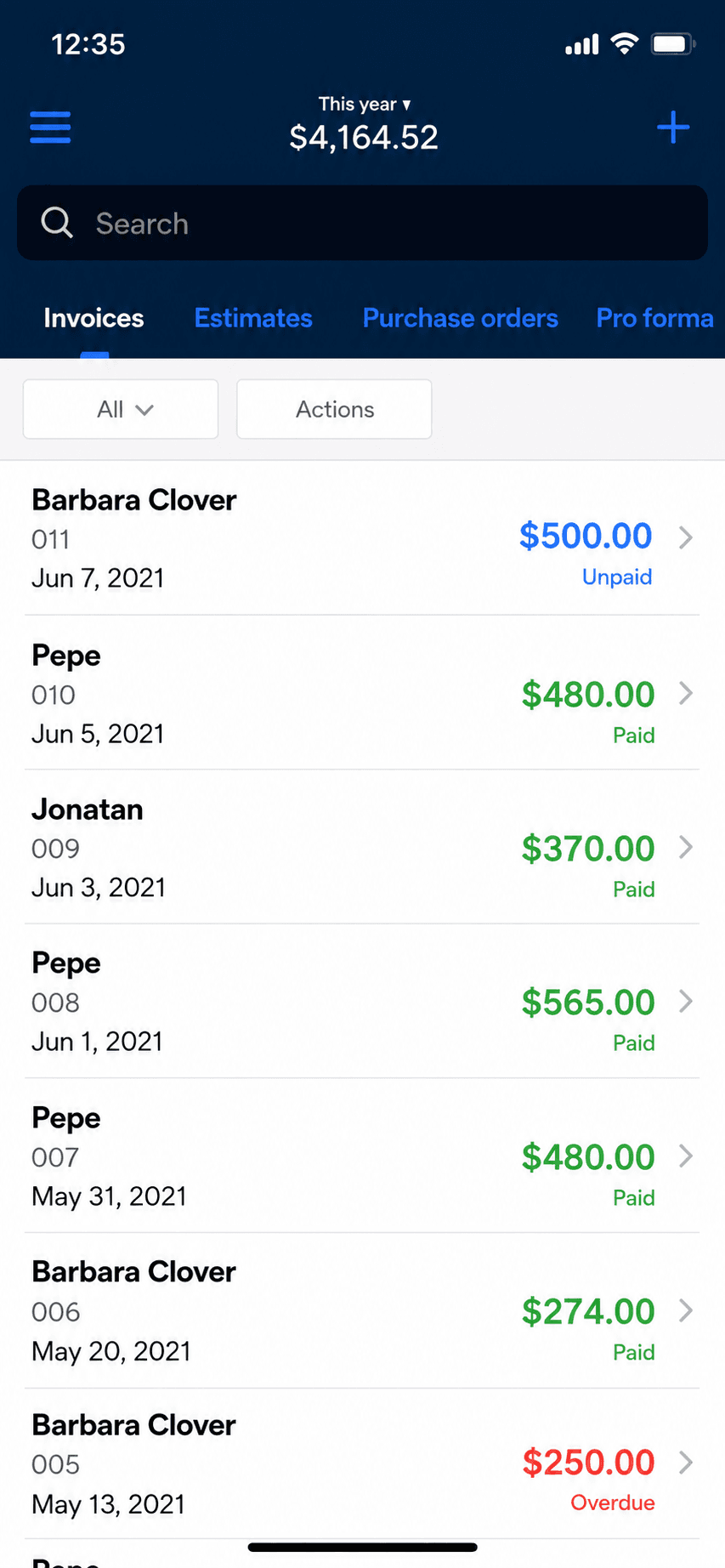
Billgami invoice history with paid, unpaid, and partial status on iPhone

FAQ

Common questions

Straight answers on how the estimate workflow works, what it costs, how it converts to an invoice, and where it stops.

Estimate vs quote: what is the difference?

An estimate is a good-faith approximation given before the work is fully scoped, so the final number can reasonably move. A quote is a firm price for a defined scope, and the client expects to pay it if nothing changes. That is the whole estimate vs quote distinction; a bid is a competitive offer against a written spec, and a proposal sells an approach rather than a number. In Billgami both an estimate and a quote are the same document type, because what actually differs is how firm you tell the client the number is. Once they approve, that document converts to an invoice.

Do I need estimate software, or just an estimate app?

Estimate software usually means a desktop system with cost databases, assemblies, and multi-user takeoff, built for construction firms bidding large scoped jobs. If you are pricing a repair, a clean, a install, or a small renovation from your phone, that is an estimate app job, not an estimate software job. The dividing line is whether you need a cost database and formal takeoff, or whether your own saved labor rates and service line items already give you the number. Billgami is deliberately the second: a free estimate app to start, with no setup before your first quote.

Can I use Billgami as a contractor estimate app?

Yes. Contractor estimate app is exactly the use case Billgami is built for. Add labor and materials line items, a trip fee if you charge one, and any subcontractor markups. Send the PDF, wait for approval, convert to invoice. See the dedicated contractor page for the trade-specific workflow.

Does Billgami work as a construction estimate app?

For solo operators and small jobs, yes. Billgami is not designed for large multi-phase construction bids that need cost databases like Xactimate or CSI-formatted line items. For deck rebuilds, kitchen repairs, small renovations, and trade work, the workflow fits.

How does the estimate-to-invoice conversion work?

One tap. The estimate becomes an invoice with the same client, same line items, same dates. You can edit numbers if the actual job cost differed from the estimate (like the sample invoice on this page). Nothing is lost in translation.

Can I send a PDF quote from my iPhone?

Yes. Every estimate exports as a print-clean PDF. Share through the iPhone share sheet: email, iMessage, WhatsApp, or any messenger. The PDF is readable on phone and desktop and print-safe.

Does Billgami have templates for different trades?

Billgami uses saved service line items instead of trade-specific templates. Build your own library once (labor rates, common services, trip fees) and reuse it across every estimate. That is the difference between an estimate maker you set up once and a blank estimate generator you refill from scratch each time, and it is more flexible than a fixed estimate template because your services change over time.

Can I add change orders or revise an approved estimate?

You can edit any estimate before it converts to an invoice. There is no formal change-order document type. If the job scope changes materially, revise the estimate and re-send, or invoice the actual amount and note the change in the invoice.

What is the best free estimate app for iPhone?

It depends on what you need. If you want to send a clean, itemized estimate from your phone in under a minute and convert it to an invoice when the client approves, Billgami's free tier does exactly that, with no timed trial that locks your records. If you need construction cost databases or multi-user proposals, a heavier tool fits better. Billgami is built to be the simplest estimate app for a solo service pro on iPhone, not the most feature-loaded.

Can ChatGPT or AI estimate a job for me?

An AI can suggest a ballpark, and a blank online estimate generator can lay out a document, but neither knows your labor rate, your local material prices, or the trip fee you charge. Billgami takes the opposite approach: you build the estimate from your own saved service line items, so the number on the PDF is real and defensible, not a guess. Brainstorm the scope with AI if you like, then price it with your actual rates in Billgami.

Can Billgami handle both estimates and invoices in one app?

Yes. That is the point. Estimates and invoices share the same client records, the same service line items, and the same PDF export. Converting from one to the other is one tap. Both live in the same manual status tracking system.

Do I need internet to build an estimate?

No. Estimates get built offline, and PDFs generate offline. When you have signal, the record syncs and email or cloud shares complete. Local sharing (AirDrop, iMessage relay) works without signal in many cases.

Phuc Doan

Phuc Doan

Founder of Billgami·Last updated July 25, 2026

MethodologyThis page compares Billgami against the estimate and quote apps it actually competes with, using each product's public App Store and website positioning as of July 2026. The sample estimate and invoice use real reconciled numbers. Pricing figures are Billgami's own published tiers.