Billgami

Invoice templates

Invoice templates by trade, in PDF, Word, and Excel

An invoice template is a reusable form for your business and client details, line items, tax, and total due. Thirteen trade-specific templates with researched 2026 pricing, plus a universal one. Not a thousand recolored blanks. Every download is a real file, not an email capture. Grab the universal one right below, or pick your trade for the fields your work actually needs.

If a template is enough for the document but QuickBooks is too much for the workflow, compare our QuickBooks alternatives for solo service pros.

Last updated: July 2026 · Written by Phuc Doan · Free, no signup

Sample invoice template with itemized lines, tax, and total due

Universal invoice template: free, no signup

A filled example and a blank form that work for any trade. Not sure which template is yours? Start here; otherwise pick your trade below.

Pick your trade

Every page below is a free invoice template with that trade’s fields, real 2026 US rates, and downloadable files. No account, no watermark. Not sure which fits? Match it to how you charge:

  • Per visit or recurring: Cleaning, HVAC, Landscaping
  • Hourly plus parts: Contractor, Handyman, Electrician, Plumbing, Automotive repair, Freelance
  • Flat rate per job: Cleaning, Contractor, Electrician, Plumbing, HVAC, Automotive repair, Painter, Landscaping
  • Milestone or progress: Contractor, Freelance, Consulting, Photography, Catering
  • Retainer: Freelance, Consulting
  • Per head or per unit: Catering
  • Session or day rate: Photography
Filter
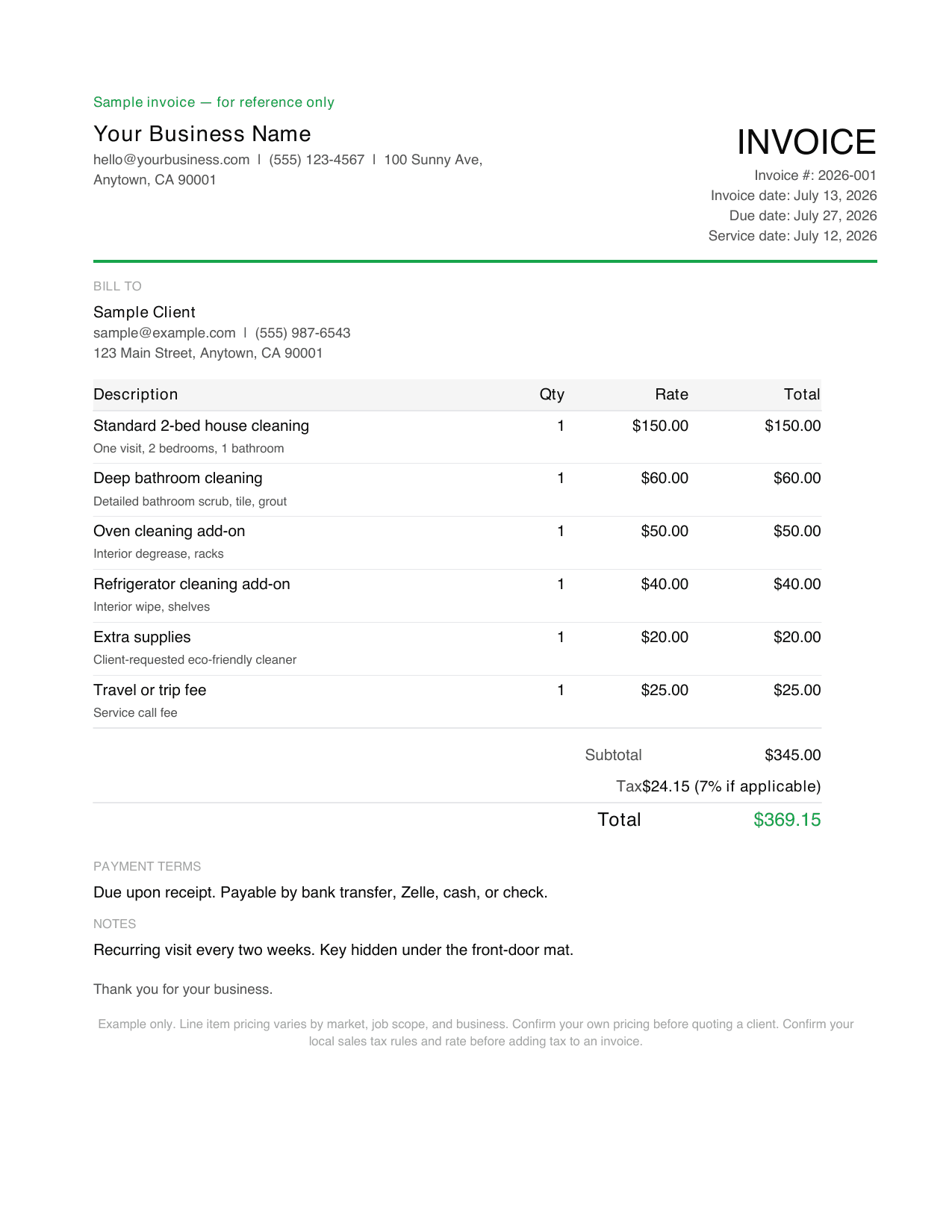
Cleaning invoice template PDF example, a filled sample invoice

Cleaning

Per visit or recurringFlat rate per job

Most often left off: Which visit dates this invoice actually covers

Open the cleaning template
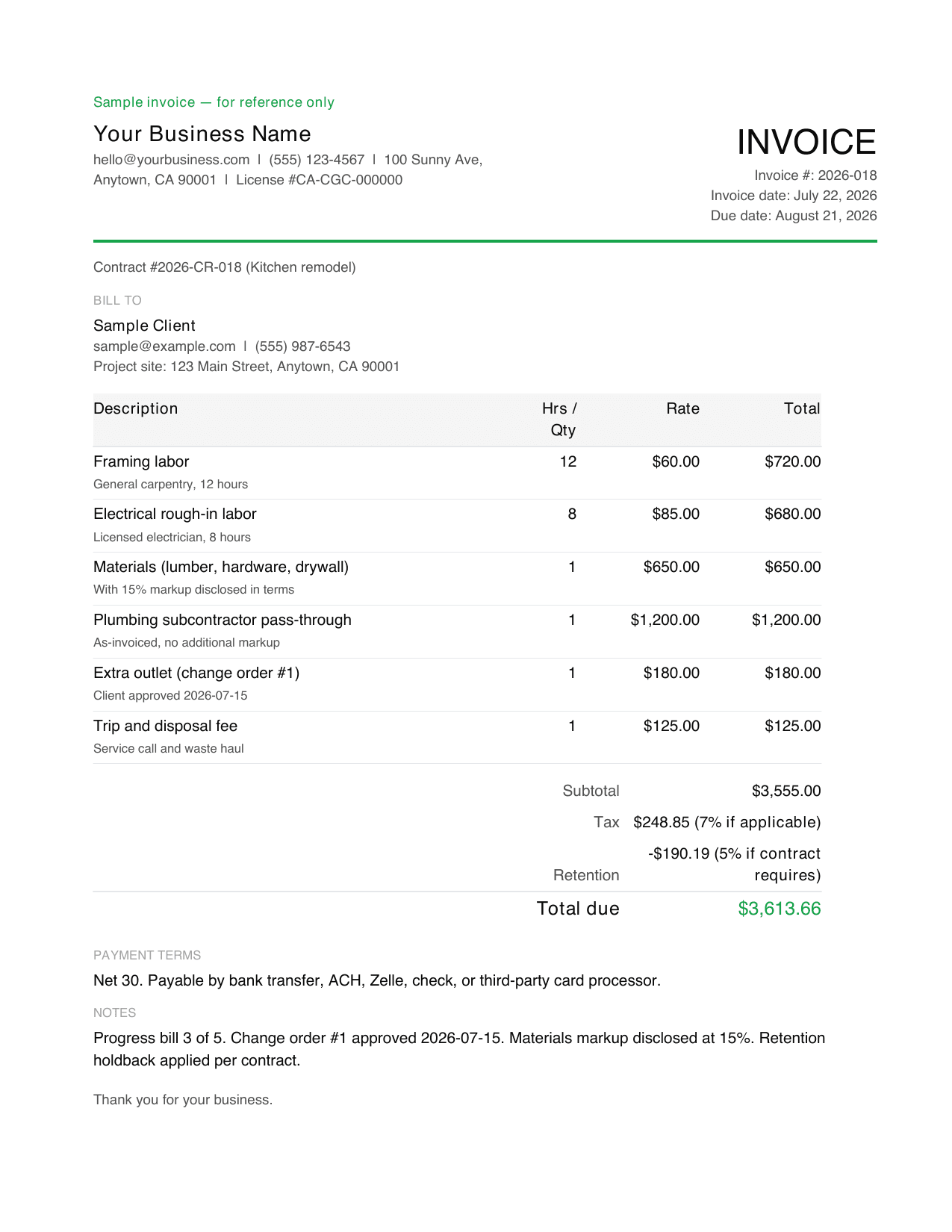
Contractor invoice template PDF example, a filled sample invoice

Contractor

Flat rate per jobHourly plus parts

Most often left off: The change-order reference for work added after signing

Open the contractor template
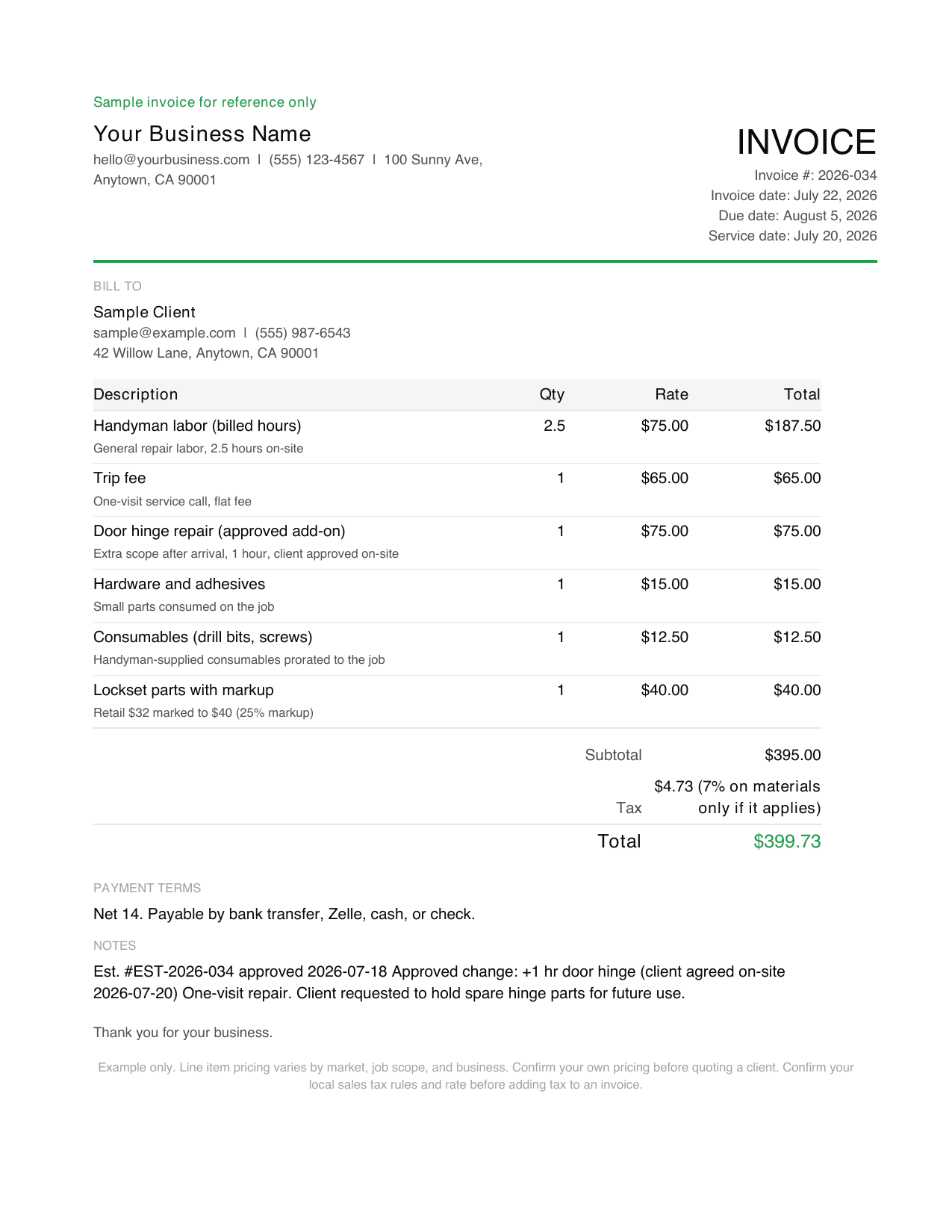
Handyman invoice template PDF example, a filled sample invoice

Handyman

Hourly plus parts

Most often left off: Disclosing the trip fee before the visit, not on the invoice

Open the handyman template
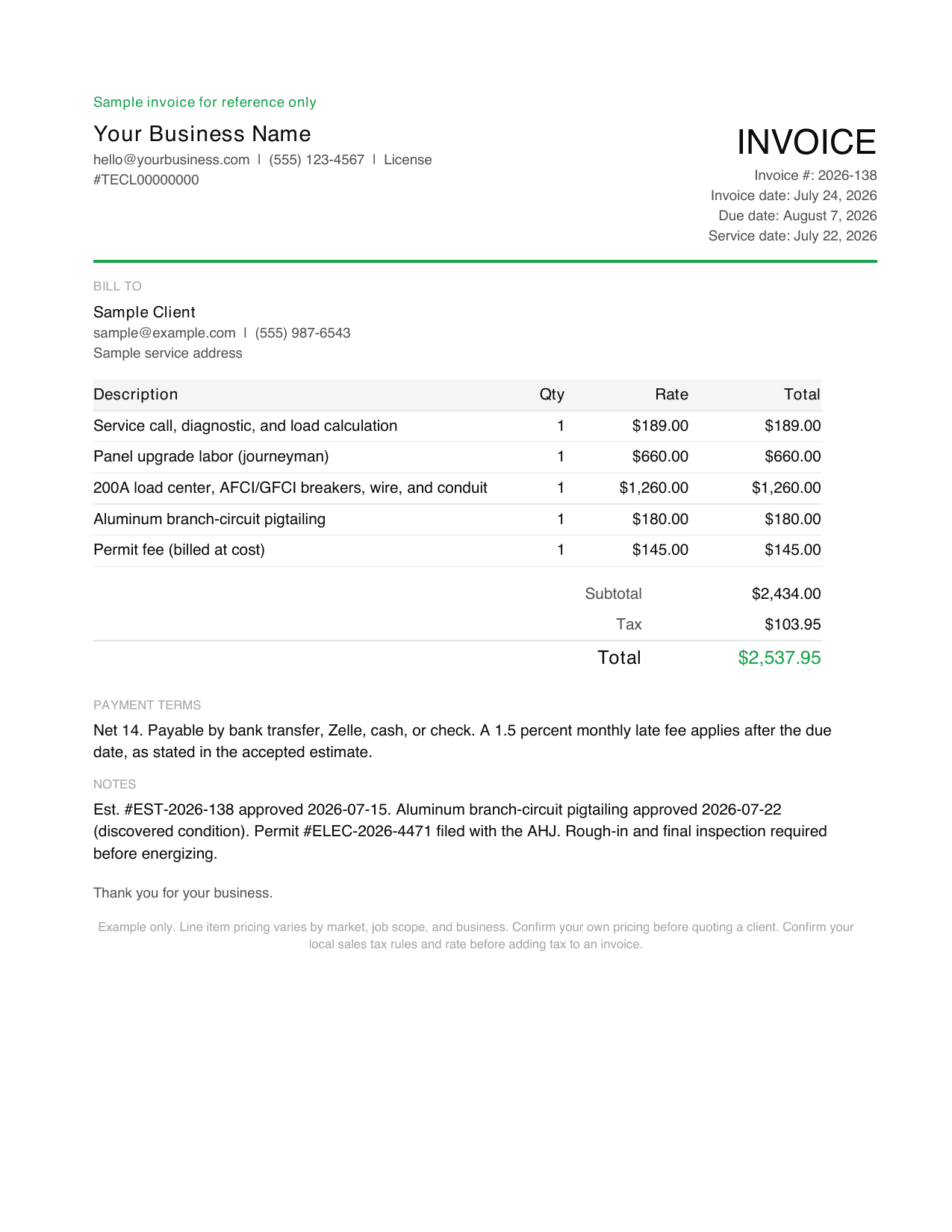
Electrician invoice template PDF example, a filled sample invoice

Electrician

Flat rate per jobHourly plus parts

Most often left off: Permit number and which inspection stage the invoice covers

Open the electrician template
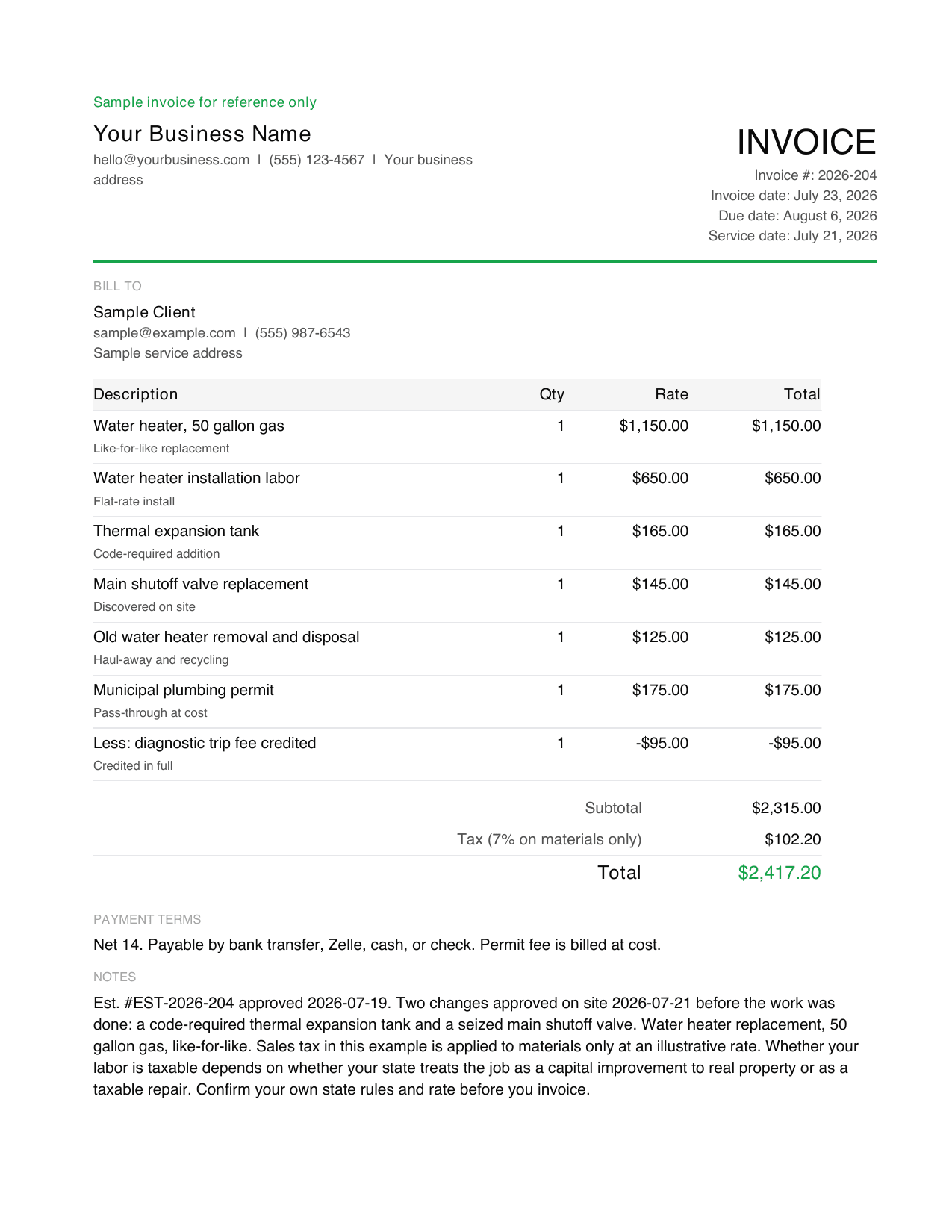
Plumbing invoice template PDF example, a filled sample invoice

Plumbing

Flat rate per jobHourly plus parts

Most often left off: Stating which tax treatment was applied and why

Open the plumbing template
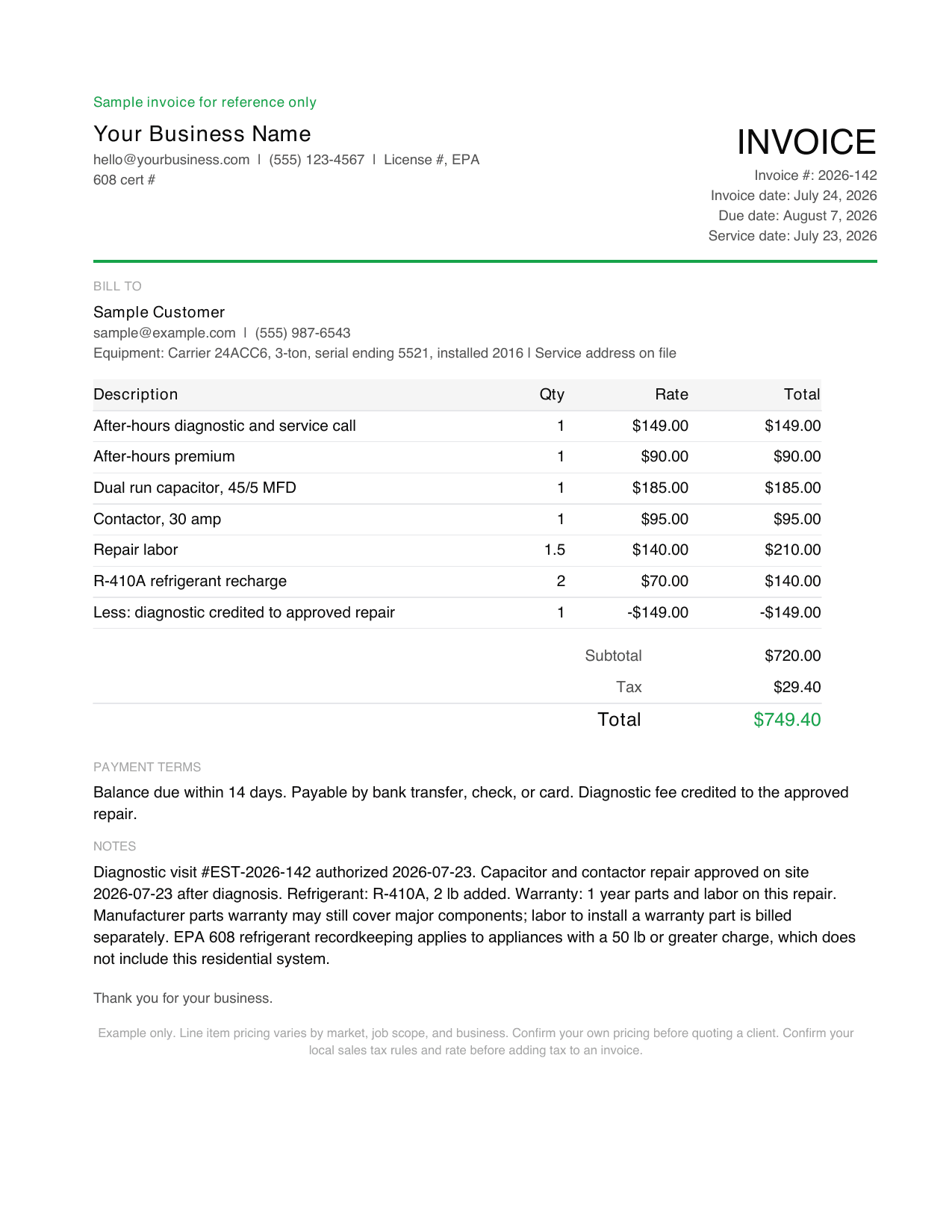
HVAC invoice template PDF example, a filled sample invoice

HVAC

Flat rate per jobPer visit or recurring

Most often left off: The after-hours multiplier the customer agreed to on the phone

Open the hvac template
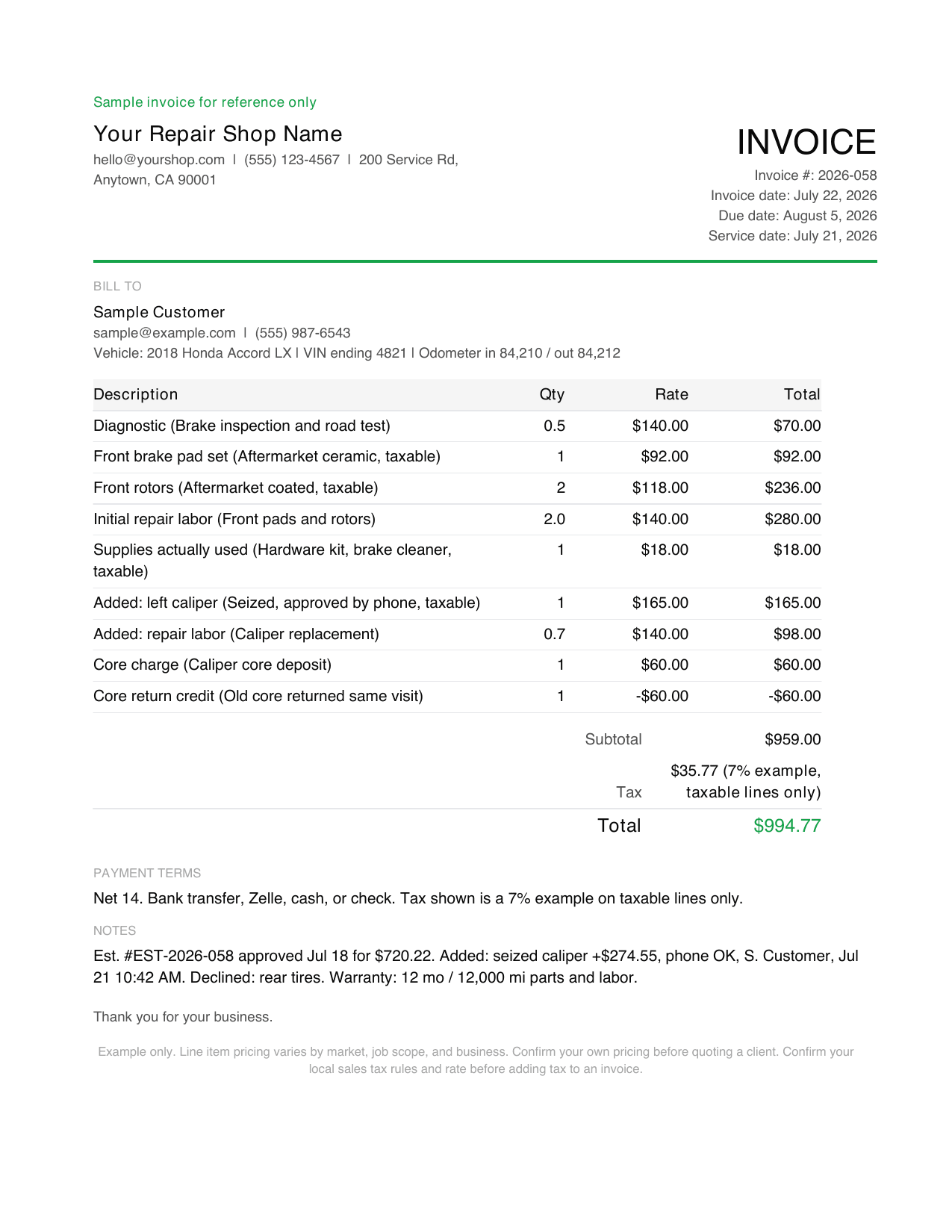
Automotive repair invoice template PDF example, a filled sample invoice

Automotive repair

Hourly plus partsFlat rate per job

Most often left off: The written authorization record for work found after disassembly

Open the automotive repair template
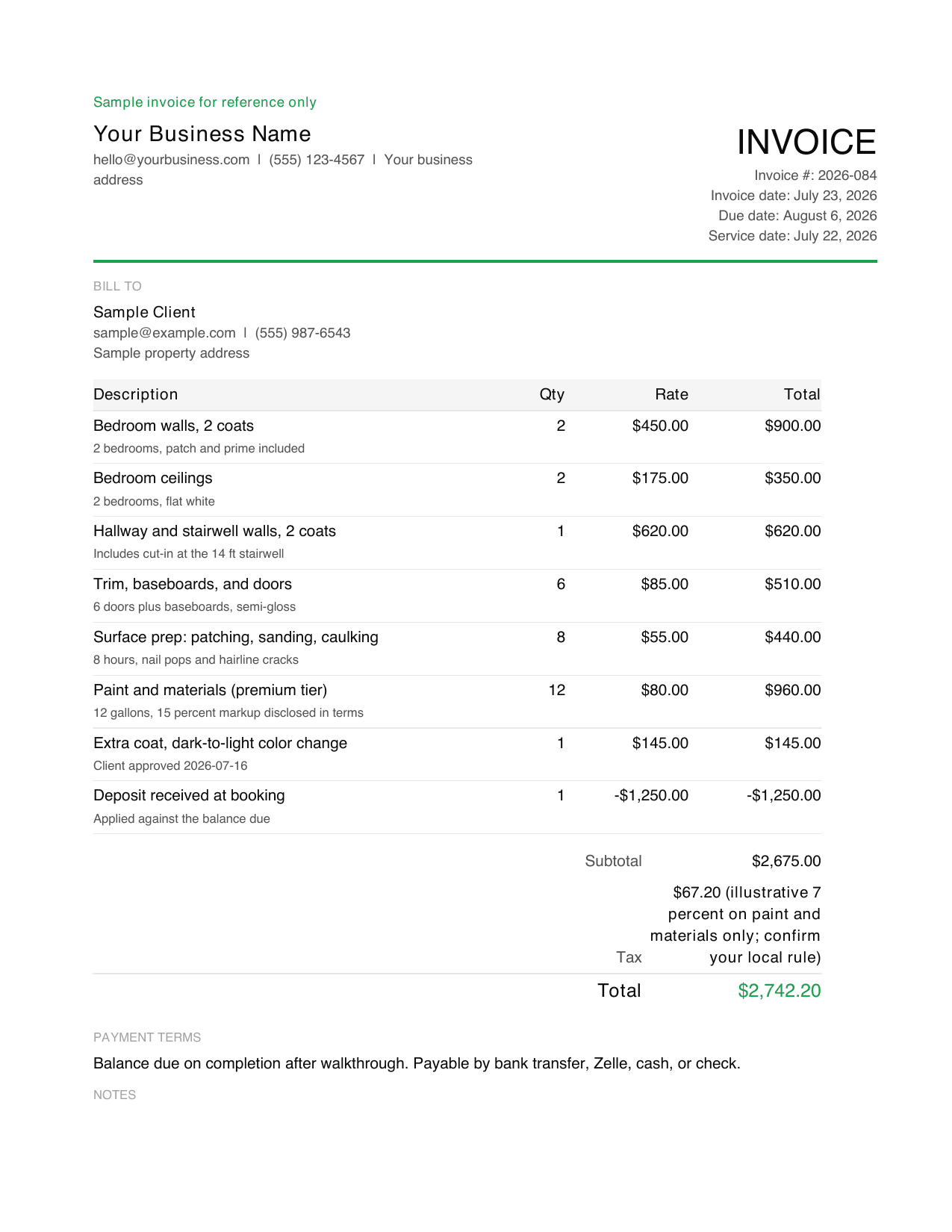
Painter invoice template PDF example, a filled sample invoice

Painter

Flat rate per job

Most often left off: Crediting the deposit as its own line so the balance due is unambiguous

Open the painter template
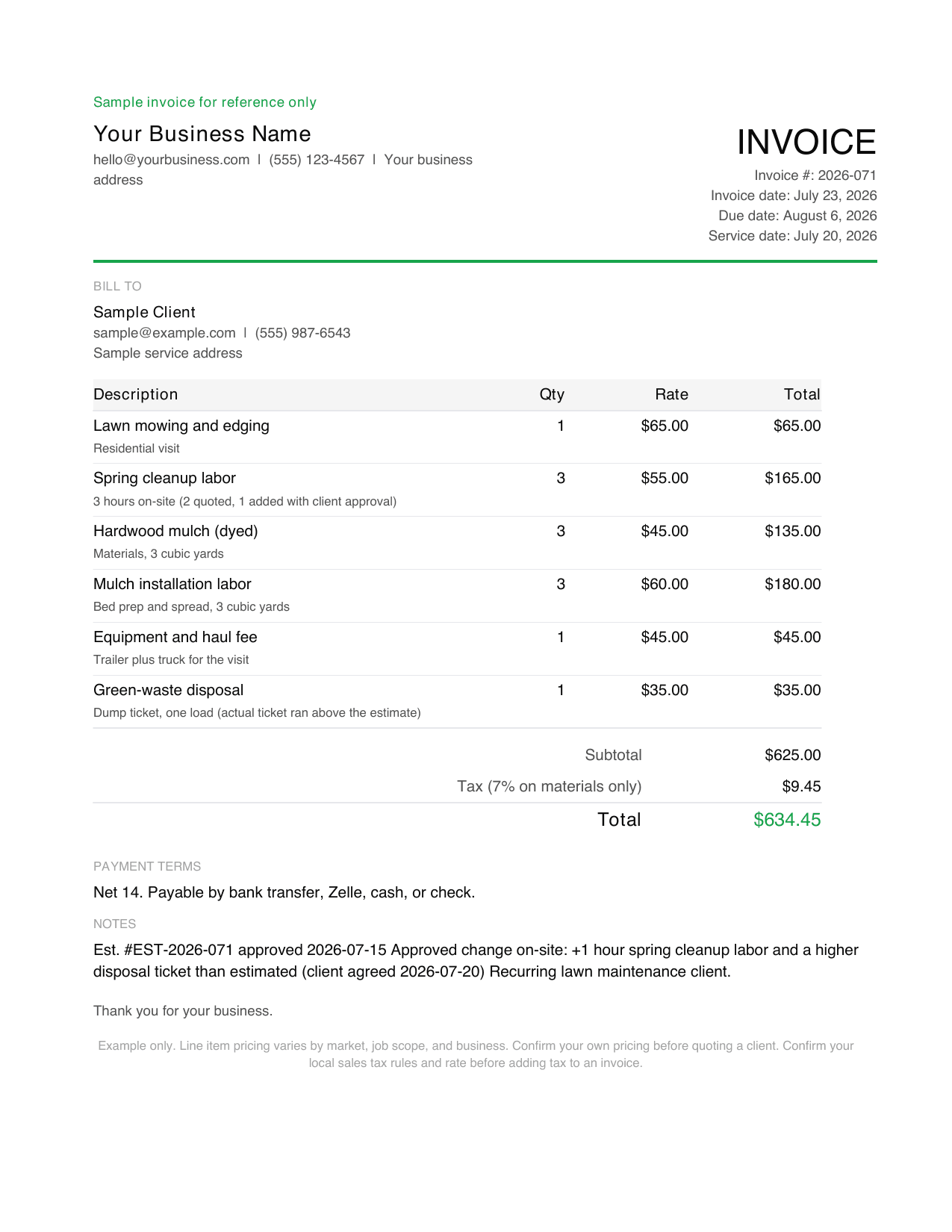
Landscaping invoice template PDF example, a filled sample invoice

Landscaping

Per visit or recurringFlat rate per job

Most often left off: Which visits in the billing period the invoice covers

Open the landscaping template
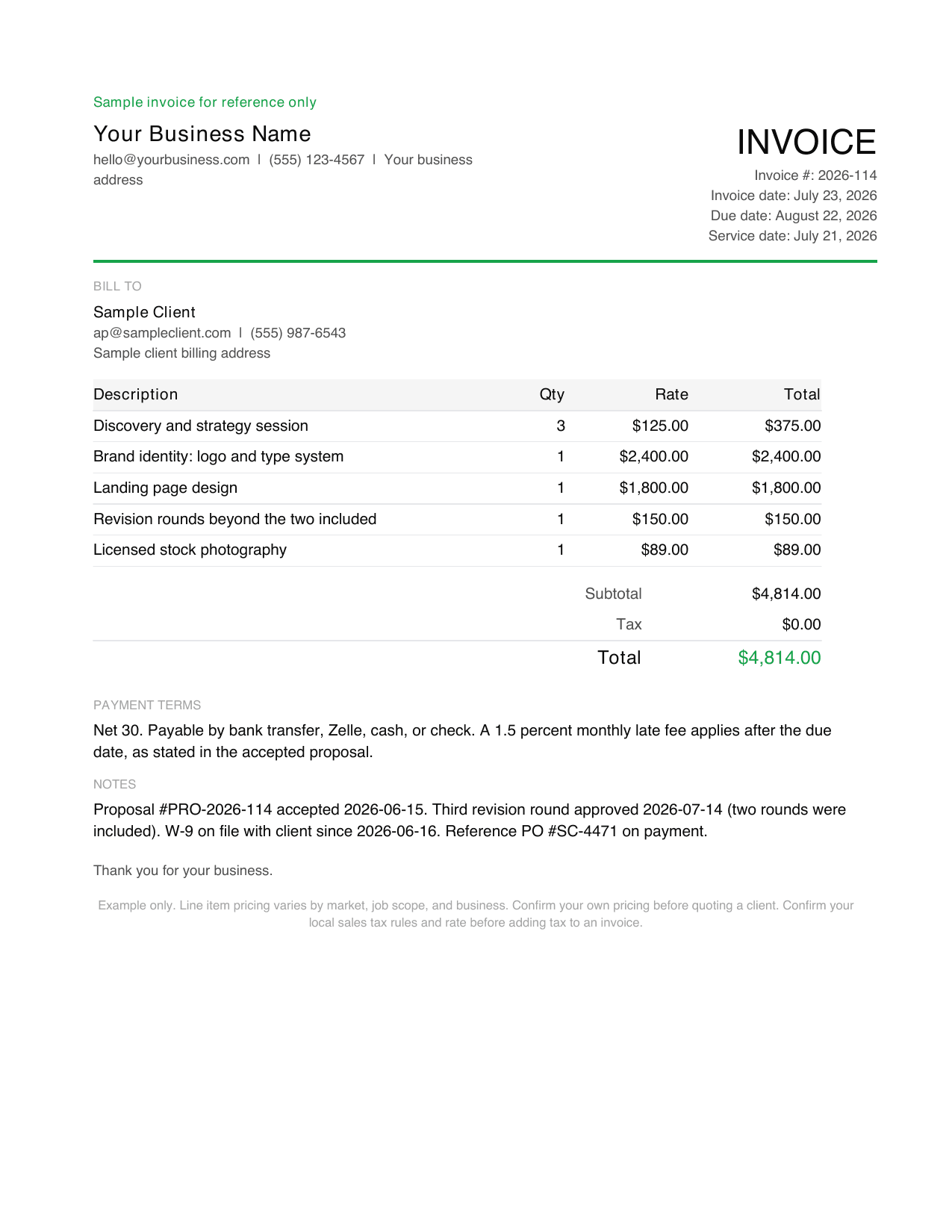
Freelance invoice template PDF example, a filled sample invoice

Freelance

Hourly plus partsMilestone or progress

Most often left off: Late-fee terms, which only hold if agreed before the work

Open the freelance template
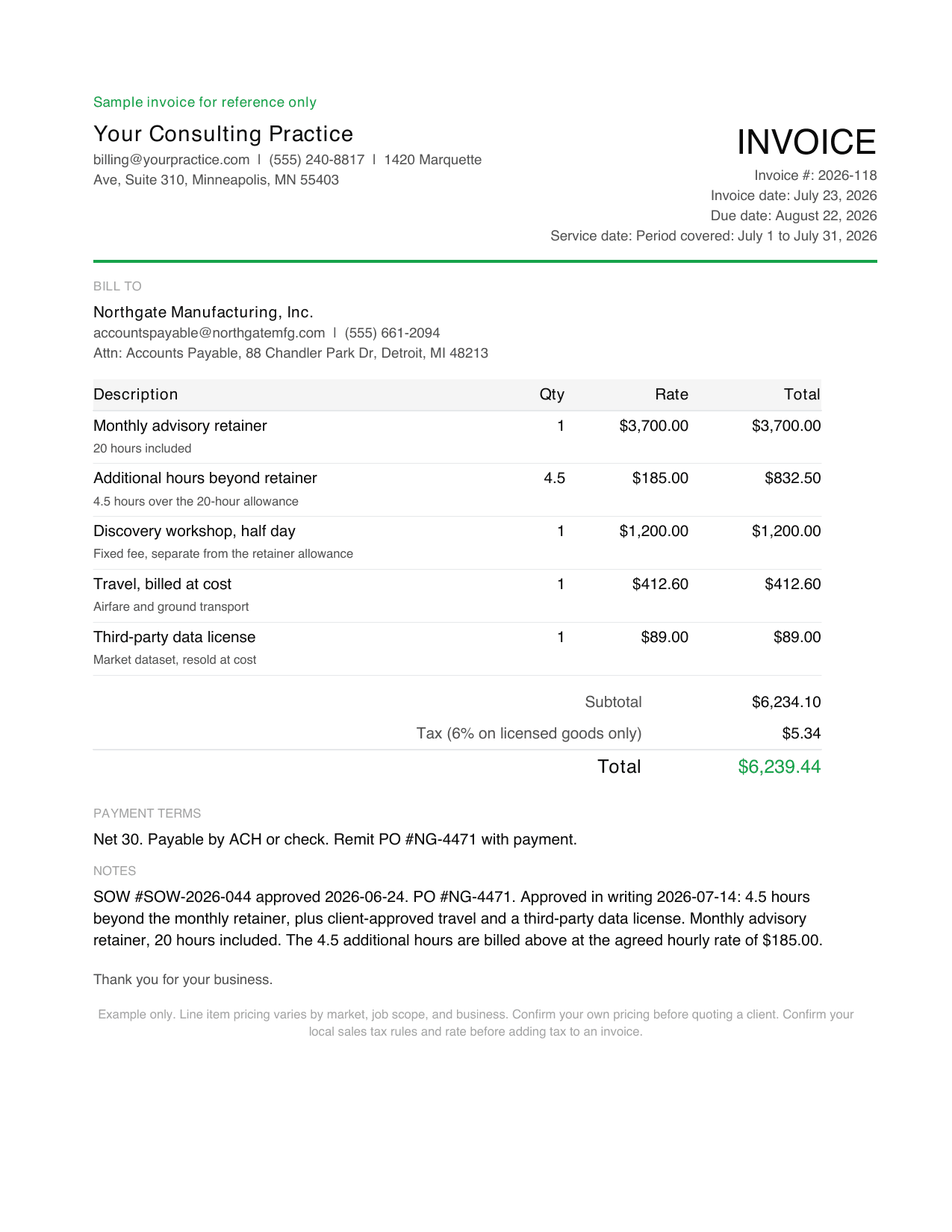
Consulting invoice template PDF example, a filled sample invoice

Consulting

RetainerMilestone or progress

Most often left off: How overage beyond the retainer was calculated

Open the consulting template
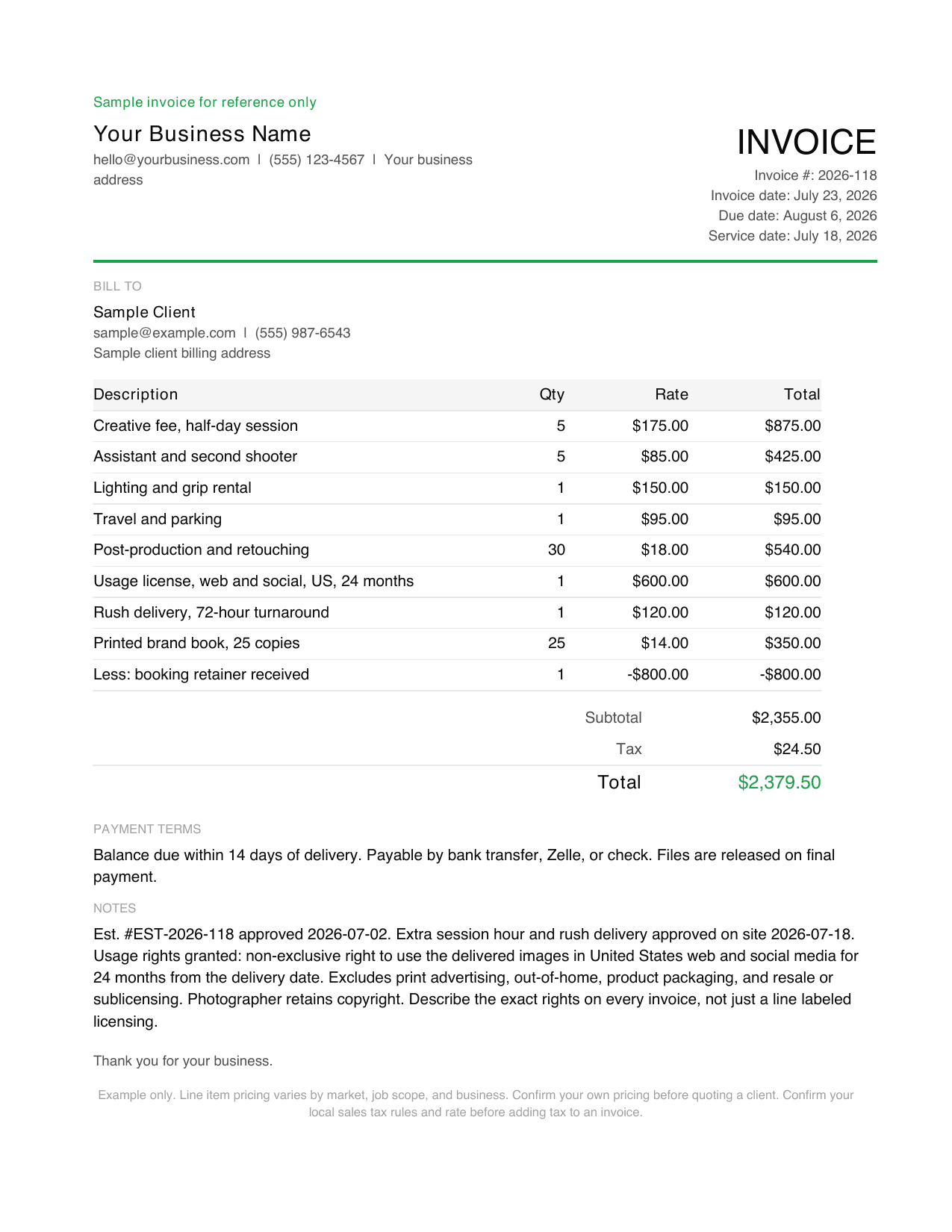
Photography invoice template PDF example, a filled sample invoice

Photography

Session or day rateMilestone or progress

Most often left off: Stating exactly which usage rights are included

Open the photography template
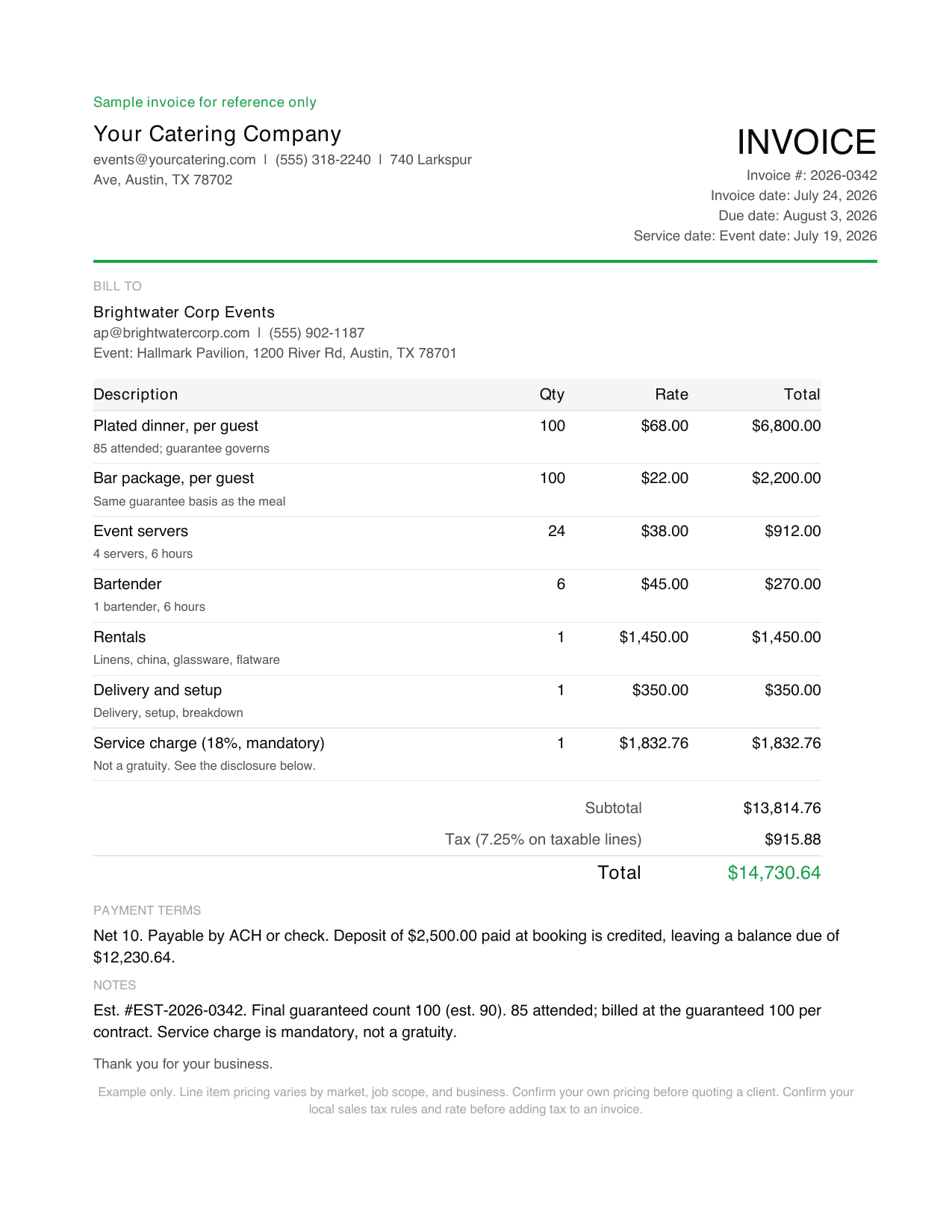
Catering invoice template PDF example, a filled sample invoice

Catering

Per head or per unitMilestone or progress

Most often left off: The headcount cutoff date the final count was locked against

Open the catering template

Not your trade? Use the universal template

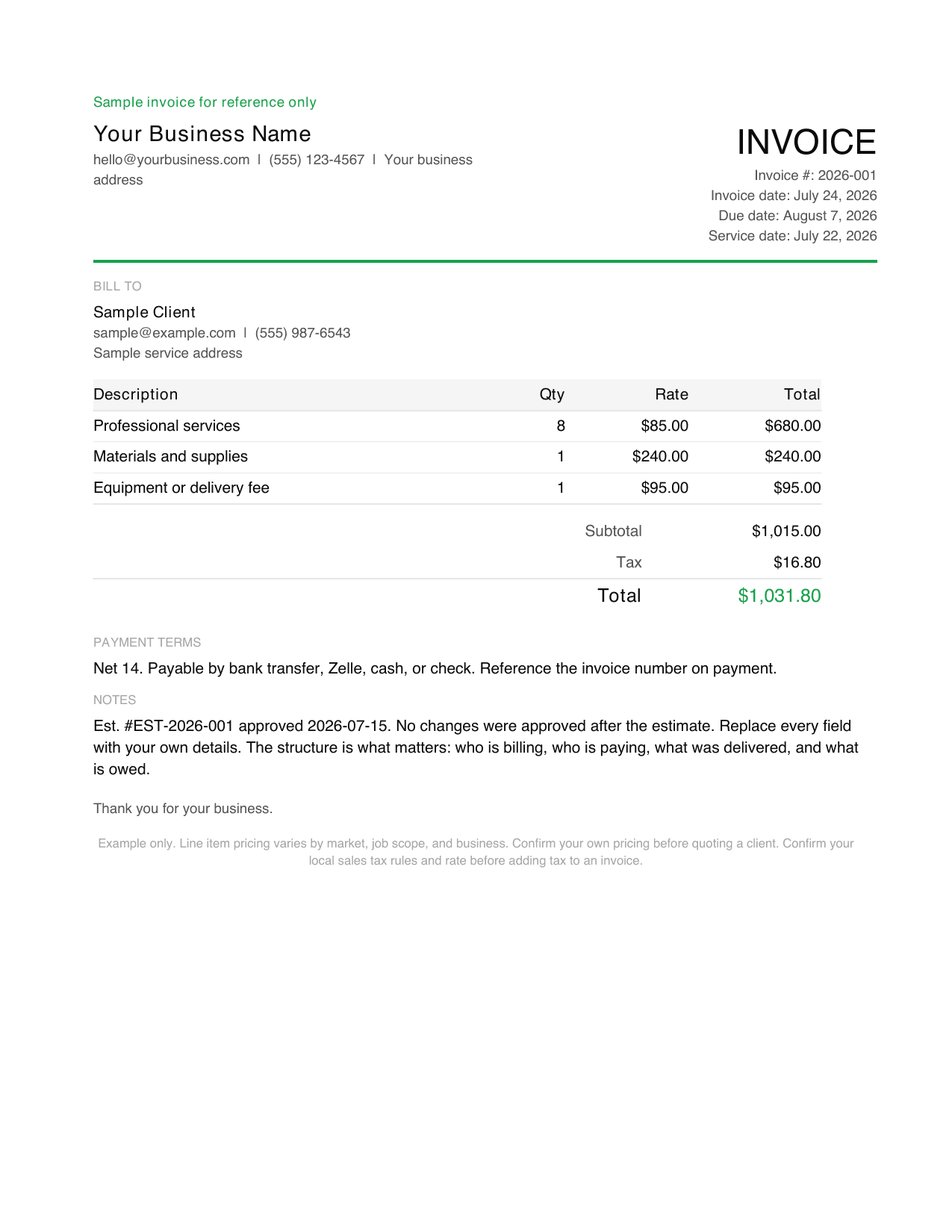
If none of the trades above fit, start here. This free, simple invoice template comes in two parts: page one is the filled invoice example shown here, page two is the same blank invoice template, printable as-is or fillable on screen. Nothing is gated behind an email address, and every total reconciles.

Preview of the universal invoice template showing itemized lines, tax on its own line, and the total due
Page one of the PDF. Page two is the same form, blank.

Which invoice format should you use?

Most template sites just list the formats (an invoice template PDF, an editable Word file, an Excel sheet) and leave the choice to you. The choice matters, and it is not really about the file. It is about who does the arithmetic and whether the client can change the numbers after you send it.

PDFSending a finished invoice to a client. An invoice template PDF looks the same on every device, and the client cannot change the numbers after you send it.You cannot edit it once exported, so fix mistakes in the source file and export again. It prints cleanly when you want a printable invoice to hand over in person.
Word or Google DocsEditing the layout, or when you want a document you can restyle to match your business.Totals do not calculate themselves. Every sum is a number you typed, which is where most invoice errors come from.
Excel or Google SheetsLine-heavy jobs where you want quantity times rate to total itself, and running totals across a job.Spreadsheets email badly. Export to PDF before sending, or the client sees your formulas and column widths.
An invoice appRepeat clients and repeat line items, where retyping the same details every time is the actual cost.Worth it only once you invoice often enough that setup time pays back.

How to make a printable invoice template PDF

Getting the invoice format in PDF right comes down to three habits:

  • To turn an invoice to PDF, use Export or Save as PDF, not Print to PDF, so the text stays selectable and searchable in the client’s records.
  • Name the file so the client can find it months later, like 2026-014-YourBusiness.pdf, not the template’s own name.
  • Printing rather than emailing it? Run a test copy first, since a table that fits your screen can push the total onto a second page.

What does every invoice need, whatever the trade?

These eight fields hold on every template on this page. If a template you found elsewhere is missing one of them, that is the one that will cost you a phone call later.

Your business name and contact details
The client has to know who to pay and who to call about it.
The client name and the correct billing contact
At larger clients the person who approved the work is rarely the person who pays it.
A unique invoice number
Sequential numbering is what lets both sides reconcile a dispute months later.
Invoice date and due date
A due date is what makes an invoice late. Without one, nothing is overdue.
Itemized lines with quantity and rate
A single lump sum is the most common reason an invoice gets queried.
Subtotal, tax, and total due
Tax rules differ by state and by what you sold, so keep tax on its own line.
Payment terms and accepted methods
Decide before you send, not after the client is late.
Any deposit already paid, credited back
Show the total job value and the balance due, so neither number is a surprise.

What’s different about an invoice for each trade?

Every row below is taken from the template page it links to, so the comparison and the template can never disagree. Read across if you are not sure which trade you are: the line that describes your job is usually the “most often left off” column, because that is the field people only learn about after it costs them.

CleaningService address that is often not the billing address, because property managers pay for a property they do not live inPer visit, or flat by home sizeWhich visit dates this invoice actually covers
ContractorRetention holdback and a change-order reference tying the bill to what was approvedFixed price, time and materials, or progress drawsThe change-order reference for work added after signing
HandymanTrip fee and a disclosed parts markup on jobs too small for a formal estimateHourly plus partsDisclosing the trip fee before the visit, not on the invoice
ElectricianLicense number, which several states require on the invoice itself, plus the permit numberService call, flat rate, or time and materialsPermit number and which inspection stage the invoice covers
PlumbingWhether the job is a repair or a capital improvement, because the sales tax rule differsService call, flat rate, or emergency call-outStating which tax treatment was applied and why
HVACEquipment separated from labor, and maintenance-plan visits billed against a planDiagnostic then approved repair, or a maintenance planThe after-hours multiplier the customer agreed to on the phone
Automotive repairParts taxable while labor is not, plus core charges and their matching creditFlat labor hours plus partsThe written authorization record for work found after disassembly
PainterCoats and surface prep as their own lines, and a deposit credited backPer room or whole-job quoteCrediting the deposit as its own line so the balance due is unambiguous
LandscapingRecurring visits alongside one-off installs, with materials such as mulch billed separatelyPer visit, or per projectWhich visits in the billing period the invoice covers
FreelanceW-9 details and revision rounds, with no sales tax on services in most statesHourly, milestone, or retainerLate-fee terms, which only hold if agreed before the work
ConsultingRetainer drawdown showing what the retainer covered and what exceeded itMonthly retainer, or fixed fee with milestonesHow overage beyond the retainer was calculated
PhotographyUsage rights granted, which decide what the client may legally do with the imagesSession or day rateStating exactly which usage rights are included
CateringPer-head pricing against a guest count that moves after bookingPer head plus a booking depositThe headcount cutoff date the final count was locked against

What’s legally required on an invoice?

Most of an invoice is convention. A few parts are not. These four are the ones where getting the layout right is the smaller half of the problem, and each links to the template page that carries the primary source.

Can be required by law

License numbers can be legally required on the invoice

Texas, California, and Florida each require a contractor or electrical license or registration number on business documents, and Texas names invoices explicitly. Leaving it off is a compliance issue, not a formatting preference.

Source: Texas TDLR compliance guide

See the sources on the electrician invoice template
4 US jurisdictions

Freelance work has payment-protection rules in four jurisdictions

California, Illinois, New York State, and New York City each require written terms above modest dollar thresholds and payment within 30 days when no date is stated. Your written terms and your invoice are the records those laws are built around.

Source: NY State DOL, Freelance Isn't Free Act

See the sources on the freelance invoice template
Varies by trade and state

Sales tax depends on the trade, not just the state

Most states tax materials and not labor. Professional services are usually not taxed at all. Plumbing work can be taxed differently depending on whether it is a repair or a capital improvement. Split labor and materials so the tax base is obvious, and confirm your own state rule.

See the sources on the plumbing invoice template
Gates when you can bill

Permits and inspections gate when you can bill

Permitted work is inspected in stages. Referencing the permit number and the inspection stage on the invoice is what lets a customer match your bill to the inspection record.

See the sources on the electrician invoice template

This is general information for US-based solo operators, not legal or tax advice. State rules change, and your city or county may add its own. Confirm your own licensing and sales tax position with your state agency or an accountant before relying on it.

How are these templates researched and built?

Researched, sourced pricing

Each trade template starts from that trade’s own billing practice rather than from a generic form. The fields come from what that work actually has to prove on paper: a permit stage, a change order, a headcount cutoff, a usage right. The pricing in each filled example is taken from a named 2026 US source and cited on the page it appears on, so you can check the number instead of trusting it.

Verified arithmetic

The filled examples reconcile. Where a template shows a quote and an invoice, the difference between them is itemized and explained, and the arithmetic is verified before the file is published rather than typed by hand into a layout. That is why a deposit appears as a negative line and the balance due is a number you can follow.

State-specific, or not stated

Where a rule varies by state, the page says so and cites the state it is describing rather than presenting one state’s rule as national. Where we could not verify something, it is not on the page. Corrections are welcome, and the last-updated date at the top moves when the content does, not on a schedule.

When a template stops being enough

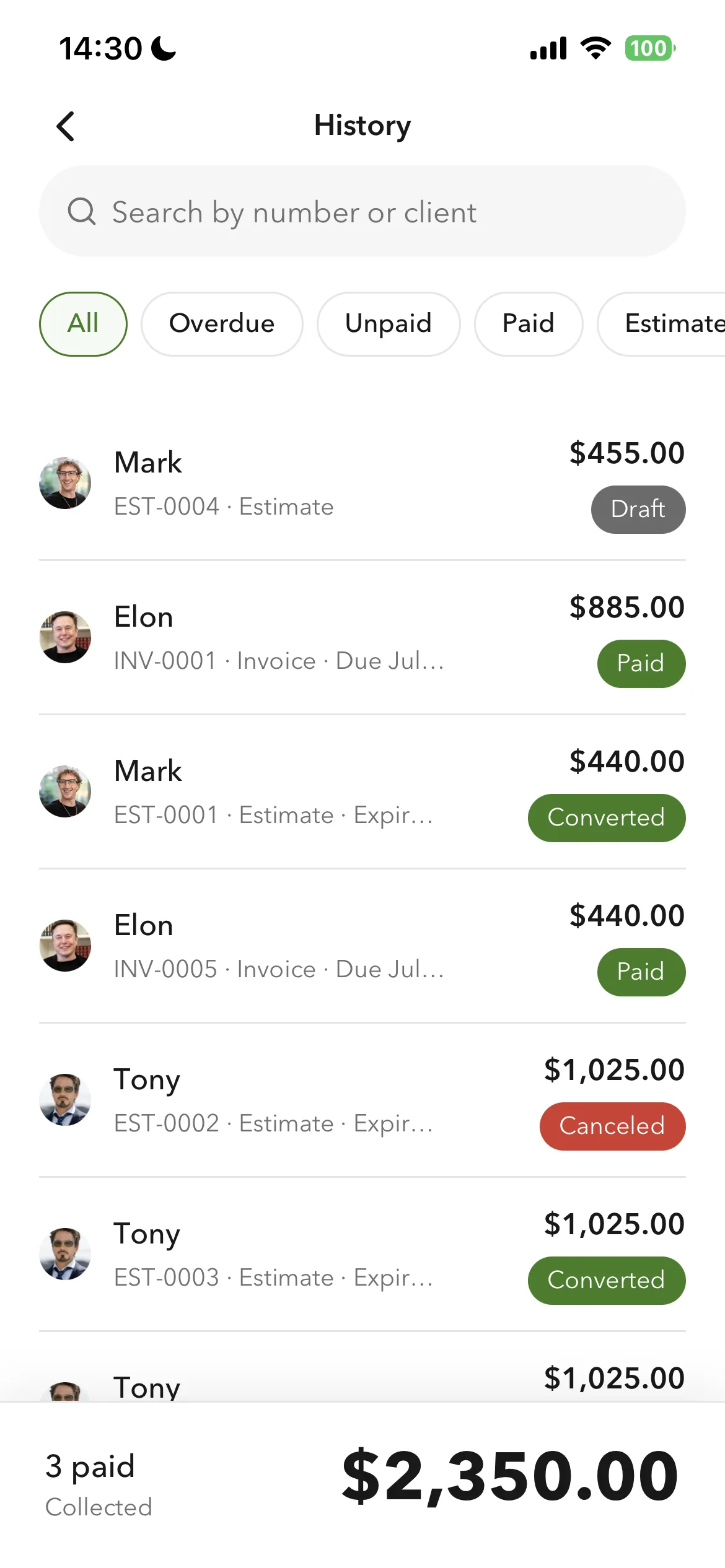
A blank form is right for a one-off job. The friction shows up on invoice two, when you retype the same client, and invoice five, when you cannot recall what you charged. Billgami saves your clients and reusable line items, creates invoices, estimates, and quotes on iPhone, and tracks each as paid, unpaid, or partial by hand. Free tier, plus a lifetime option ($249.99) if you want to skip subscriptions.

Last updated: July 2026 | Written by Phuc Doan

Billgami invoice history with paid, unpaid, and partial status on iPhone

FAQ

Invoice template questions

Straight answers on invoice templates, formats, tax, and what each trade needs on the page.

What should be on an invoice?

Your business name and contact details, the client's billing contact, a unique invoice number, the invoice date and due date, itemized lines showing quantity and rate, the subtotal, any tax on its own line, the total due, your payment terms, and any deposit already paid credited back. Everything beyond that is trade-specific.

What is the best format for an invoice?

PDF for sending, because it looks identical on every device and the client cannot alter the numbers. Word or Google Docs if you want to restyle the layout, accepting that totals will not calculate themselves. Excel or Google Sheets for line-heavy jobs where you want the math done for you, but export to PDF before sending.

How do I turn an invoice into a PDF?

To turn an invoice to PDF, every template here already downloads as an invoice template PDF. If you are working from a Word or Excel version, or a blank PDF invoice form, use File then Export or Save as PDF rather than Print to PDF, which keeps the text selectable so the file stays searchable and the client can copy details from it.

Is there a free printable invoice template?

Yes. Every one is a free invoice template you can print, with no signup and no watermark. Download a free invoice PDF, or an editable Word or Excel file, then print the filled example as a PDF sample invoice or the blank version as an invoice sample to fill in by hand. It is a free printable invoice template in the format you actually use, whether you want a basic invoice template or a full service invoice template.

Do I need a different invoice template for my trade?

The core fields are the same for everyone. What differs is what sits on top: an electrician needs a license and permit number, a caterer needs a headcount and a cutoff date, a photographer needs usage rights, and an automotive shop needs parts taxed while labor is not. That is why these templates are built per trade rather than recolored from one form.

Is a blank invoice template enough?

For a one-off job, usually yes. The problem with a blank form appears on the second invoice, when you retype the same client and the same service lines, and on the fifth, when you cannot remember what you charged the first time. That is the point where a saved client and a reusable line item start paying for themselves.

Does my invoice need to include tax?

Only if you are registered to collect it and the thing you sold is taxable where you sold it. Most states tax materials and not labor, and professional services are often not taxed at all. Keep tax on its own line so the tax base is obvious, and confirm your own state rule rather than copying another state's.

What makes an invoice legally valid?

In most of the US an invoice is a commercial document rather than a regulated form, so there is no single federal template. What varies is what your trade and state require on it, such as a contractor or electrical license number in Texas, California, and Florida. This is general information, not legal advice.

How do I number my invoices?

Sequentially, and never reuse a number. A simple year-and-counter scheme such as 2026-001 is enough. What matters is that any invoice can be found again later, because that is what a reconciliation or a dispute depends on.

Can I create these invoices on my phone?

Yes. Billgami is built for creating invoices and estimates on iPhone, saving your clients and reusable service lines, exporting PDFs, and tracking each invoice as paid, unpaid, or partial by hand. It does not process payments; your client pays you directly by whatever method you list.